


Monitor your entire website in real-time. 6 live KPIs, visitor feed with interactive world map, traffic charts, engagement metrics, referrer tracking, bot detection and more — all updating live on YOUR server.
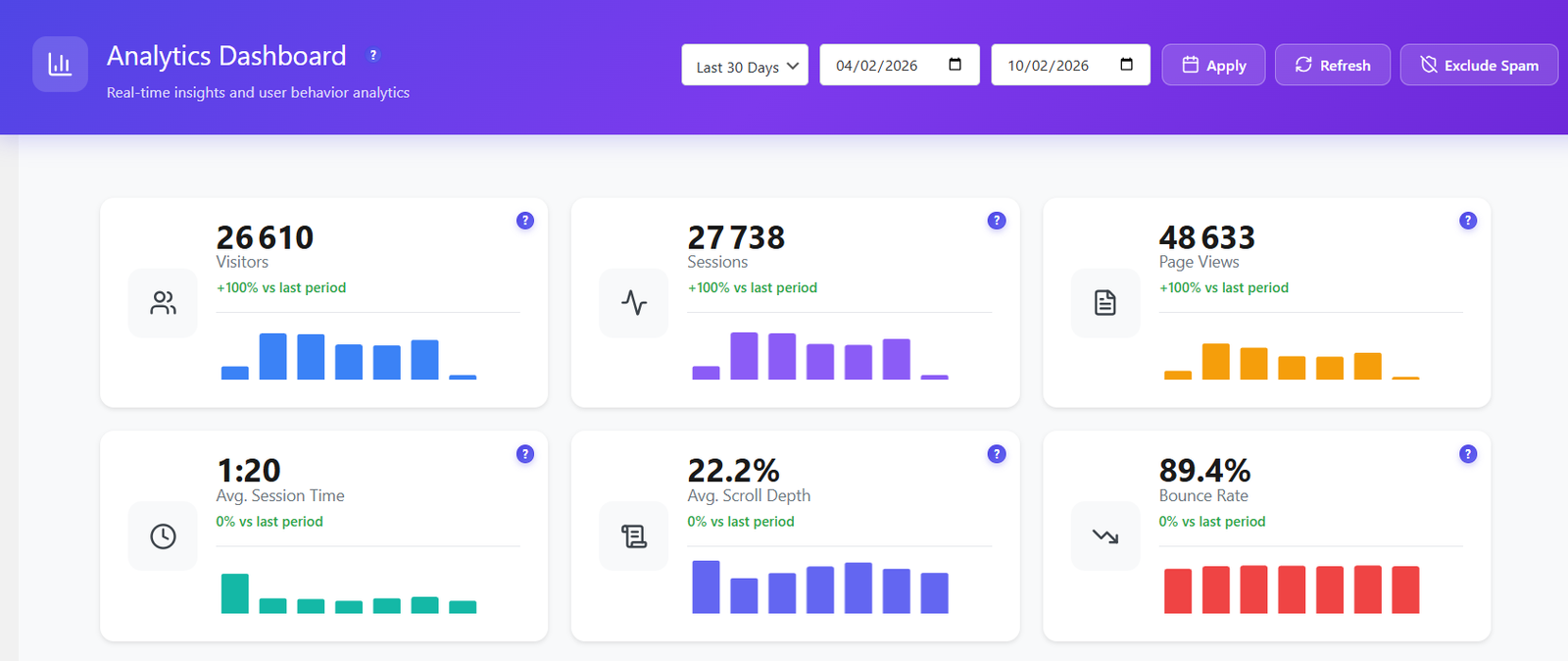
The dashboard packs 16+ widgets into a single, fast-loading page. Every metric updates in real-time with zero external API calls.
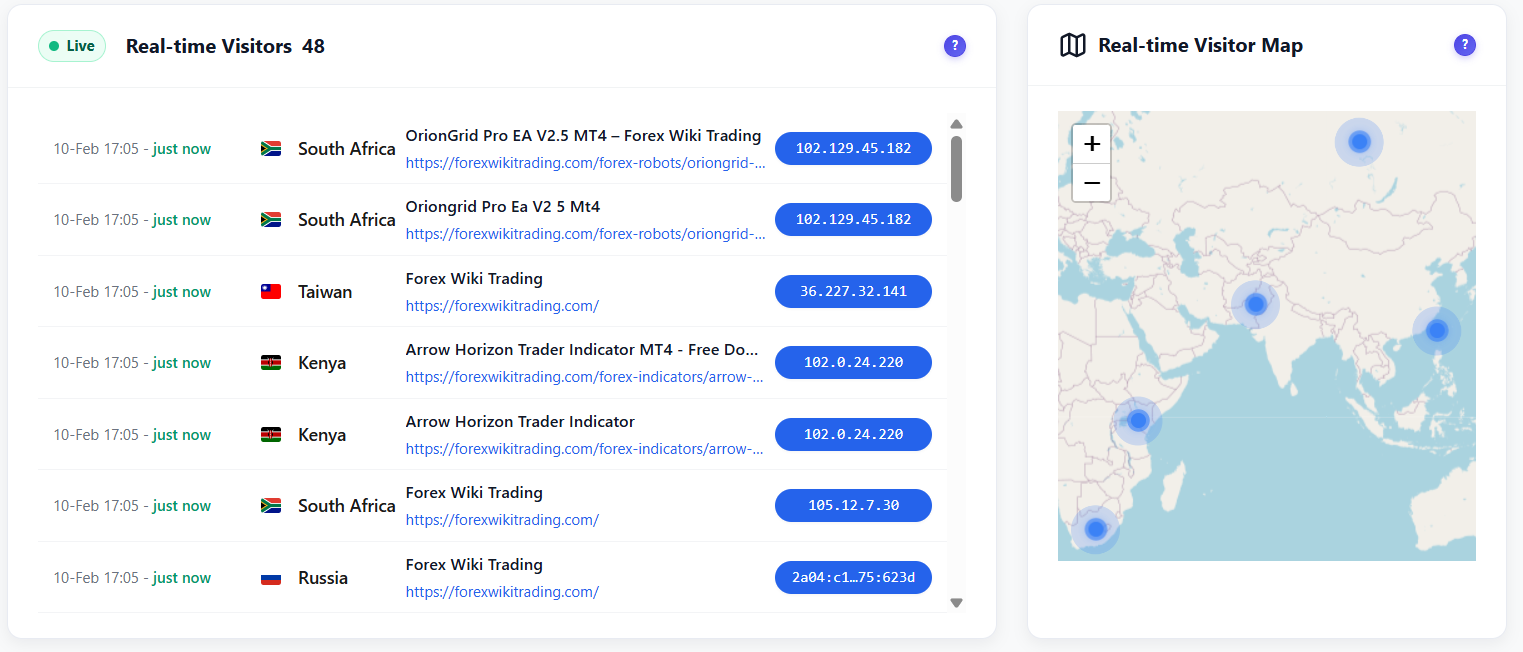
See who is on your site right now. The interactive Leaflet world map shows visitor locations updating in real-time with country flags and session details.
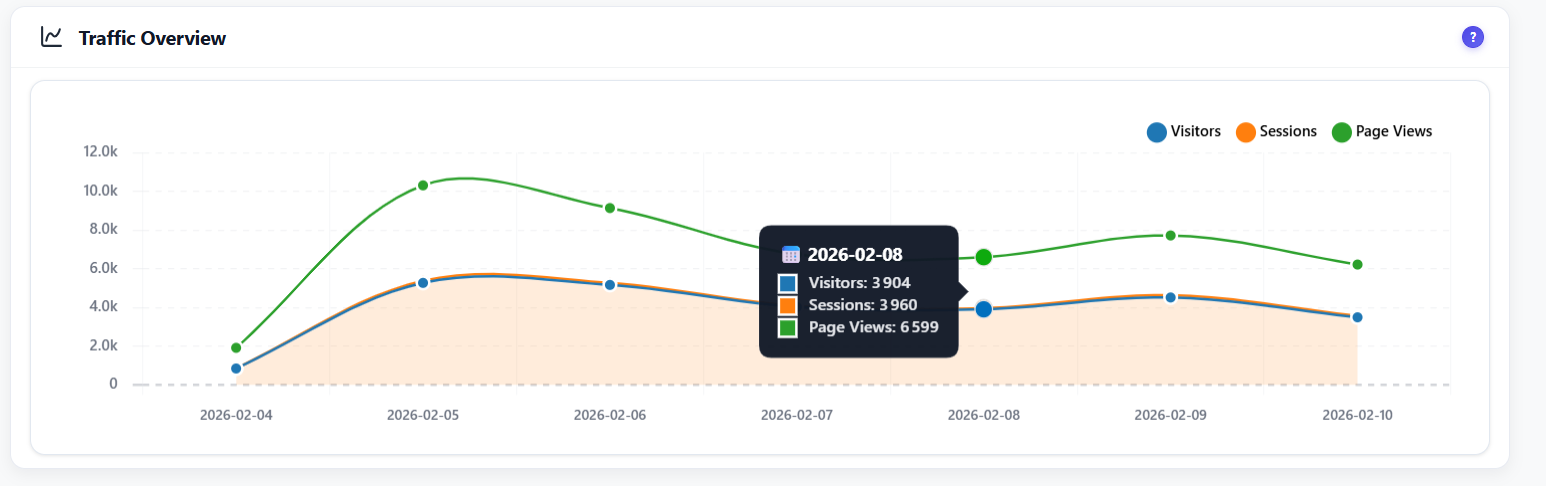
Visualize visitors, sessions and pageviews over time with interactive charts. Flexible date range selector with presets for today, last 7 days, 30 days or custom range.
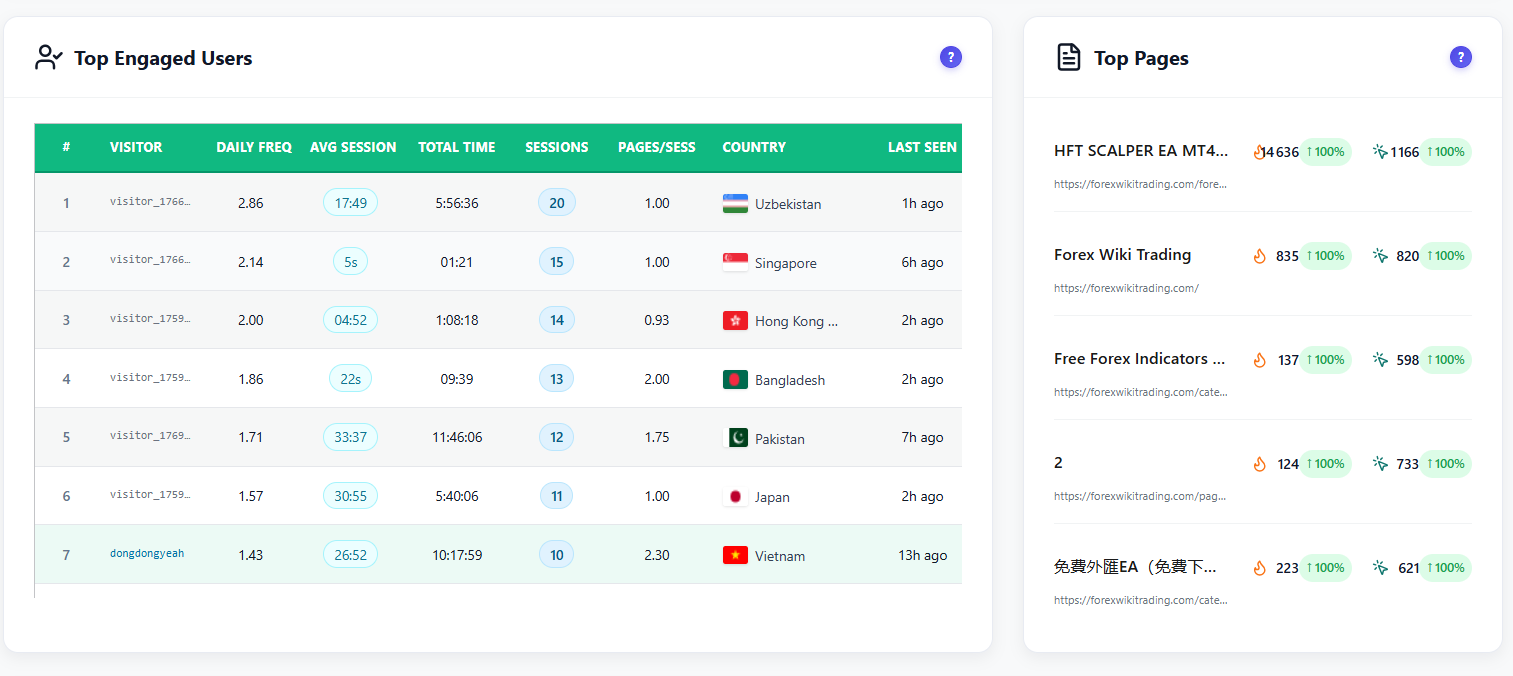
Identify your most engaged visitors ranked by session time, pages viewed and scroll depth. See which pages get the most traffic and highest engagement scores.
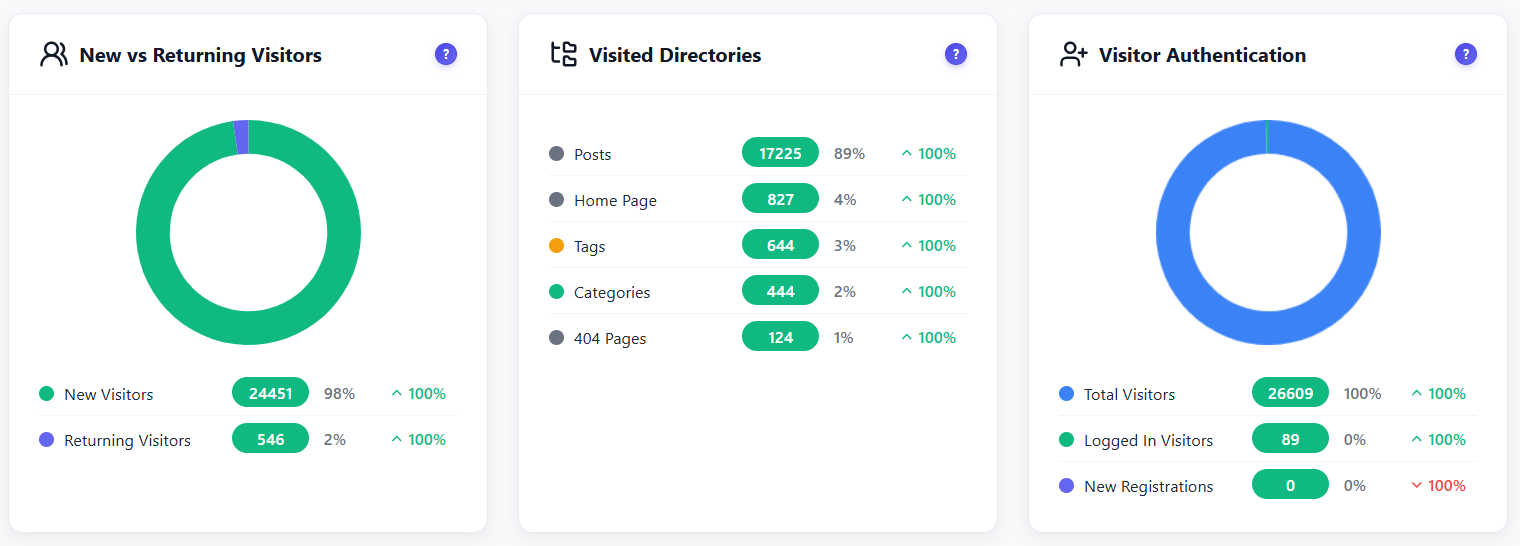
Understand your audience loyalty. Donut chart breakdown of first-time versus returning visitors with visited directories analysis and authentication status tracking.
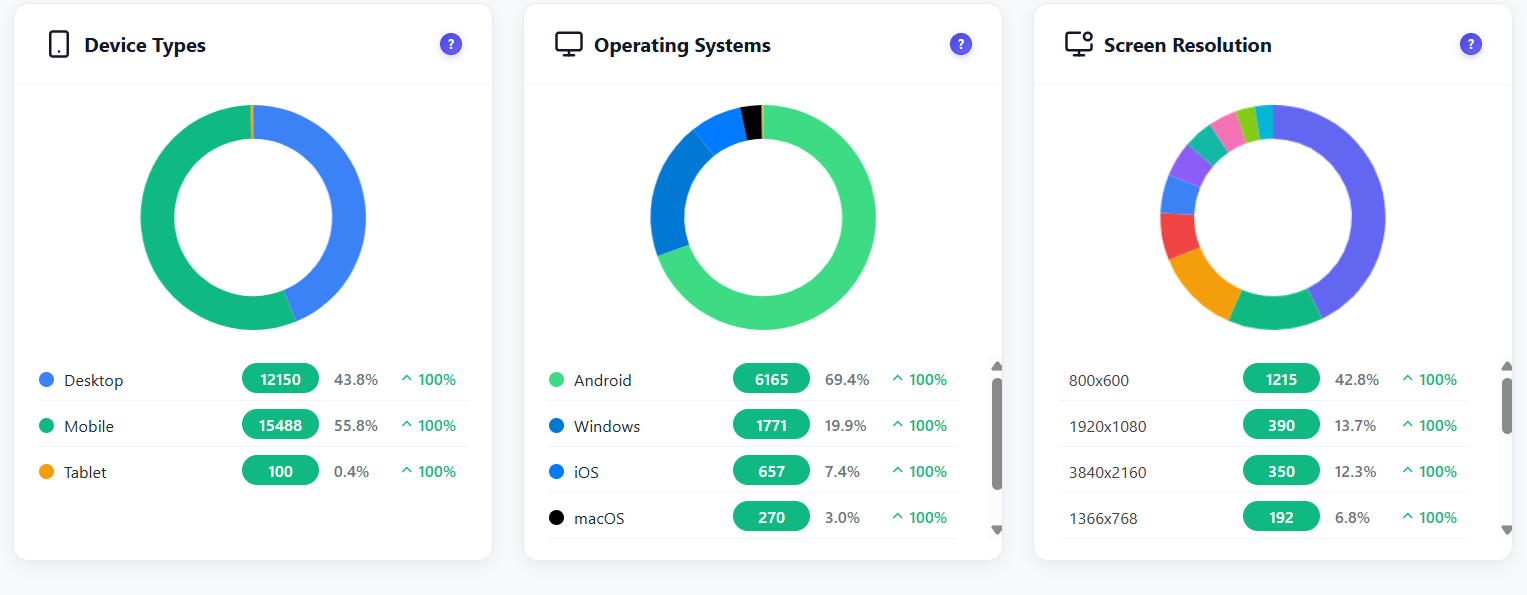
Full geographic breakdown by country with percentage share and period-over-period comparison. Plus browser, device type, OS and screen resolution analytics.
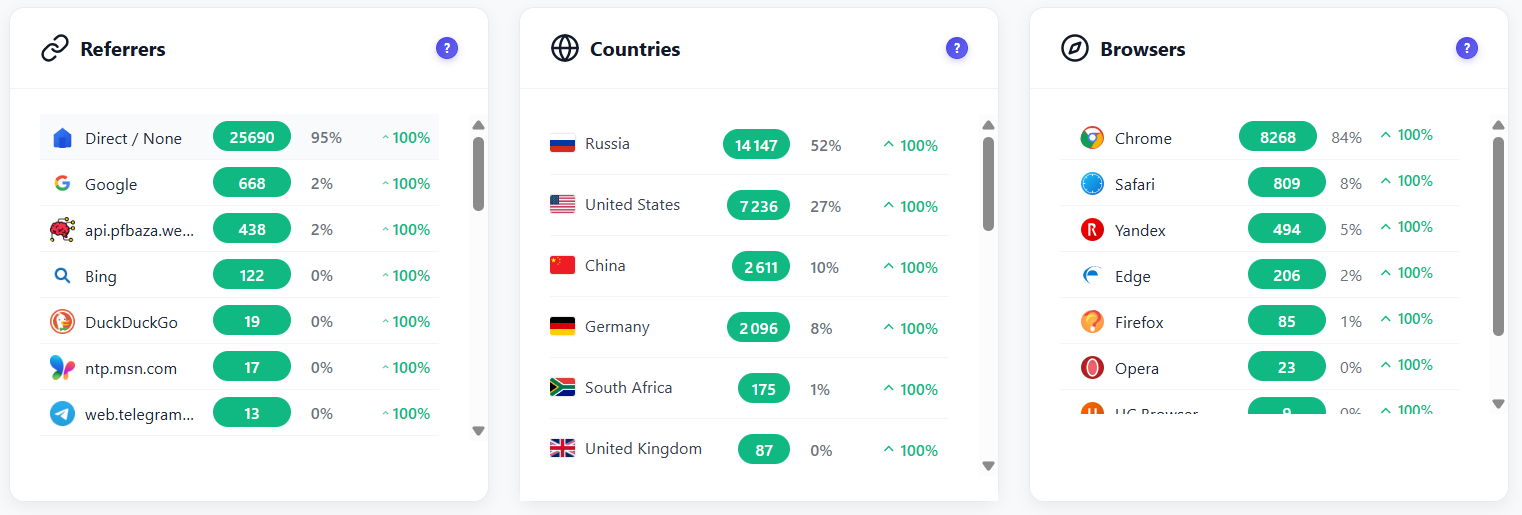
Know where your traffic comes from. Track direct visits, search engines, social media and campaign referrals with UTM parameter support and outbound click monitoring.
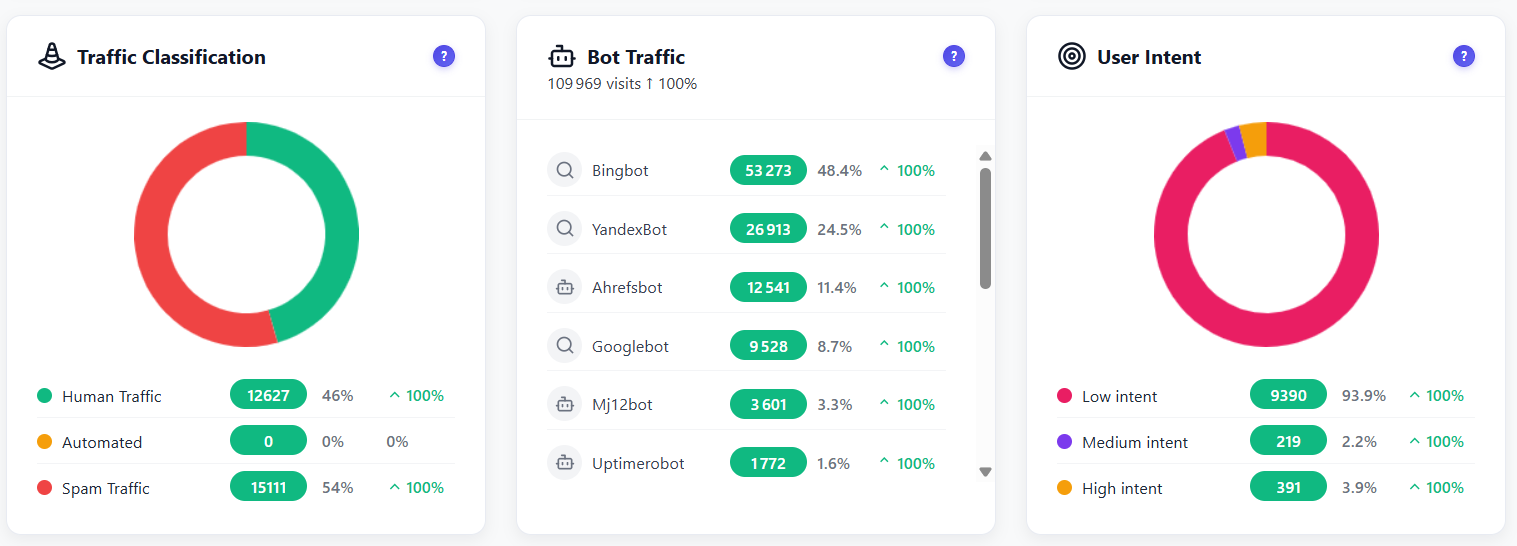
Automatically separate real human traffic from bots, crawlers and spam. 15+ detection patterns identify search engine crawlers, SEO tools, monitoring bots and suspicious automated traffic.
Install Opti-Behavior from WordPress.org or upload the plugin. Activate it and tracking starts automatically — no configuration needed.
A ~15KB async script loads on your pages without affecting performance. It captures page views, clicks, scroll depth, session timing and referrer data.
All analytics data is stored in your WordPress database. Zero external API calls, zero data sharing, zero cookies. You are the sole data controller.
Open the Dashboard page and see all 16+ widgets load in parallel with live data. Use date range selectors and filters to slice your analytics any way you want.
Track product page views, monitor checkout traffic, identify top-performing products and understand where buyers come from — all without sharing data with third parties.
See which posts get the most engagement, monitor scroll depth to know if readers finish articles, track referrers from social media and newsletters.
Manage analytics for multiple client sites from a single dashboard per site. Generate automated email reports and share insights without giving clients access to third-party tools.
| Feature | Opti-Behavior | Hotjar | MS Clarity | Matomo |
|---|---|---|---|---|
| Real-Time Dashboard | ✓ Free | ✓ | ✓ | ✓ |
| Live Visitor Map | ✓ Free | ✗ | ✗ | ✓ Paid |
| Bot Detection | ✓ Free | ✗ | ✓ | ✓ |
| Referrer Tracking | ✓ Free | ✓ | ✓ | ✓ |
| User Intent Scoring | ✓ Free | ✗ | ✗ | ✗ |
| Email Reports | ✓ Free | ✓ | ✗ | ✓ |
| Self-Hosted Data | ✓ Free | ✗ | ✗ | ✓ |
| Session Limits | Unlimited | 35/day | Unlimited | Unlimited |
| Price | $0 | $213+/mo | $0* | €26+/mo |
* Microsoft Clarity is free but Microsoft uses your visitors’ data for advertising.
Install Opti-Behavior for free and see your first analytics data within minutes. No signup, no API keys, no monthly fees.