Form
Analytics
Track every form interaction at the field level. Drop-off funnels, time per field, error detection, and session replay for form submissions. Works with Contact Form 7, WPForms, Forminator, Gravity Forms and more.
Know Exactly Why Users Abandon Your Forms
Field-level analytics reveal which fields cause confusion, take too long, or trigger errors — with 5 KPIs, per-field metrics, visual drop-off funnels, and session replay for every form on your site.
Form Dashboard & KPIs
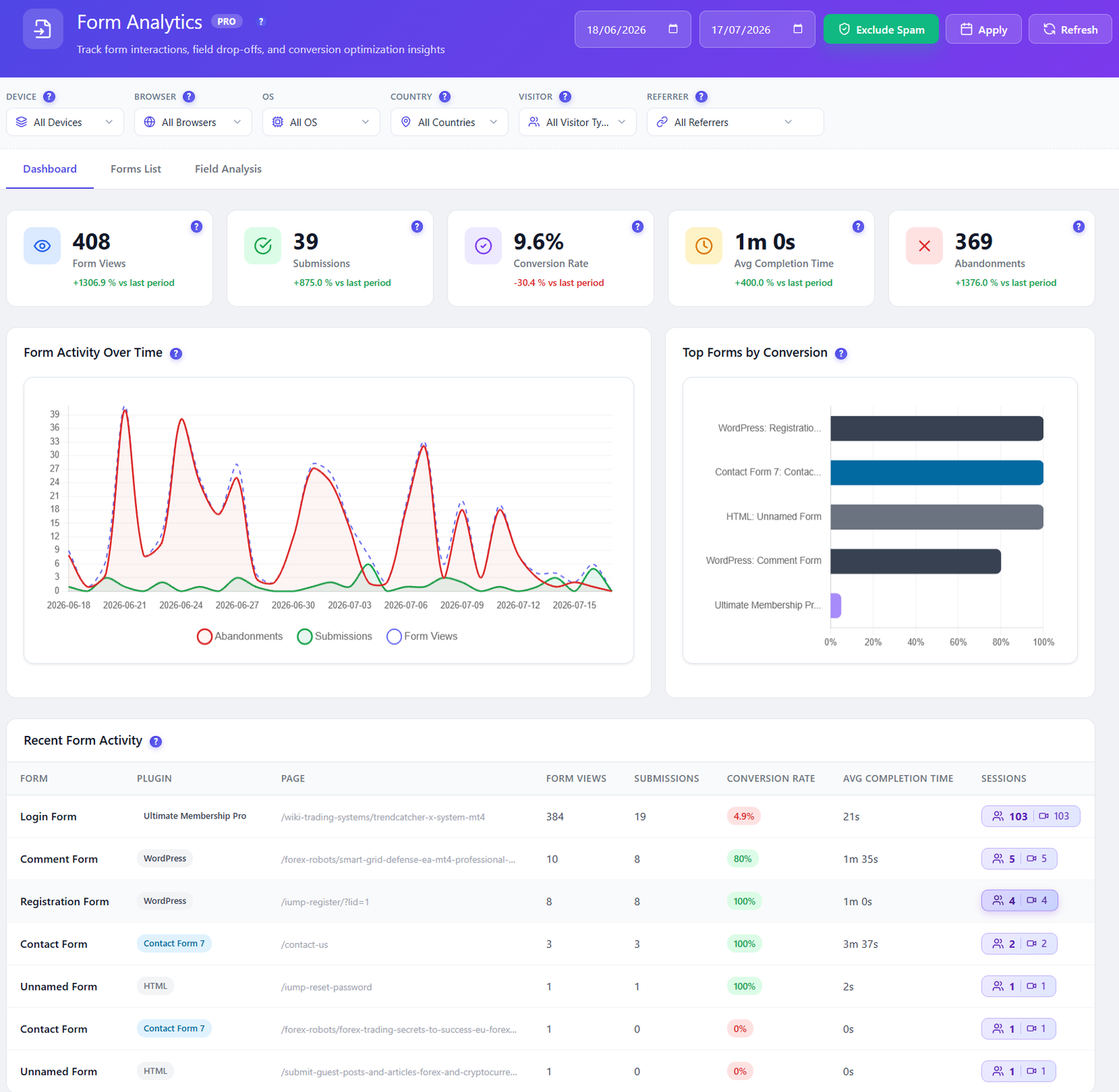
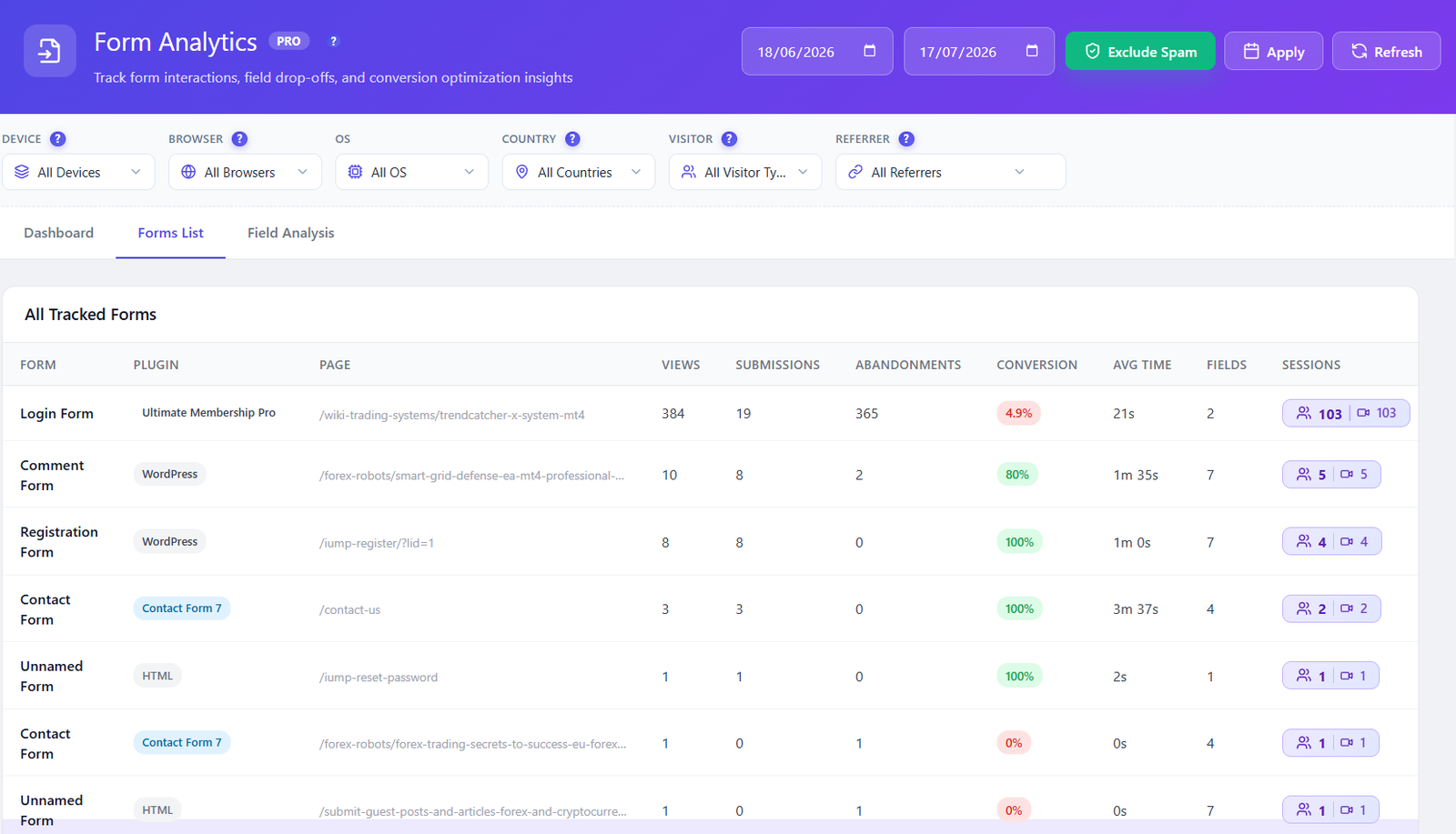
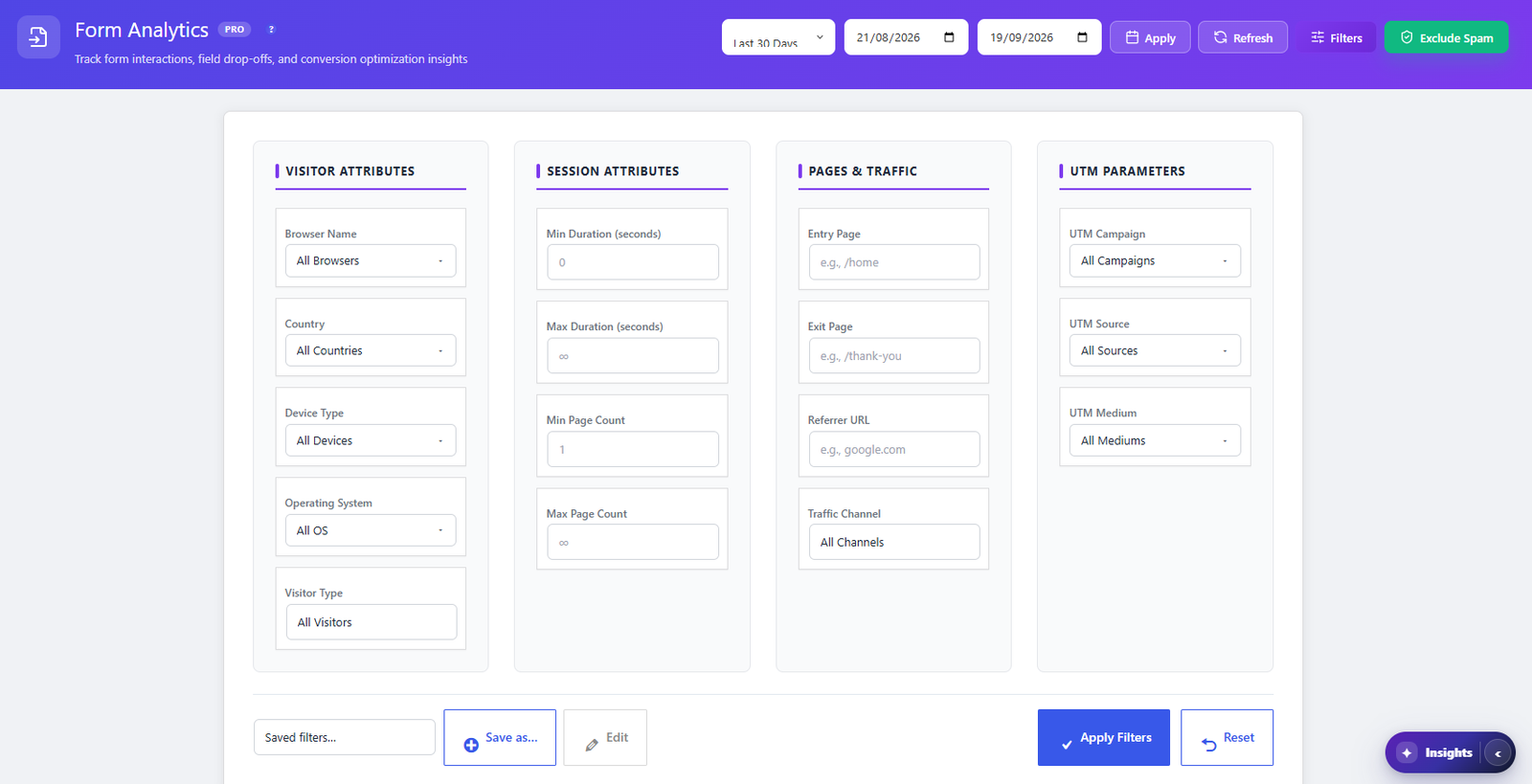
Unified dashboard showing 5 key metrics for every tracked form: form views, submissions, conversion rate, average completion time, and abandonment count. Each KPI includes a period-over-period percentage change comparing current vs. previous period so you can instantly see if your latest form changes improved or hurt conversions. The paginated forms list (20 per page) surfaces per-form details including form plugin type, page URL, total fields, session count, and available recordings count.
Field-Level Interactions
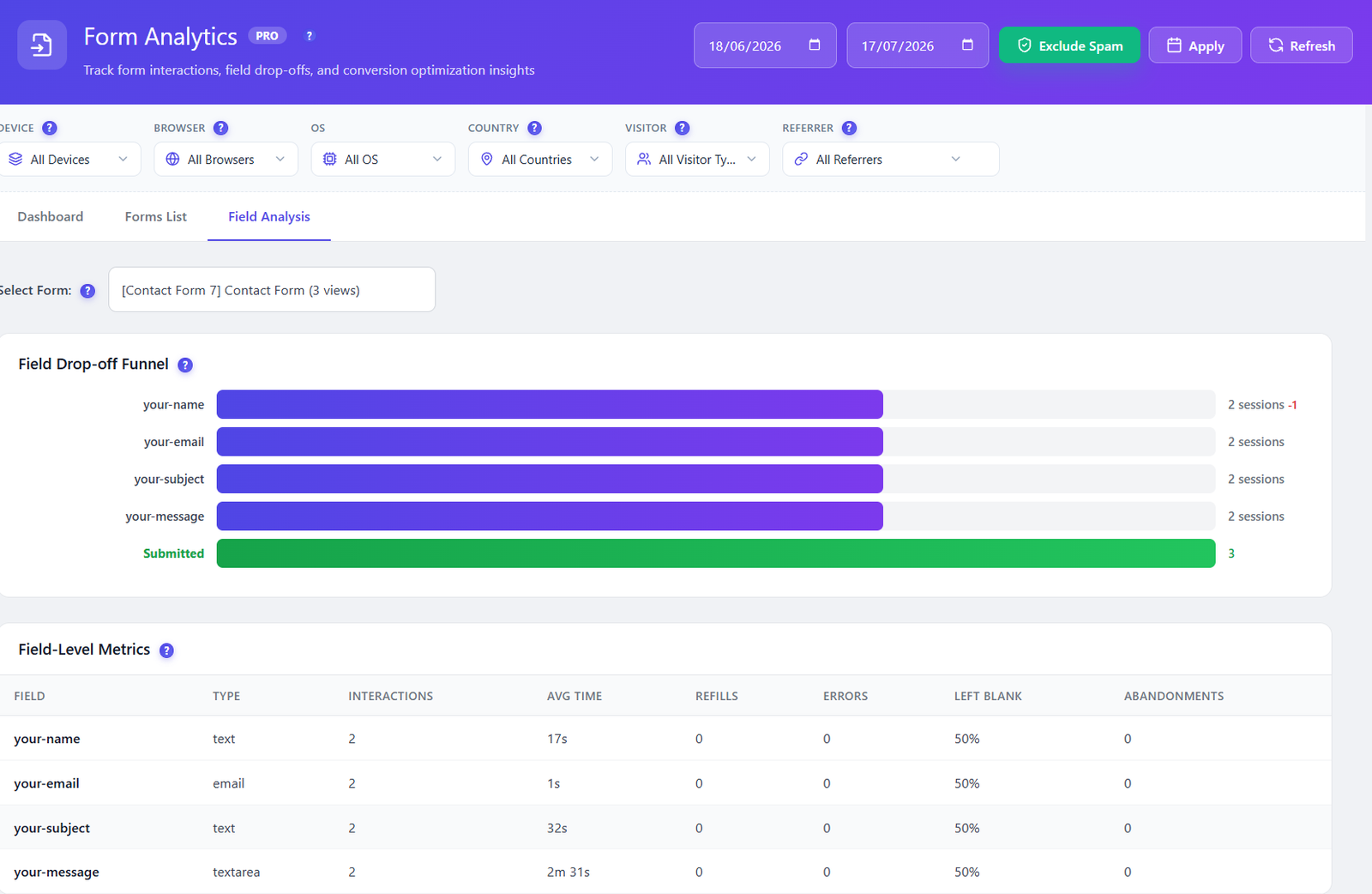
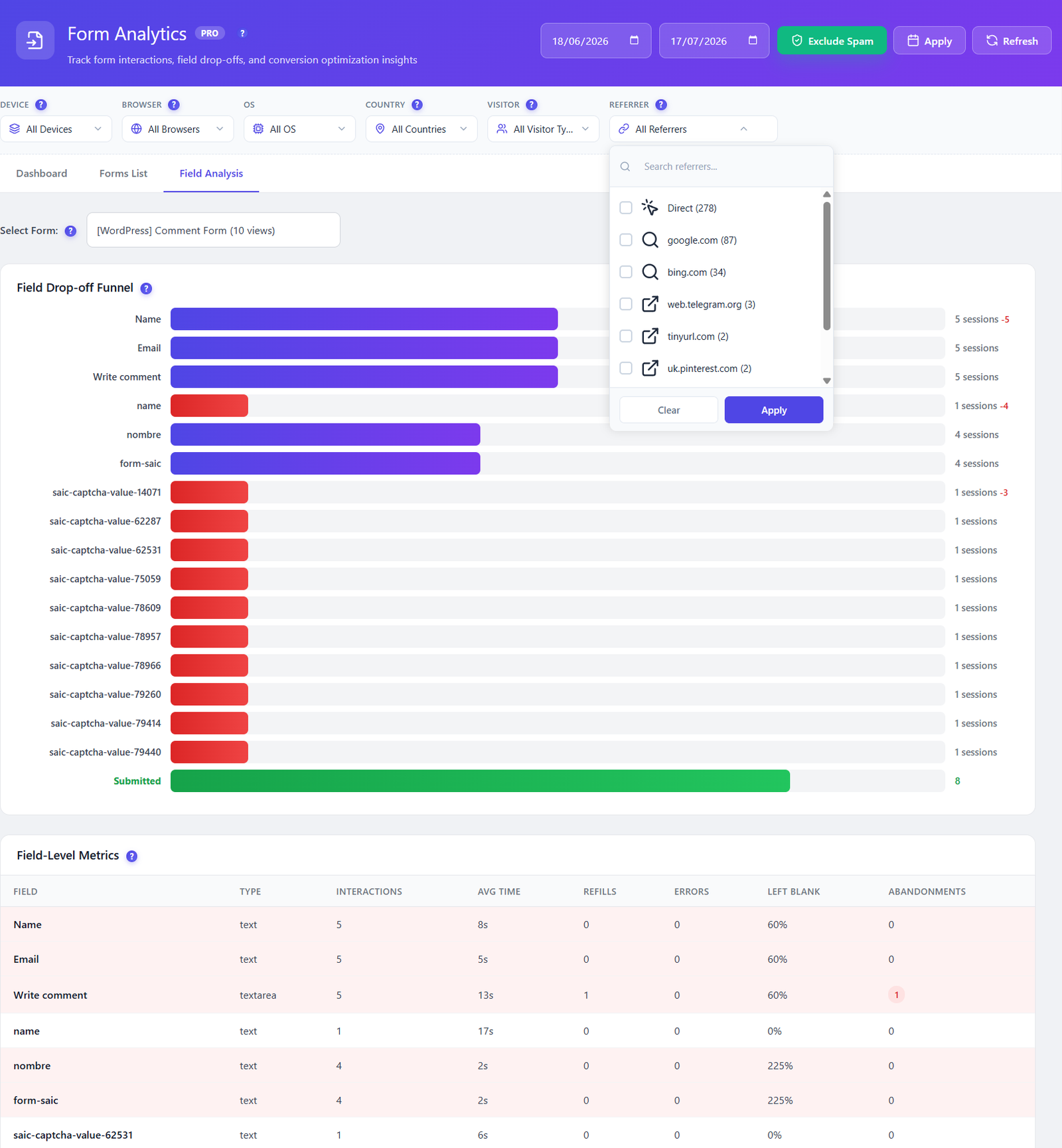
Drill into every individual field with 7 per-field metrics: total interactions, unique visitors, average time spent (in seconds), refill count (how often users correct their input), error count, left-blank count, and blank rate percentage. Fields are ordered by their field_order position in the form. Abandonment is tracked via last_field_before_abandon so you know exactly which field was active when users gave up.
Field Drop-Off Funnel
Visual funnel showing user progression through each form field in order. Each step displays sessions reached, drop-off count, drop-off rate, and fill rate (percentage of starters who reached this field). The funnel compares total starters vs. total submitted so you see the overall completion rate at a glance. Identifies the exact field causing the highest abandonment — often the field users were on when they navigated away.
Form Session Recordings
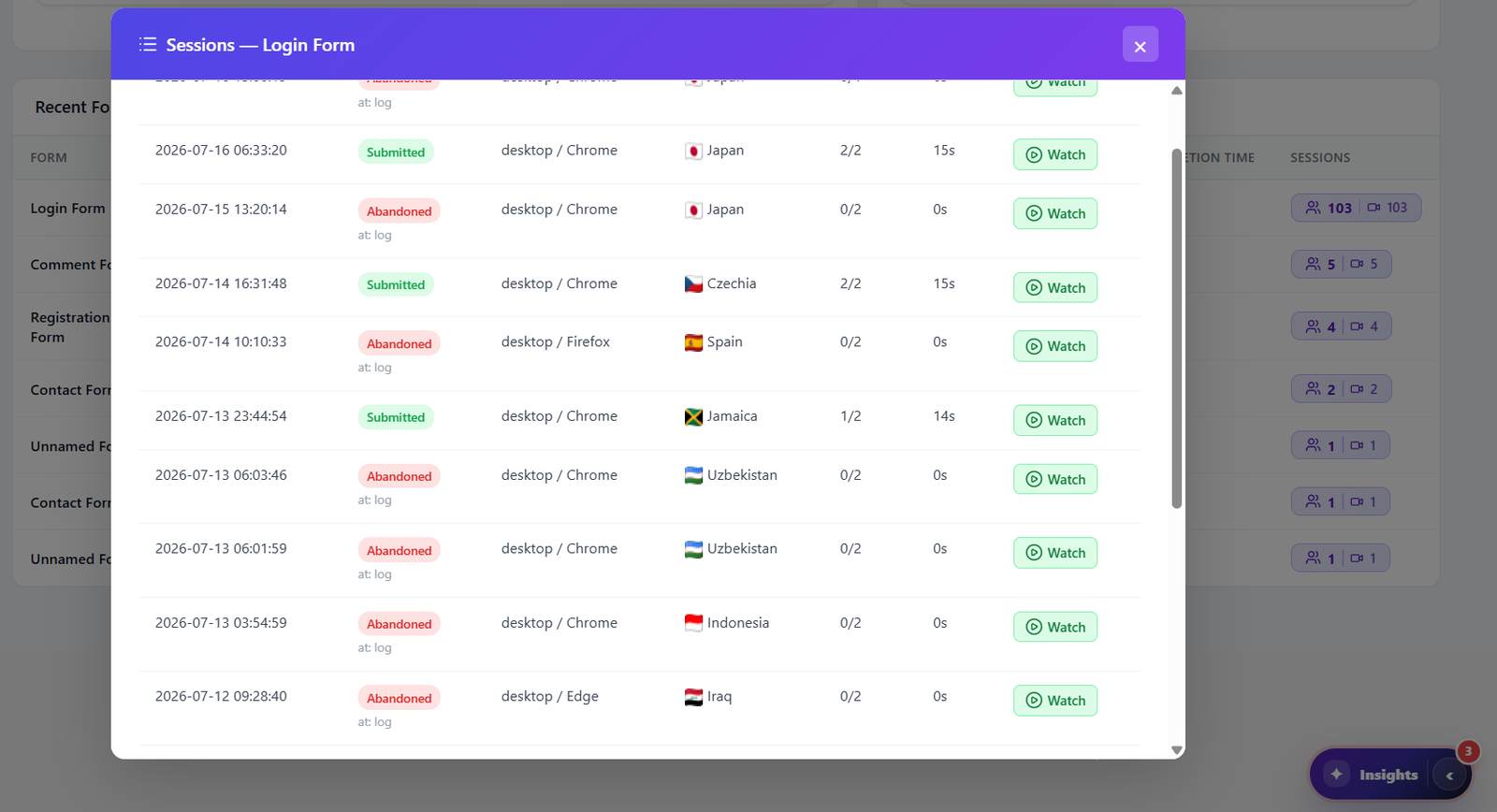
Watch how users interact with your forms in real-time session replay. See mouse movements, field focus events, typing patterns, hesitation pauses, and validation errors as they happen. Each form in the dashboard shows its recordings count so you can quickly find forms with replay data. Filter recordings by submitted vs. abandoned sessions to focus on understanding why users leave.
Submissions Over Time
Daily time series chart tracking submissions vs. abandonments over your selected date range. Visualize trends and patterns in form completion behavior — spot drops after a form redesign, seasonal peaks in signups, or the impact of A/B test changes. Date range filtering lets you compare any two periods side by side to measure the effect of your optimizations.
Auto-Detection & Caching Compatibility
Automatically detects 10+ form plugins by DOM fingerprinting: Contact Form 7, WPForms, Forminator, Gravity Forms, Ninja Forms, Everest Forms, SureForms, WooCommerce Checkout, native HTML forms, and custom AJAX forms. The tracker script includes automatic exclusion filters for Autoptimize, LiteSpeed Cache, WP Rocket, and SG Optimizer — preventing JS combining, deferring, or delay-execution from breaking the tracker.
Works With Every Form Plugin
Opti-Behavior automatically detects and tracks forms from all major WordPress form plugins via DOM fingerprinting. Each form is identified by its plugin type, form ID, and field structure. No manual configuration or code changes needed — just activate and every form on your site is tracked.
How It Works
Enable Form Tracking
Activate form analytics in the Opti-Behavior Pro settings. The lightweight tracker script (loaded via wp_enqueue_scripts with a data-no-optimize attribute) automatically detects all forms on your pages using DOM fingerprinting. Built-in settings let you exclude search forms and login forms from tracking, and define custom ignore_fields to skip specific field names.
Automatic Field Detection & Tracking
Each form field is identified by name, type, label, and field_order position. Every focus, blur, input, error, and submission event is captured with timestamps, session IDs, and visitor context. Field interactions are stored in the optibehavior_form_interactions table; form-level submissions in optibehavior_form_submissions with was_submitted, was_abandoned, time_to_complete, and last_field_before_abandon columns.
Analyze Form Performance
Open the Form Analytics dashboard to see 5 KPIs with period-over-period comparison. Drill into any form for field-level metrics (7 metrics per field), view the visual field drop-off funnel showing exactly where users abandon, and check the submissions over time chart for daily trends. All data is served via AJAX with 60-second transient caching for fast load times.
Watch Form Sessions & Optimize
Click any form session to replay the user’s interaction. See exactly how they navigated fields, where they hesitated, which fields triggered errors, and what caused them to abandon or submit. Filter by submitted vs. abandoned sessions. Use insights to simplify fields, reorder questions, improve labels, and boost your form conversion rate.
Who Uses Form Analytics?
Lead Generation
Optimize contact forms and signup forms to capture more leads. See which fields cause abandonment and simplify your forms for higher conversion rates.
E-Commerce Checkout
Track WooCommerce checkout form interactions. Identify which checkout fields cause friction, take too long, or trigger validation errors that cost you sales.
Survey & Application Forms
Analyze multi-step application forms and surveys. Discover which questions cause drop-offs and optimize question order and wording for better completion rates.
Form Analytics Comparison
| Feature | Opti-Behavior | Hotjar | MS Clarity | Mouseflow |
|---|---|---|---|---|
| Form Analytics | ✓ Pro | ✗ | ✗ | ✓ |
| Field-Level Tracking | ✓ Pro | ✗ | ✗ | ✓ |
| Field Drop-Off Funnel | ✓ Pro | ✗ | ✗ | ✓ |
| Time per Field | ✓ Pro | ✗ | ✗ | ✓ |
| Form Session Replay | ✓ Pro | ✗ | ✗ | ✗ |
| Auto Form Detection | ✓ Pro | ✗ | ✗ | ✓ |
| Period Comparison | ✓ Pro | ✗ | ✗ | ✗ |
| Submissions Over Time | ✓ Pro | ✗ | ✗ | ✓ |
| Sensitive Field Protection | ✓ Pro | ✗ | ✗ | ✓ |
| Self-Hosted Data | ✓ | ✗ | ✗ | ✗ |
| Price | $69/yr | N/A | N/A | $31+/mo |
Form Analytics FAQ
Which form plugins are supported?
What field-level metrics are tracked?
Can I watch recordings of form interactions?
How is form abandonment tracked?
Are sensitive form fields (passwords, credit cards) protected?
How does the period-over-period comparison work?
What does the Submissions Over Time chart show?
Does it work with caching plugins?
Can I exclude specific fields or form types from tracking?
Stop Losing Leads to Bad Forms
Get Opti-Behavior Pro and start tracking every form interaction at the field level. Know exactly which fields cause abandonment and fix them to increase conversions.