Skip links
PRO 6-Month Free Trial

Errors & Performance
Tracking

5 monitoring tools in one dashboard: JavaScript Errors, Friction Events (rage clicks, dead clicks), Core Web Vitals, Performance Scoring, and Broken Link Detection. Know everything that goes wrong on your site.

5
Tools in One
JS errors, friction events, Core Web Vitals, performance scores & broken links
Stack Traces
Full stack traces with file, line number & occurrence counts
Core Web Vitals
LCP, INP, CLS, FCP & TTFB with 0–100 performance scoring
Status Workflow
Open → Investigating → Resolved for every issue
Opti-Behavior errors and performance tracking dashboard overview
100% Self-Hosted
GDPR Compliant
Real-Time Updates
Unlimited Tracking

5 Monitoring Tools, One Unified Dashboard

Every error, friction event, performance metric and broken link is captured automatically and organized for fast resolution.

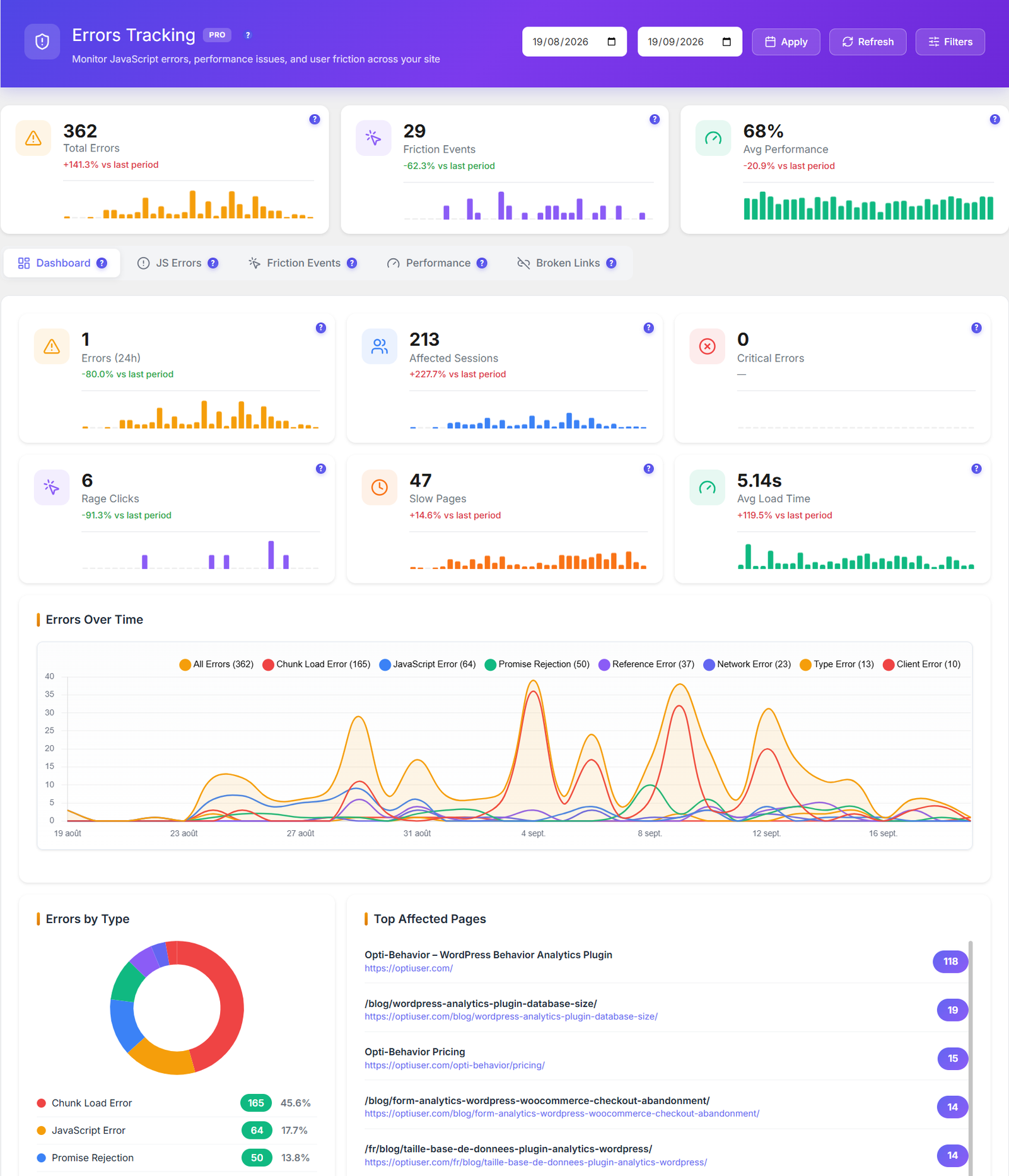
Error dashboard overview with severity levels

Error Dashboard Overview

Unified dashboard showing all 5 monitoring tools with error counts, severity levels, and quick navigation between JavaScript errors, friction events, performance scores, and broken links. Each tool tab displays a summary count badge so you can see at a glance which category needs attention. Errors are sorted by occurrence count and severity to surface the highest-impact problems first.

Error trends and analytics over time

Error Trends & Analytics

Track errors over time with trend charts showing error distribution by type and severity breakdown. Identify recurring patterns that help prioritize fixes. The dashboard aggregates data via dedicated AJAX endpoints (get_errors_summary and get_errors_dashboard) to deliver fast, real-time analytics without page reloads.

JavaScript error tracking with stack traces

JavaScript Error Tracking

Capture JS errors with full stack traces, affected page URLs, browser and OS information, and per-error occurrence counts. Each error records the exact file name and line number. Use the exclude_errors setting to filter out known third-party script noise. Status workflow tracks every error from Open → Investigating → Resolved so your team can collaborate on fixes.

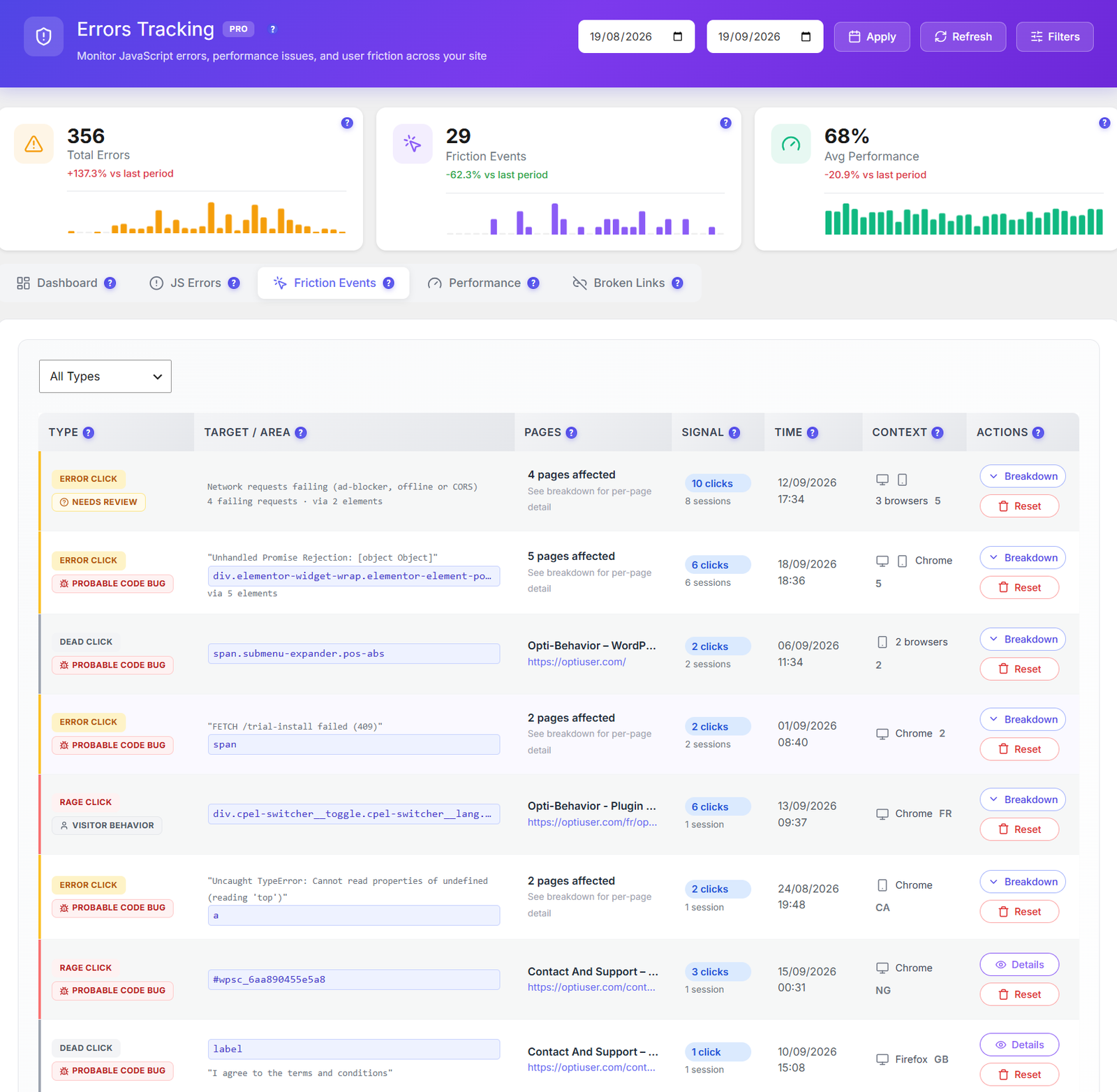
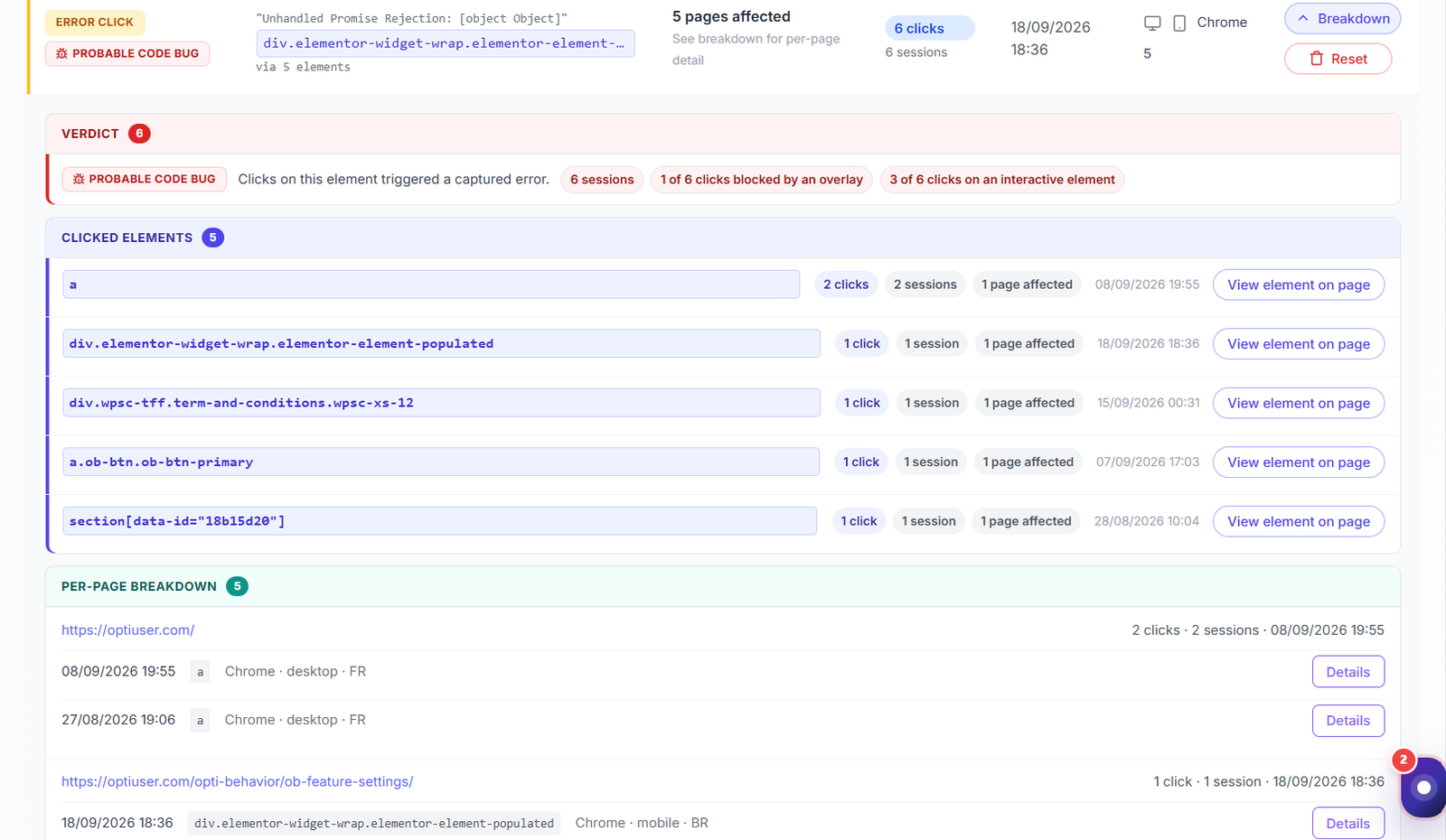
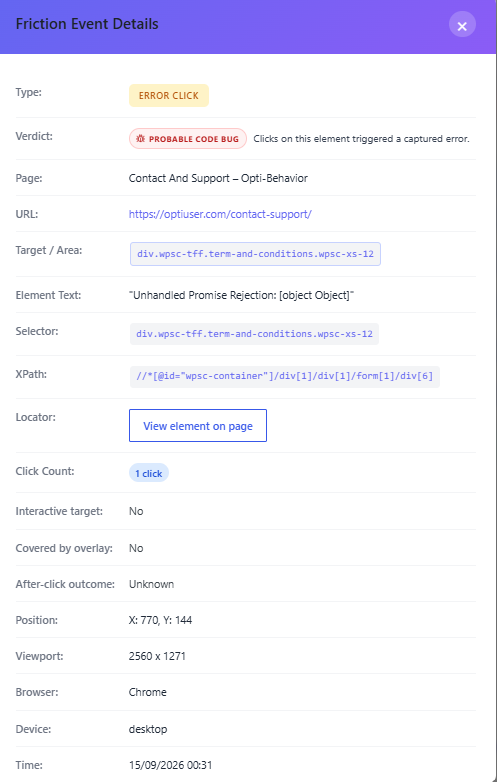
Friction events detection for rage clicks and dead clicks

Friction Events Detection

Detect rage clicks (3+ rapid clicks within a 1000ms window on the same element) and dead clicks (clicks on non-interactive elements). Each event logs the CSS element selector, page URL, and timestamp. Configurable thresholds via rage_click_threshold and rage_click_window settings let you fine-tune sensitivity to match your site’s interaction patterns.

Core Web Vitals monitoring with performance scores

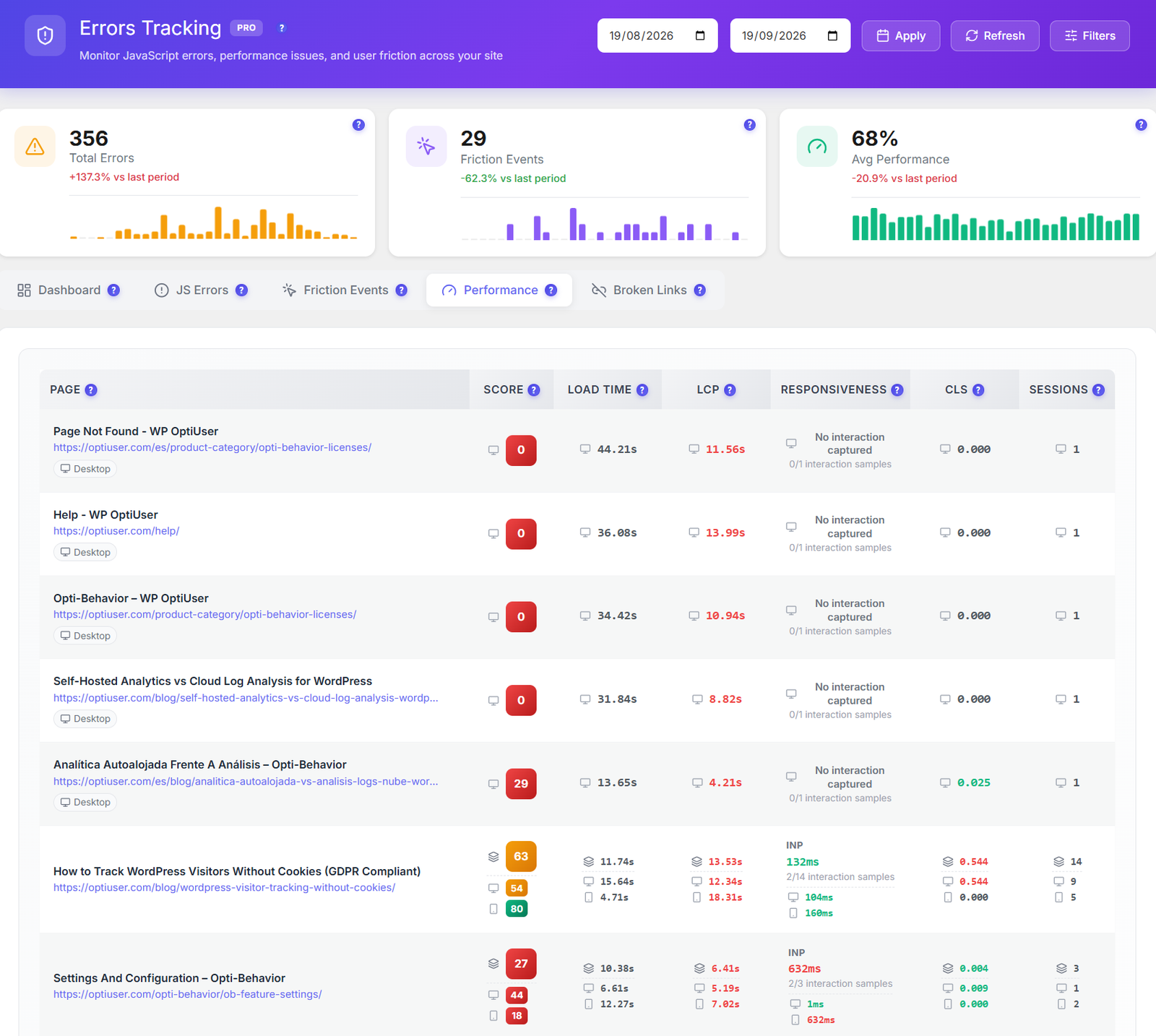
Core Web Vitals Monitoring

Track all 5 Core Web Vitals: LCP (Largest Contentful Paint), INP (Interaction to Next Paint), CLS (Cumulative Layout Shift), FCP (First Contentful Paint), and TTFB (Time to First Byte). Each page receives a performance score from 0–100 with Good / Needs Improvement / Poor ratings aligned with Google’s official thresholds. Pages exceeding the slow_page_threshold (default 3000ms) are flagged automatically.

Broken link detection with status codes

Broken Link Detection

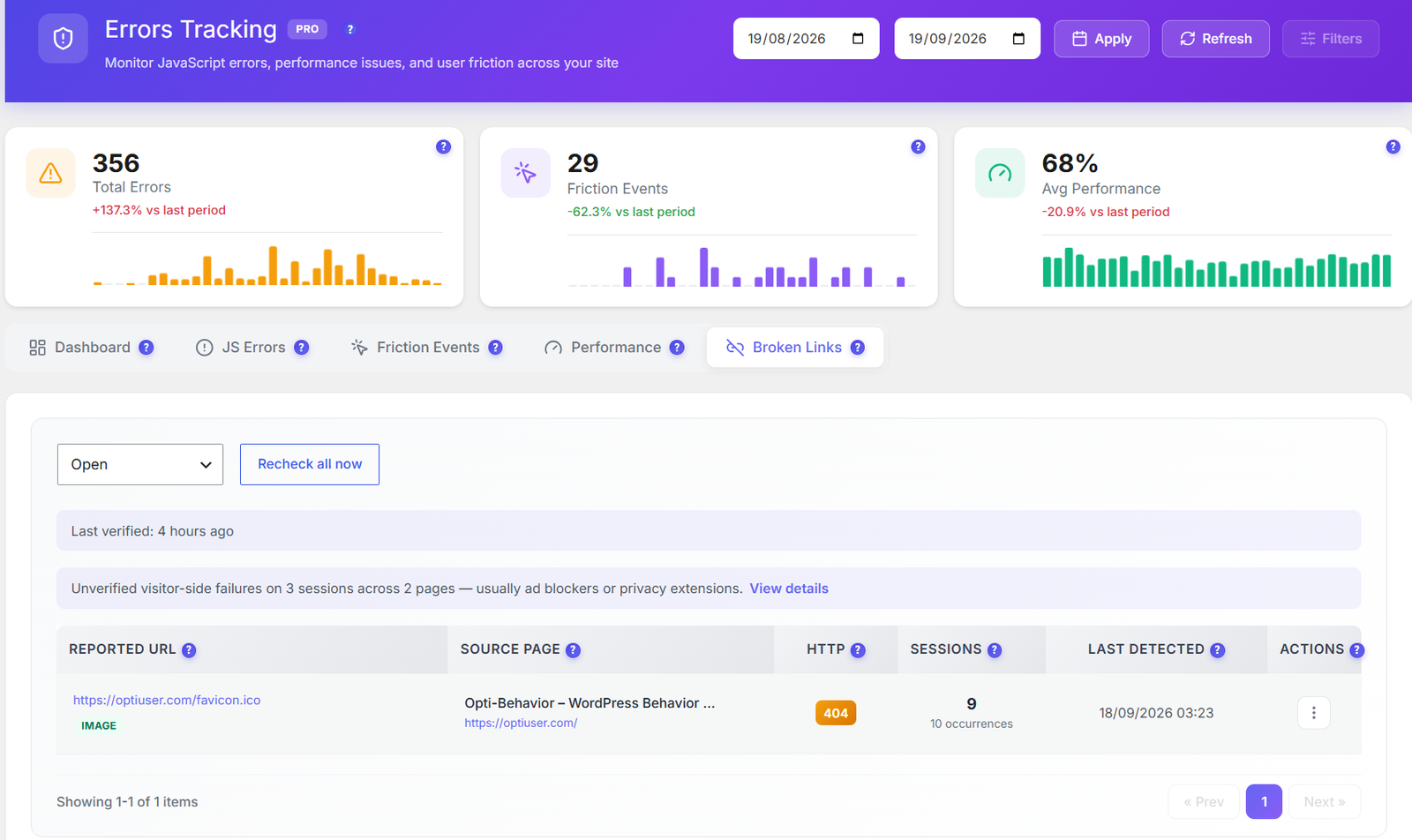
Automatically detect 404 (Not Found) and 500 (Server Error) HTTP responses across your entire site. Each broken link logs the broken URL, referring source page, HTTP status code, and discovery date. Track occurrence counts to prioritize the most-visited broken links. Use the status workflow to mark links as Investigating or Resolved once fixed. Protect your SEO and user experience proactively.

Configurable error tracking settings and retention controls

Configurable Settings & Auto-Cleanup

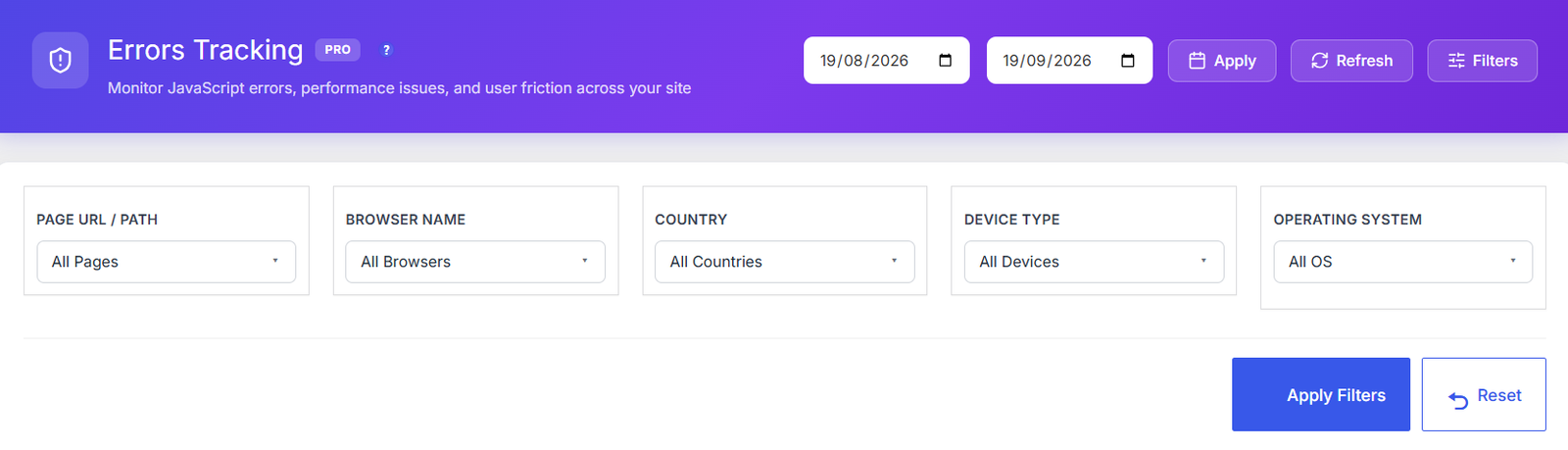
Every monitoring tool is fully configurable from the settings panel. Toggle individual capture modes: JS errors, network errors, console errors, friction events, and performance metrics. Fine-tune rage click detection with custom threshold and time window values. Define exclude_urls patterns to skip tracking on admin pages or staging environments, and exclude_errors patterns to filter out known third-party script noise. Error data is retained for 90 days by default with automatic scheduled cleanup — keeping your database lean without any manual maintenance. Compatible with Autoptimize, LiteSpeed Cache, WP Rocket, SG Optimizer, and Cloudflare Rocket Loader out of the box.

How It Works

1

Enable Error Tracking

Activate error tracking in the Opti-Behavior Pro settings panel. Toggle individual monitoring tools on or off: JS errors, network errors, console errors, friction events, Core Web Vitals, and broken link detection. Configure thresholds for rage click sensitivity, slow page detection, URL exclusion patterns, and error message filters — all from a single settings page.

2

Automatic Monitoring Begins

The lightweight tracking script loads on every page and monitors errors, clicks, and performance metrics in real-time. JS errors capture full stack traces. Friction events detect rage clicks (3+ clicks in 1000ms) and dead clicks with element selectors. Core Web Vitals measure LCP, INP, CLS, FCP, and TTFB. All data is sent to your own server via AJAX — no third-party services involved. Caching plugin exclusions are applied automatically.

3

Classification & Severity Scoring

Errors are automatically classified by type (JS error, friction, performance, broken link) and severity level. JavaScript errors receive full stack traces with file and line number. Friction events record the CSS element selector and click coordinates. Performance issues are scored from 0–100 against Google’s official Web Vitals thresholds. Broken links log the HTTP status code, source page, and discovery date.

4

Review, Investigate & Resolve

Review all issues from the unified dashboard with per-tool tabs and summary count badges. Update error statuses through the workflow: Open → Investigating → Resolved. Broken links have their own status workflow. Errors are automatically cleaned up after 90 days (configurable via error_retention_days), keeping your database lean without manual intervention.

Who Uses Error & Performance Tracking?

Site Reliability

Monitor JavaScript errors and broken links to catch issues before users complain. Priority scoring helps focus on high-impact problems first.

UX Optimization

Detect rage clicks and dead clicks to find elements that confuse or frustrate users. Fix friction points to improve conversion rates.

Performance Monitoring

Track Core Web Vitals scores per page. Identify slow pages, layout shifts, and interaction delays that hurt SEO and user experience.

Error Tracking Comparison

Feature Opti-Behavior Hotjar MS Clarity Sentry
JS Error Tracking✓ Pro✓ $29+/mo
Rage/Dead Clicks✓ Pro
Core Web Vitals✓ Pro
Broken Links✓ Pro
Performance Score✓ Pro
Status Workflow✓ Pro
Configurable Thresholds✓ Pro
Auto Retention Cleanup✓ Pro
Self-Hosted
Price$69/yr$213+/mo$0*$29+/mo

* Microsoft Clarity is free but Microsoft uses your visitors’ data for advertising.

Error Tracking FAQ

What types of errors does it track?
Opti-Behavior tracks 5 types of issues: JavaScript errors with full stack traces, rage clicks (frustrated repeated clicking), dead clicks (clicks on non-interactive elements), Core Web Vitals performance metrics (LCP, INP, CLS, FCP, TTFB), and broken links (404/500 HTTP errors).
How does rage click detection work?
Opti-Behavior detects when a user clicks rapidly on the same element multiple times within a short period. The default threshold is 3 clicks within a 1000ms window. This pattern indicates frustration — usually because a button isn’t responding, a link is broken, or an interactive element isn’t working as expected. Each rage click event is logged with the CSS element selector and page URL. You can customize the threshold and time window in the settings.
Does it monitor Core Web Vitals automatically?
Yes. Once activated, Opti-Behavior Pro automatically measures LCP (Largest Contentful Paint), INP (Interaction to Next Paint), CLS (Cumulative Layout Shift), FCP (First Contentful Paint), and TTFB (Time to First Byte) for every page visit. FID (First Input Delay) was removed from Core Web Vitals by Google in March 2024 and replaced by INP. Each page gets a performance score from 0–100.
Can I track the status of errors (open, investigating, resolved)?
Yes. Every error has a status workflow: Open, Investigating, and Resolved. You can update statuses as your team works through issues. Errors also have severity levels and priority scoring to help you focus on the most impactful problems first.
How does broken link detection work?
The plugin monitors HTTP responses on your site and logs any 404 (Not Found) or 500 (Server Error) responses. It records the broken URL, the referring source page, the HTTP status code, discovery date, and occurrence count — so you can quickly find and fix dead links that hurt SEO and user experience. Broken links have their own status workflow for tracking resolution progress.
Can I configure the tracking thresholds?
Yes. The settings panel lets you customize rage click threshold (number of clicks to trigger detection, default 3), rage click window (time window in milliseconds, default 1000ms), and slow page threshold (page load time to flag as slow, default 3000ms). You can also define URL exclusion patterns to skip tracking on admin pages or staging environments, and error exclusion patterns to filter out known third-party script noise.
How long is error data retained?
By default, error data is retained for 90 days. A scheduled cleanup task automatically purges older records to keep your database lean. You can adjust the retention period via the error_retention_days setting to keep data for shorter or longer periods depending on your needs.
Does it capture network and console errors?
Yes. In addition to JavaScript runtime errors, you can enable network error capture (failed AJAX requests, broken API calls) and console error capture (errors logged to the browser console by plugins or themes). Each capture mode can be toggled independently in the settings, so you can monitor exactly the error types that matter for your site.
Does it work with caching plugins?
Yes. Opti-Behavior Pro includes automatic compatibility filters for all major caching and optimization plugins: Autoptimize, LiteSpeed Cache, WP Rocket, SG Optimizer, and Cloudflare Rocket Loader. The error tracking scripts are automatically excluded from JS combining, deferring, and delay-execution to ensure reliable monitoring on every page load. No manual exclusion configuration is required.

Fix Issues Before Users Complain

Get Opti-Behavior Pro and start catching JavaScript errors, friction events, performance issues, and broken links — all from one self-hosted dashboard.

Explore
Drag