Skip links
FREE

Complete Settings &
Control

10 dedicated settings pages — fine-tune every aspect of your analytics, privacy, storage, scheduling, and data management. Full control, always on your server.

10
Settings Pages
Dashboard, heatmaps, recordings, errors, storage, reports & more
6
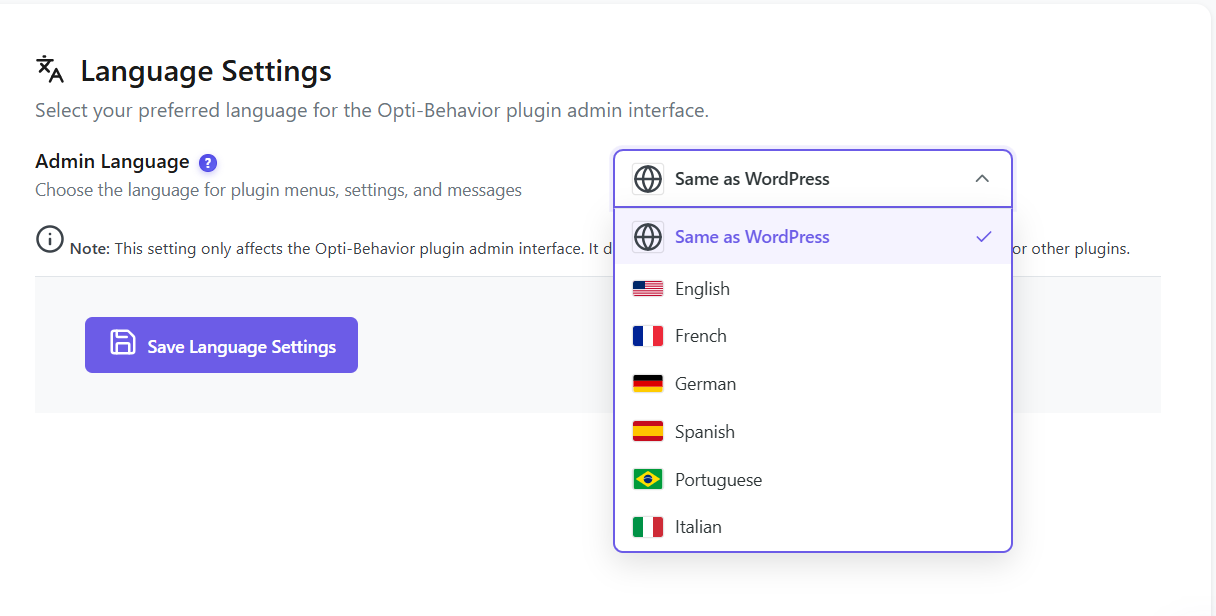
Languages
English, French, German, Spanish, Portuguese & Italian
Scheduled Reports
Daily, weekly, or monthly delivery with custom SMTP config
Data Management
Full reset, date range deletion, smart cleanup & auto-cleanup
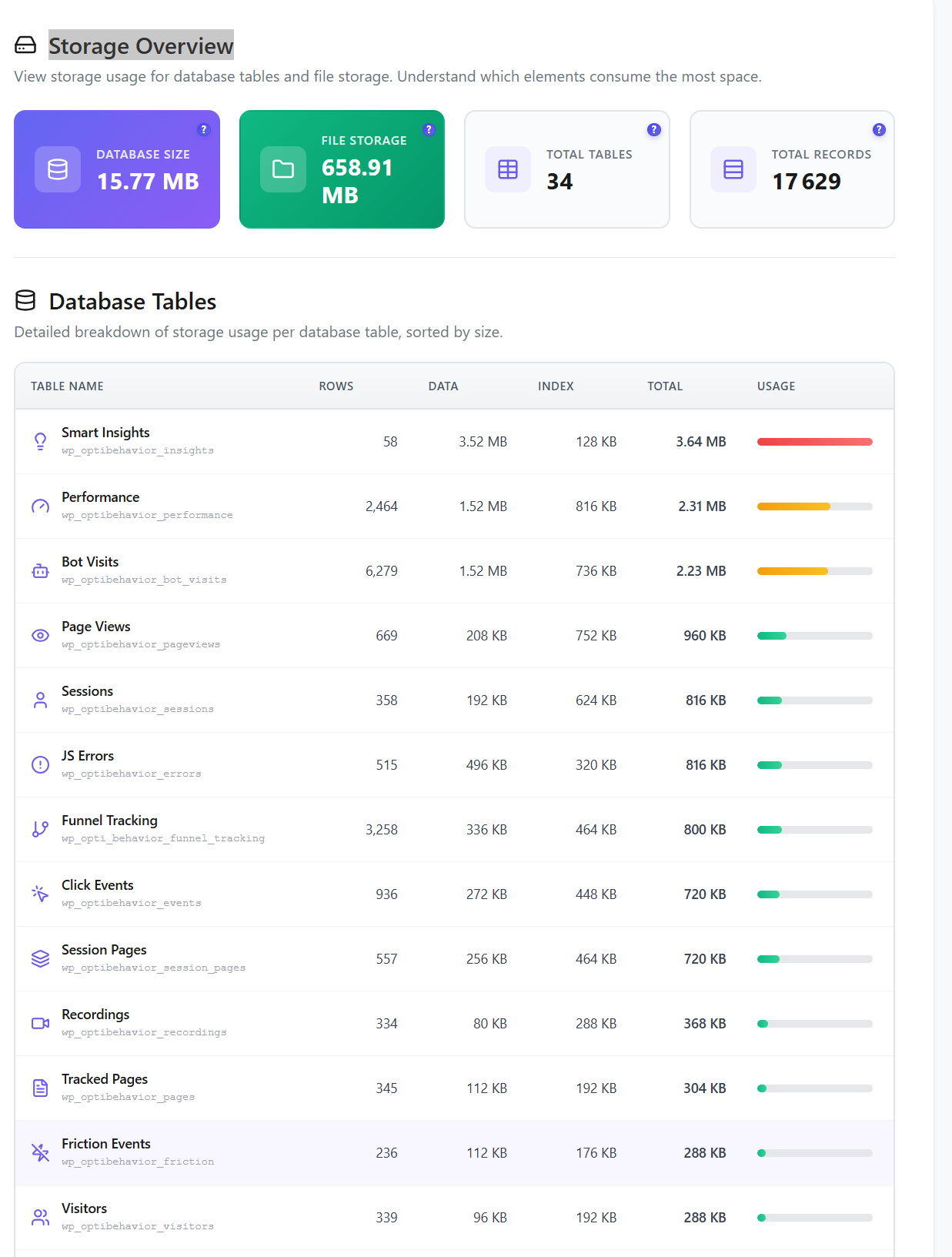
Opti-Behavior storage overview with database tables and usage monitoring
100% Self-Hosted
GDPR Compliant
Real-Time Updates
Unlimited Tracking

10 Settings Pages, Total Control

From privacy & GDPR compliance to traffic classification, storage monitoring, scheduled reports, and data cleanup — every setting is accessible from a clean, organized interface with 6 language options.

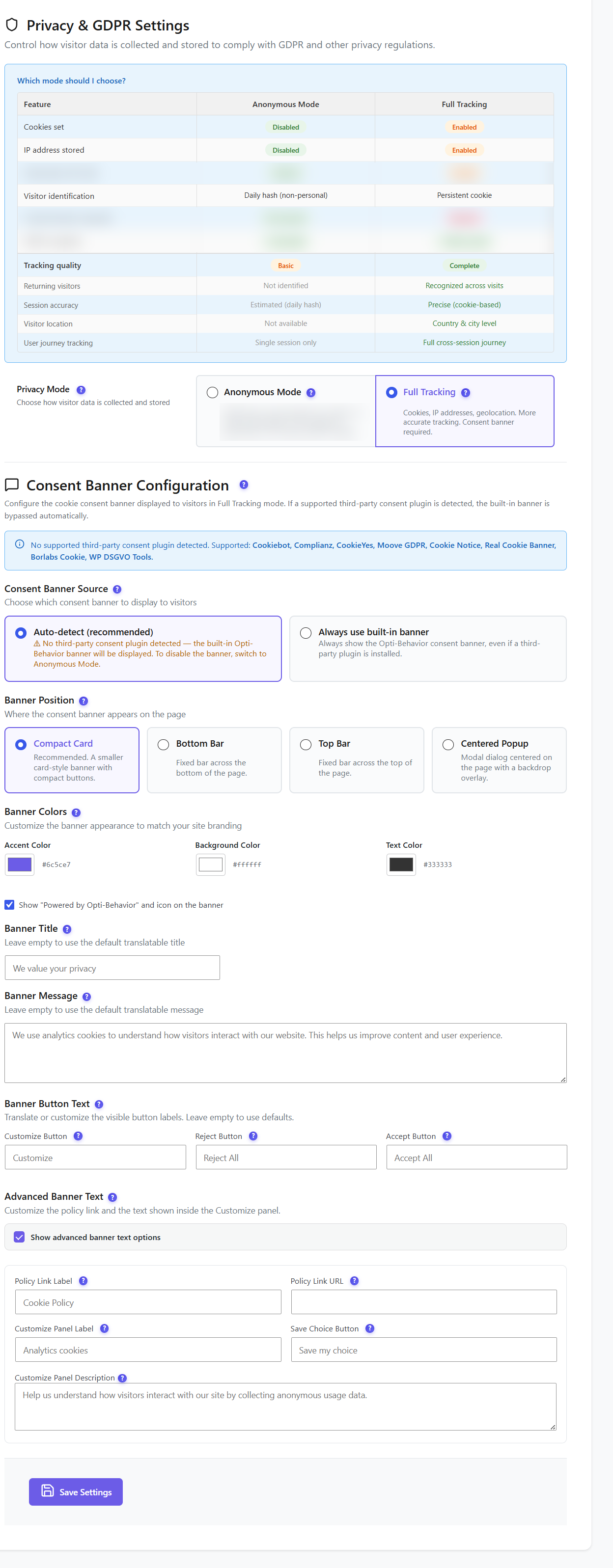
Privacy and GDPR compliance settings

Privacy & GDPR

Choose between Anonymous Mode (no personal data stored) or Full Tracking. The consent banner integrates automatically with all major WordPress cookie plugins: Cookiebot, Complianz, CookieYes, Moove GDPR, Cookie Notice, Real Cookie Banner, Borlabs Cookie, and WP DSGVO Tools. When a visitor declines cookies, tracking is suppressed immediately — no extra configuration needed.

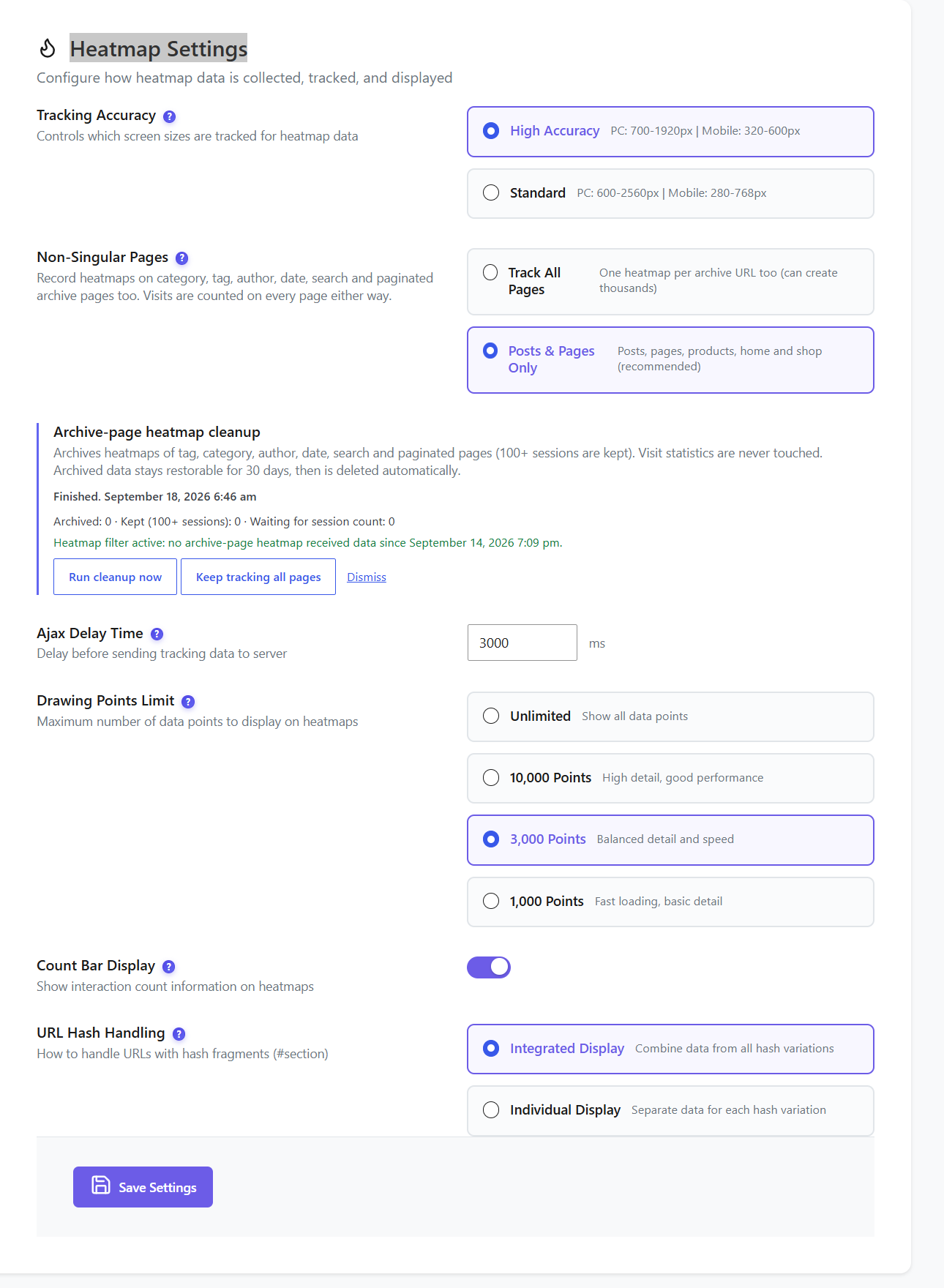
Heatmap settings with tracking accuracy, non-singular pages, and URL hash handling

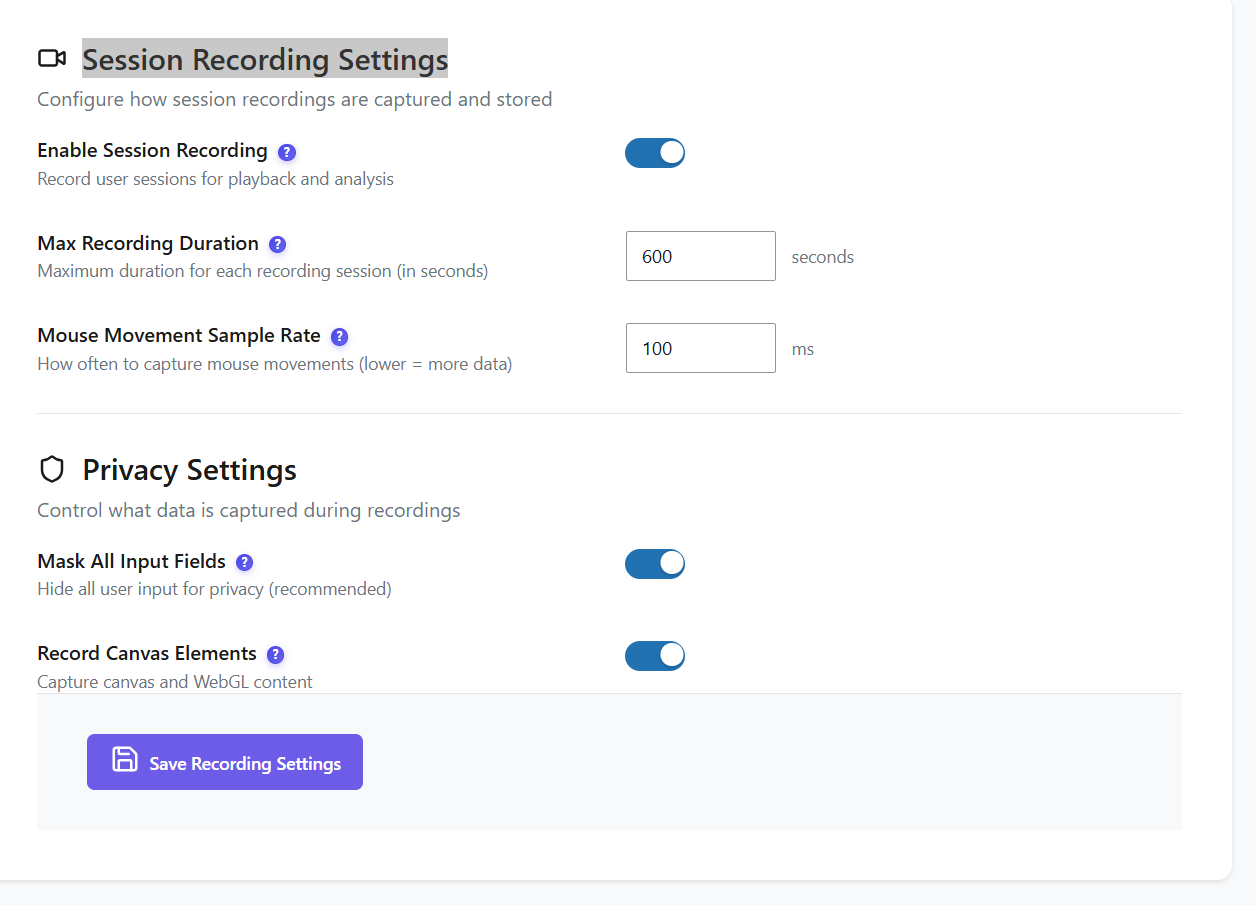
Heatmap & Recording Settings

Fine-tune heatmap tracking accuracy (High / Medium / Low), configure archive page support, and control URL hash handling for SPAs. For session recordings: enable/disable recording, set max recording duration, and configure privacy masking controls to automatically redact sensitive content. Each setting balances tracking detail with server resource usage.

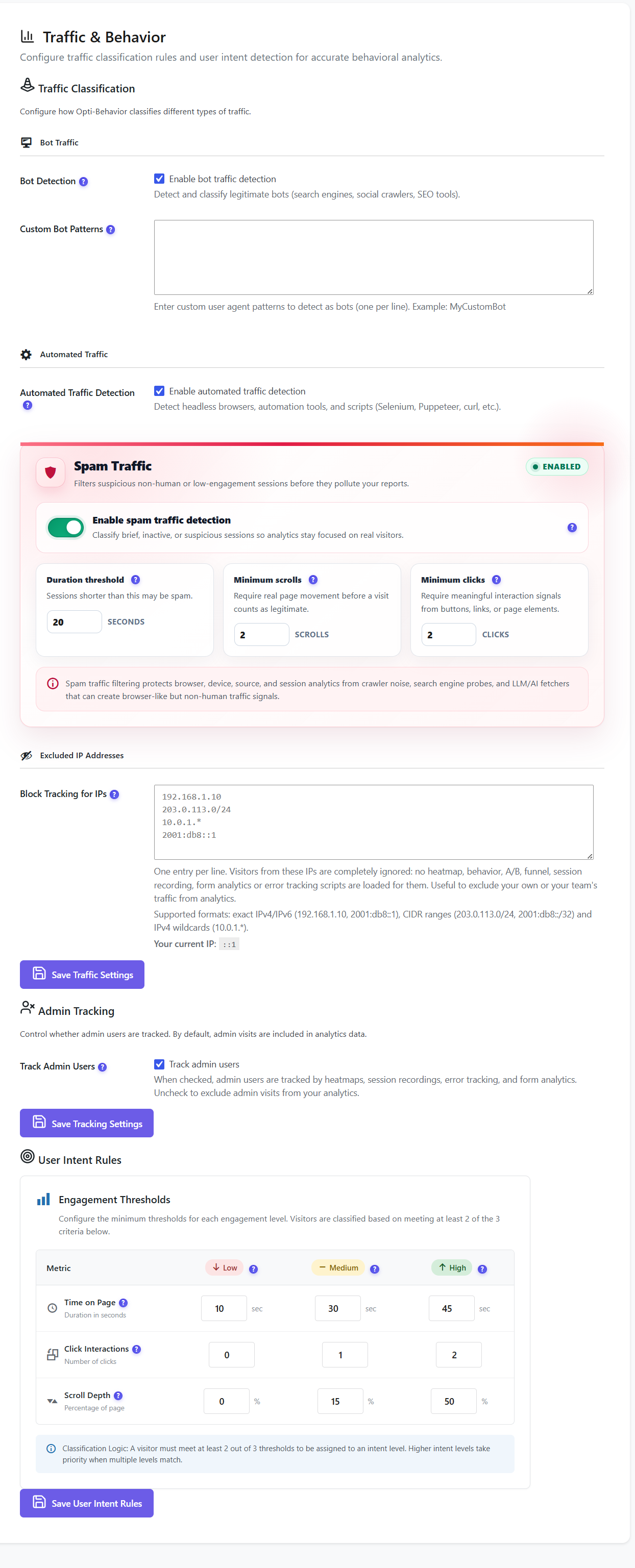
Traffic classification with bot detection, spam filtering, and user intent rules

Traffic Classification

Automatic bot detection rules, spam traffic filtering, and user intent scoring configuration. Define custom user-agent patterns to detect bots specific to your environment. All filtered traffic is excluded from every report automatically — keeping your analytics clean and accurate without manual intervention.

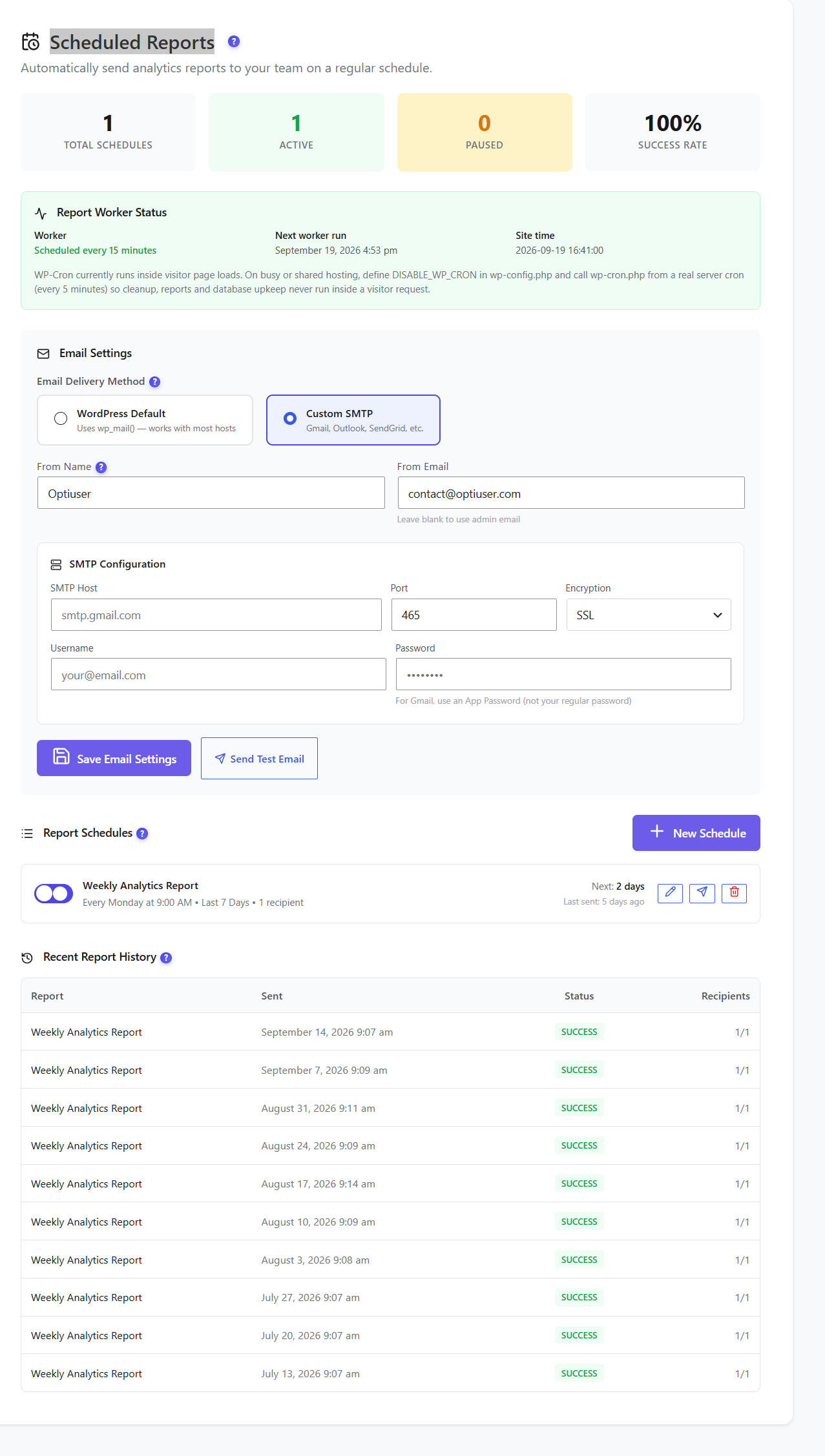
Scheduled reports with email settings, SMTP config, report schedules, and delivery history

Scheduled Email Reports

Set up automated email reports delivered daily, weekly, or monthly. Configure custom SMTP settings for reliable delivery, define multiple recipients, and view recent report history to verify delivery status. Test emails instantly without waiting for the next scheduled run. Reports include key analytics KPIs and trend summaries.

Storage overview with database tables, file storage, rows, data size, and usage bars

Storage Overview

Monitor database and file storage usage per module. See exactly which data type consumes the most space: sessions, heatmaps, recordings, errors, journeys, or forms. Storage is broken down by table size, total records, and disk usage so you can make informed decisions about data retention and cleanup scheduling.

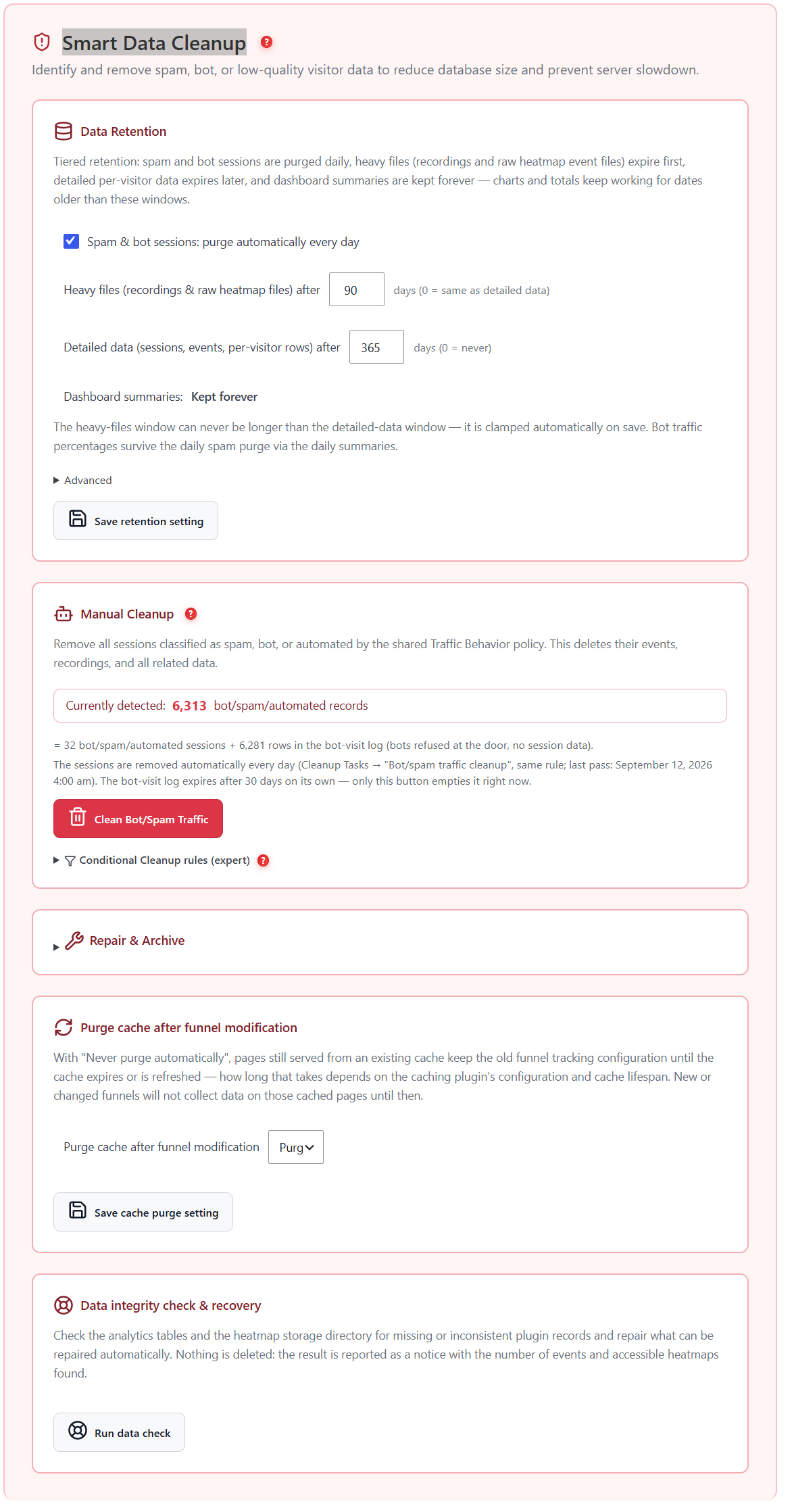
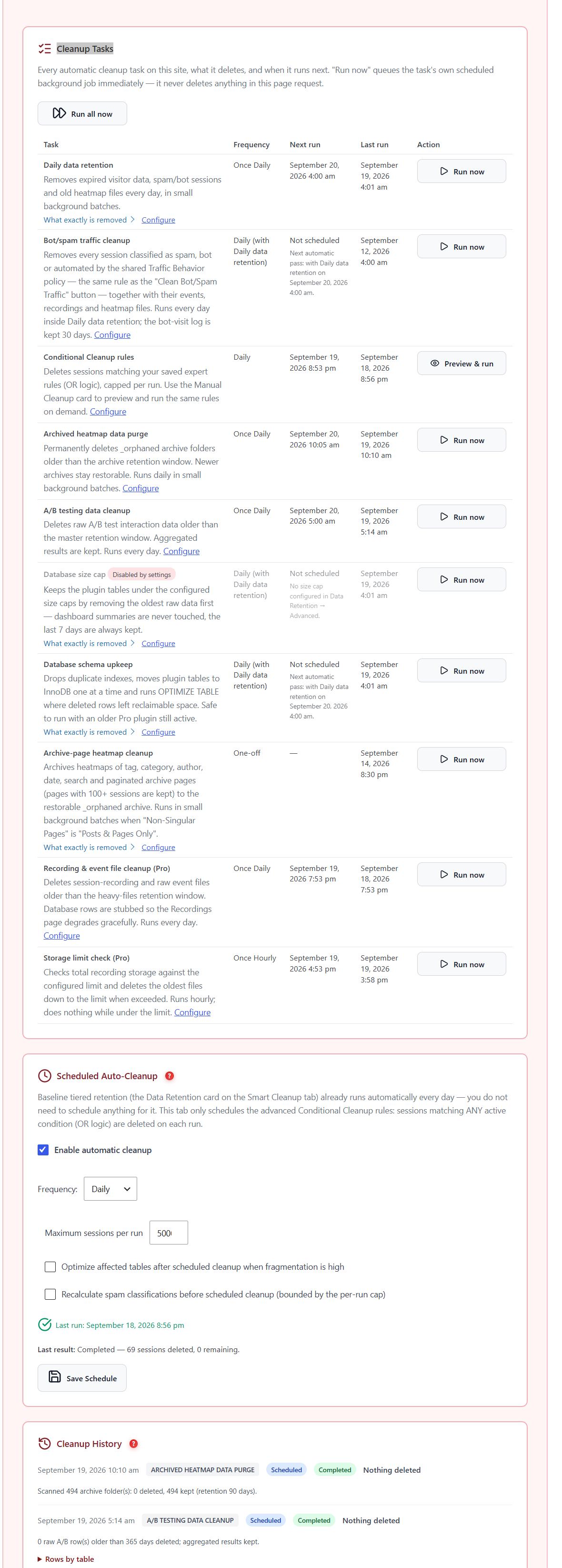
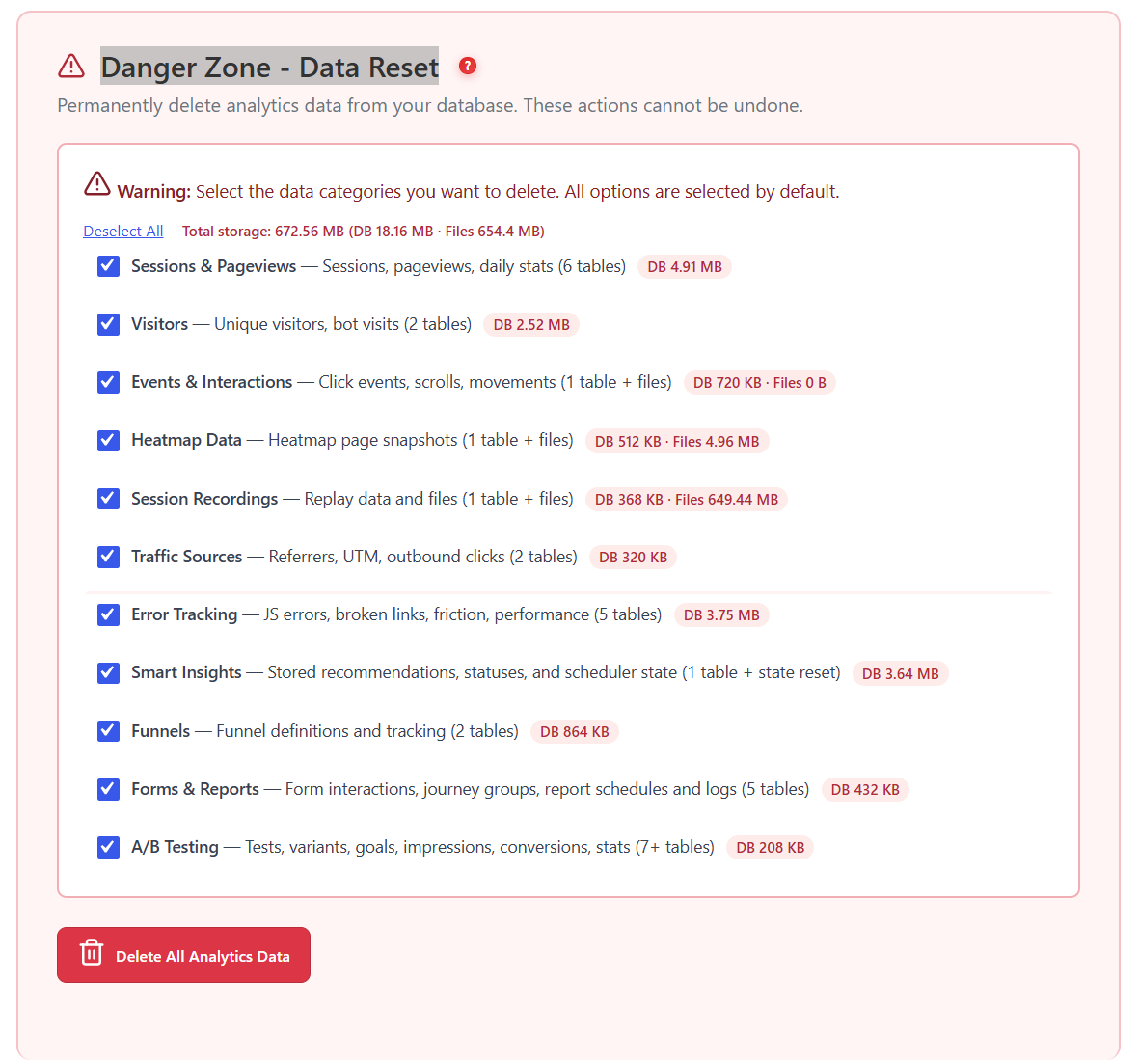
Danger Zone with smart data cleanup, bot cleanup, and conditional cleanup conditions

Danger Zone — Data Management

Full reset, delete by date range, smart data cleanup, and scheduled auto-cleanup. Smart cleanup identifies and removes spam, bot, and low-quality sessions using 3 configurable conditions: time-based (short sessions), quality-based (low-engagement visits), and visitor behavior (repeat bot patterns). Schedule auto-cleanup to run automatically — keeping your database lean without any manual effort.

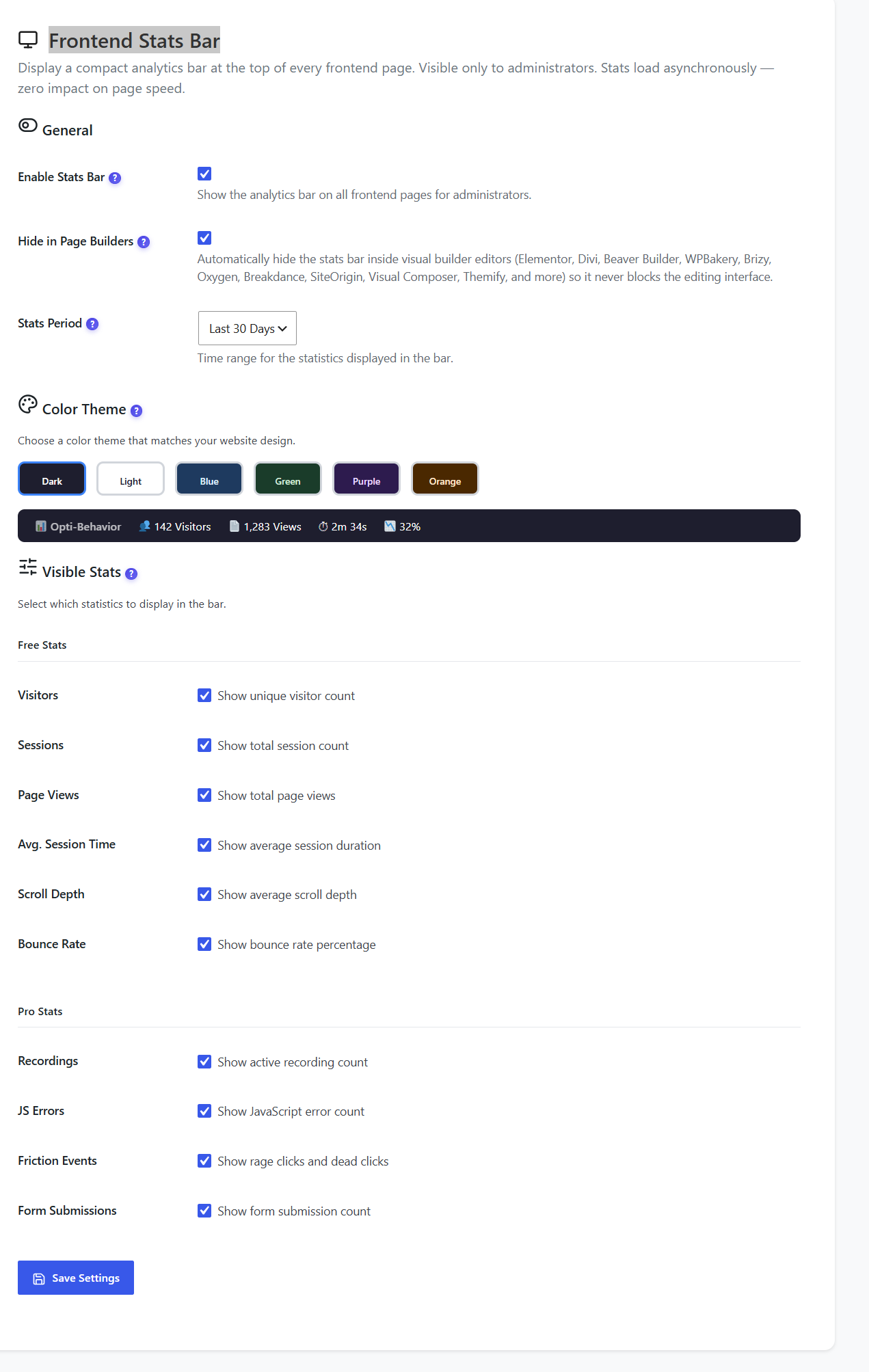
Frontend stats bar settings with color themes, visible stats selection, and live preview

Frontend Stats Bar

A compact analytics overlay displayed at the top of every frontend page — visible only to logged-in administrators. Shows live page-level stats (visitors, sessions, scroll depth, bounce rate) without switching to the admin dashboard. Stats load asynchronously via AJAX so your visitors never see it and your page speed is never affected. Toggle the stats bar on or off from the settings page with one click.

FREE

Privacy & GDPR

Built-in compliance with automatic consent banner detection. Your visitors’ data never leaves your server.

Anonymous Mode

Zero personal data stored. Fully GDPR compliant by default. No consent banner needed.

Full Tracking

Capture everything when consent is given. Tracking suppressed immediately when visitors decline.

Consent Banner Auto-Detection
Cookiebot Complianz CookieYes Moove GDPR Cookie Notice Real Cookie Banner Borlabs Cookie WP DSGVO Tools

How It Works

1

Install & Activate

Install Opti-Behavior from WordPress.org or upload the plugin ZIP. Activate it and sensible default settings are applied automatically — tracking starts immediately with Anonymous Mode enabled by default for instant GDPR compliance.

2

Configure Privacy & Tracking

Navigate to Settings from the Opti-Behavior admin menu. All 10 settings pages are organized in clear tabs. Start with Privacy & GDPR to choose Anonymous Mode or Full Tracking and configure consent banner auto-detection. Then set bot detection rules and traffic classification to keep your analytics clean.

3

Set Up Reports & Language

Configure scheduled email reports (daily, weekly, or monthly) with custom SMTP settings for reliable delivery. Switch the admin interface to any of 6 languages (English, French, German, Spanish, Portuguese, Italian) independently from your WordPress site language.

4

Monitor Storage & Schedule Cleanup

Use the Storage Overview page to monitor database and file usage per module. Set up smart auto-cleanup with 3 configurable conditions (time-based, quality-based, visitor behavior) to automatically remove low-quality sessions. Use the Danger Zone for manual full reset, date range deletion, or selective data cleanup when needed.

Who Benefits From Settings Control?

Privacy-First Sites

GDPR compliance out of the box with Anonymous Mode and automatic consent banner detection for 8 major cookie plugins. No personal data stored unless consent is given.

Multi-Language Teams

Switch the admin interface to French, Spanish, German, Portuguese, or Italian. Every team member sees analytics in their preferred language.

Automated Reporting

Set up daily, weekly, or monthly email reports with custom SMTP for reliable delivery. View recent report history and test delivery instantly.

Settings & Configuration Comparison

Feature Opti-Behavior Hotjar MS Clarity Matomo
Privacy / GDPR Controls✓ Free
Cookie Plugin Auto-Detection✓ Free (8 plugins)
Scheduled Email Reports✓ Free
Multi-Language Admin✓ Free (6 langs)
Storage Monitoring✓ Free
Traffic Classification✓ Free
Frontend Stats Bar✓ Free
Smart Auto-Cleanup✓ Pro
Data Export (CSV/SQL)✓ Pro
Self-Hosted Data✓ Free
Price$0$213+/mo$0*€26+/mo

* Microsoft Clarity is free but Microsoft uses your visitors’ data for advertising.

Settings FAQ

How many settings pages are there?
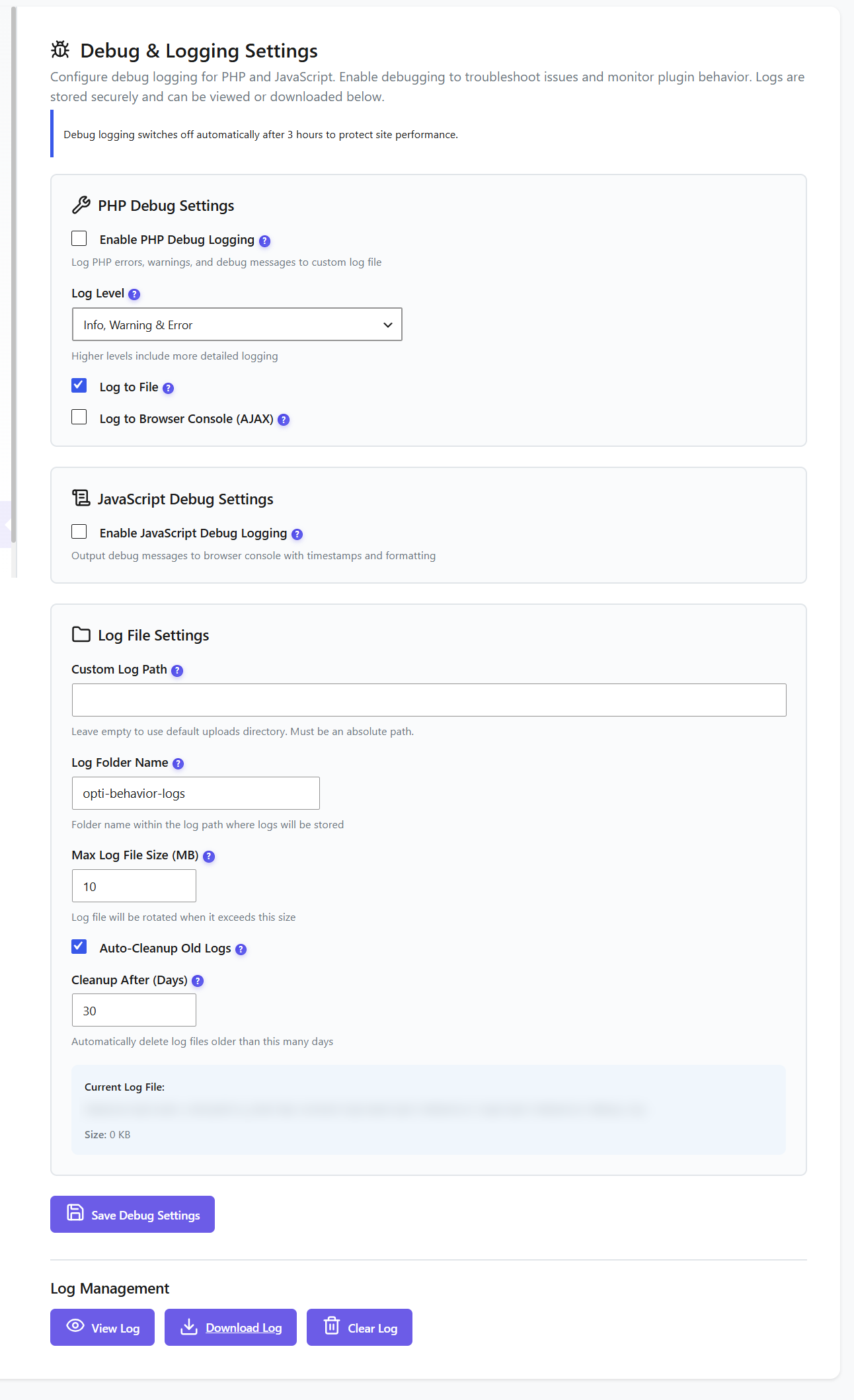
Opti-Behavior includes 10 dedicated settings pages: Dashboard Settings, Privacy & GDPR, Heatmap Settings, Recording Settings, Error Tracking Settings, Storage Stats, Scheduled Reports, Language Settings, Debug & Logging, and the Danger Zone for data reset and cleanup tools.
How does GDPR compliance work?
Opti-Behavior offers two privacy modes: Anonymous Mode (no personal data stored — fully GDPR compliant by default) and Full Tracking (captures everything when consent is given). The consent banner integrates automatically with 8 major WordPress cookie plugins: Cookiebot, Complianz, CookieYes, Moove GDPR, Cookie Notice, Real Cookie Banner, Borlabs Cookie, and WP DSGVO Tools. When a visitor declines cookies, tracking is suppressed immediately.
What languages are supported?
The plugin admin interface supports 6 languages: English, French, German, Spanish, Portuguese, and Italian. You can switch the admin language independently from your WordPress site language, so you can run an English site with a French admin dashboard.
Can I set up automated email reports?
Yes. The Scheduled Reports settings let you configure automatic email reports on a daily, weekly, or monthly basis. Configure custom SMTP settings for reliable delivery, define multiple recipients, and view recent report history. Test emails instantly without waiting for the next scheduled run.
How does traffic classification work?
Opti-Behavior includes automatic bot detection rules, spam traffic filtering, and user intent scoring. You can define custom user-agent patterns to detect bots specific to your environment. All filtered traffic is excluded from every report automatically, keeping your analytics clean without manual work.
What is the Frontend Stats Bar?
A compact analytics overlay displayed at the top of every frontend page — visible only to logged-in administrators. It shows live page-level stats (visitors, sessions, scroll depth, bounce rate) without switching to the admin dashboard. Stats load asynchronously via AJAX so your visitors never see it and your page speed is never affected.
How does smart cleanup work?
Smart cleanup identifies and removes spam, bot, and low-quality sessions using 3 configurable conditions: time-based (sessions shorter than X seconds), quality-based (sessions with very low engagement), and visitor behavior (repeat bot-like patterns). You can preview what will be deleted before running cleanup. Schedule auto-cleanup to run automatically on a daily or weekly basis to keep your database lean without any manual effort.
Can I monitor database storage usage?
Yes. The Storage Overview page shows database and file storage usage broken down per module: sessions, heatmaps, recordings, errors, journeys, and forms. Each module displays table size, total records, and disk usage so you can make informed decisions about data retention and cleanup scheduling.
Can I delete specific types of data without uninstalling?
Yes. The Danger Zone provides 4 data management tools: full reset (clear all analytics data), delete by date range (remove data from a specific period), smart data cleanup (automatically identify and remove low-quality data with preview), and scheduled auto-cleanup (automatic recurring cleanup). All without deactivating or uninstalling the plugin.

Full Control, Zero Complexity

Install Opti-Behavior for free and configure everything from a clean, organized settings interface. 10 settings pages, 6 languages, GDPR compliance, scheduled reports, and data management tools — all self-hosted.

Explore
Drag