


Build unlimited conversion funnels to track user flow through your site. Visual step-by-step dropout analysis shows exactly where visitors abandon your conversion path — so you can fix leaks and increase revenue.
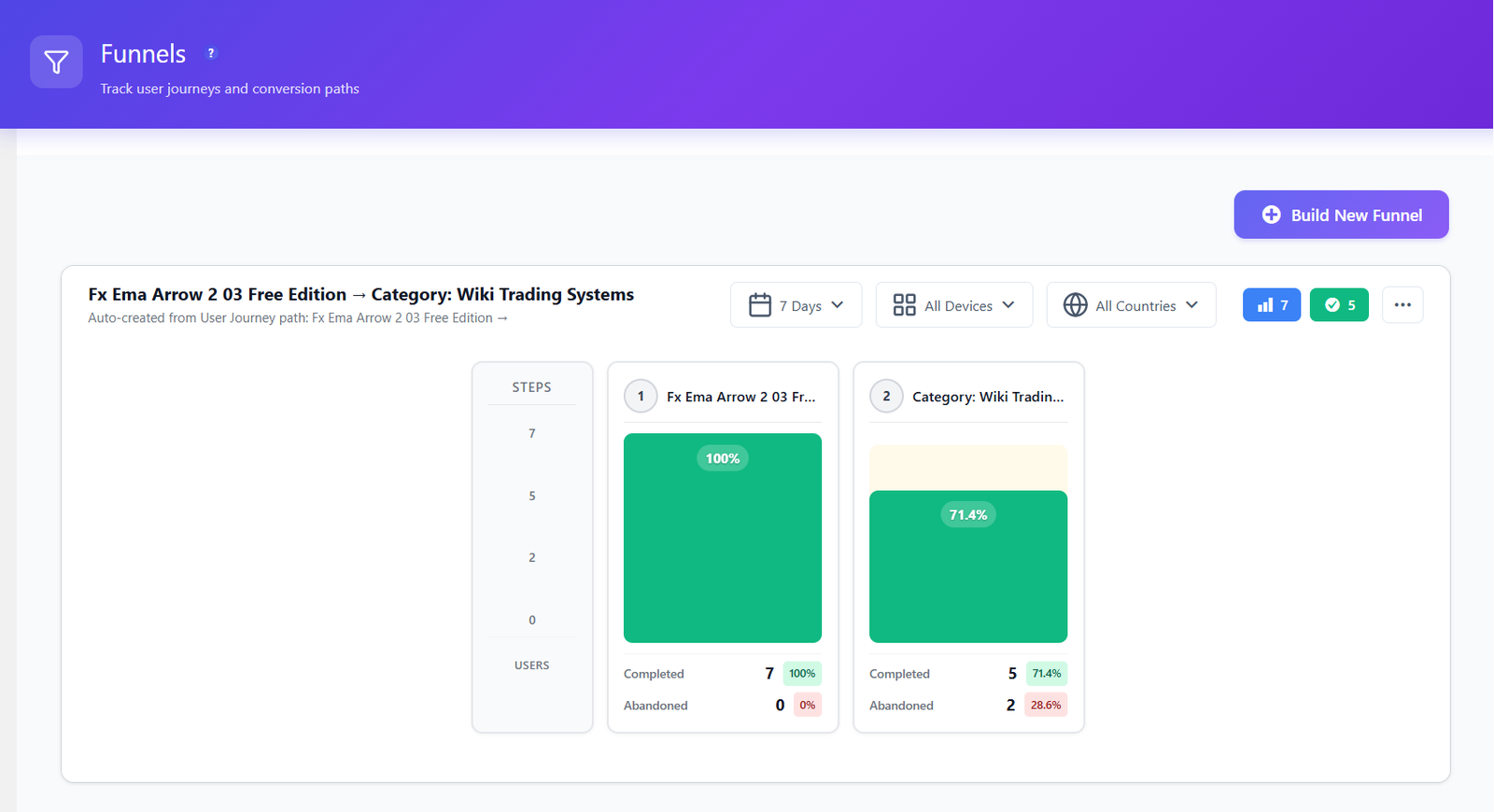
Create funnels from any sequence of pages on your site. Instantly see where users drop off and which steps need optimization.
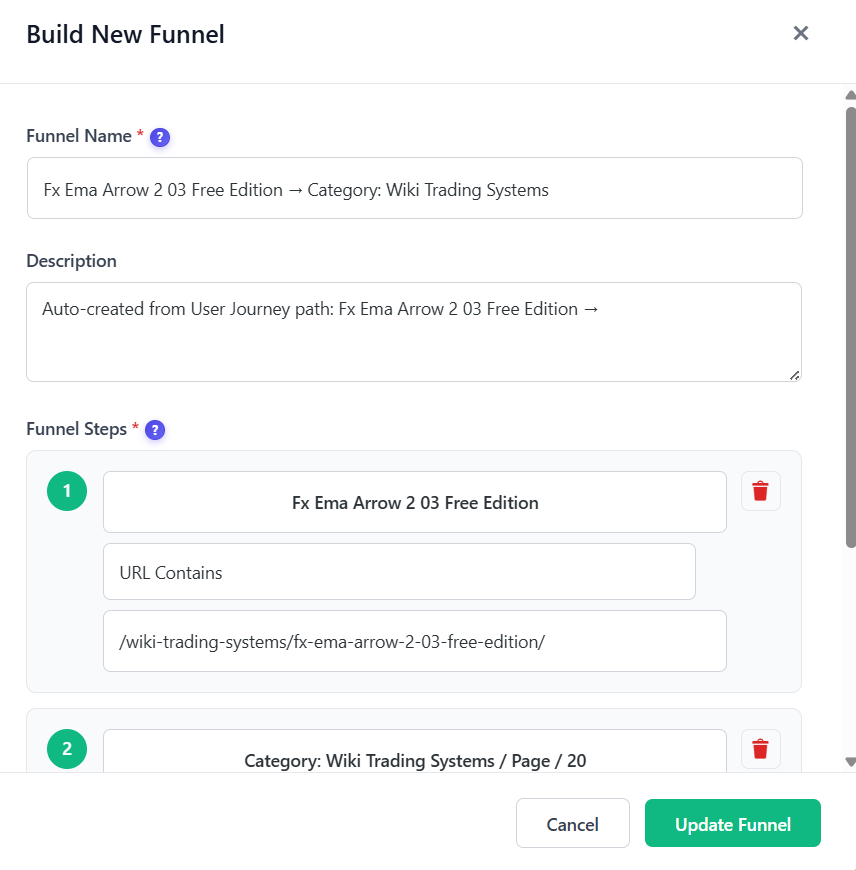
Create funnels by defining up to 10 URL-based steps. Visual builder shows each step with clear labels. Drag-and-drop reordering makes it easy to test different conversion paths.
Manage all your funnels from a single dashboard. See conversion rates at a glance, enable/disable funnels, duplicate successful setups, and organize with clear naming.
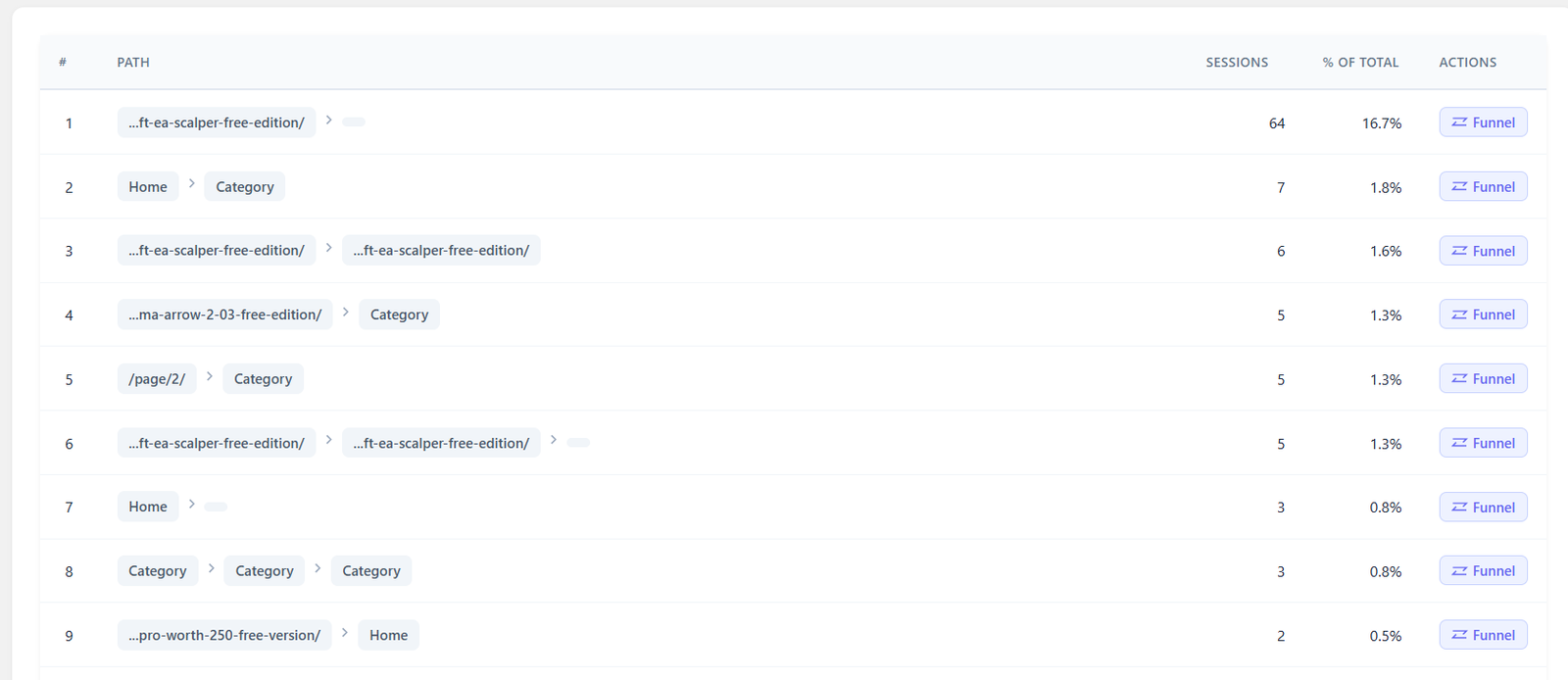
Don’t know which funnels to build? The User Journeys feature discovers your site’s most-traveled paths automatically. One-click “Create Funnel” turns any discovered path into a tracked funnel.
The real power of funnels is seeing where users leave. Each step shows entry count, exit count, and dropout percentage — so you know exactly which page needs work.
Create a new funnel and add up to 10 steps. Each step is a URL pattern on your site — like /pricing, /checkout, /thank-you. Name each step for easy identification.
Once saved, the funnel immediately starts collecting data. Every visitor session is matched against your funnel steps to calculate progression and dropout rates.
Open any funnel to see the visual dropout analysis. Each step shows how many users entered, how many proceeded, and where the biggest drops happen.
Fix the pages with the highest dropout rates, then watch your funnel completion improve. Compare before/after with date range filters to measure the impact of your changes.
Track the path from product page to cart to checkout to purchase. Find where shoppers abandon their carts and optimize each step to increase sales.
Monitor the journey from landing page to form submission. Identify which pages lose the most leads and test improvements to boost conversion rates.
Track signup flows from pricing page to registration to onboarding. Understand where potential members drop off and streamline the enrollment process.
| Feature | Opti-Behavior | Hotjar | MS Clarity | Matomo |
|---|---|---|---|---|
| Conversion Funnels | ✓ Free | ✓ Paid | ✗ | ✓ Paid |
| Unlimited Funnels | ✓ Free | ✗ | ✗ | ✓ |
| Dropout Analysis | ✓ Free | ✓ | ✗ | ✓ |
| Auto-Discovery | ✓ Free | ✗ | ✗ | ✗ |
| 10 Steps per Funnel | ✓ Free | ✓ | ✗ | ✓ |
| Self-Hosted Data | ✓ Free | ✗ | ✗ | ✓ |
| Price | $0 | $213+/mo | N/A | €26+/mo |
Install Opti-Behavior for free and build your first conversion funnel in minutes. See exactly where visitors drop off and start improving your conversion rates today.