


Watch real user sessions replayed in full HD. Multi-page tracking follows visitors across your entire site. 20+ filters, privacy masking, session timeline — all self-hosted on YOUR server.
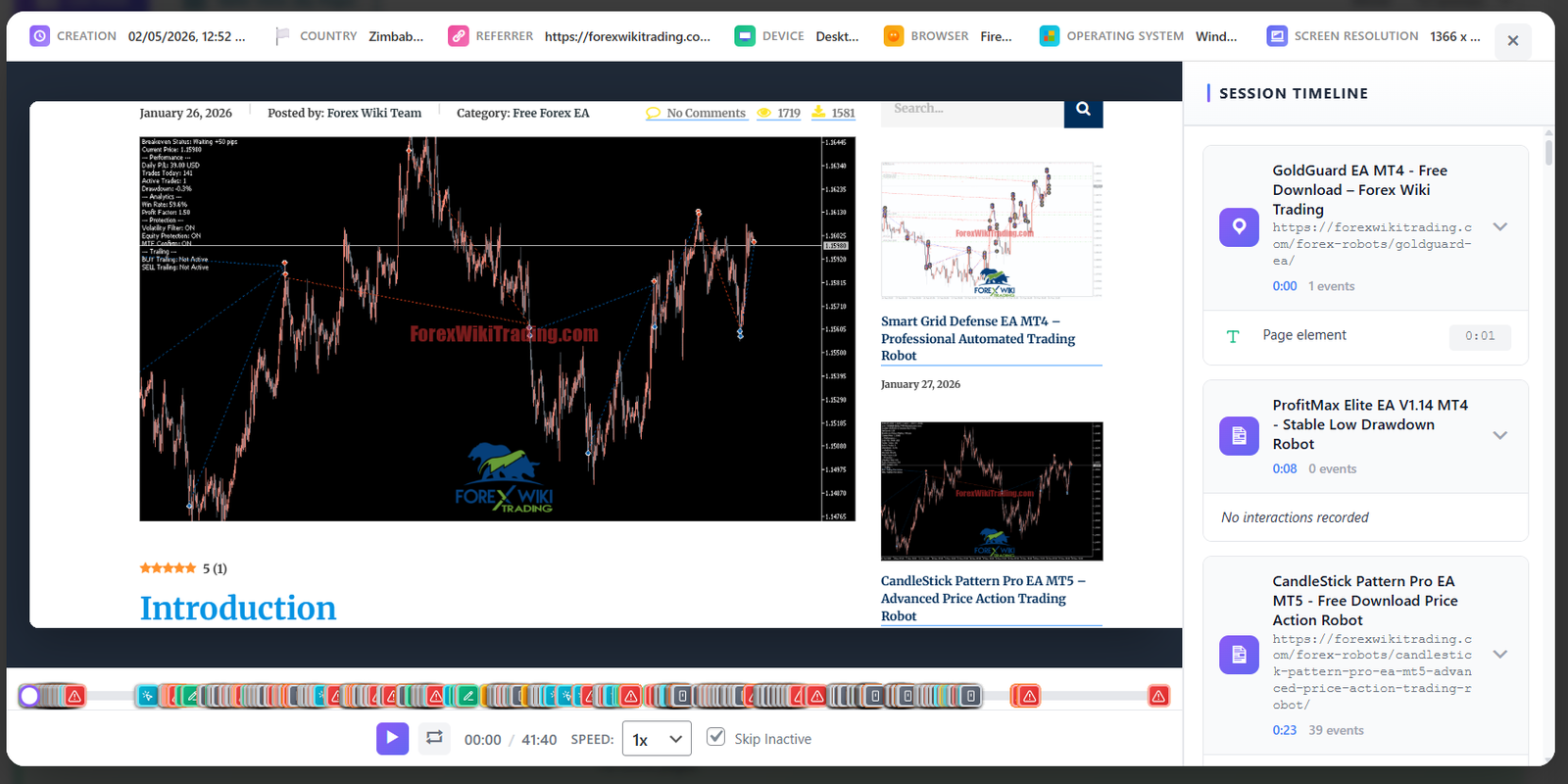
Every click, scroll, resize and page navigation is captured and replayed frame-by-frame. Understand user behavior like never before.
Watch sessions in a full-width player with playback speed controls (1x-8x), play/pause, skip to events, and a visual timeline. See mouse movements, clicks, scrolling, and typing in real-time.
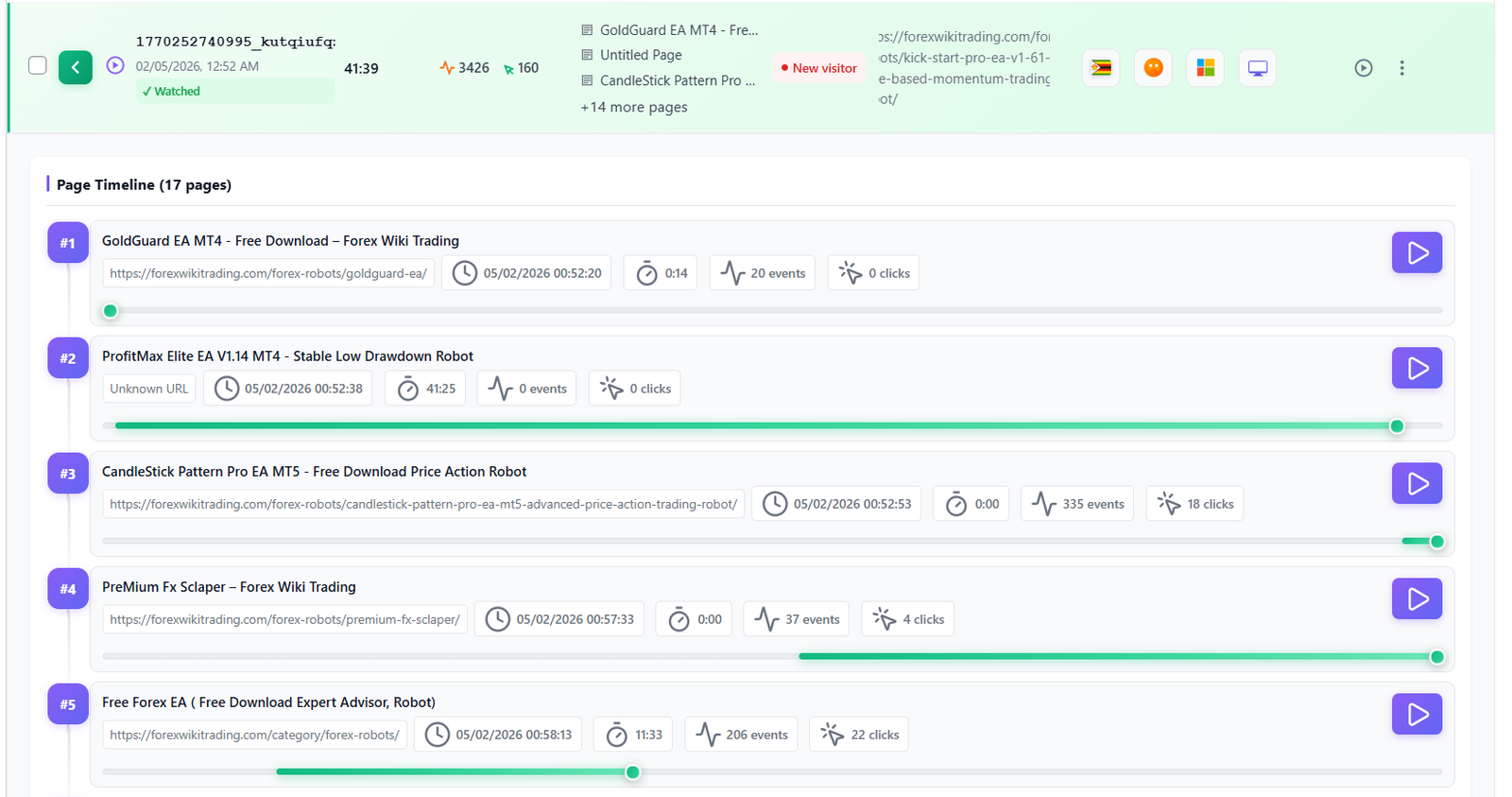
Track visitors across multiple pages in a single session. The page timeline shows every navigation with time spent per page, events triggered, and clear page transition markers.
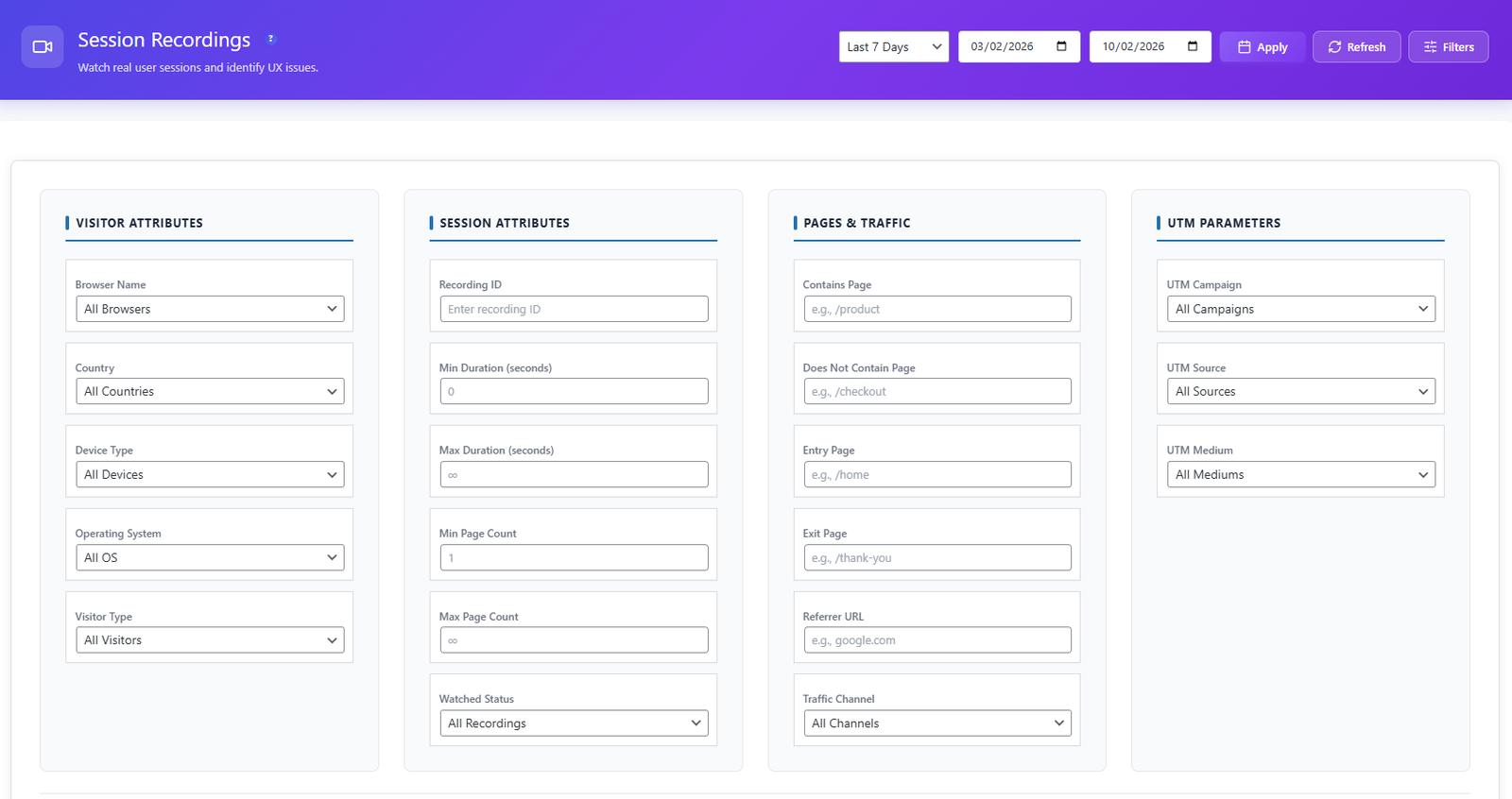
Find exactly the sessions you need. Filter by page URL, country, device, browser, session duration, page count, date range, user type, and more. Save filter presets for quick access.
Session recordings are designed with privacy at the core. Sensitive data is automatically masked, and all recordings are stored on your own server.
Activate session recording in the Opti-Behavior Pro settings. Choose recording scope — record all pages or specific URLs only.
The lightweight recording script captures DOM mutations, mouse movements, clicks, scrolls, and page navigations. All data is compressed and stored locally on your server.
Use 20+ filters to find sessions by country, device, pages visited, session duration, or date range. Sort by engagement score, duration, or recency.
Play back sessions in the HD player. Speed up through idle time, skip between pages, and identify exactly where users get confused, frustrated, or leave your site.
Watch what users did right before reporting a bug. See the exact sequence of clicks, pages, and interactions that triggered the issue — no more guessing.
Watch real users navigate your checkout flow. See where they hesitate, where they click the wrong button, and where they abandon the process entirely.
Replace expensive user testing sessions with real visitor recordings. Watch hundreds of sessions to identify patterns in how users interact with your design.
| Feature | Opti-Behavior | Hotjar | MS Clarity | Mouseflow |
|---|---|---|---|---|
| Session Recordings | ✓ Pro | ✓ | ✓ | ✓ |
| Multi-Page Tracking | ✓ Pro | ✓ | ✓ | ✓ |
| 20+ Filters | ✓ Pro | ✓ | ✓ | ✓ |
| Privacy Masking | ✓ Pro | ✓ | ✓ | ✓ |
| Playback Speed Control | ✓ Pro | ✓ | ✓ | ✓ |
| Self-Hosted Data | ✓ | ✗ | ✗ | ✗ |
| Unlimited Sessions | ✓ | ✗ (35/day) | ✓ | ✗ |
| Price | $46/yr | $213+/mo | $0* | $31+/mo |
* Microsoft Clarity is free but Microsoft uses your visitors’ data for advertising.
Get Opti-Behavior Pro and start recording visitor sessions today. All data stays on your server — no session limits, no data sharing, no monthly fees.