


Track every form interaction at the field level. Drop-off funnels, time per field, error detection, and session replay for form submissions. Works with Contact Form 7, WPForms, Forminator, Gravity Forms and more.
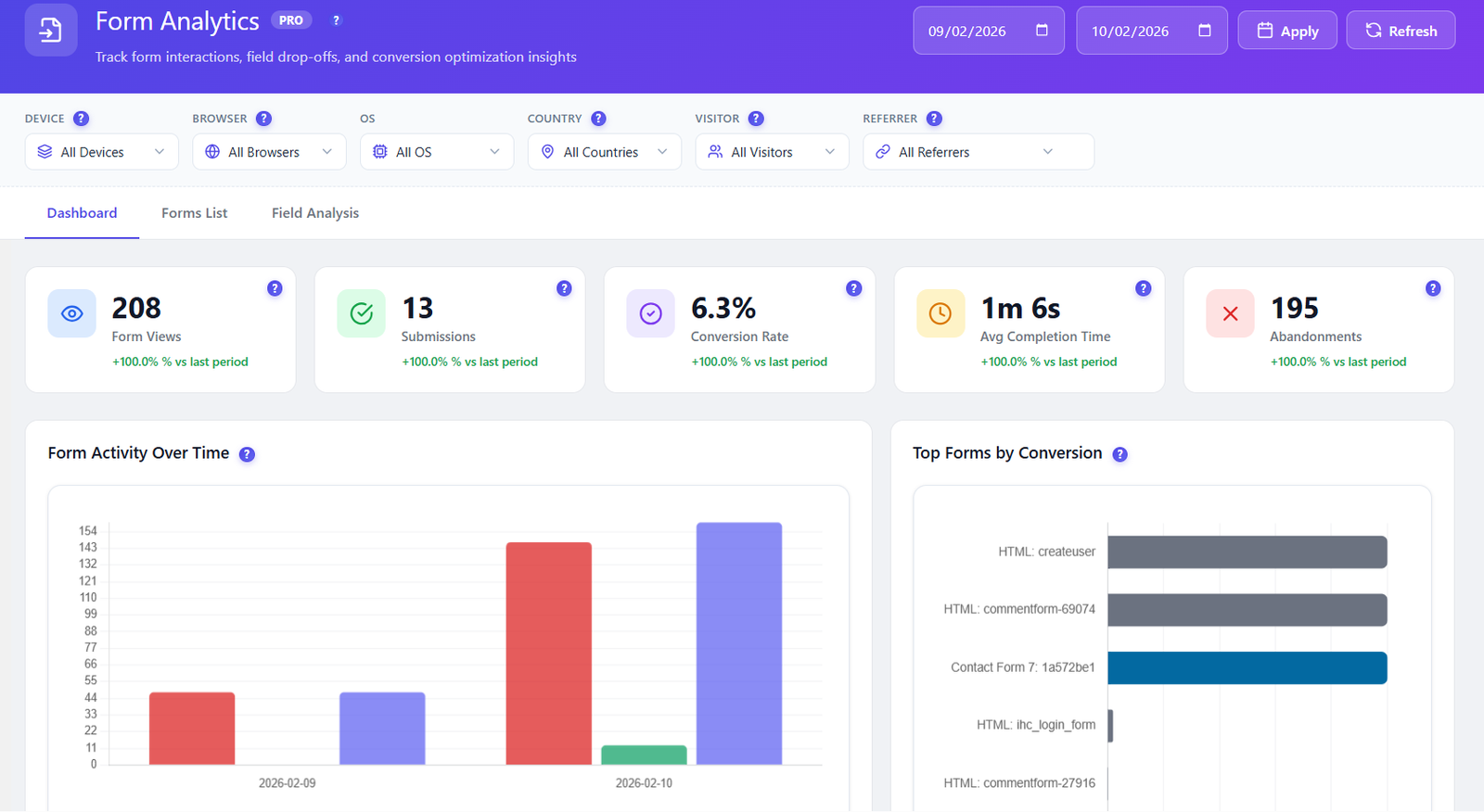
Field-level analytics reveal which fields cause confusion, take too long, or trigger errors. Stop losing leads to poorly optimized forms.
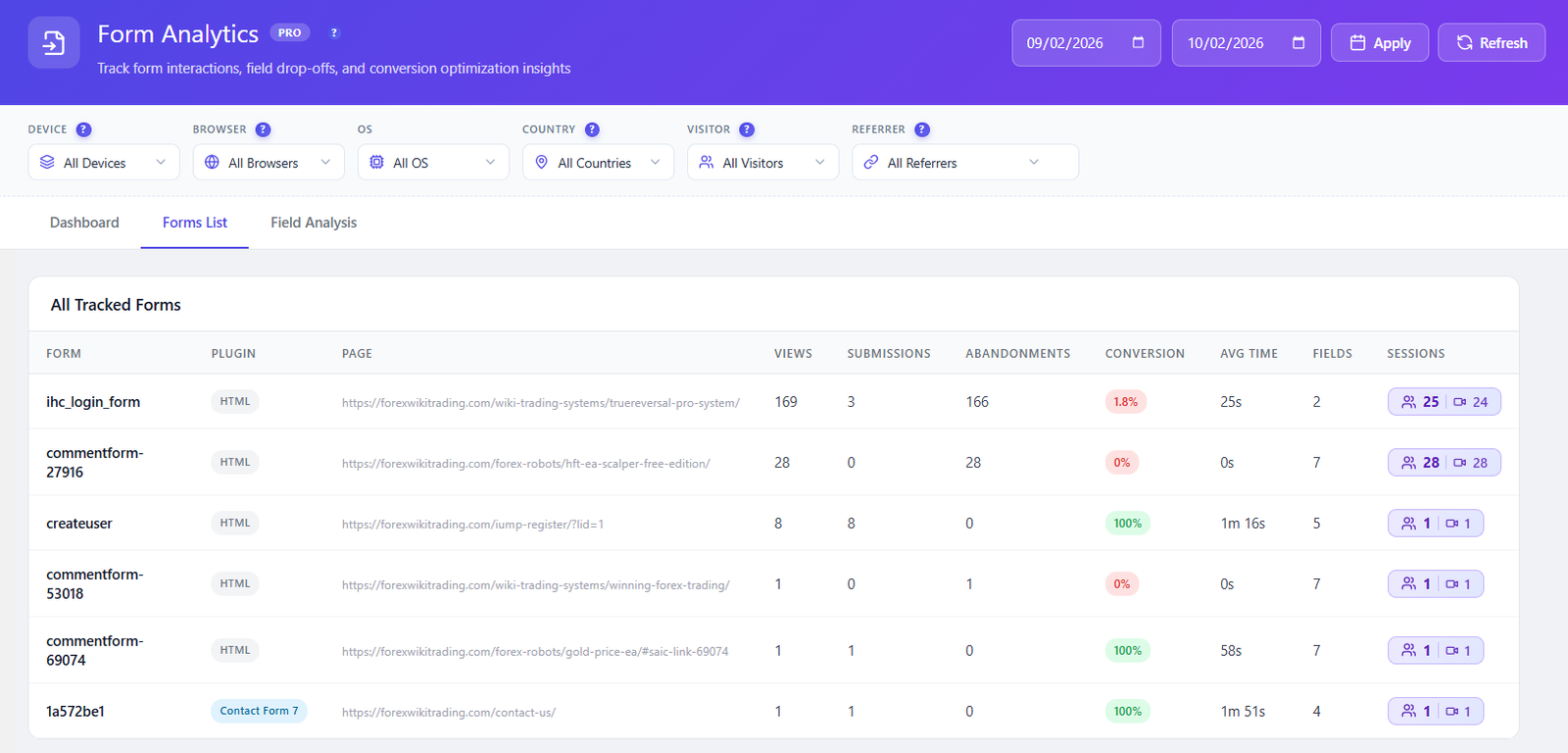
See all your forms with key metrics at a glance: total views, starts, submissions, conversion rate, average completion time, and abandonment rate per form.
Drill into individual form fields. See interaction count, time spent per field, error rate, refill count, and which fields are skipped. Identify problematic fields instantly.
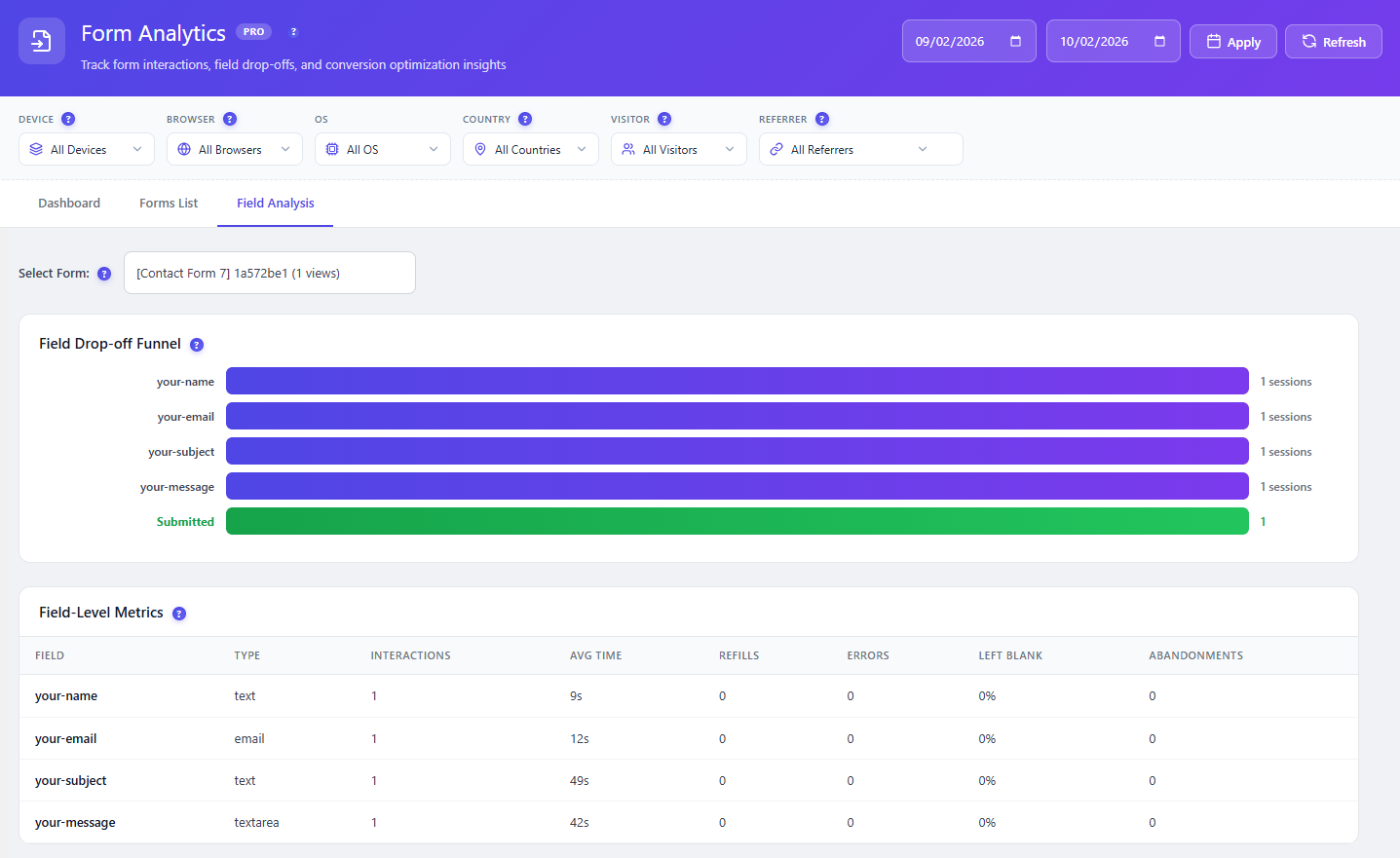
Visual funnel shows user progression through form fields. See exactly which field causes the most drop-offs and where users abandon the form entirely.
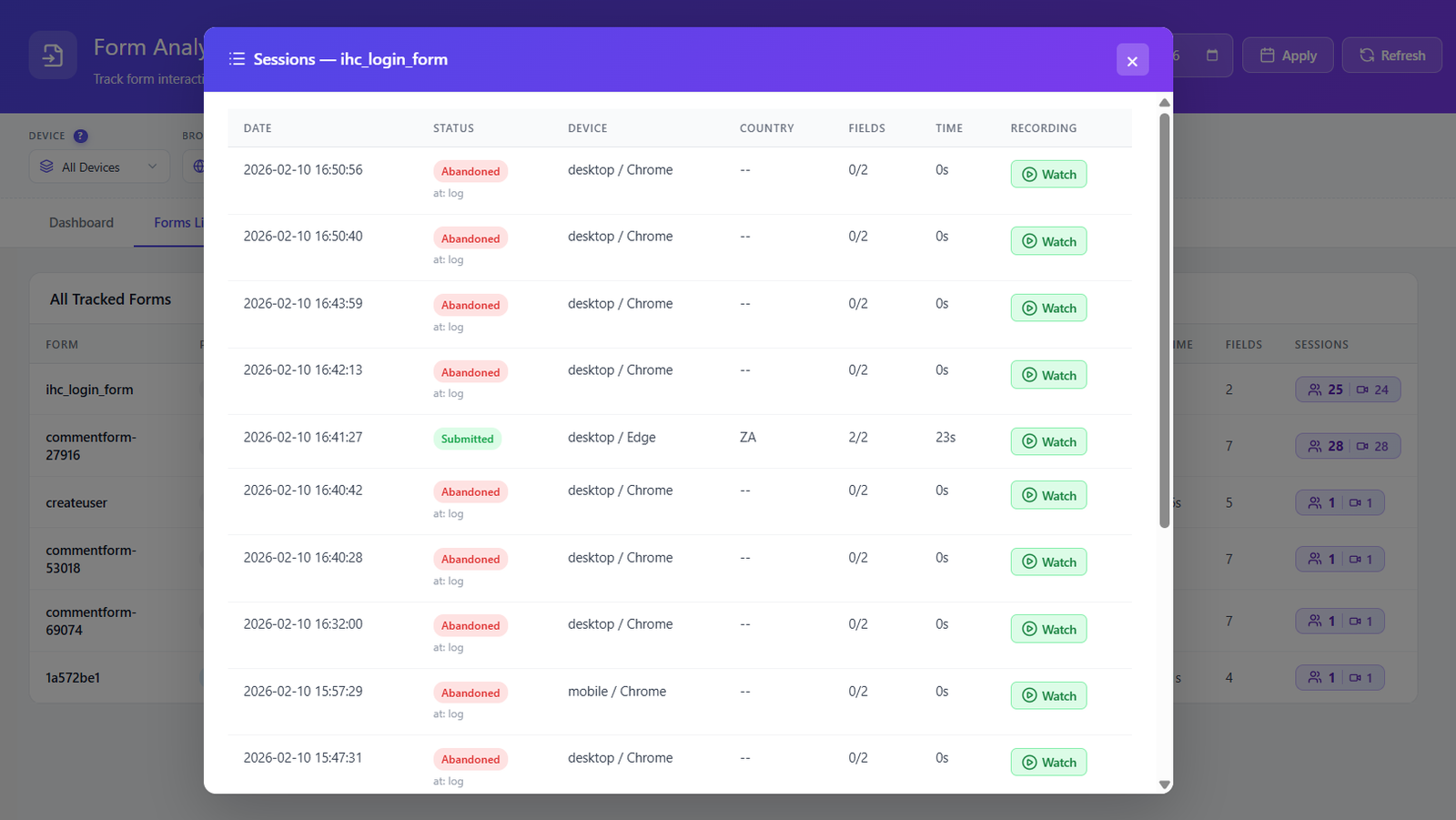
Watch how users interact with your forms in real-time replay. See mouse movements, field focus, typing patterns, hesitation, and errors as they happen.
Opti-Behavior automatically detects and tracks forms from all major WordPress form plugins. No manual configuration needed.
Activate form analytics in the Opti-Behavior Pro settings. The tracking script automatically detects all forms on your pages — no code changes needed.
Each form field is identified and tracked individually. Field focus, blur, input, error, and submission events are all captured with timestamps and context.
Open the Form Analytics dashboard to see KPIs per form. Drill into field-level data, view drop-off funnels, and identify which fields cause the most friction.
Click any form session to replay the user’s interaction. See exactly how they navigated fields, where they hesitated, and what caused them to abandon or submit.
Optimize contact forms and signup forms to capture more leads. See which fields cause abandonment and simplify your forms for higher conversion rates.
Track WooCommerce checkout form interactions. Identify which checkout fields cause friction, take too long, or trigger validation errors that cost you sales.
Analyze multi-step application forms and surveys. Discover which questions cause drop-offs and optimize question order and wording for better completion rates.
| Feature | Opti-Behavior | Hotjar | MS Clarity | Mouseflow |
|---|---|---|---|---|
| Form Analytics | ✓ Pro | ✗ | ✗ | ✓ |
| Field-Level Tracking | ✓ Pro | ✗ | ✗ | ✓ |
| Field Drop-Off Funnel | ✓ Pro | ✗ | ✗ | ✓ |
| Time per Field | ✓ Pro | ✗ | ✗ | ✓ |
| Form Session Replay | ✓ Pro | ✗ | ✗ | ✗ |
| Auto Form Detection | ✓ Pro | ✗ | ✗ | ✓ |
| Self-Hosted Data | ✓ | ✗ | ✗ | ✗ |
| Price | $46/yr | N/A | N/A | $31+/mo |
Get Opti-Behavior Pro and start tracking every form interaction at the field level. Know exactly which fields cause abandonment and fix them to increase conversions.