


Visualize how visitors navigate your site with interactive Sankey flow diagrams. Discover top paths, analyze entry/exit pages, group URLs by pattern, and create funnels from discovered navigation flows.
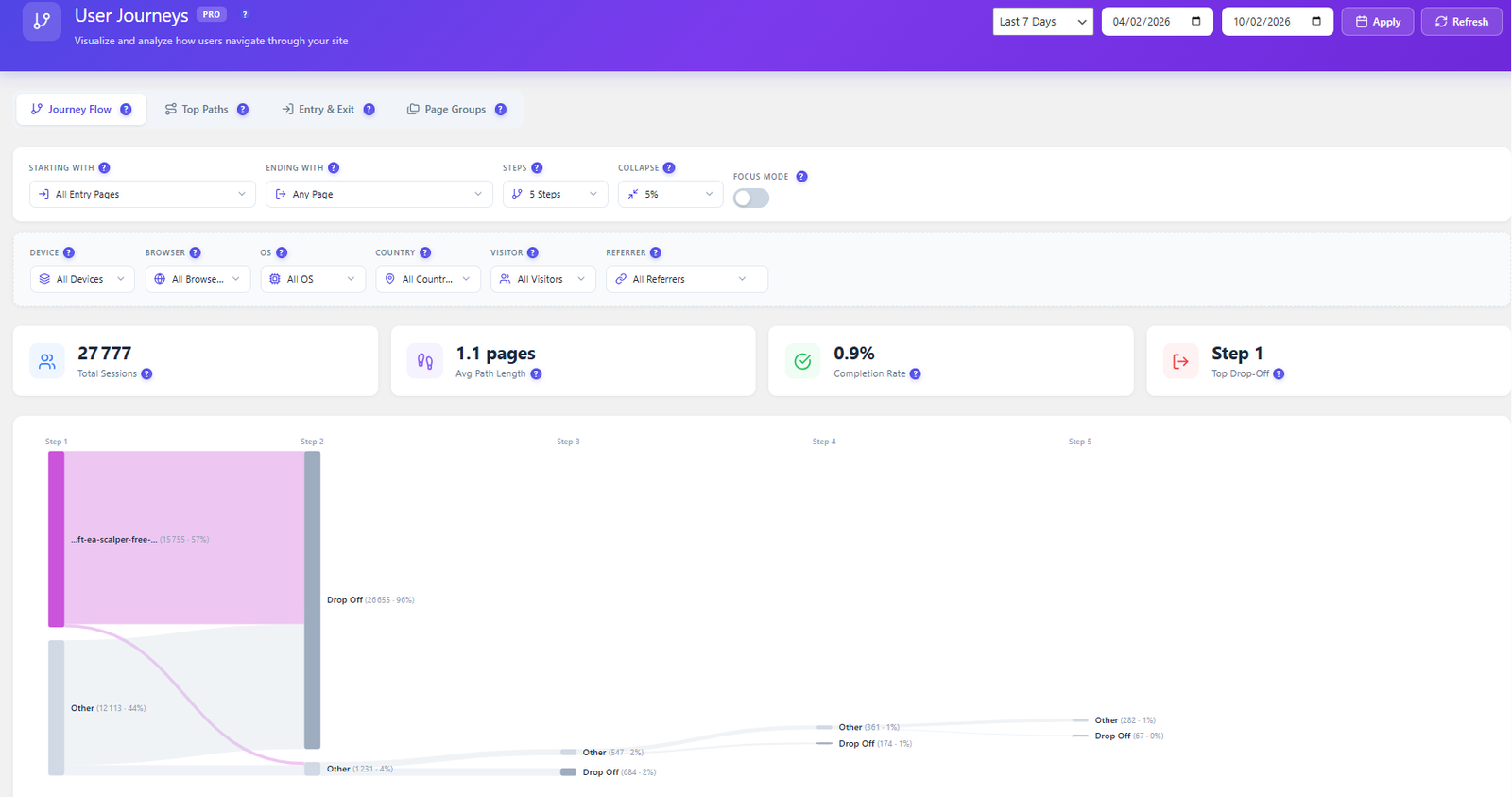
Stop guessing which paths users take. See actual navigation flows visualized as interactive Sankey diagrams with full entry/exit analysis.
Interactive Sankey diagrams visualize user navigation step by step. See traffic volume between pages, identify the most popular paths, and discover unexpected navigation patterns.
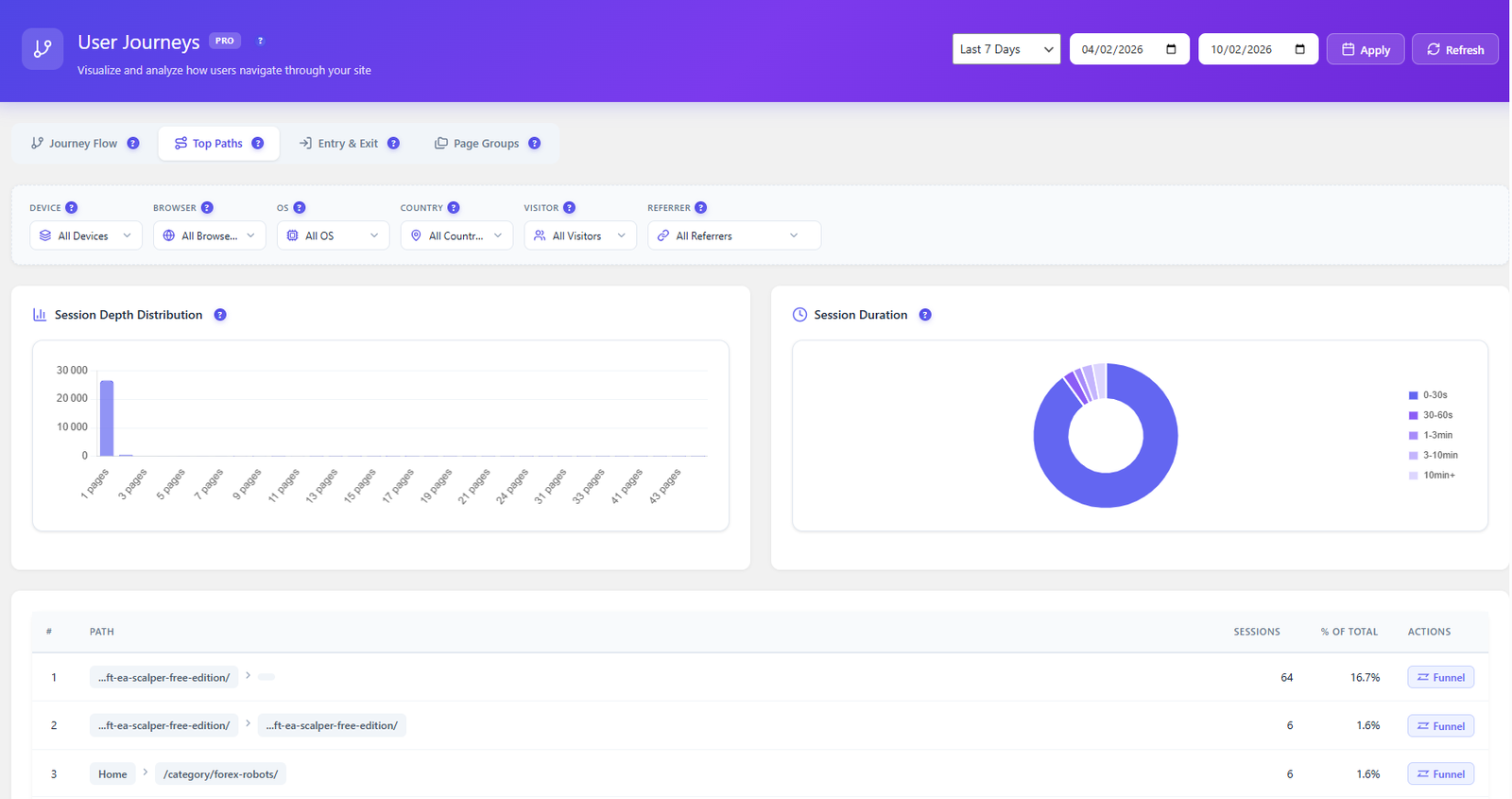
Automatically discover the most-traveled paths on your site. See session counts per path, average time spent, and one-click funnel creation from any discovered path.
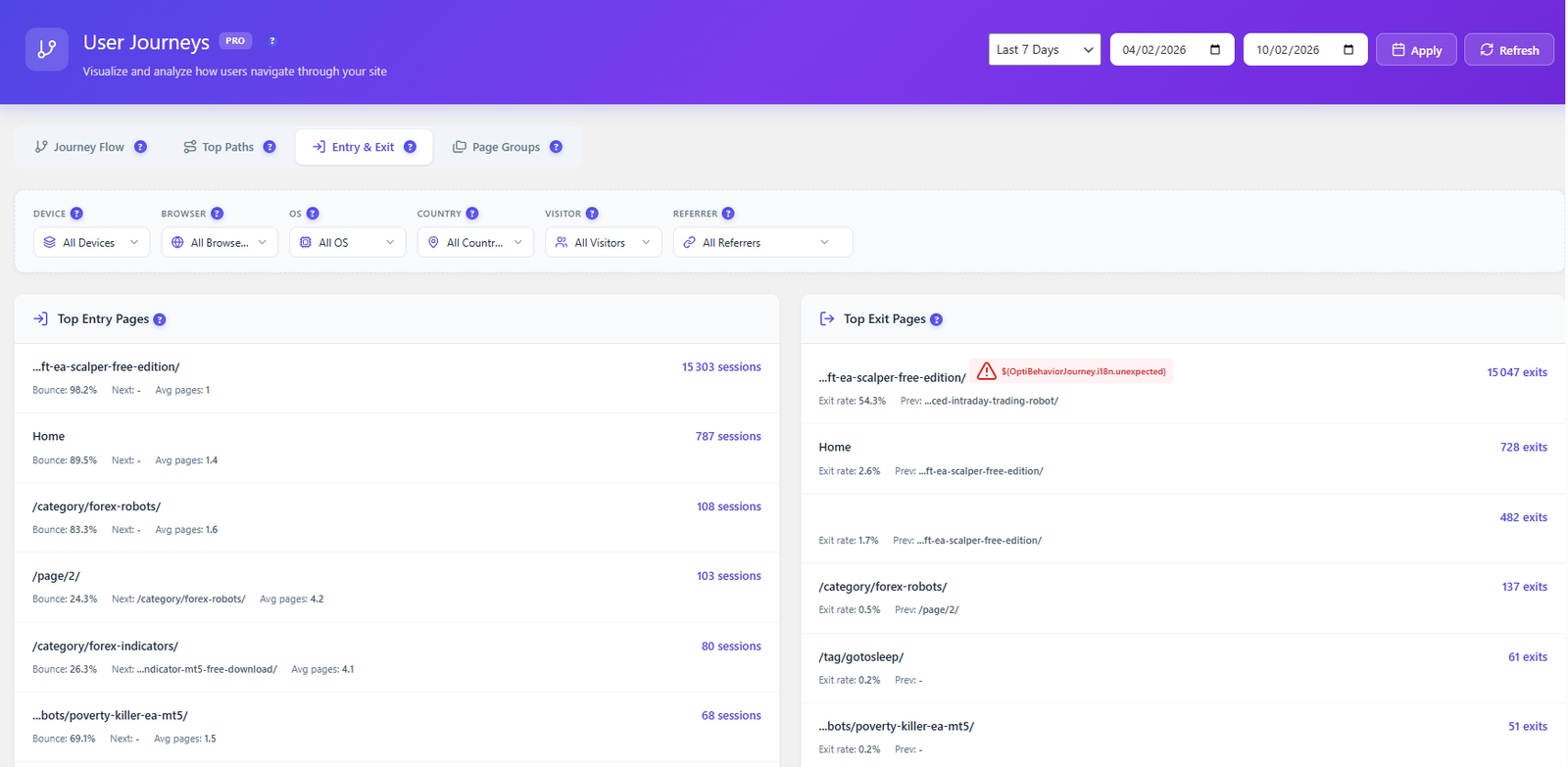
Know where visitors land on your site and where they leave. Entry/exit page analysis shows which pages attract traffic and which ones cause users to bounce.
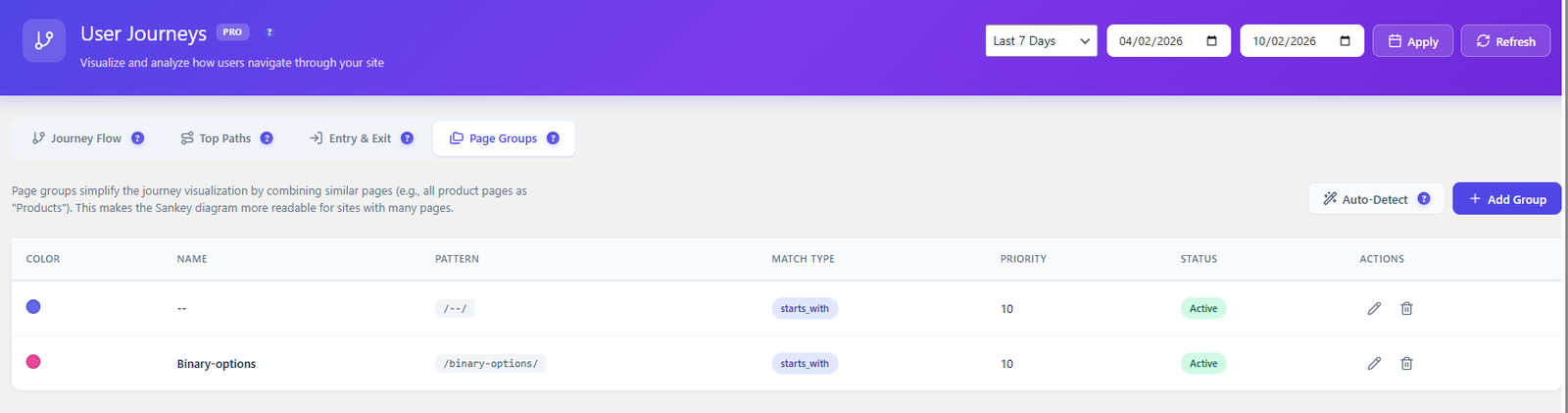
Group similar URLs together for cleaner analysis. Combine /product/shoe-1, /product/shoe-2, etc. into a single “Products” group. Supports wildcard and regex patterns.
Activate user journey tracking in the Opti-Behavior Pro settings. The tracking script automatically captures page navigation sequences for every visitor session.
As visitors browse your site, their complete page-to-page navigation paths are recorded. Data is aggregated to reveal common patterns and traffic flows.
Open the User Journeys page to see an interactive Sankey diagram. Hover over flows to see traffic volumes. Click nodes to drill into specific page transitions.
Found an important path? Click “Create Funnel” to instantly turn any discovered navigation path into a tracked conversion funnel with dropout analysis.
See how users actually navigate your site versus how you designed it. Discover if your menu structure and page hierarchy match real user behavior.
Identify the most common paths to purchase. Understand which content pages lead to conversions and optimize internal linking to guide more users to revenue pages.
Discover which blog posts lead to product pages, which landing pages drive the most engagement, and which content dead-ends cause visitors to leave.
| Feature | Opti-Behavior | Hotjar | MS Clarity | Matomo |
|---|---|---|---|---|
| Sankey Flow Diagrams | ✓ Pro | ✗ | ✗ | ✓ Paid |
| Top Paths Discovery | ✓ Pro | ✗ | ✗ | ✓ |
| Entry/Exit Analysis | ✓ Pro | ✗ | ✗ | ✓ |
| URL Grouping | ✓ Pro | ✗ | ✗ | ✓ |
| One-Click Funnel Creation | ✓ Pro | ✗ | ✗ | ✗ |
| Self-Hosted Data | ✓ | ✗ | ✗ | ✓ |
| Price | $46/yr | N/A | N/A | €26+/mo |
Get Opti-Behavior Pro and see exactly how visitors navigate your site. Interactive Sankey diagrams, top paths discovery, and one-click funnel creation — all self-hosted.