Does the dashboard update in real time?
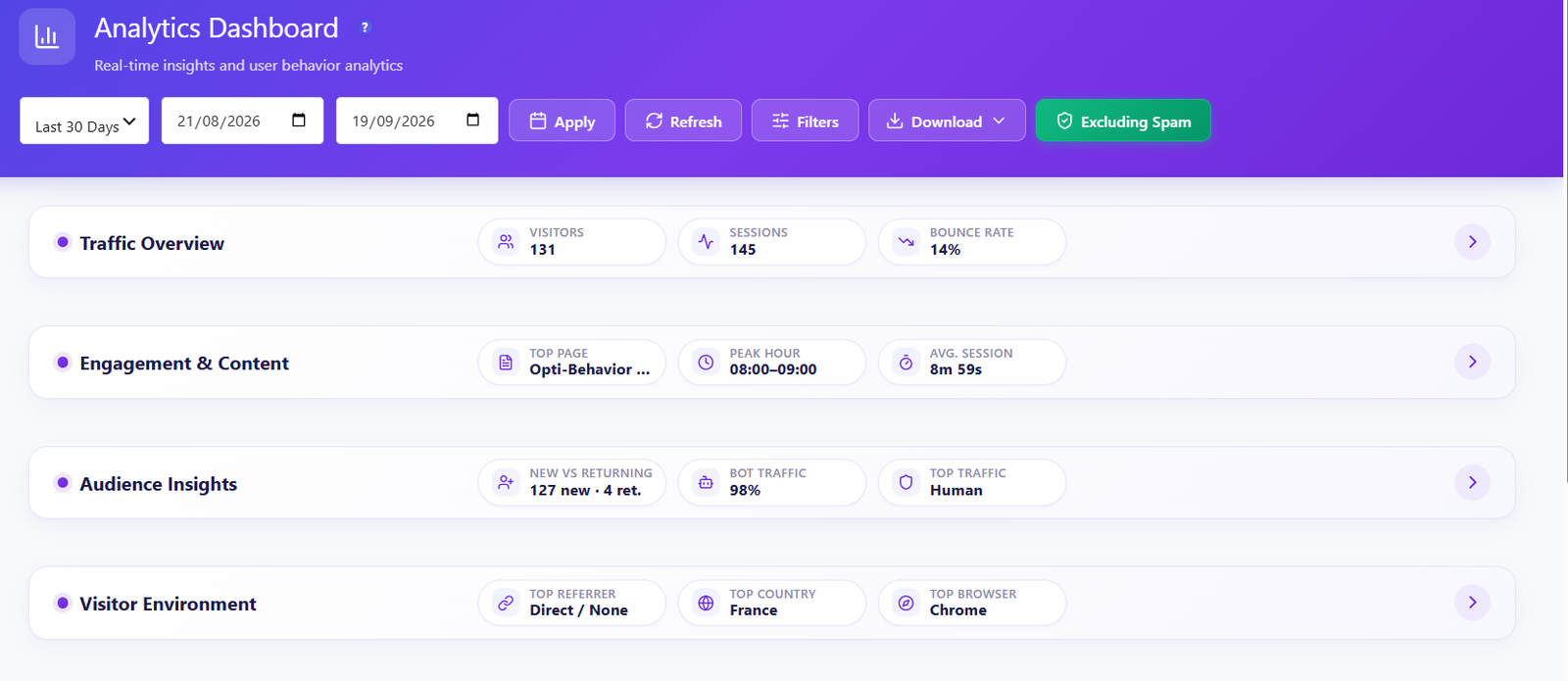
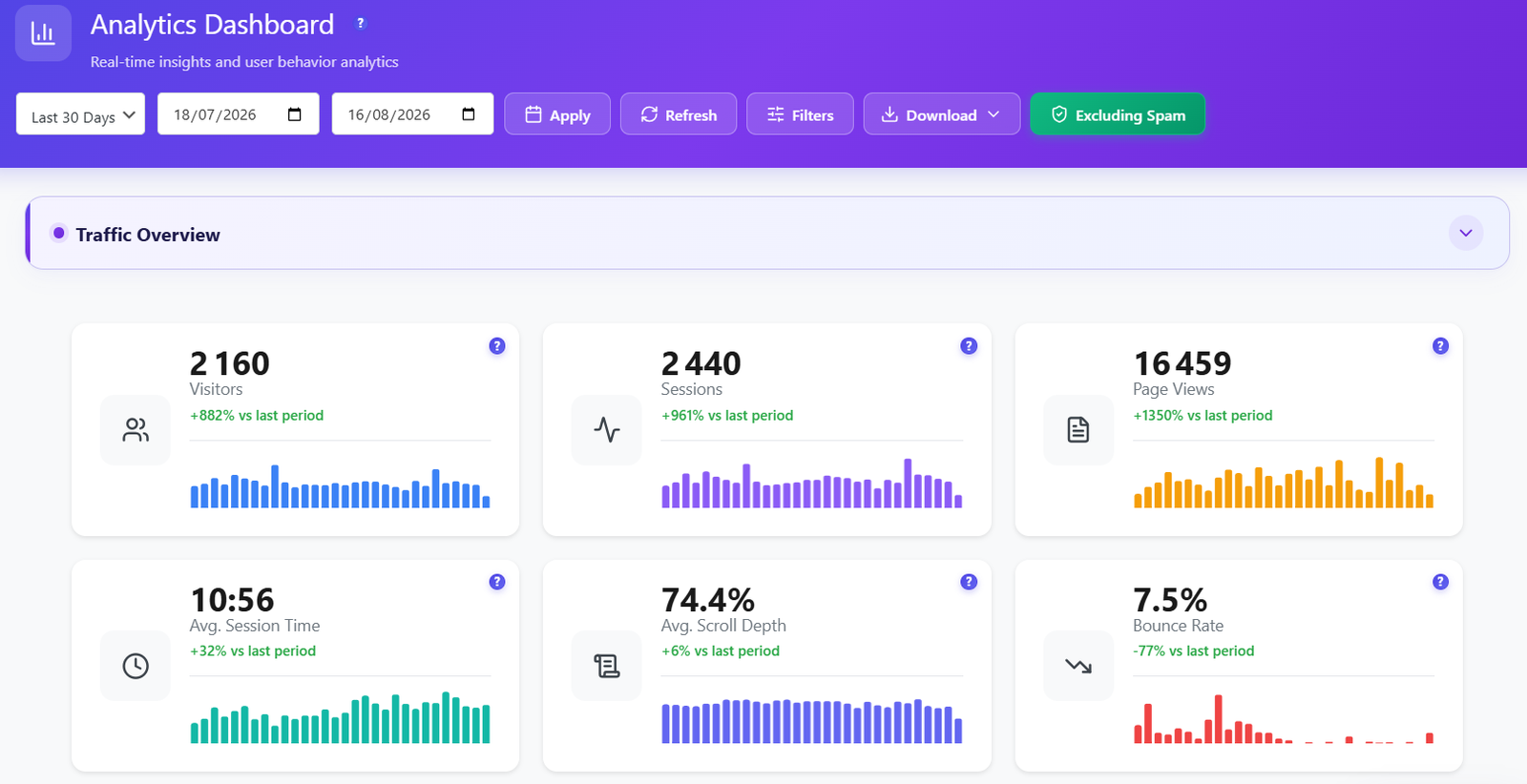
Yes. The live visitor feed refreshes about every 5 seconds while the tab is open and pauses when it is hidden. The other widgets load in parallel when you open the page or change the period, and the Refresh button reloads them on demand.
Will the dashboard slow down my WordPress admin or my site?
The widgets are loaded in parallel by your own server, with a timeout per widget so one slow panel cannot block the rest. Tracking is a lightweight script and the dashboard only runs in the admin, so it does not add weight to your front-end pages.
How does traffic classification work?
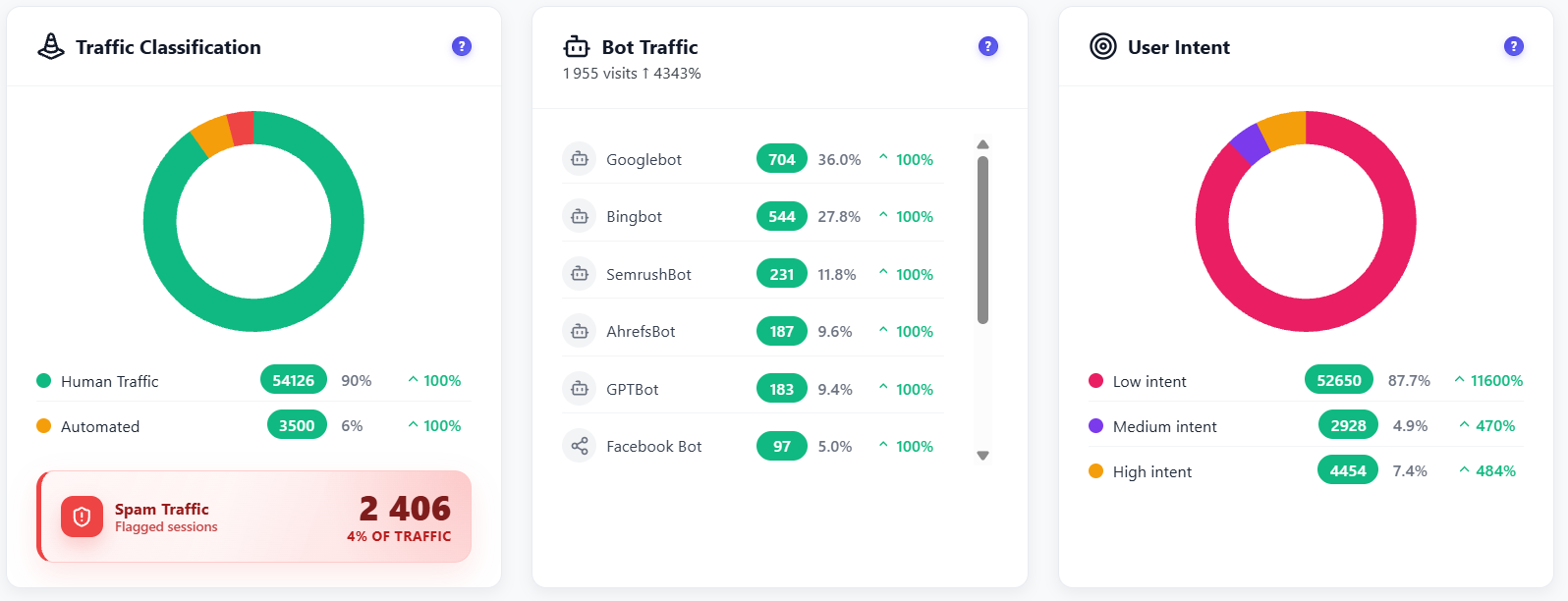
Each visit is classified as human, automated or spam. Known bots such as Googlebot, Bingbot, SemrushBot, AhrefsBot, GPTBot and Facebook Bot are listed with their share, and you can add your own bot patterns and spam thresholds in Settings. The Excluding Spam switch removes flagged sessions from every widget.
Can I filter and export my data?
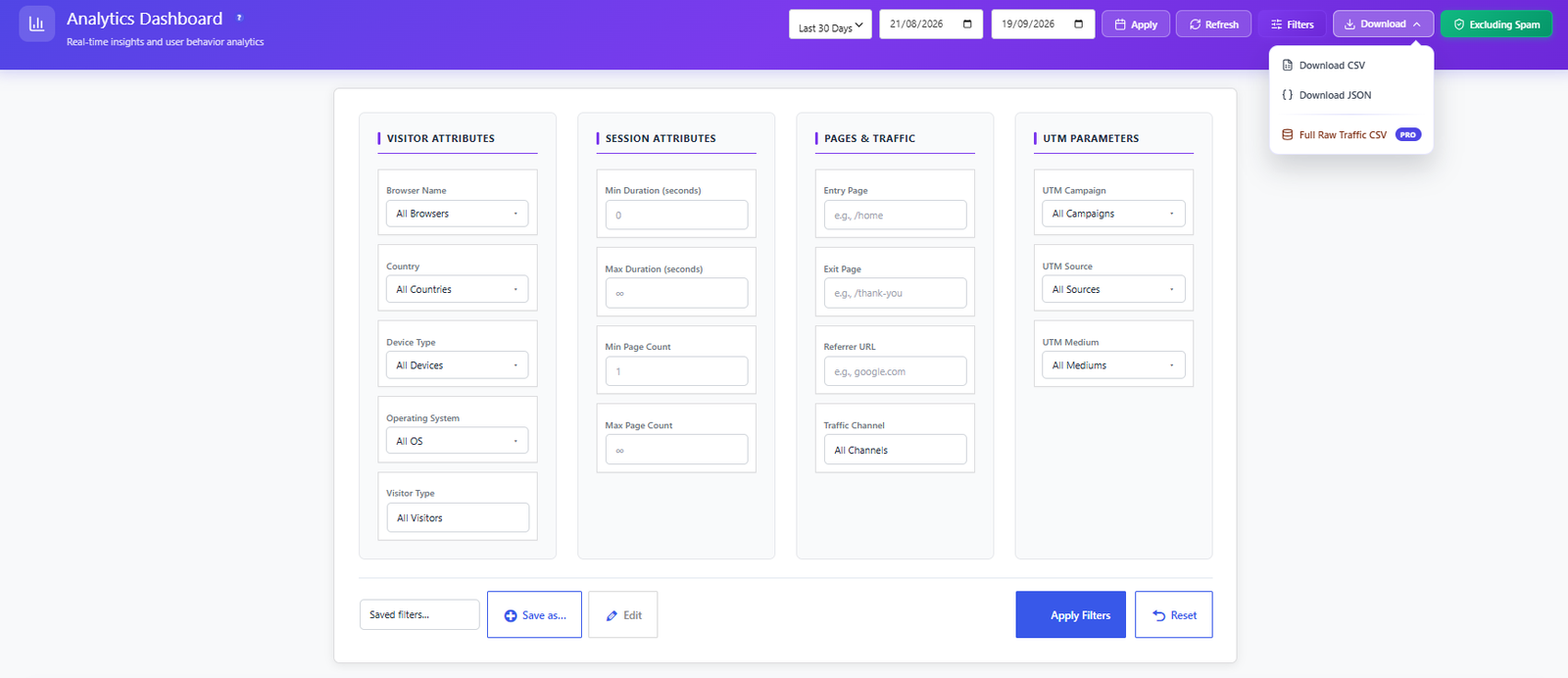
Yes. Sixteen filters cover visitor attributes (browser, country, device, operating system, visitor type), session attributes (duration and page count), pages and traffic (entry page, exit page, referrer URL, channel) and UTM campaign, source and medium. You can save filters and download CSV or JSON. Pro adds a Full Raw Traffic CSV.
Can I get reports by email?
Yes. Scheduled email reports (daily, weekly or monthly) send key metrics to your inbox through the WordPress mailer or your own SMTP server. See the Settings page for details.
Does it show logged-in users and registrations?
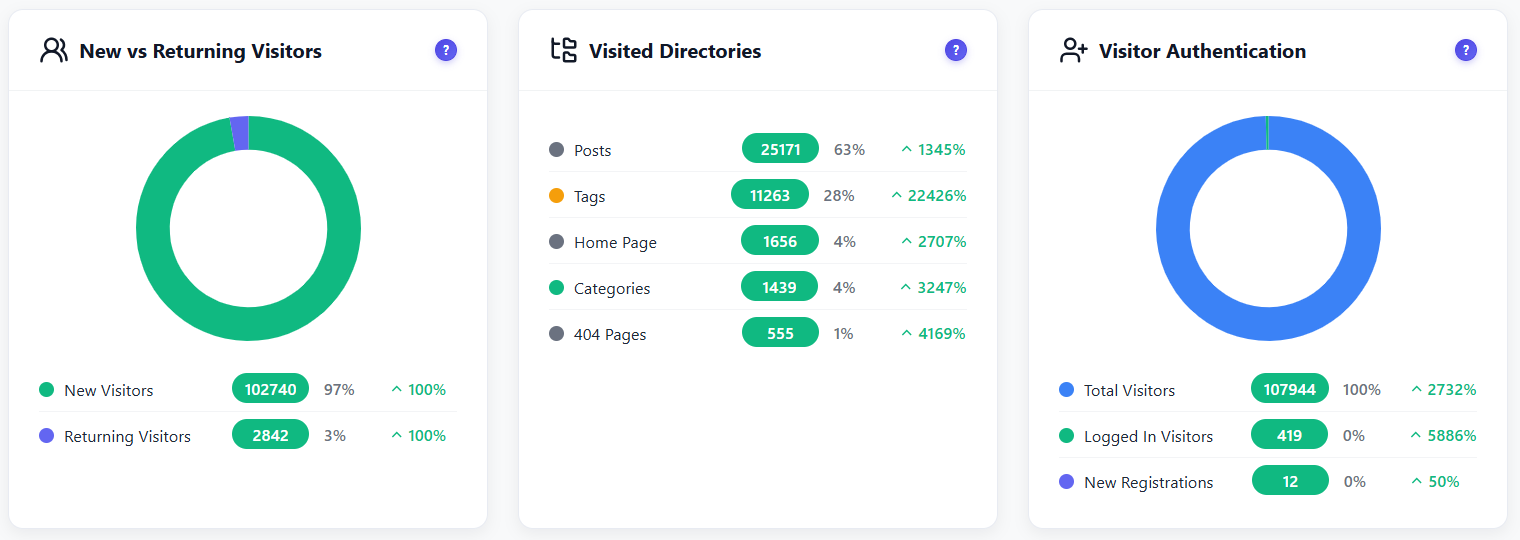
Yes. The Visitor Authentication widget shows total visitors, logged-in visitors and new registrations, and you can exclude administrators from tracking in Settings.
What is the Visitor Activity Heatmap?
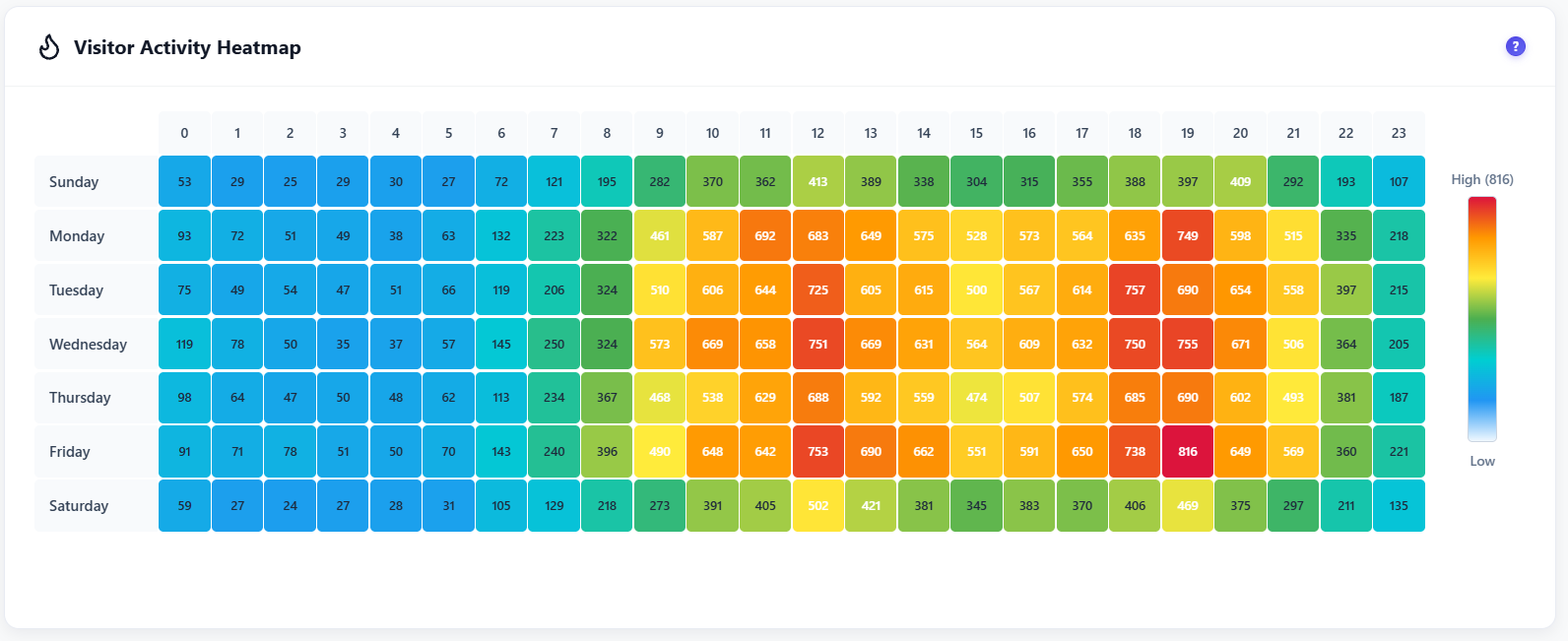
A grid of 7 days by 24 hours. Each of the 168 cells shows how many visits arrived at that hour on that weekday, from Low to High, so you can see your peak windows at a glance.
What are Top Engaged Users and Top Pages?
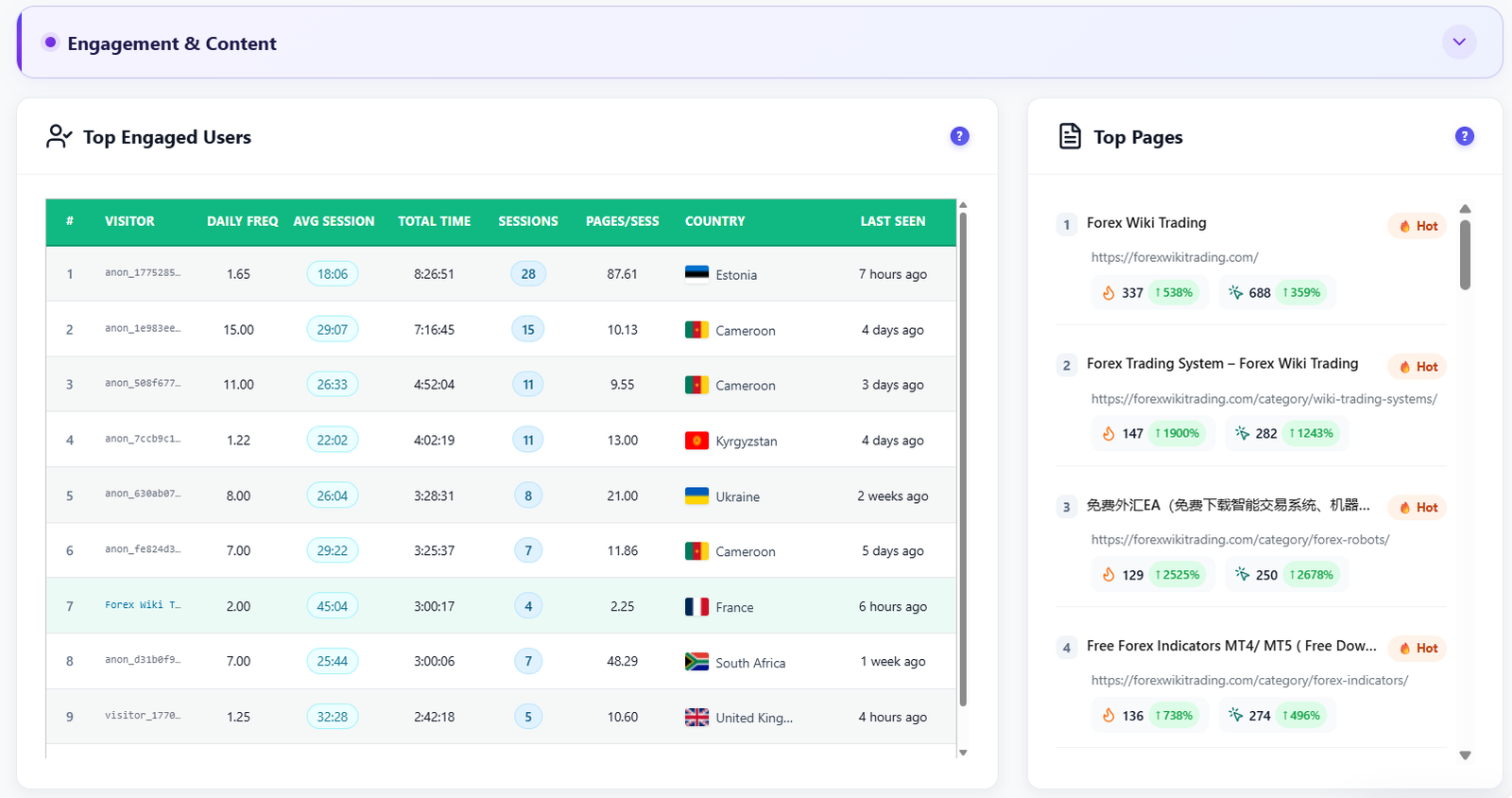
Top Engaged Users ranks visitors by daily frequency, average session, total time, sessions and pages per session, with country and last seen. Top Pages ranks pages with a Hot badge and the change of two engagement counts against the previous period.
How does the real-time map work?
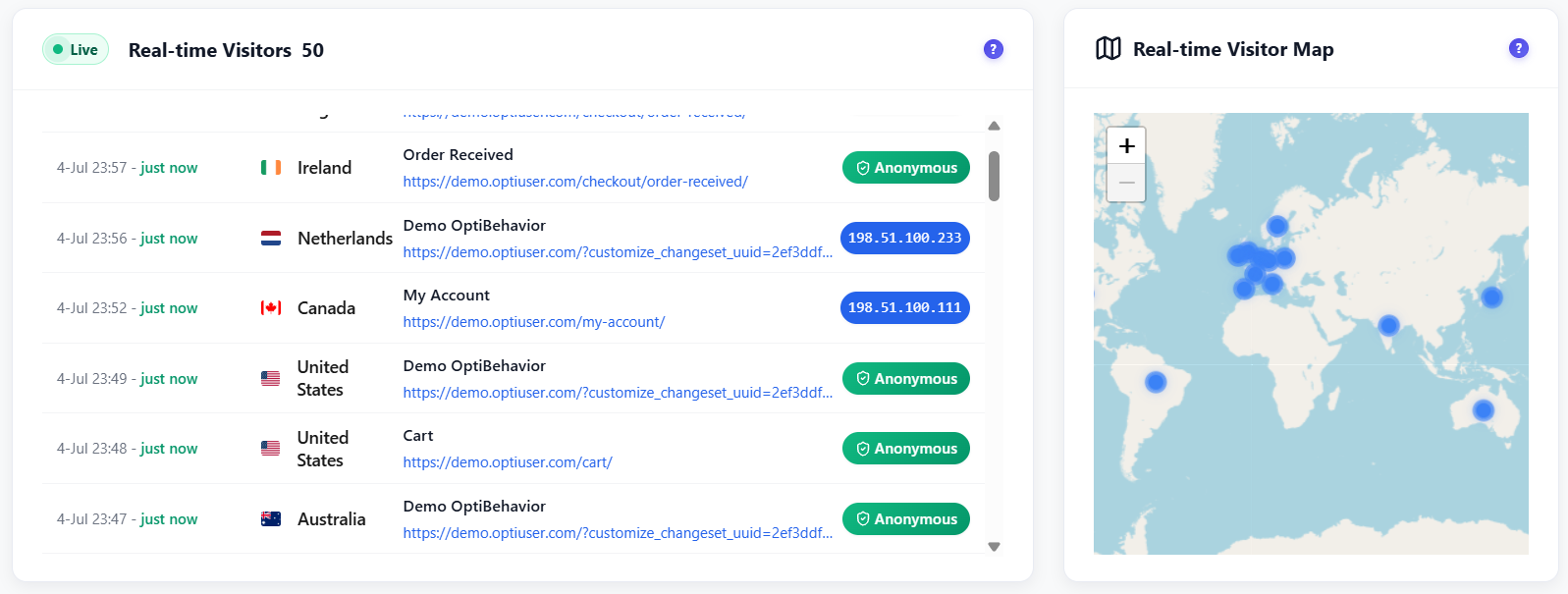
Each active visitor appears in the live list with time, country, page title and URL, and as a marker on an interactive world map. Depending on your privacy mode the list shows an Anonymous badge or the visitor IP. In Anonymous mode nothing personal is stored.
Which devices, browsers and screen sizes are reported?
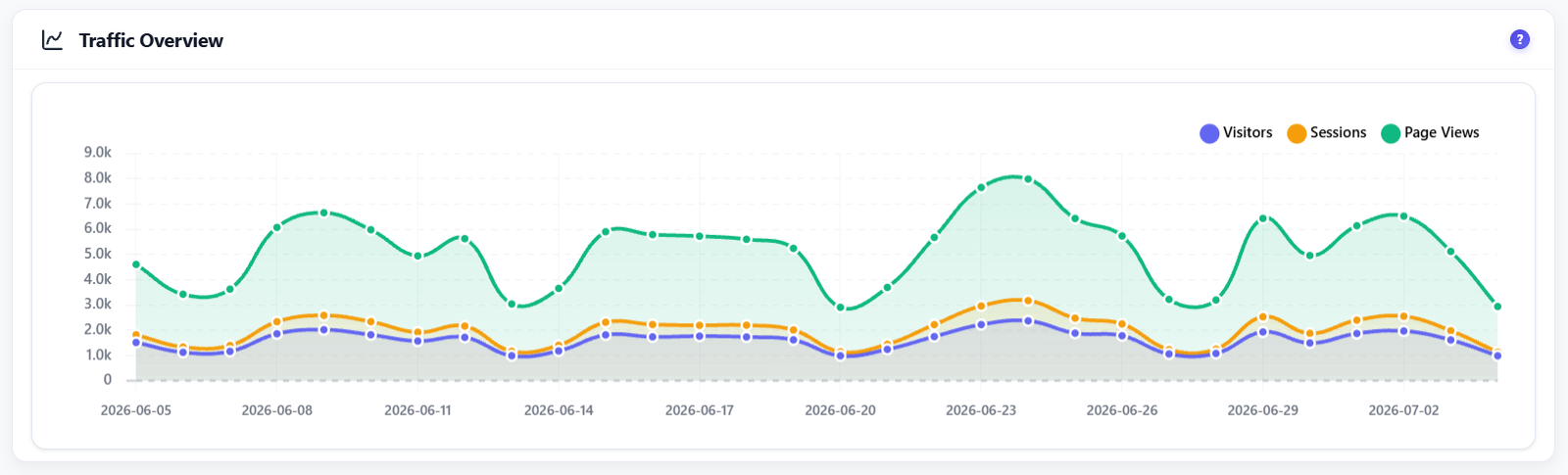
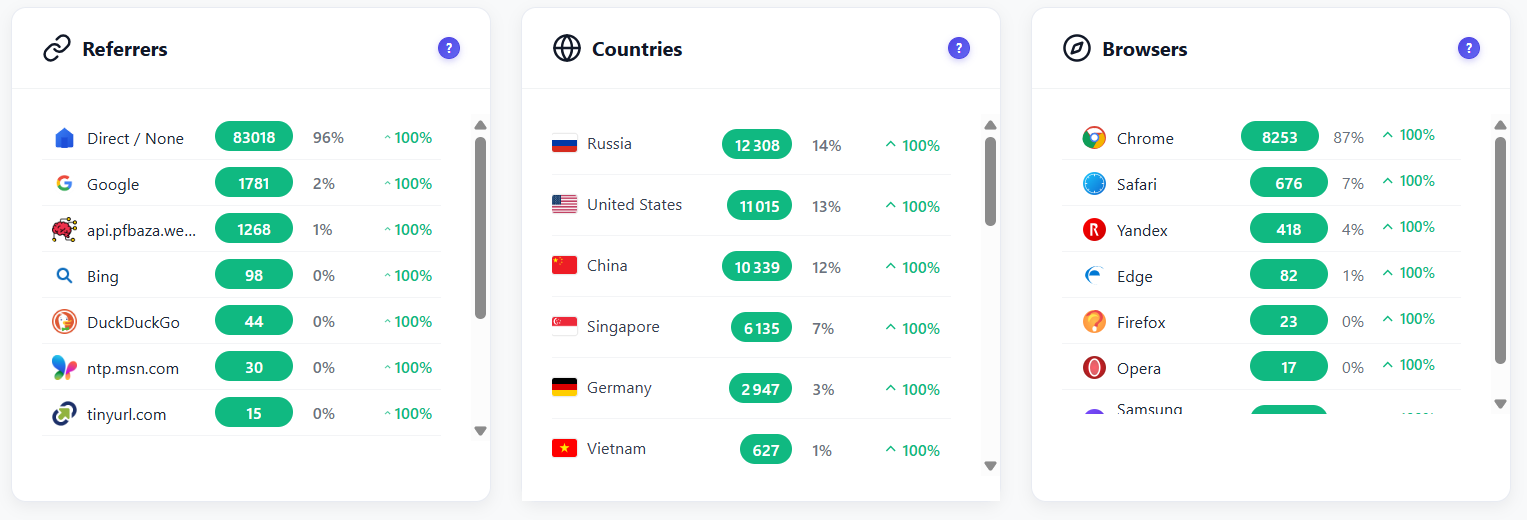
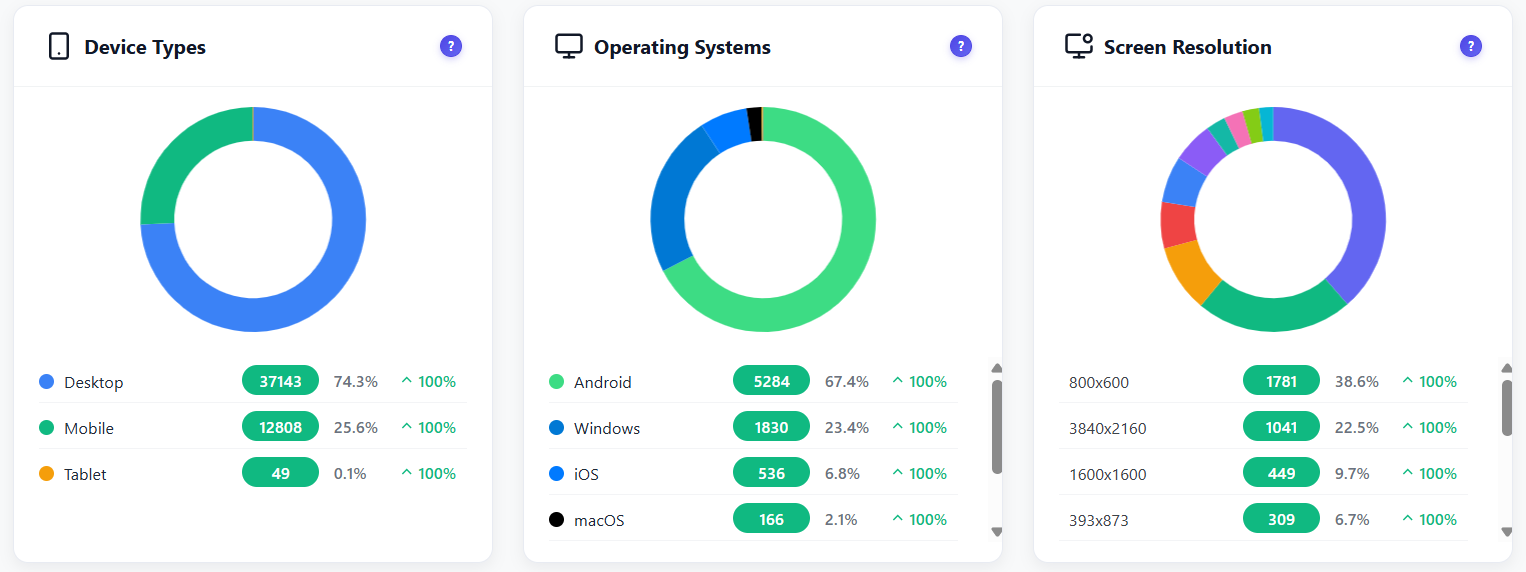
Device type (desktop, mobile, tablet), operating system, browser and the actual screen resolution are reported with visits, share and change against the previous period, so you can prioritise the layouts your visitors really use.


 WordPress
 WooCommerce
 WP Rocket
 LiteSpeed Cache
 W3 Total Cache
 WP Super Cache
 Autoptimize
 SG Optimizer
 Perfmatters
 WP-Optimize
 Jetpack Boost
 Breeze
 WP Fastest Cache
 Hummingbird
 NitroPack
 FlyingPress
 Cache Enabler
 Swift Performance
 Asset CleanUp
 Elementor
 Divi
Divi Beaver Builder
 WPBakery
 Gutenberg
 Oxygen
 Brizy
Brizy Breakdance
 SiteOrigin
 Astra
Astra GeneratePress
 Kadence
 Themify
 MotoPress
 Live Composer
 OceanWP
 Blocksy
 Neve
Neve