- Features
Behavior analytics modules
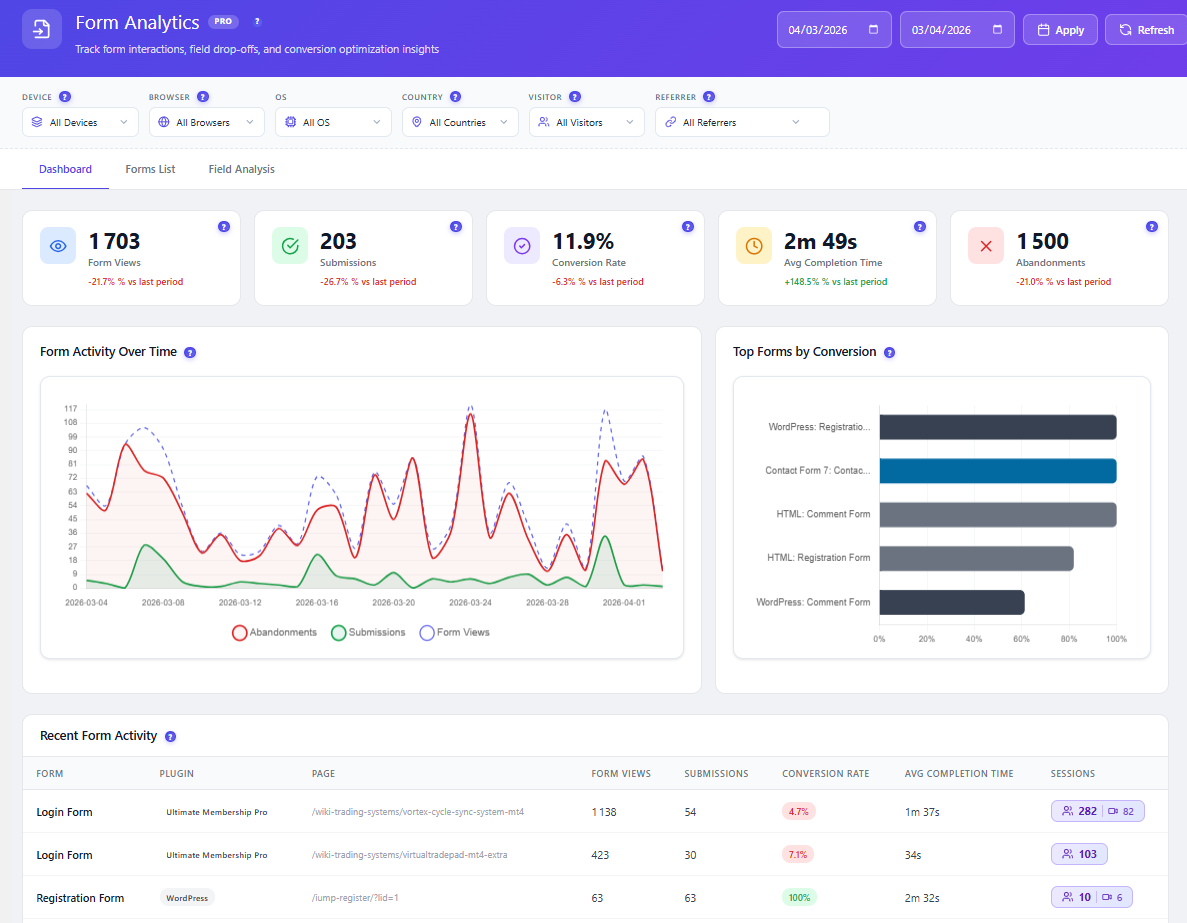
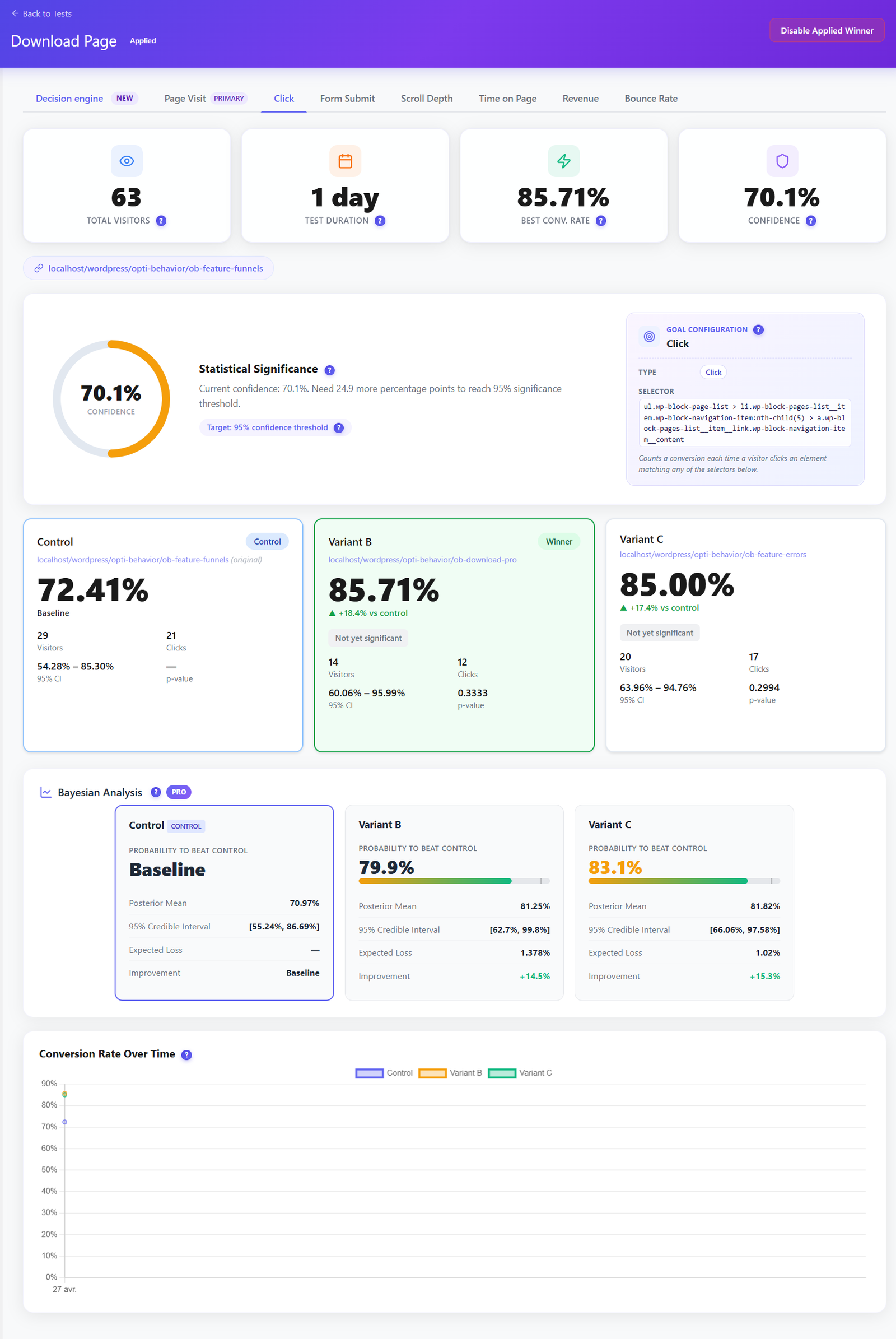
Start with the free plugin; session recordings and advanced heatmaps are in Pro. Data stays on your own WordPress server.Smart InsightsNewScores every friction signal and ranks what to fix firstReal-Time AnalyticsLive visitors, pages and sessions as they happenHeatmapsClicks, scroll depth, mouse moves and rage clicksSession RecordingsReplay real sessions to see exactly what breaksConversion FunnelsPinpoint the step where carts and signups drop offForm AnalyticsField-level drop-off, time spent and abandon pointsA/B TestingProve the fix works with real traffic, not guessesUser Journey AnalyticsFollow the full path from landing page to checkoutErrors & PerformanceJavaScript errors and slow pages caught automaticallySet up & compare
Everything you need before and after install.Settings & ConfigurationSampling, privacy controls and data retentionDocs & GuidesInstall, troubleshoot and read every feature guideCompare vs 15 toolsHotjar, Clarity, Matomo, MonsterInsights and moreFree & open source. Runs on your own WordPress server — no data sent to third parties.
- Pricing
- Free Heatmap Tool
- Founder
- Live DemoNew

Opti-Behavior
made by OptiUser
Opti-Behavior vs Koko Analytics:
Full Behavior Suite vs Ultra-Light Counter (2026)
Short answer: Koko Analytics is a deliberately minimal, self-hosted pageview counter — it adds under 1 KB to your pages and counts views, visitors and referrers with almost no overhead. Opti-Behavior keeps the same self-hosted, cookieless ethos but adds the behavior layer a counter can't show — heatmaps, session recordings, funnels and A/B testing. Different jobs; they run happily side by side.
Koko is one of the fastest, lightest analytics plugins on WordPress with an open-source GPL codebase. But it is a pageview counter by design: it aggregates counts and stops there. It has no heatmaps, no session recordings, no funnels, no A/B testing and no form analytics. Opti-Behavior keeps every click on your own server and shows you why visitors convert — or leave.
📈 1700+ active installs
🇫🇷 Made in France
🔒 Self-hosted: visitor data stays on your own server
TL;DR — Which should you pick?
- Pick Koko Analytics if you want the lightest possible self-hosted pageview counter — near-zero performance impact, cookieless, open source and free, with almost no configuration.
- Pick Opti-Behavior if you want to see behavior — heatmaps, session replay, conversion funnels, form drop-off and A/B tests — while still self-hosting every click.
- Run both and get the best of each: Koko as a featherweight counter on every page, Opti-Behavior for the deep behavior and conversion layer when it matters. They don't conflict.
Counting Pageviews vs Behavior & Conversion
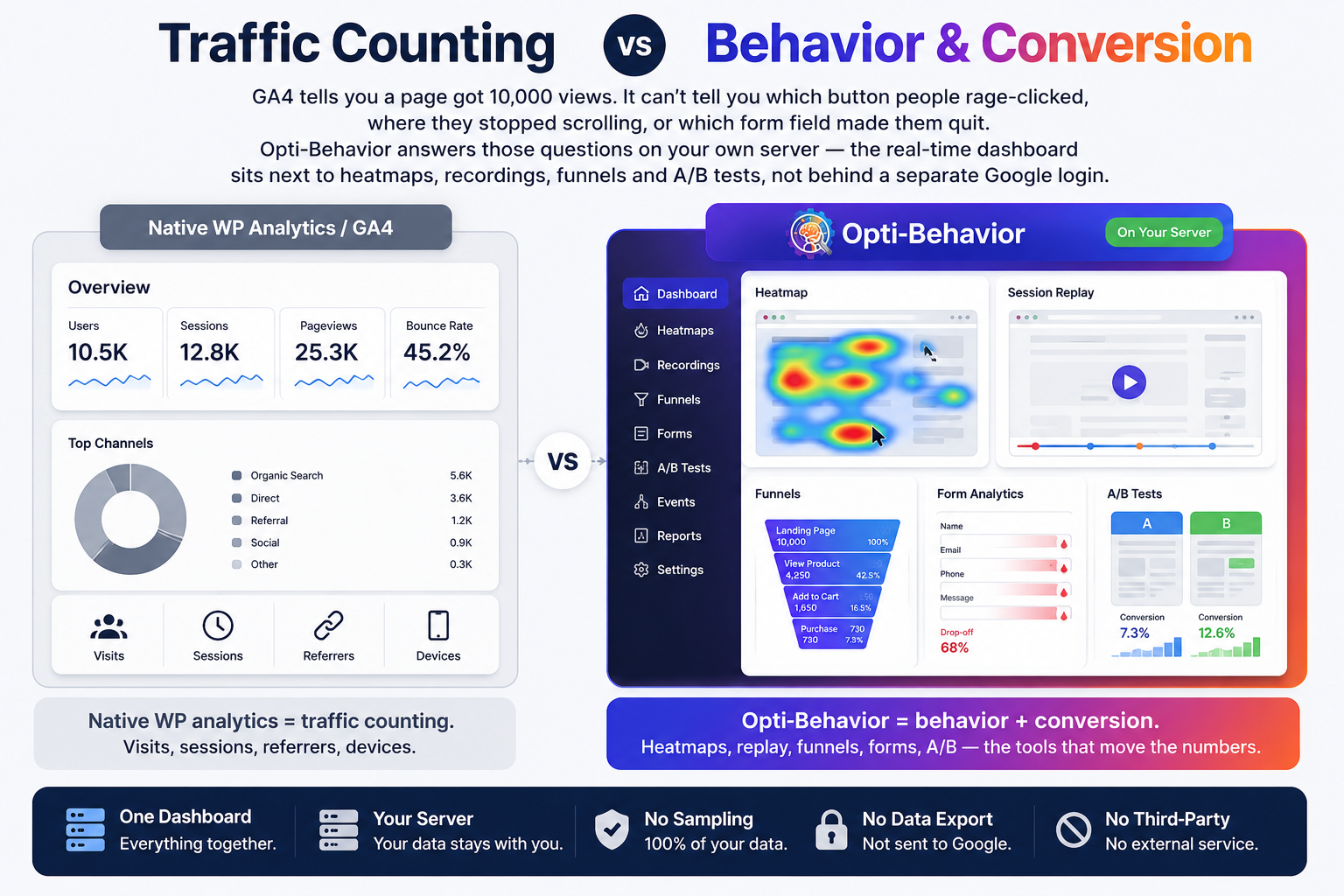
Koko tells you a page got 10,000 views and where they came from. It can't tell you which button people rage-clicked, where they stopped scrolling, or which form field made them quit. Opti-Behavior answers those questions on your own server — the real-time dashboard sits next to heatmaps, recordings, funnels and A/B tests, not behind a second tool.
- Koko = pageview counting. Views, visitors, referrers — fast and minimal.
- Opti-Behavior = behavior + conversion. Heatmaps, replay, funnels, forms, A/B — the tools that move the numbers.
- One dashboard, your server. No sampling, no external service, no data leaving WordPress.
Feature-by-Feature Comparison
Koko answers “how many, and from where?”. Opti-Behavior answers “why?”. This table shows where each tool is built to win.
| Feature | ||
|---|---|---|
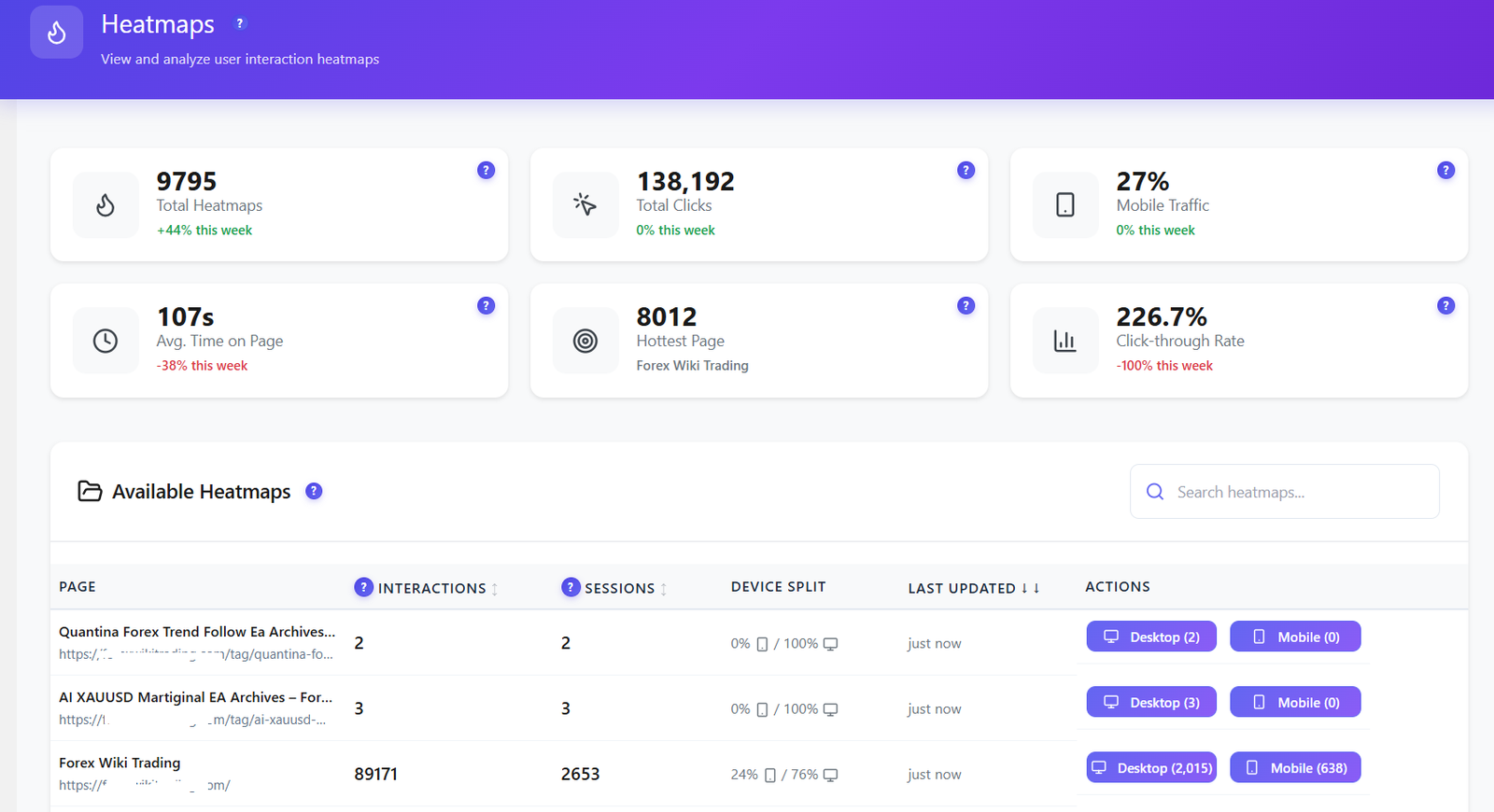
| Click Heatmaps | ✓ Free | ✗ Not available |
| Scroll / Move / Attention Heatmaps | ✓ Pro | ✗ Not available |
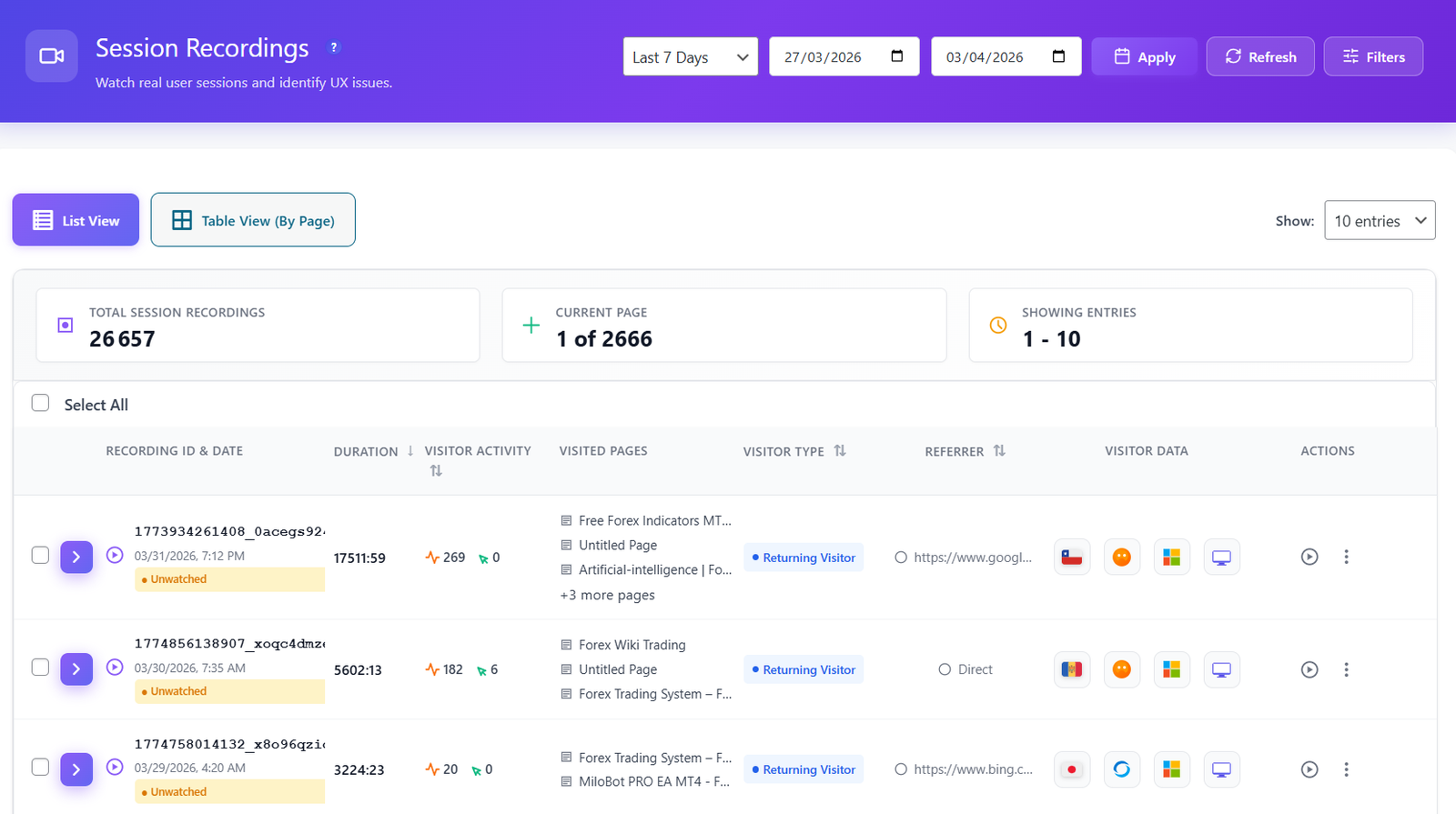
| Session Recordings & Replay | ✓ Pro | ✗ Not available |
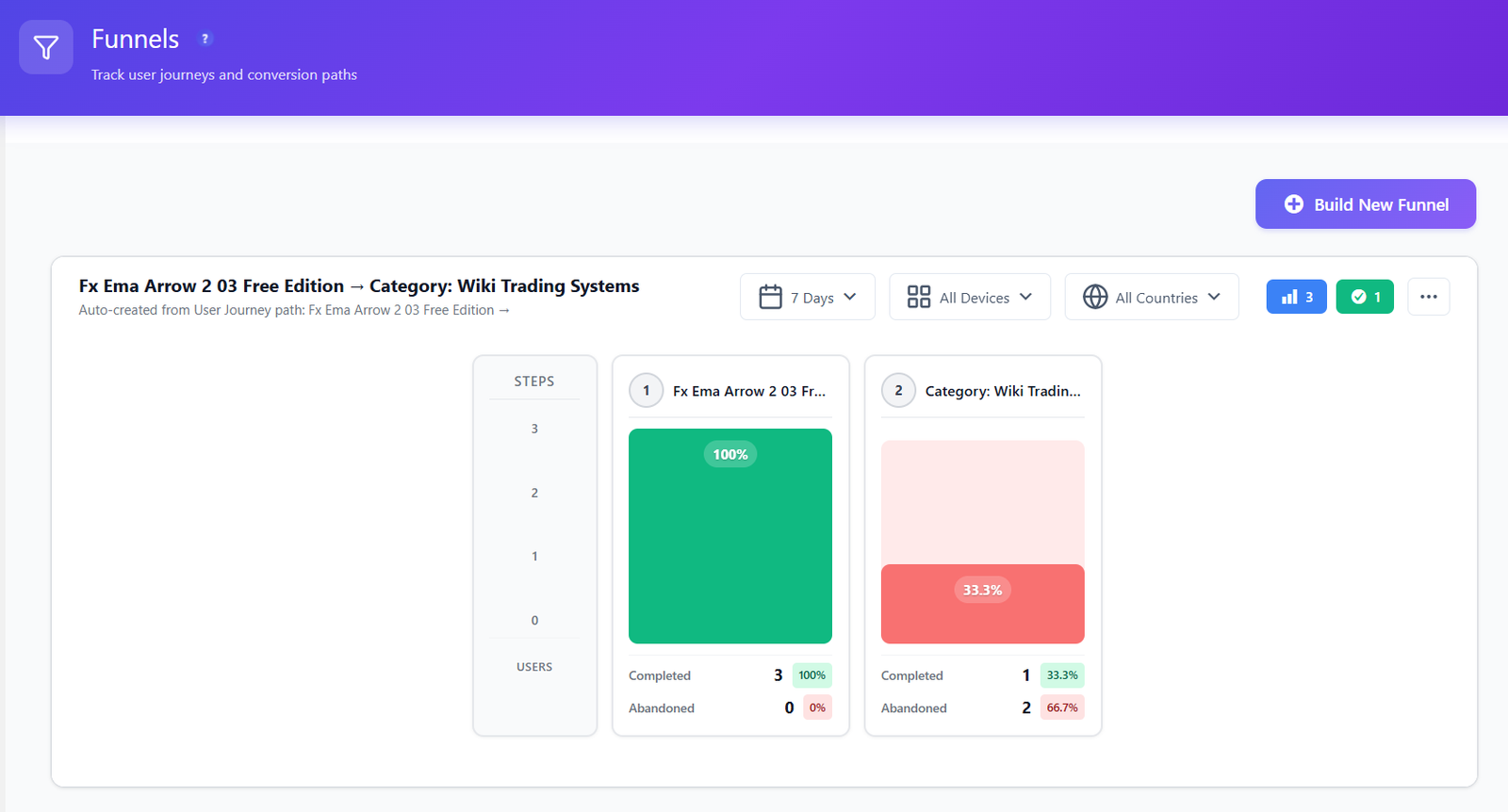
| Conversion Funnels | ✓ Free | ✗ Not available |
| Form Analytics (field drop-off) | ✓ Pro | ✗ Not available |
| User Journeys (Sankey flow) | ✓ Pro | ✗ Not available |
| Error & Core Web Vitals Tracking | ✓ Pro | ✗ Not available |
| A/B Testing (built in) | ✓ Free | ✗ Not available |
| Pageview & Visitor Counts | ✓ Free | ✓ Core strength |
| Referrer & Top-Pages Reports | ✓ Free | ✓ Yes |
| Real-Time Dashboard | ✓ Free | ✓ Yes |
| Smart Insights (CRO recommendations) | ✓ Free | ✗ Not available |
| Conversion Goals (click / scroll / form / revenue) | ✓ Free | Basic event counts (Pro) |
| Scheduled Email Reports | ✓ Free | Pro |
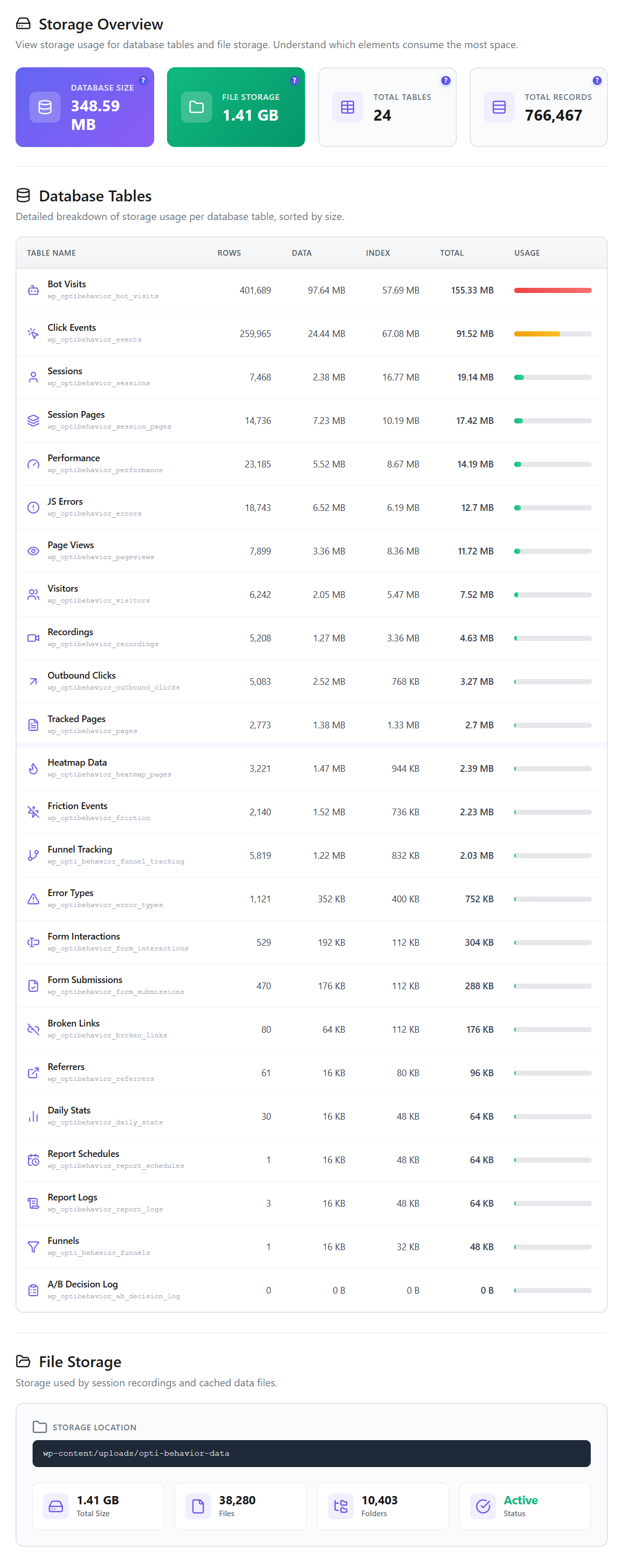
| Ultra-Light Footprint | Hybrid file/database storage | ✓ <1 KB script |
| Open Source (GPL) | ✓ Yes | ✓ Yes |
| Self-Hosted Data (you own it) | ✓ Yes | ✓ Yes |
| Works Without Cookies | ✓ Yes | ✓ Yes |
| Session Limits | Unlimited | See vendor site |
| Price | €0 – €89/yr | See vendor site |
Competitor features and pricing change often: check the vendor's own site before deciding.
Add the behavior layer in minutes
Keep Koko for featherweight pageview counting — add Opti-Behavior for heatmaps, recordings, funnels and A/B tests on your own server.
Where Opti-Behavior Wins
Koko reports how many people visited and where they came from. Opti-Behavior shows you what they did — the behavior a lightweight counter was never built to capture.


A/B Testing Built In — Free
Koko can only count what already happened. Opti-Behavior lets you test changes first. Run split tests on headlines, buttons and layouts, track conversion goals and let the built-in decision engine call the winner — no separate A/B tool, no external service.
- Visual split tests on pages and elements, set up without code.
- Conversion-goal tracking so you optimise for signups and sales, not just views.
- Included in the free plugin — not a paid upsell.
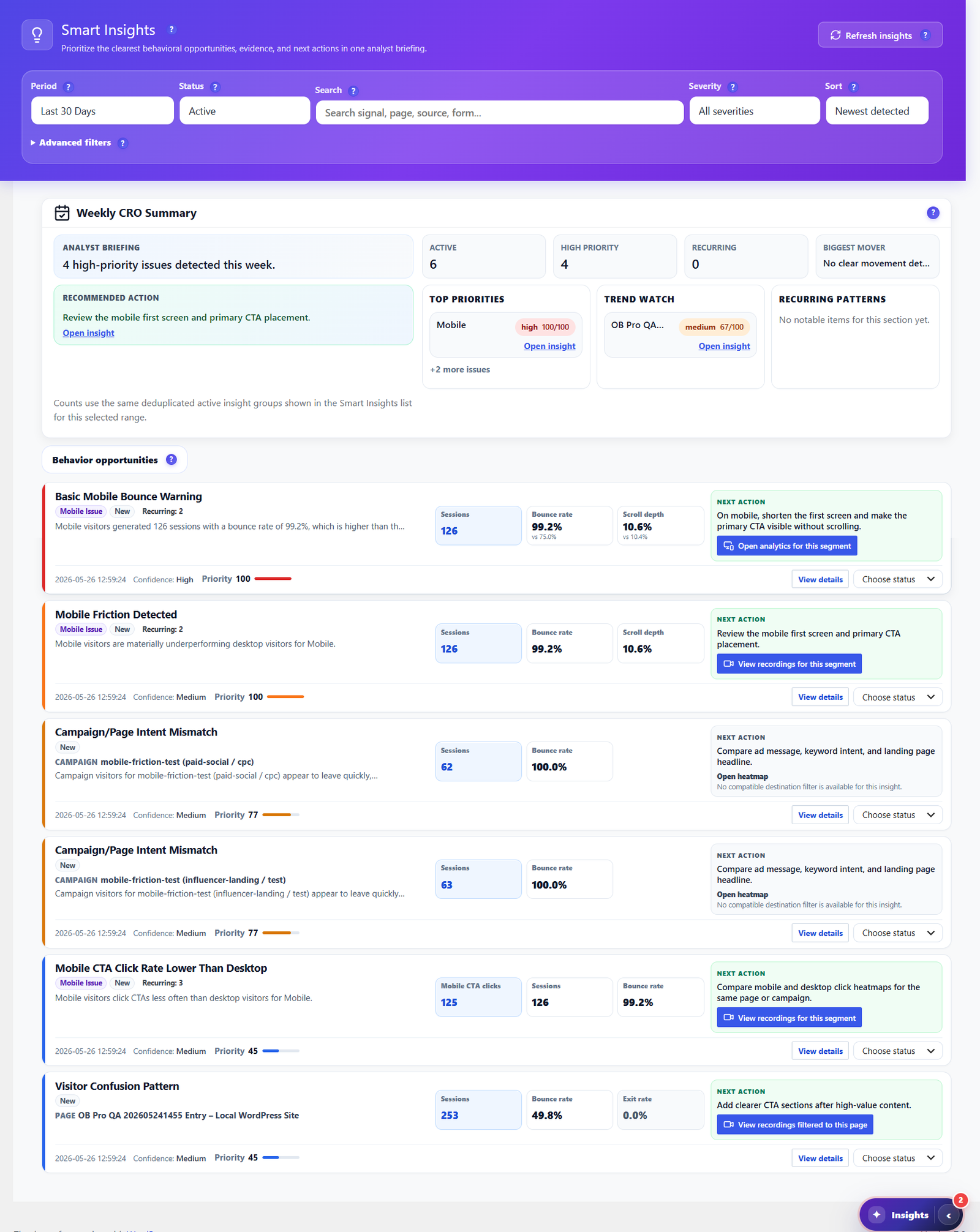
Smart Insights — CRO Advice, Not Just Counts
Koko gives you a clean dashboard of counts. Opti-Behavior goes further: Smart Insights reads your own heatmaps, funnels, forms and engagement signals, then writes a prioritized weekly CRO briefing — each item with evidence and a recommended next action. It tells you what to fix next, not just what happened.
- Weekly CRO summary ranking high-priority issues by impact.
- Behavior-based recommendations for bounce, scroll, exit and mobile friction.
- One click to the evidence — jump straight to the heatmap, funnel or recording behind each insight.
- Included free, with deeper cross-source evidence in Pro.
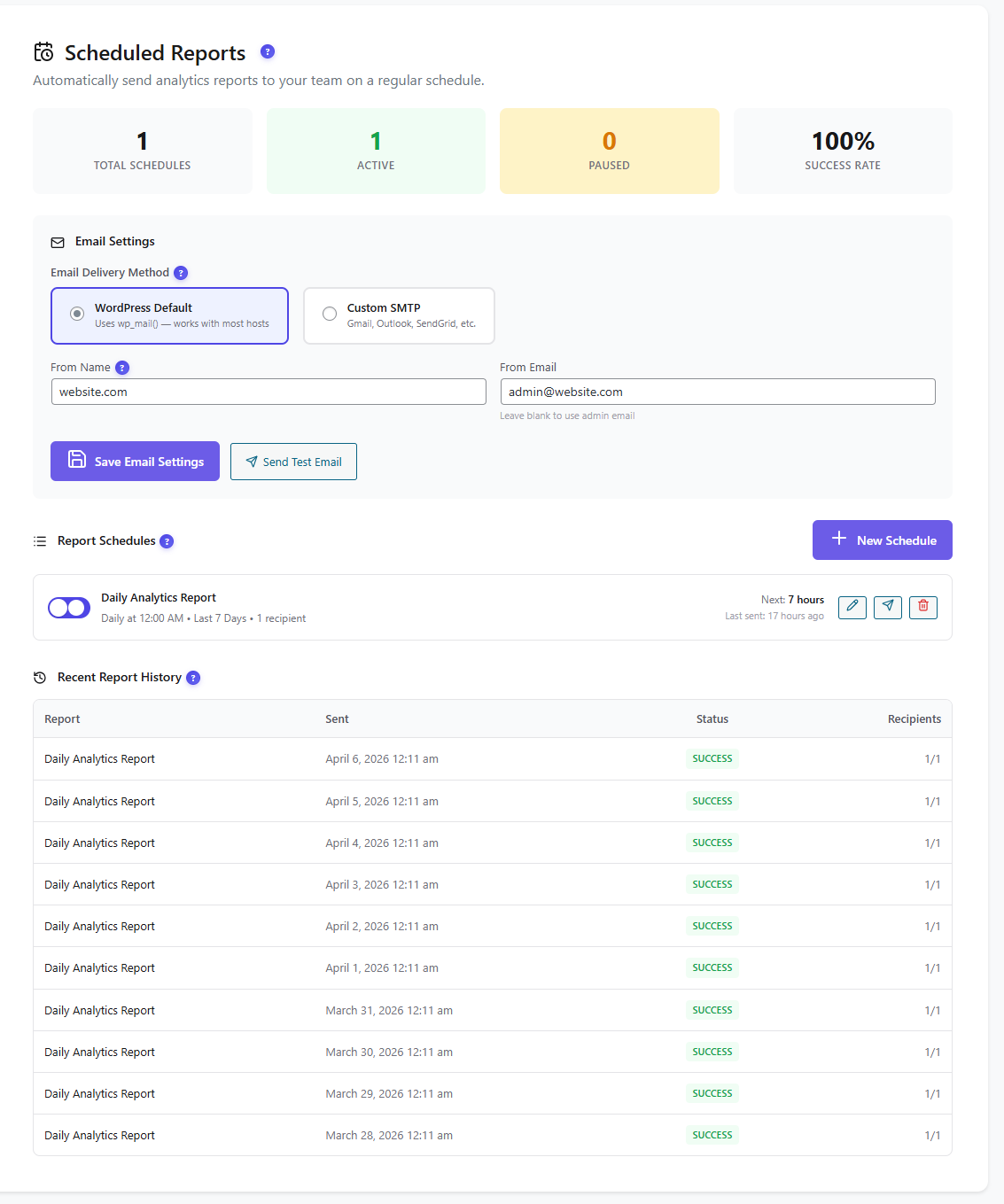
Own Your Reports & Your Raw Data
Koko keeps things minimal, with email reports reserved for its paid Pro tier. Opti-Behavior schedules self-hosted email reports (daily, weekly or monthly) in the free plugin and lets you export the raw data as CSV, JSON or ZIP whenever you want. Your reporting, your recipients, your server — no external service.
- Scheduled email reports via WordPress mail or custom SMTP, with delivery history.
- One-click CSV / JSON / ZIP export of your analytics datasets.
- No external service — data never leaves your WordPress install.
Follow the Whole Journey
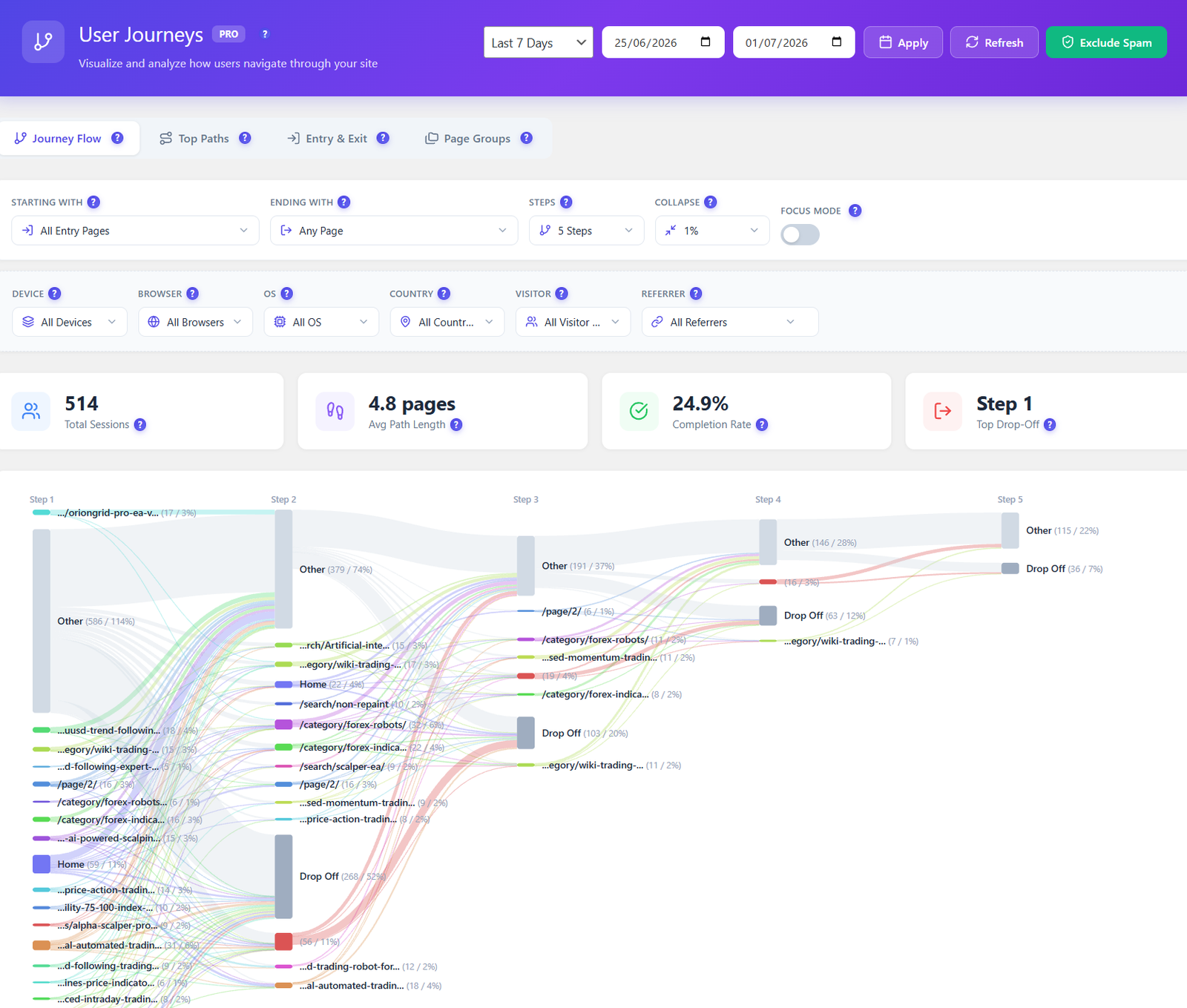
Koko shows top pages and referrers, but not how visitors move between them. Opti-Behavior Pro maps every route across your site as a visual Sankey diagram — entry pages, top paths, and the exact steps where visitors drop off — so you fix the leaks that lose conversions.
- Visual journey flow from entry to exit, page by page.
- Drop-off highlighted at each step, not buried in a table.
- Filter by device, country, referrer and visitor type.
Privacy & Data Ownership
Both plugins are self-hosted — Koko keeps aggregated counts with no PII, and Opti-Behavior stores every click, heatmap and recording on your own WordPress server. Core tracking runs without cookies, with anonymous mode, consent-plugin detection and privacy settings — plus built-in bot & spam filtering to keep reports clean.
Where Koko Analytics Is Strong (an honest take)
- Exceptional performance — the tracking script adds under 1 KB, bypasses WordPress for collection and stays cache-friendly, making it one of the lightest analytics options available.
- Open source (GPL) and fully self-hosted — aggregated counts only, no cookies required, no PII and no external requests.
- Radically simple: pageviews, unique visitors, top pages and referrers on a single dashboard with almost no configuration.
- Easy to adopt — imports historical data from Jetpack, Plausible and Burst, and the optional Pro tier adds country stats, tech reports, custom events, email reports and traffic-spike alerts affordably.
- The right call if raw speed and simplicity matter more than behavior depth.
How to Add Opti-Behavior
1
Install the Free Plugin
Download Opti-Behavior from WordPress.org and activate it. Keep Koko running alongside — they cover different jobs and don't conflict.
2
Tracking Starts Automatically
Behavior tracking, click heatmaps, funnels and A/B testing begin immediately — no account, no API keys, no external service.
3
Unlock Pro When Ready
Start a 6-month free Pro trial to add scroll/move/attention heatmaps, session recordings, form analytics, user journeys and real-user error tracking.
Opti-Behavior vs Koko Analytics FAQ
Is Opti-Behavior a Koko Analytics alternative?
It depends on what you need. Koko is a minimal, self-hosted pageview counter; Opti-Behavior is a full self-hosted behavior suite that also runs entirely on your WordPress server. If you want heatmaps, recordings, funnels and A/B testing on top of visitor counts, Opti-Behavior replaces Koko. If you only want the lightest possible counter, Koko stays a great fit — and many sites run both.
Does Koko Analytics have heatmaps or session recordings?
No. Koko records pageviews, visitors and referrers only — by design it has no heatmaps, no session recordings, no funnels, no A/B testing and no form analytics. Opti-Behavior includes click heatmaps, conversion funnels and A/B testing in the free version, plus scroll/move/attention heatmaps and full session replay in Pro — all native, no extra plugin.
Koko is free and open source — why choose Opti-Behavior?
Opti-Behavior also has a free version on WordPress.org, so the comparison isn't price — it's depth. Koko answers “how many visitors, and from where?”. Opti-Behavior answers “why did they convert or leave?” with heatmaps, funnels and A/B testing free, plus session recordings, form analytics and journeys in Pro. Both keep your data self-hosted.
Is Opti-Behavior as lightweight as Koko?
Opti-Behavior records to your own server. For a measured test (PageSpeed on one test page, plugin on vs off), see our performance test.
Does Opti-Behavior send any data to third parties?
No. Like Koko, all visitor analytics data stays on your WordPress server — there is no external analytics cloud. Core tracking works without cookies and stores data locally, with anonymous mode and consent-plugin detection.
Can I run Opti-Behavior and Koko Analytics together?
Yes. They track independently and don't conflict. A common setup keeps Koko as a featherweight counter on every page and adds Opti-Behavior for on-site behavior, funnels and split testing where it matters — both self-hosted, no external service.
Go Beyond Counting Pageviews
Install Opti-Behavior free and start seeing heatmaps, funnels and A/B tests on your own server — no signup, no external service, all self-hosted.