Opti-Behavior vs Burst Statistics:
The Behavior Layer a Traffic Counter Can't Show (2026)
Short answer: Burst Statistics is a fast, privacy-first, cookieless traffic-analytics plugin that keeps visitor stats on your own server. Opti-Behavior shares that self-hosted, cookieless stance and adds the behavior and conversion layer Burst doesn't have — heatmaps, session recordings, funnels and A/B testing. Same privacy DNA, more depth — and they run happily side by side.
Burst is one of the best modern GA alternatives — 200,000+ installs, a 4.9/5 rating and the backing of Team Updraft (UpdraftPlus, WP-Optimize). But it is a traffic dashboard: visitors, pageviews, referrers, devices and goals. It has no heatmaps, no session recordings, no multi-step funnels and no A/B testing. Opti-Behavior keeps every click on your own server and shows you why visitors convert — or leave.
TL;DR — Which should you pick?
- Pick Burst Statistics if you want a clean, ultra-light, cookieless view of visitors, pageviews, referrers and goals — a beautiful modern GA alternative for traffic stats.
- Pick Opti-Behavior if you want that same self-hosted, privacy-first foundation plus heatmaps, session recordings, funnels, form analytics and A/B testing to see and improve behavior.
- Run both — both are self-hosted and cookieless, so they don't conflict. Burst for a lightweight traffic view, Opti-Behavior for the behavior and conversion layer.
Traffic Counting vs Behavior & Conversion
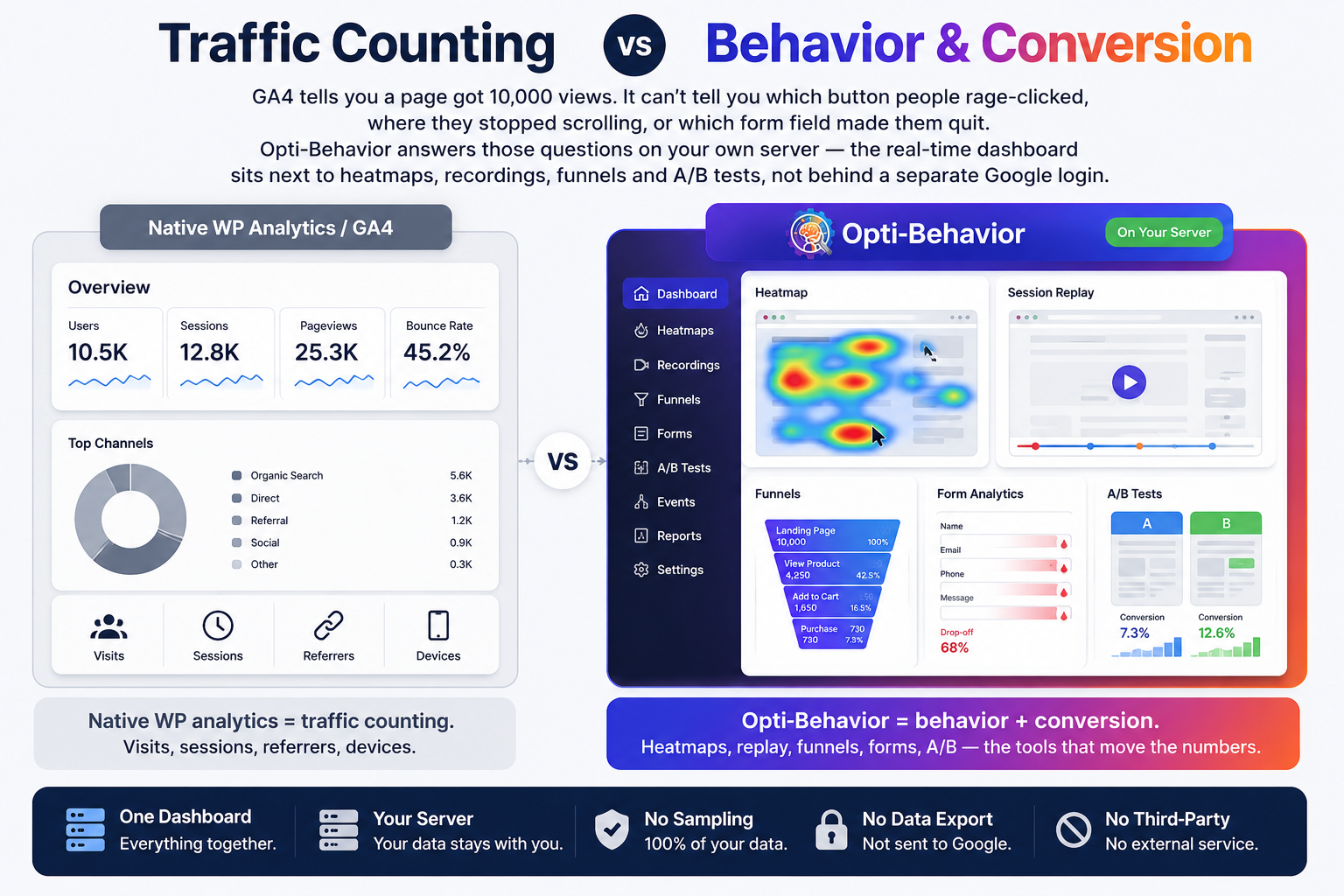
Burst tells you a page got 10,000 views from these referrers on these devices. It can't tell you which button people rage-clicked, where they stopped scrolling, or which form field made them quit. Opti-Behavior answers those questions on your own server — the real-time dashboard sits next to heatmaps, recordings, funnels and A/B tests, all in one place.
- Burst = cookieless traffic counting. Visitors, pageviews, referrers, devices, goals.
- Opti-Behavior = behavior + conversion. Heatmaps, replay, funnels, forms, A/B — the tools that move the numbers.
- One dashboard, your server. No sampling, no third-party service, no data ever leaves WordPress.
Feature-by-Feature Comparison
Burst answers “how many, and from where?”. Opti-Behavior answers “why?”. This table shows where each tool is built to win.
| Feature | ||
|---|---|---|
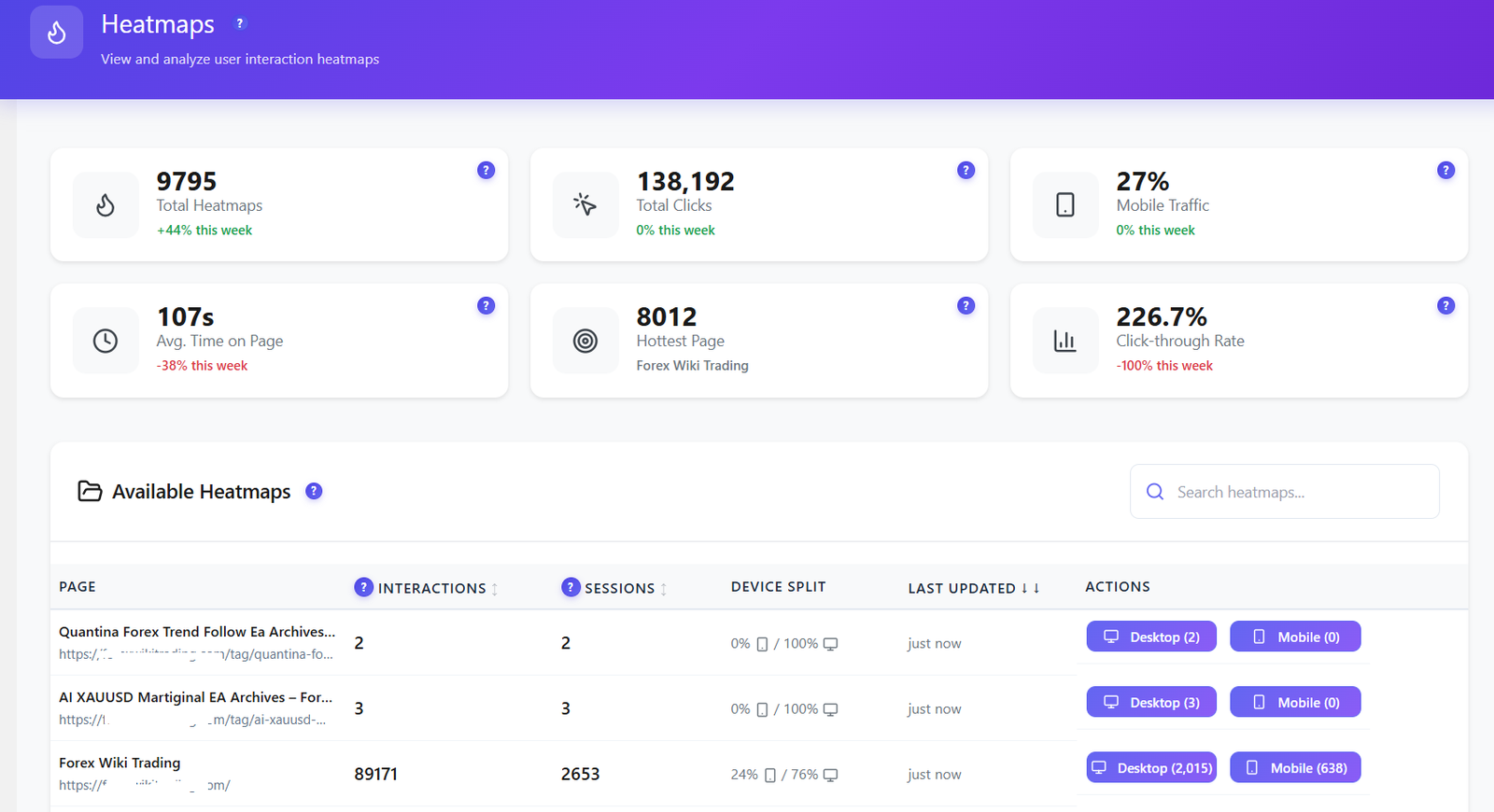
| Click Heatmaps | ✓ Free | ✗ Not available |
| Scroll / Move / Attention Heatmaps | ✓ Pro | ✗ Not available |
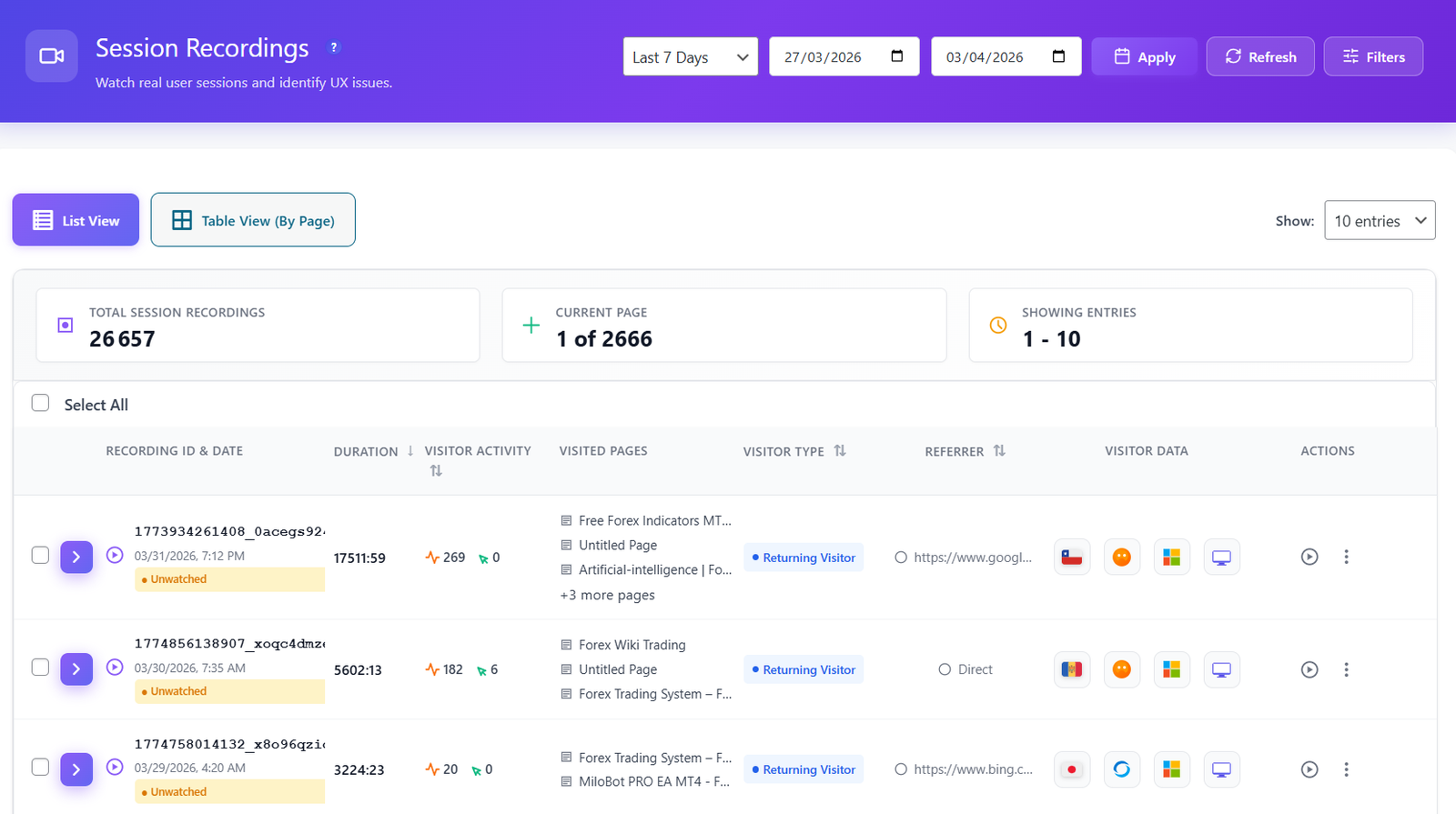
| Session Recordings & Replay | ✓ Pro | ✗ Not available |
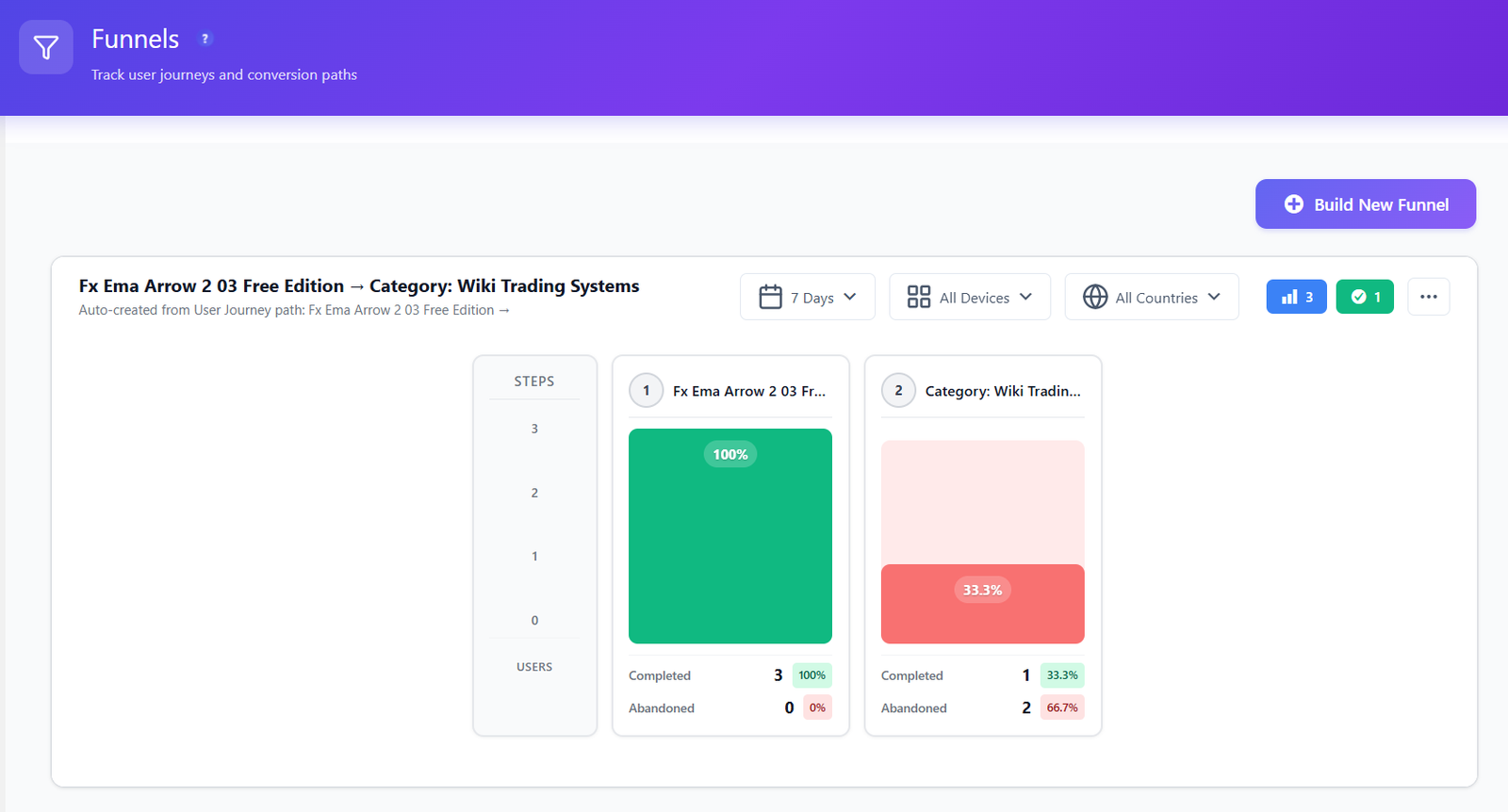
| Conversion Funnels (multi-step) | ✓ Free | ✗ Not available |
| Form Analytics (field drop-off) | ✓ Pro | Basic form tracking (Pro) |
| User Journeys (Sankey flow) | ✓ Pro | ✗ Not available |
| Error & Core Web Vitals Tracking | ✓ Pro | ✗ Not available |
| A/B Testing (built in) | ✓ Free | ✗ Not available |
| Smart Insights (CRO recommendations) | ✓ Free | ✗ Not available |
| Traffic Analytics (visitors, pageviews, referrers) | ✓ Free | ✓ Core strength |
| Conversion Goals (click / scroll / form / revenue) | ✓ Free | ✓ Goals (more in Pro) |
| WooCommerce Revenue Attribution | ✓ Pro | ✓ Pro (Business) |
| Real-Time Dashboard | ✓ Free | ✓ Yes |
| Lightweight Tracking Script | ✓ Yes | ✓ Ultra-light (<4KB) |
| Scheduled Email Reports | ✓ Free | Pro |
| Self-Hosted Data (you own it) | ✓ Yes | ✓ Yes |
| Works Without Cookies | ✓ Yes | ✓ Yes (optional mode) |
| Session Limits | Unlimited | Unlimited |
| Price | €0 – €89/yr | Free; Pro from €42.63/yr |
Burst Statistics figures verified July 2026 from WordPress.org (200,000+ active installs, 4.9/5 rating, 182 reviews) and burst-statistics.com pricing (Creator plan €42.63/yr; page priced in EUR, USD not listed). Competitor pricing and install figures are subject to change — verify current details on burst-statistics.com and wordpress.org/plugins/burst-statistics/.
Add the behavior layer in minutes
Keep Burst for its clean cookieless traffic view — add Opti-Behavior for heatmaps, recordings, funnels and A/B tests on the same self-hosted server.
Where Opti-Behavior Wins
Burst reports how many people visited and where they came from. Opti-Behavior shows you what they did — the behavior a traffic counter was never built to capture.


A/B Testing Built In — Free
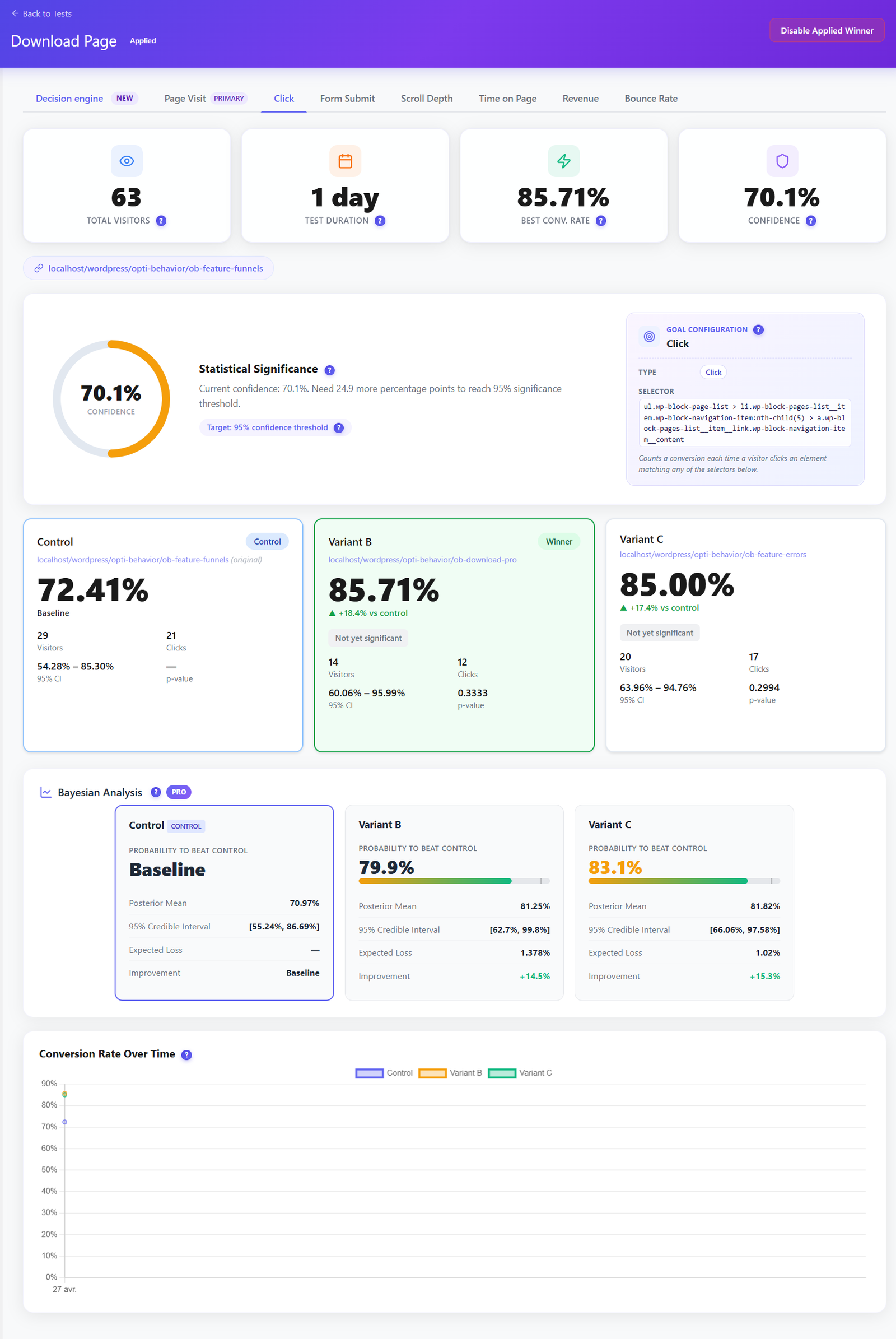
Burst can only count a goal after you ship a change. Opti-Behavior lets you test it first. Run split tests on headlines, buttons and layouts, track conversion goals and let the built-in decision engine call the winner — no separate A/B tool, no extra subscription.
- Visual split tests on pages and elements, set up without code.
- Conversion-goal tracking so you optimise for signups and sales, not just clicks.
- Included in the free plugin — not a paid upsell.
Smart Insights — CRO Advice, Not Just Charts
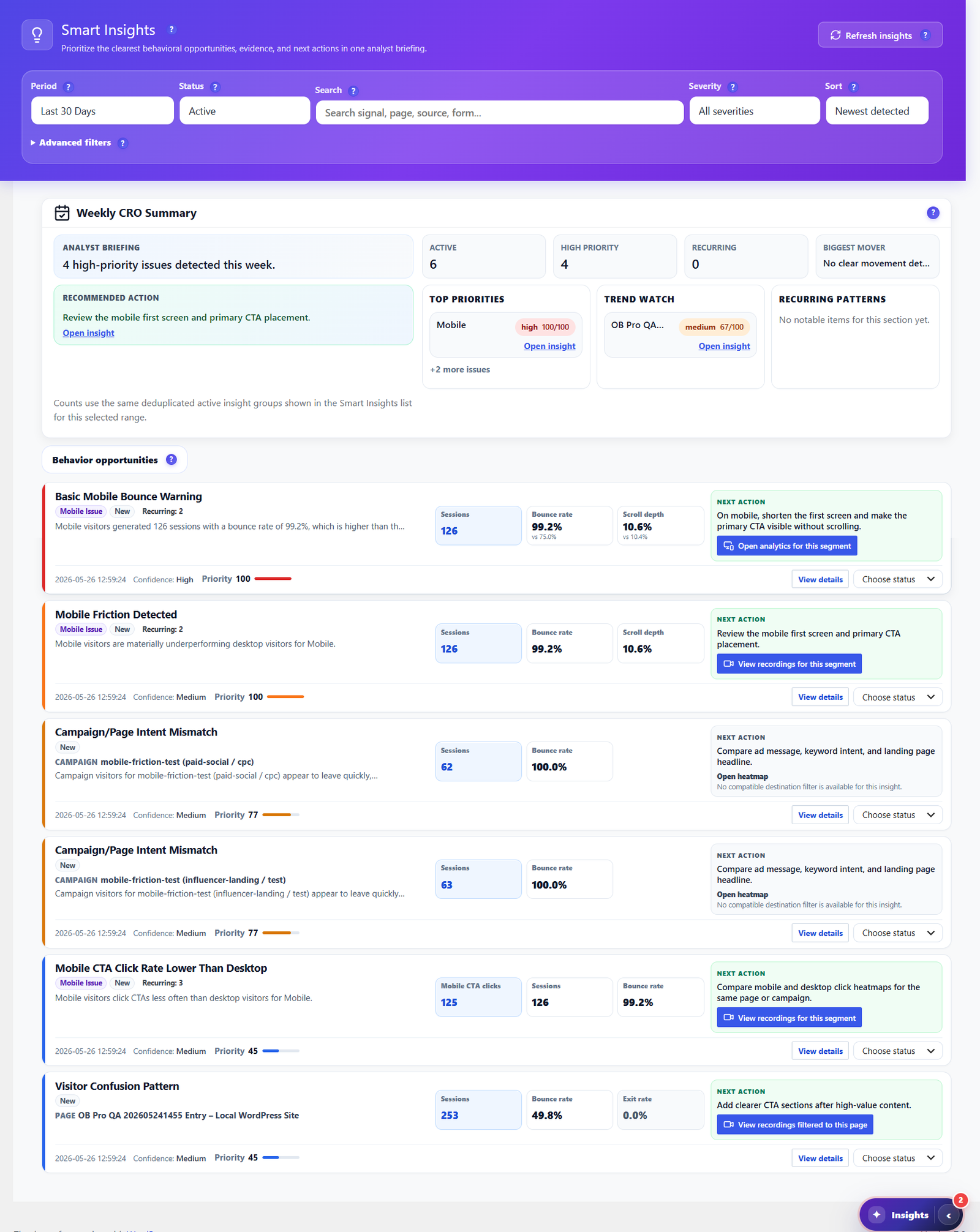
Burst gives you a clean set of traffic charts. Opti-Behavior goes further: Smart Insights reads your own heatmaps, funnels, forms and engagement signals, then writes a prioritized weekly CRO briefing — each item with evidence and a recommended next action. It tells you what to fix next, not just what happened.
- Weekly CRO summary ranking high-priority issues by impact.
- Behavior-based recommendations for bounce, scroll, exit and mobile friction.
- One click to the evidence — jump straight to the heatmap, funnel or recording behind each insight.
- Included free, with deeper cross-source evidence in Pro.
Own Your Reports & Your Raw Data
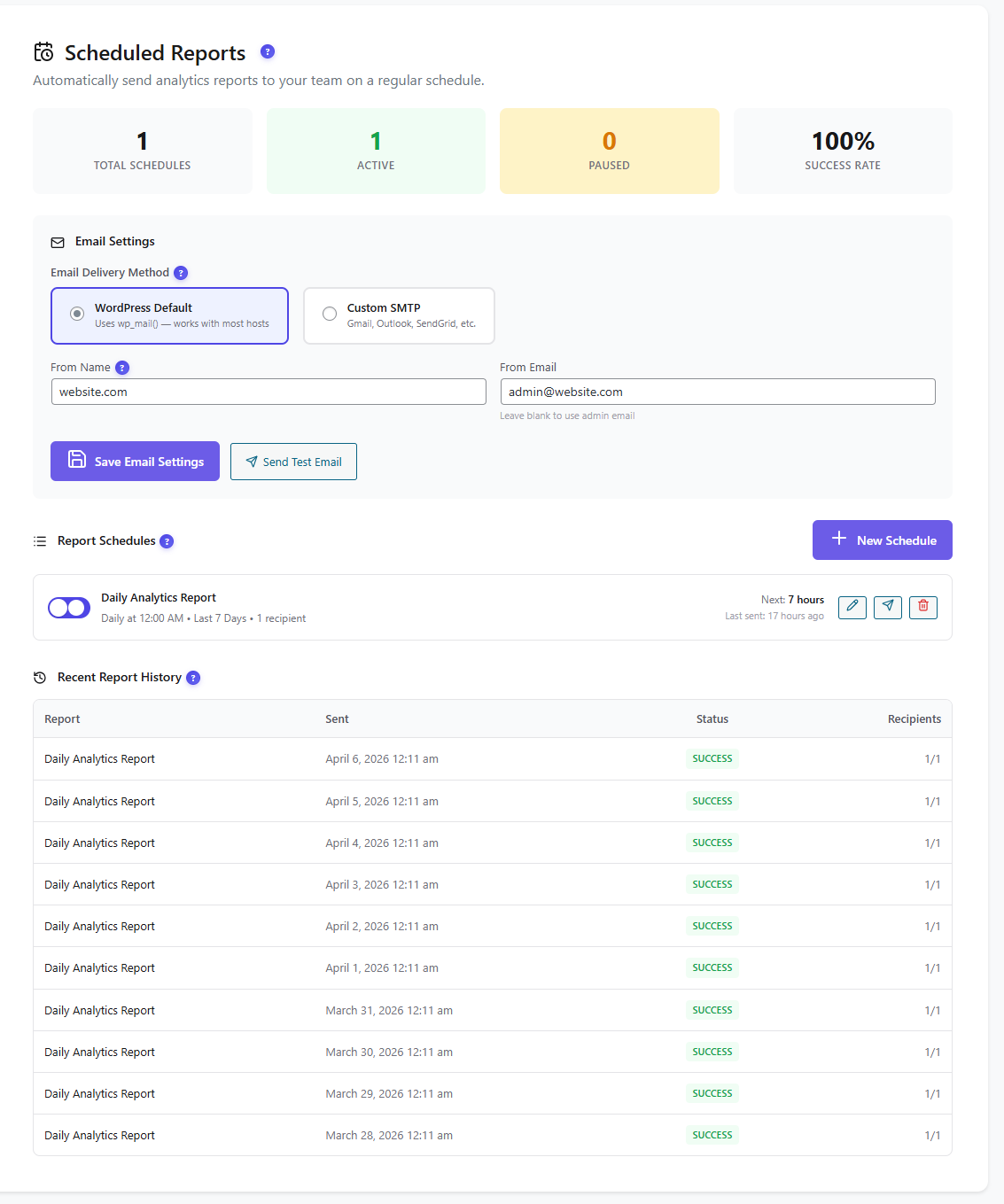
Both tools can email reports — Burst offers email summaries in its Pro plans. Opti-Behavior schedules self-hosted email reports (daily, weekly or monthly) for free and lets you export the raw data as CSV, JSON or ZIP whenever you want. Your reporting, your recipients, your server — no external service.
- Scheduled email reports via WordPress mail or custom SMTP, with delivery history.
- One-click CSV / JSON / ZIP export of your analytics datasets.
- No external service — data never leaves your WordPress install.
Follow the Whole Journey
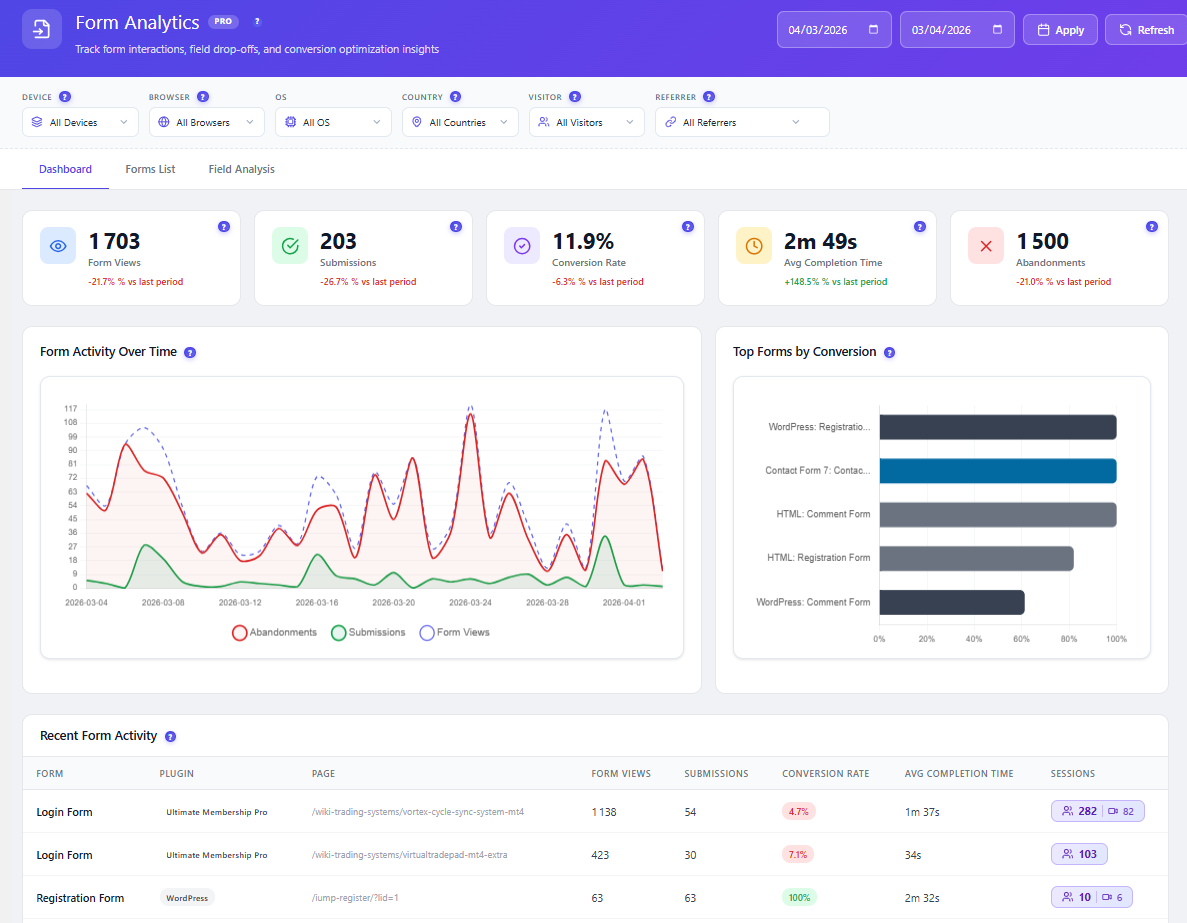
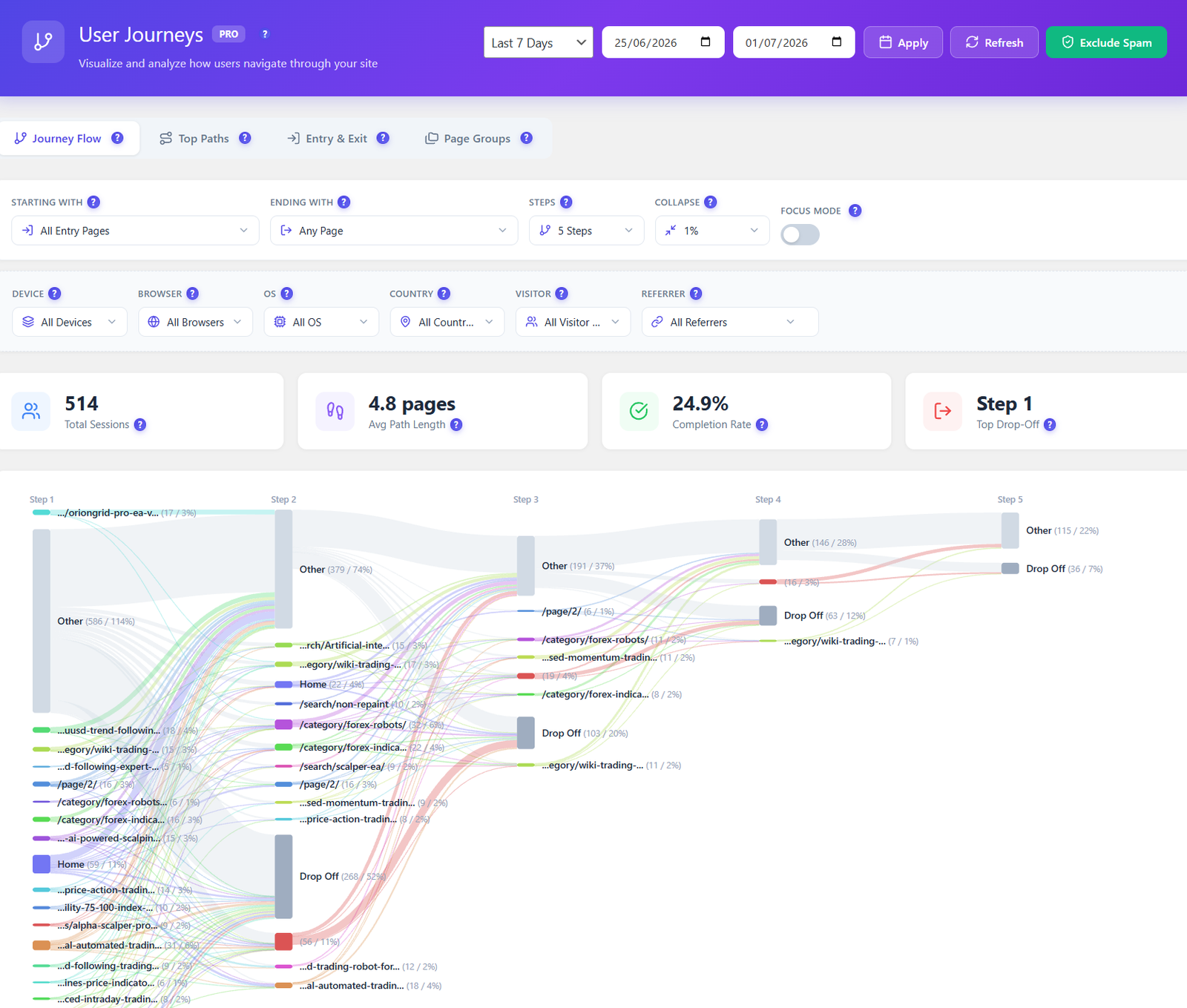
Burst shows top pages and referrers, but not how visitors move between pages. Opti-Behavior Pro maps every route across your site as a visual Sankey diagram — entry pages, top paths, and the exact steps where visitors drop off — so you fix the leaks that lose conversions.
- Visual journey flow from entry to exit, page by page.
- Drop-off highlighted at each step, not buried in a table.
- Filter by device, country, referrer and visitor type.
Privacy & Data Ownership
Here Burst and Opti-Behavior agree: both store data on your own WordPress server and track without cookies by default, so many sites skip the consent banner. The difference is depth — Opti-Behavior keeps every click, heatmap and recording self-hosted, with anonymous mode, consent-plugin detection and GDPR/CCPA-ready settings, plus built-in bot & spam filtering to keep reports clean.
Where Burst Statistics Is Strong (an honest take)
- Exceptional UX and clarity — genuinely pleasant for daily traffic checks, and one of the highest-rated analytics plugins at 4.9/5 across 182 reviews.
- Privacy-first and self-hosted by design, with an optional cookieless mode and GDPR/CCPA-friendly defaults.
- Ultra-lightweight — a tracking script under 4KB with a Turbo Mode built for speed and caching.
- Backed by Team Updraft (UpdraftPlus, WP-Optimize), a trusted, well-resourced team shipping updates frequently.
- Solid conversion goals and WooCommerce revenue attribution in the Pro Business plan, with no visitor limits on any tier.
- The right call if you only need a fast, clean, privacy-friendly traffic dashboard rather than a full behavior suite.
How to Add Opti-Behavior
Install the Free Plugin
Download Opti-Behavior from WordPress.org and activate it. Keep Burst running alongside — both are self-hosted and don't conflict.
Tracking Starts Automatically
Behavior tracking, click heatmaps, funnels and A/B testing begin immediately — no account, no API keys, no external service.
Unlock Pro When Ready
Start a 6-month free Pro trial to add scroll/move/attention heatmaps, session recordings, form analytics, user journeys and real-user error tracking.
Opti-Behavior vs Burst Statistics FAQ
Is Opti-Behavior a Burst Statistics alternative?
Does Burst Statistics have heatmaps or session recordings?
Are both plugins cookieless and self-hosted?
Can I run Burst and Opti-Behavior together?
Does Opti-Behavior also do conversion goals?
Will running Opti-Behavior slow down my site?
Keep It Private — Add the Behavior Layer
Install Opti-Behavior free and layer heatmaps, funnels, recordings and A/B tests onto your cookieless, self-hosted analytics.