Find where your WooCommerce shoppers drop, and what to fix first
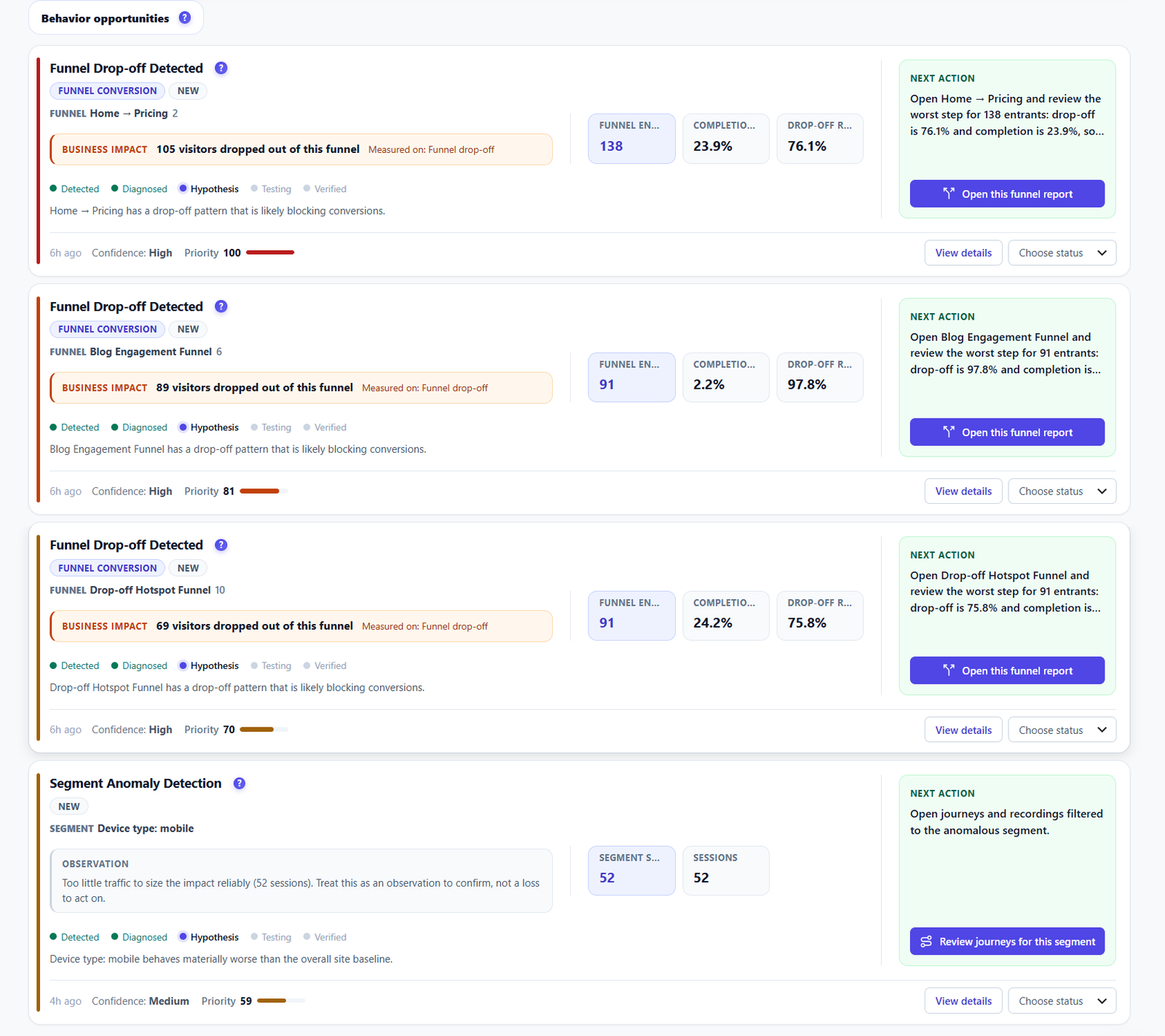
Product views, carts, checkouts and orders on your own WordPress server. Opti-Behavior shows the step where buyers leave and turns it into a short list of fixes.
Fix firstBlue hoodie: make “Add to cart” the clear next step
218
visitors saw the product and did not add it to the cart: the biggest drop of this page.
Fix first
Make “Add to cart” the clear next step on this product page.
44%
add-to-cart rate of Canvas tote: the lowest of the 3 products, even with fewer visits.
Do this
Compare its page with Ceramic mug (61%): photos, price, options.
11
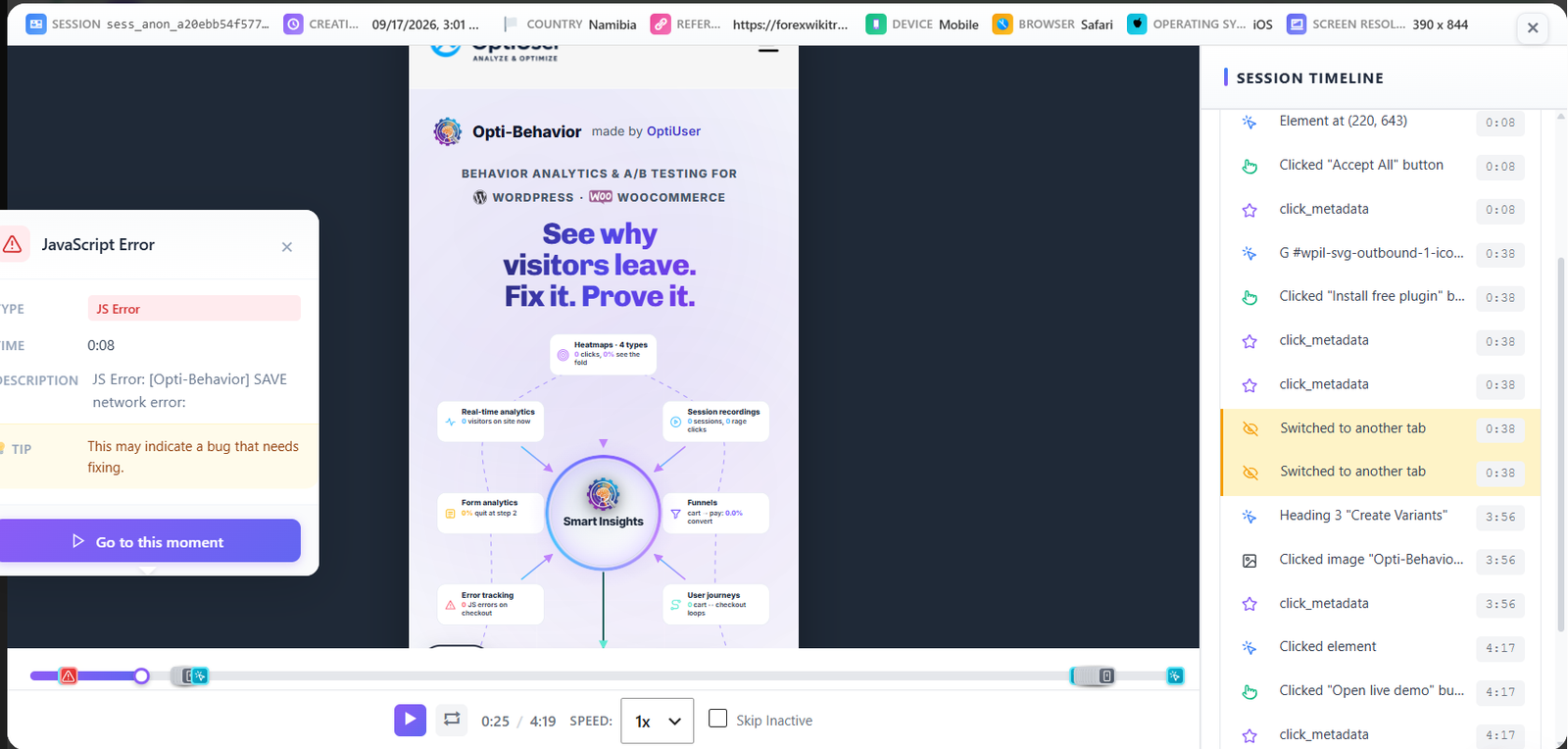
orders with a failed payment not paid later, by error type and payment method. Pro.
Do this
Start with the error code that comes back most, then test that payment method yourself.
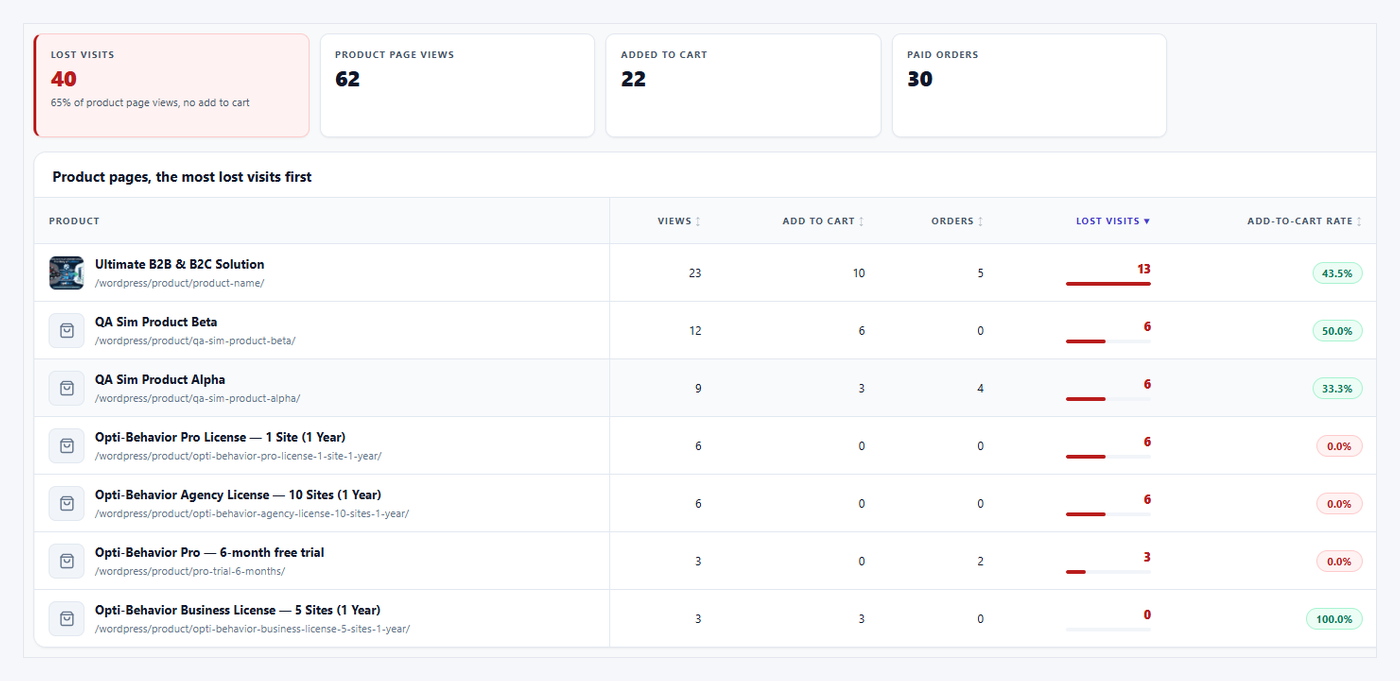
377
lost visits on 3 products in 30 days, worst first.
Fix first
Fix the first product, then read the same list next month.
Counted for every product
Product views
Adds to cart
Paid orders
Lost visits
Add-to-cart rate
Lost sales · Pro
Example data
5.0Rated on WordPress.org
Built for WooCommerceProduct, cart and checkout steps
Self-hosted: recordings and analytics are stored on your own server.Native WordPress · no cookies required
Sounds familiar?
01
Product pages get views, but nobody adds to cart.
02
Carts are created, then the checkout stays empty.
03
You pay for ads, and you cannot see why those visitors leave.
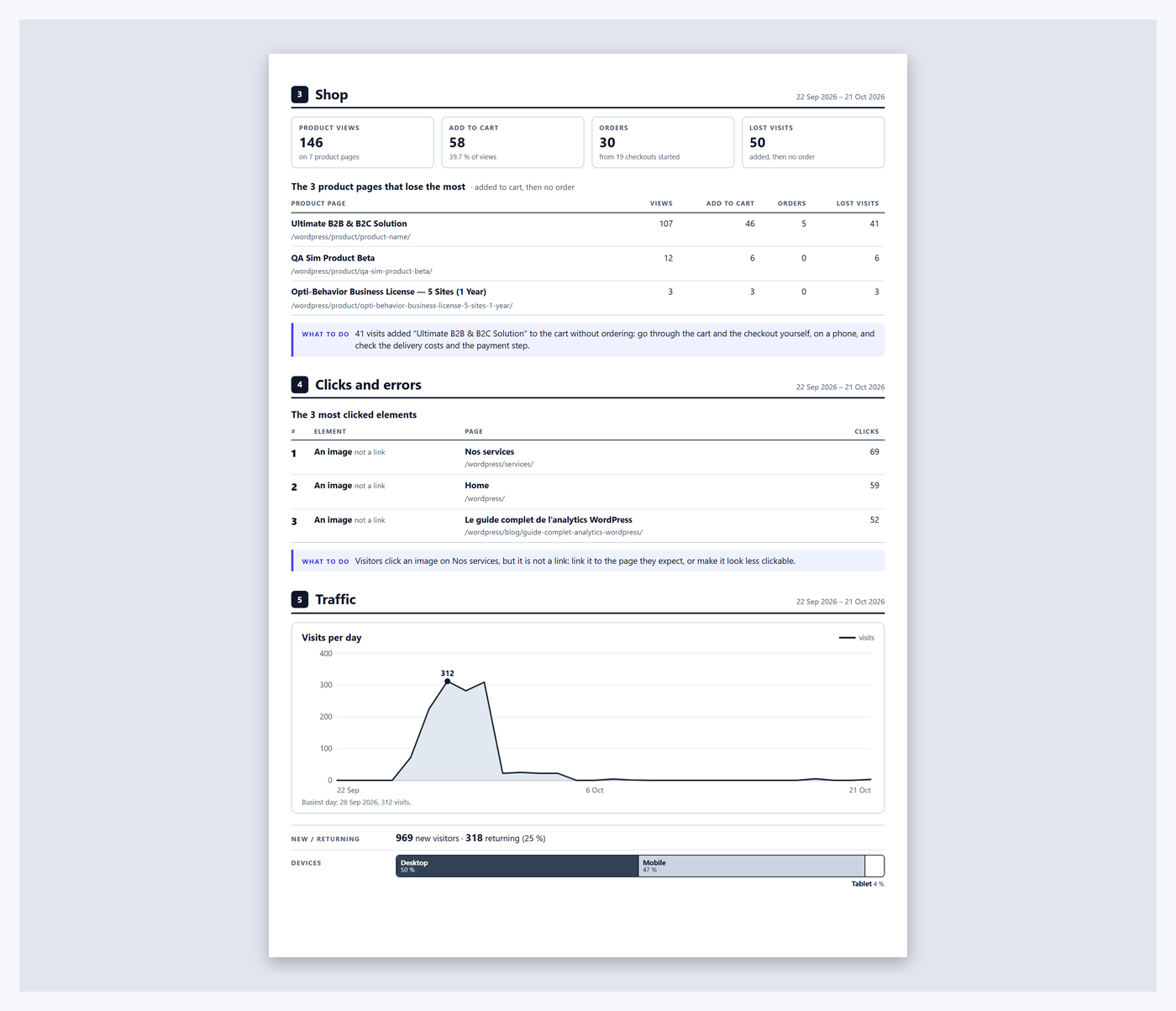
Free: the Shop screen, one line per product, from view to paid order. Demo store data.
01 Shop FREEPRO
Which product pages lose sales
The Shop screen counts views, add to cart and orders for each product. A product with many views and few carts is your first page to fix: price shown too low on the page, a hidden button, missing shipping info.
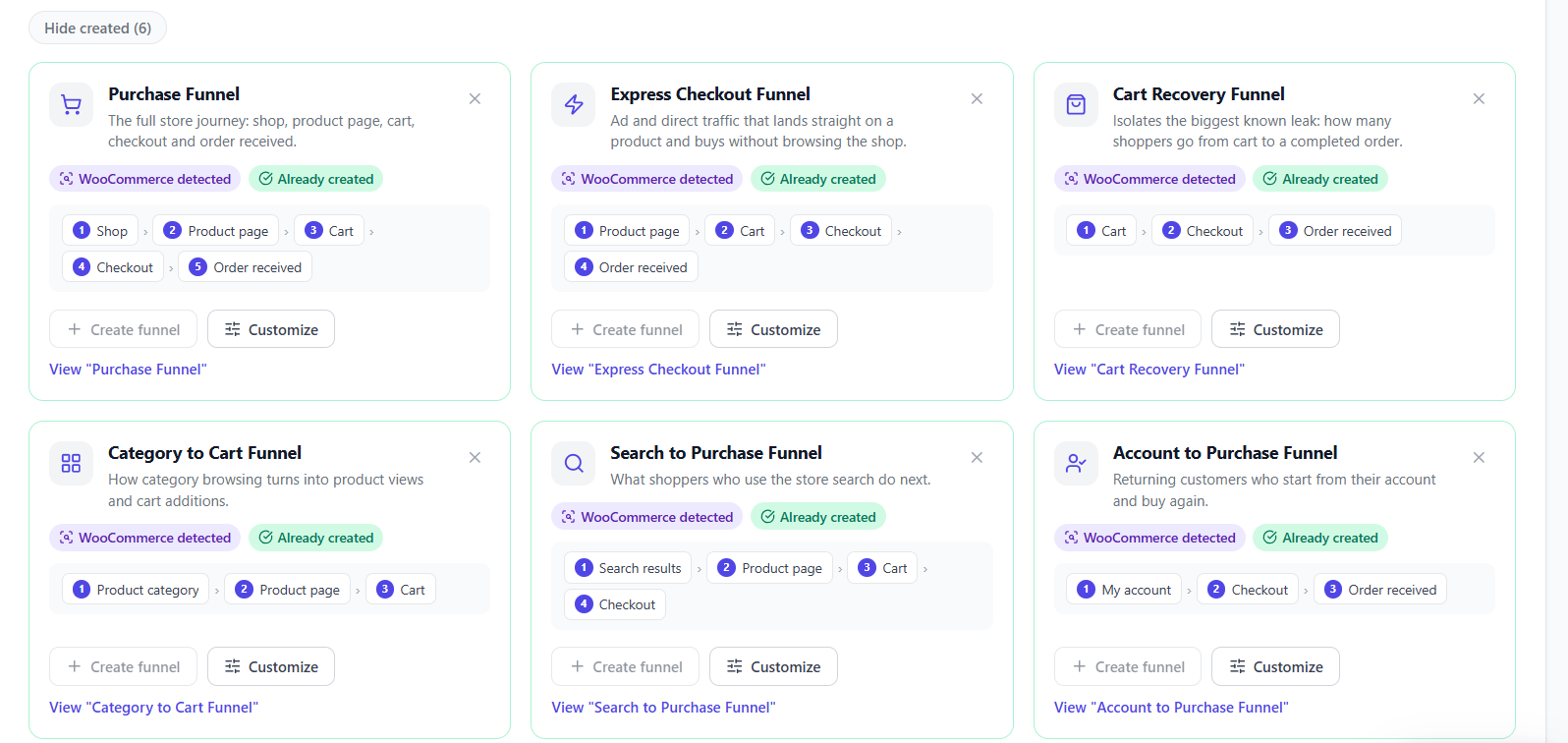
Start free: Shop counters, funnels and the short report work in the free plugin. Pro adds session recordings, the lost-sales figure per product and the full report. Run several client shops? See Business and Agency.


 WooCommerce stores
 WordPress