Heatmap Not Working After Installing a Cache Plugin? Here’s Exactly What Breaks It

Last verified: August 2026. Filter names and behaviours below were checked against each optimizer’s own documentation or source. Re-check before relying on them — optimizers change these between releases.
Table of Contents
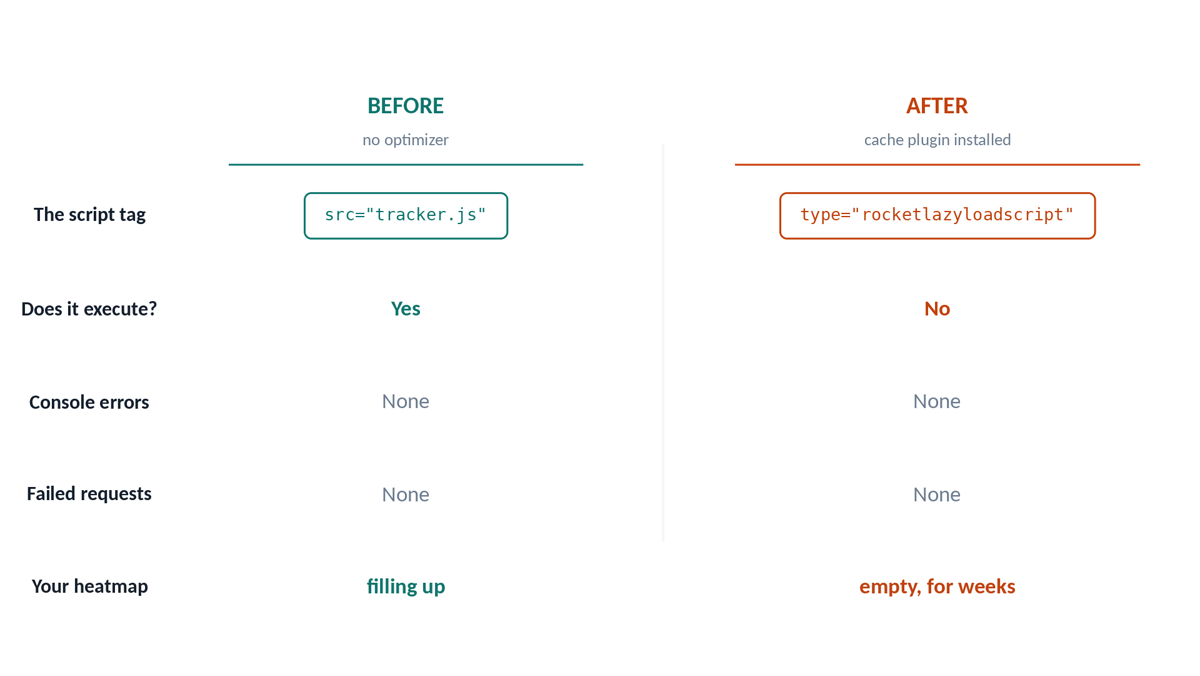
Heatmap not working after installing a cache plugin? Your heatmap page is empty. The session counter says zero. There is nothing in the browser console, no failed request in the Network tab, no warning in your dashboard. As far as every screen you can look at is concerned, nothing is wrong.
It isn’t your analytics tool. It’s your optimizer.
Cache and performance plugins rewrite, merge, defer and delay JavaScript. Tracking scripts are JavaScript. When an optimizer decides your tracker is just another file to bundle, the tracker stops executing — and because nothing errors, nothing tells you. You keep browsing your own site, the pages load faster than ever, and you lose weeks of behavioural data before you happen to open the heatmap and find it blank.
This applies to every tool in the category. Hotjar, Microsoft Clarity, Matomo, Opti-Behavior, your own custom beacon — same mechanism, same silence.
Click around a real dashboard before you install anything
A live WordPress site with real traffic, real heatmaps and real recordings. No signup, no credit card, no email.
Open the live demo →Heatmap Not Working? The 60-Second Diagnostic

A heatmap not working right after a cache plugin install is almost always a script problem, so start here. Open your site in a private window, as a logged-out visitor, and run these three checks in order. Each one narrows the failure to a different cause.
1. Is the script in the HTML at all?
View source (Ctrl+U — not the DevTools Elements tab, which shows the DOM after JavaScript has run). Search for your tracker’s filename.
- Not there → the script was never enqueued. This is not an optimizer problem. Check that the plugin is active, that you aren’t excluded from tracking as a logged-in admin, and that consent (if required) has been granted.
- There, but the
srcpoints at something like/wp-content/cache/min/1/xxxx.js→ your tracker was merged into a combined bundle. Go to the Minify/Combine section below. - There, but the
typeattribute is nottext/javascript— you seetype="rocketlazyloadscript",type="lazyload",data-srcinstead ofsrc, or similar → the script is being delayed. Go to the Delay section. - There, with
deferorasyncadded → go to the Defer section.
2. Does the request actually leave the browser?
DevTools → Network → filter by XHR/Fetch, then click around and scroll for ten seconds. You are looking for the POST that ships events back to your site (admin-ajax.php, a REST route, or your vendor’s endpoint).
- No request at all → the tracker never initialised. Confirmed script-level problem, continue below.
- Request fires but returns 4xx → different problem: expired nonce or blocked REST route, usually caused by a page cache serving stale HTML rather than a JS optimizer. See “The page-cache trap”.
- Request fires and returns 200 → your tracking works. Your problem is elsewhere: filtering, bot exclusion, or admin-user exclusion.
3. Is the config object defined?
In the console, type the name of the global config variable your tracker uses. Most tools localize their settings into a global (window.hj, window.clarity, window.optiBehaviorHeatmapConfig, etc.).
undefinedwhile the script file itself is present → this is the failure almost everyone misses. The external.jsfile was correctly excluded from optimization, but the small inline<script>block containing its settings was not. The tracker loads, finds no configuration, and exits silently.
That third case is worth stating plainly, because it wastes more hours than the other two combined: excluding your tracker’s file is only half the job. The inline config block has to be excluded too, and it is matched by a different rule.
The four ways an optimizer kills a tracker
Delay JavaScript until user interaction
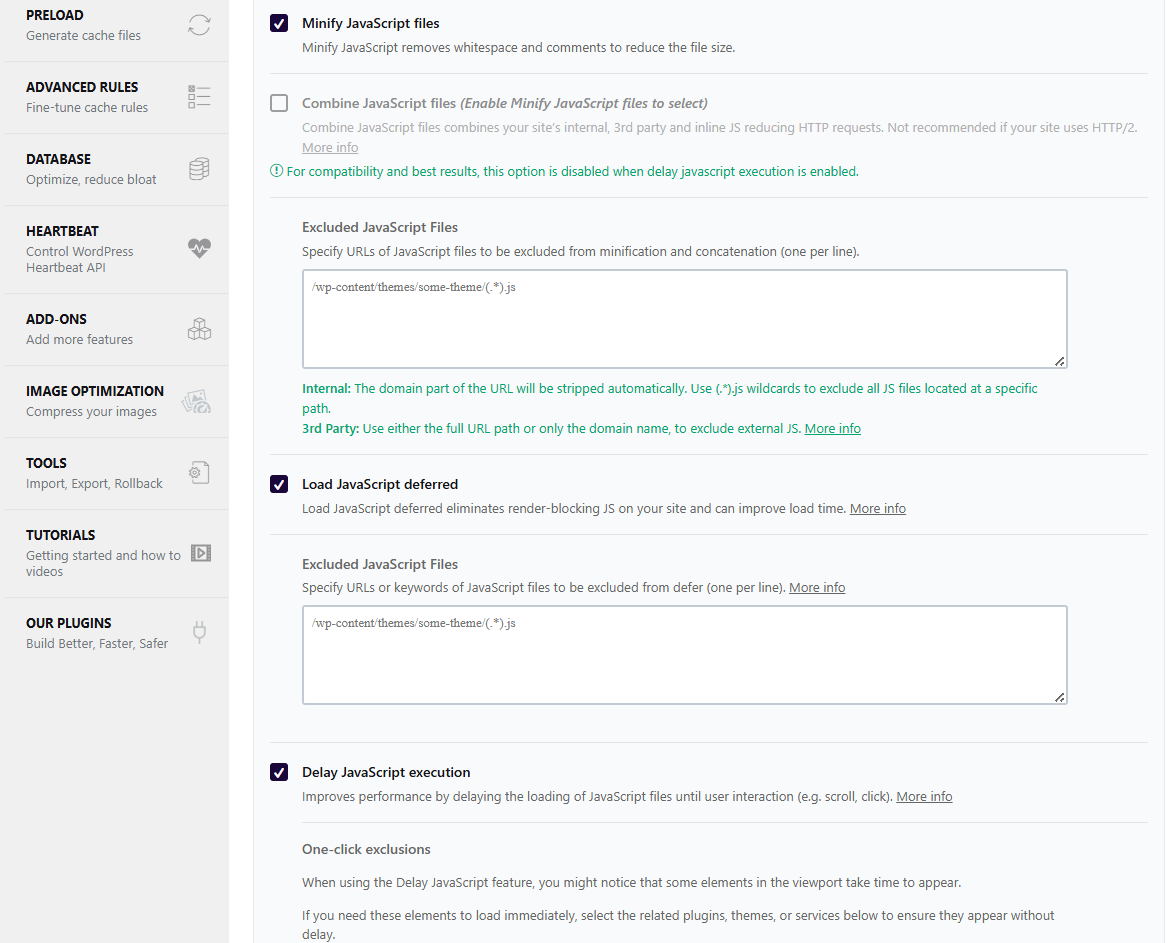
The most destructive one, and the most popular — it’s the single biggest PageSpeed win an optimizer can sell you. All non-essential JS is held back until the visitor moves the mouse, scrolls, or touches the screen.
For a tracker, that is fatal by design: everything that happens before the first interaction is exactly what you were trying to measure. Landing, above-the-fold reading time, immediate bounces, and any click that lands before the delay releases — all lost. A visitor who arrives and leaves in four seconds without touching anything is invisible.
Defer
defer moves execution to after HTML parsing. Less brutal than delay, but it inverts load order. If your tracker depends on another script (an ID broker, a consent layer, a queue stub) and only one of the two is deferred, the dependent one runs first and finds nothing.
The characteristic symptom is not empty data — it’s wrong data. A tracker whose session-ID source isn’t ready when it runs will usually fall back to minting a fresh random ID. You get one brand-new “session” per page view: inflated visitor counts, average session duration collapsing toward zero, funnels that never link two steps together. Everything looks alive, and everything is wrong.
Empty heatmaps get noticed. This doesn’t. Check for it specifically.
Minify and combine
Several JS files are concatenated into one bundle and rewritten. Trackers break here for two reasons: the rewrite can mangle the code, and the file the browser now loads has a different URL — so any exclusion rule you wrote based on the original filename no longer matches anything.
Concatenate / lazy-load / render-blocking removal
Feature names differ, mechanism is the same as the two above. Jetpack Boost concatenates. Cloudflare Rocket Loader defers everything through its own scheduler. NitroPack does the work on an external service, so no local rule can reach it.
The page-cache trap (bonus, and it’s a real one)
Full-page caches — WP Super Cache, Cache Enabler, and the page-cache half of WP Rocket or LiteSpeed — don’t touch your JavaScript at all. They cause a different failure: stale HTML with an expired security nonce.
Your tracker’s POST includes a nonce that WordPress generated when the page was rendered. If that page has been sitting in the cache for two days, the nonce is dead and the server rejects every event with a 403. Same silence, completely different cause. If diagnostic step 2 showed a 4xx, this is your problem — not JS optimization.
The same trap ruins A/B tests. A page cached while showing variant B gets served to every subsequent visitor, including the ones assigned variant A. Your test results become noise. The fix is a cache-vary cookie (below), not an exclusion rule.
Fixes, plugin by plugin
Add these to your child theme’s functions.php or a small mu-plugin. Replace your-tracker.js and yourTrackerConfig with your actual filename and inline config variable name.
If you’d rather not write code: every one of these plugins exposes the same lists in its settings UI (usually under File Optimization → Excluded files or similar). The code path is more reliable because a plugin update or a settings reset can’t quietly wipe it.
WP Rocket
// Minify/Combine JS and Defer JS — regex fragments matched against the URL.
add_filter( 'rocket_exclude_js', 'my_tracker_excludes' );
add_filter( 'rocket_exclude_defer_js', 'my_tracker_excludes' );
function my_tracker_excludes( $excluded ) {
    $excluded[] = '(.*)your-tracker\.js';
    return $excluded;
}

// Delay JavaScript execution — plain strings, matched against BOTH
// external script URLs and inline script content.
add_filter( 'rocket_delay_js_exclusions', function ( $excluded ) {
    $excluded[] = 'your-tracker.js';
    $excluded[] = 'yourTrackerConfig';  // the inline config block
    return $excluded;
} );

// Inline config blocks, for Defer and Combine separately.
add_filter( 'rocket_defer_inline_exclusions', function ( $e ) {
    $e[] = 'yourTrackerConfig';
    return $e;
} );
add_filter( 'rocket_excluded_inline_js_content', function ( $e ) {
    $e[] = 'yourTrackerConfig';
    return $e;
} );
The trap that costs people weeks: rocket_exclude_js and rocket_exclude_defer_js entries are not self-delimited regex patterns. WP Rocket joins your entries with | and wraps the whole set in its own #(...)# delimiters before matching. Write /my-tracker\.js/ with slashes, as you would for preg_match(), and those slashes become literal characters the URL must contain. A real enqueued URL ends in .js?ver=1.2.3, never in a literal /, so the pattern silently matches nothing — and you will swear you excluded the file, because you did.
Emit bare fragments. No delimiters.
LiteSpeed Cache
add_filter( 'litespeed_optimize_js_excludes', function ( $e ) {
    $e[] = 'your-tracker.js';
    return $e;
} );

// Defer exclusion — matched against inline content too, so feed both.
add_filter( 'litespeed_optm_js_defer_exc', function ( $e ) {
    $e[] = 'your-tracker.js';
    $e[] = 'yourTrackerConfig';
    return $e;
} );
SiteGround Optimizer
add_filter( 'sgo_javascript_combine_exclude', 'my_tracker_handles' );
add_filter( 'sgo_js_minify_exclude',          'my_tracker_handles' );
add_filter( 'sgo_js_async_exclude',           'my_tracker_handles' );
function my_tracker_handles( $exclude_list ) {
    $exclude_list[] = 'your-tracker-handle';  // enqueue HANDLE, not filename
    return $exclude_list;
}

add_filter( 'sgo_javascript_combine_excluded_inline_content', function ( $e ) {
    $e[] = 'yourTrackerConfig';
    return $e;
} );
The trap: all three SG Optimizer filters compare against the wp_enqueue_script handle, not the filename. Their own documentation shows $exclude_list[] = 'script-handle'. Pass your-tracker.js and the filter runs, returns cleanly, and excludes precisely nothing. This one is invisible in testing because the code looks correct.
If you don’t know your handle: search the plugin’s source for wp_enqueue_script( — it’s the first argument.
Autoptimize
add_filter( 'autoptimize_filter_js_exclude', function ( $exclude ) {
    return $exclude . ', your-tracker.js';
} );
Note the format: a comma-separated string, not an array. Returning an array here breaks the filter.
Perfmatters
foreach ( array( 'delay', 'defer', 'minify' ) as $stage ) {
    add_filter( "perfmatters_{$stage}_js_exclusions", function ( $e ) {
        $e[] = 'your-tracker.js';
        return $e;
    } );
}
WP-Optimize
add_filter( 'wp-optimize-minify-default-exclusions', function ( $e ) {
    $e[] = 'your-tracker.js';
    return $e;
} );
The trap: matched case-insensitively as a substring against the full script URL. Enqueue handles never appear in a URL, so passing a handle here silently does nothing. The mirror image of the SiteGround mistake — which is exactly why people who fix one site break the next.
W3 Total Cache
add_filter( 'w3tc_minify_js_do_tag_minification', function ( $do, $tag = '', $file = '' ) {
    if ( false !== strpos( $tag . ' ' . $file, 'your-tracker.js' ) ) {
        return false;
    }
    return $do;
}, 10, 3 );
Breeze
add_filter( 'breeze_js_dontmove', function ( $e ) {
    $e[] = 'your-tracker.js';
    return $e;
} );
Jetpack Boost
add_filter( 'js_do_concat', function ( $do_concat, $handle = '' ) {
    return ( 'your-tracker-handle' === $handle ) ? false : $do_concat;
}, 10, 2 );
Concatenation is filterable. Render-blocking/defer is not — Boost’s only documented exclusion mechanism there is the data-jetpack-boost="ignore" tag attribute. See below.
NitroPack, WP Fastest Cache, FlyingPress, Hummingbird, Swift Performance
No reliable PHP exclusion filter is publicly documented for these. NitroPack in particular optimizes on its own external service, so no local hook can intercept it. Use the settings UI, and rely on tag attributes.
The universal fallback: tag attributes
When no filter exists, mark the script tag itself. Six attributes cover most of the ecosystem:
add_filter( 'script_loader_tag', function ( $tag, $handle ) {
    if ( 'your-tracker-handle' !== $handle ) {
        return $tag;
    }
    return str_replace(
        '<script ',
        '<script nowprocket data-cfasync="false" data-noptimize="1" '
        . 'data-no-optimize="1" data-no-defer="1" data-jetpack-boost="ignore" ',
        $tag
    );
}, 10, 2 );nowprocket— WP Rocketdata-cfasync="false"— Cloudflare Rocket Loaderdata-noptimize="1"— Autoptimize, Breeze (no hyphen)data-no-optimize="1"— LiteSpeed and others (with hyphen — yes, you need both)data-no-defer="1"— genericdata-jetpack-boost="ignore"— Jetpack Boost
Important limitation: attributes only protect optimizations that inspect the rendered tag. Optimizations that match against the URL — WP Rocket’s minify and defer among them — never see these attributes. Attributes are a safety net, not a substitute for the filters above.
Fixing the page-cache trap
// WP Rocket: vary the page cache by a cookie your tracker sets.
add_filter( 'rocket_cache_dynamic_cookies', function ( $cookies ) {
    $cookies[] = 'my_ab_variant';
    return $cookies;
} );

// LiteSpeed equivalent.
add_filter( 'litespeed_vary_cookies', function ( $cookies ) {
    $cookies[] = 'my_ab_variant';
    return $cookies;
} );
For expired nonces on long-cached pages, the durable fix belongs in your tracker: retry once on a 403 after re-reading a fresh nonce. If you’re using a hosted tool, you can only shorten the cache lifetime.
Verify the fix properly
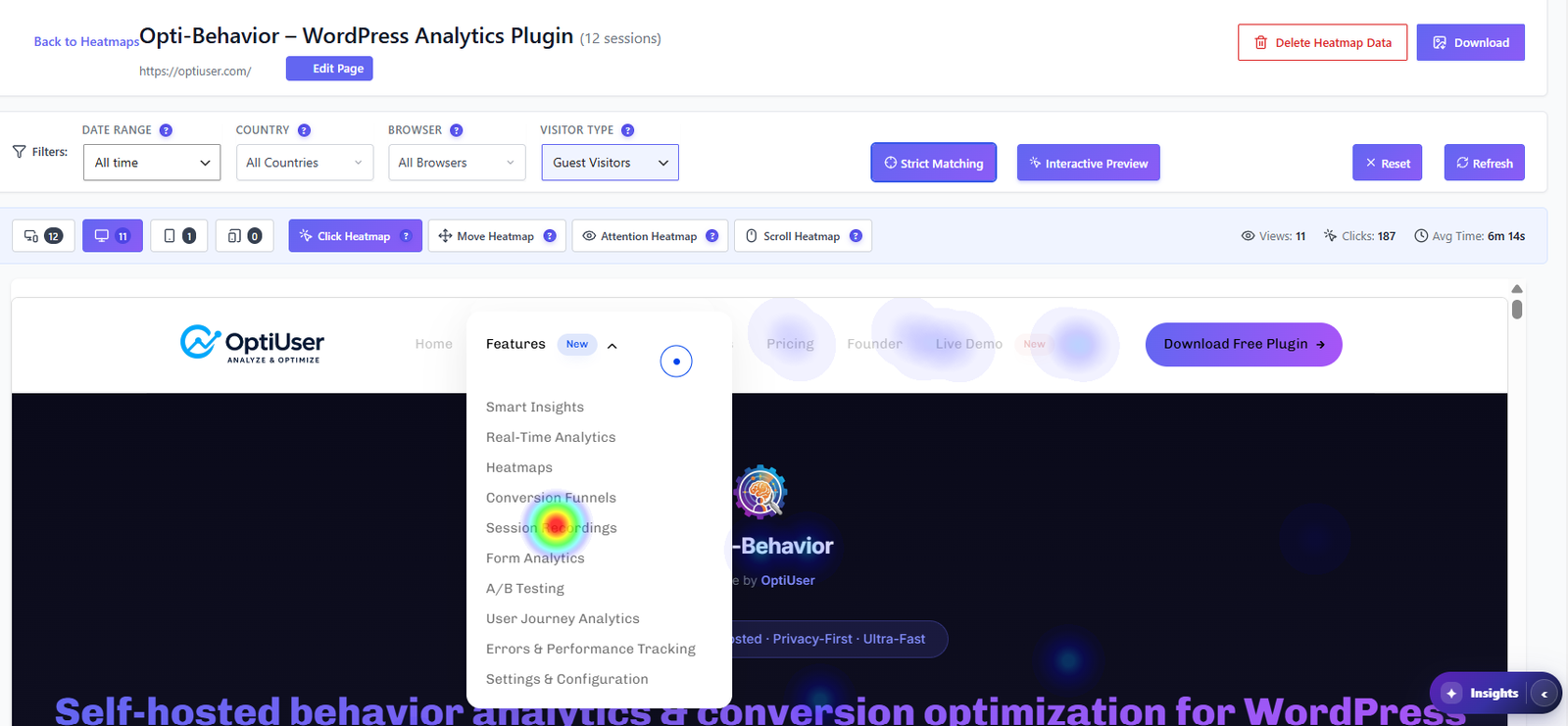
Before you trust any fix for a heatmap not working, verify it properly. Applying an exclusion and seeing data appear proves nothing on its own — you may simply have generated traffic while logged in, or the page you tested may not have been cached yet. Do this instead:
- Purge every cache. Plugin cache, host cache (SiteGround, Kinsta, WP Engine all have their own), and Cloudflare if it’s in front.
- Reload as a logged-out visitor in a private window.
- View source and confirm three things: your tracker’s
srcpoints at the original file, not a/cache/min/bundle; thetypeistext/javascript; the inline config block is present and unmangled. - In the console, check the config global is defined. Not
undefined. - In the Network tab, confirm the event POST fires and returns 200.
- Then check the dashboard — with the same date filter as your test, and with any “exclude admins” setting in mind.
- Re-test on the pages that matter, not just the homepage. Checkout, product, and landing pages often have different scripts and different cache rules.
- Re-test after your next optimizer update. Exclusion lists get reset by major version upgrades more often than you’d expect.
Choosing a tool? See our WordPress heatmap plugin comparison of 8 options.
You should never have had to read this
A heatmap not working for weeks with no warning is the real failure here. Every step above is diagnosis you performed because your tool stayed quiet. That’s the real defect. Not the optimizer — optimizers are doing exactly what you installed them to do. The defect is that a tracking tool can lose 100% of its data for six weeks and report nothing but an empty chart.
There’s no technical reason for that silence. The tool knows the site had traffic. It knows which of its modules are enabled. If traffic is arriving and a module’s event table stays at zero, it has everything it needs to raise its hand.
That’s the check we built into Opti-Behavior in 1.7.1. Every six hours it compares “the site received page views in the last 24 hours” against “this module recorded at least one event”, per module. If traffic is flowing and events aren’t, it shows an admin notice, names which modules went dark, and identifies the active cache or optimization plugin most likely responsible — from a list of nineteen. Sites with no traffic never alert, so a quiet site can’t trigger a false alarm. It reads nothing but COUNT(*) aggregates, adds no frontend code, and runs at most once every six hours.
Click around a real dashboard before you install anything
A live WordPress site with real traffic, real heatmaps and real recordings. No signup, no credit card, no email.
Open the live demo →Alongside it, the exclusion rules on this page ship pre-registered for all the optimizers listed above — including the handle-versus-filename distinction that makes the SiteGround and WP-Optimize filters no-ops when you get them backwards. We had both of those backwards ourselves until July 2026. That’s how we know how invisible it is.
Opti-Behavior is a self-hosted WordPress plugin: heatmaps, funnels, session recordings, A/B testing and form analytics, with the data staying in your own database. See the plugin on WordPress.org →
Whatever you use, apply the exclusions, and then go check the last thirty days of data you assumed was being collected. Using Opti-Behavior? Run First 10 minutes: verify tracking is working, then see Cache plugin compatibility for what is handled automatically.