
Run WordPress and WooCommerce experiments without Google Optimize, VWO, Optimizely or cloud-based visitor tracking. Create variants, define conversion goals, measure results, and apply winners while your data stays on your own server.
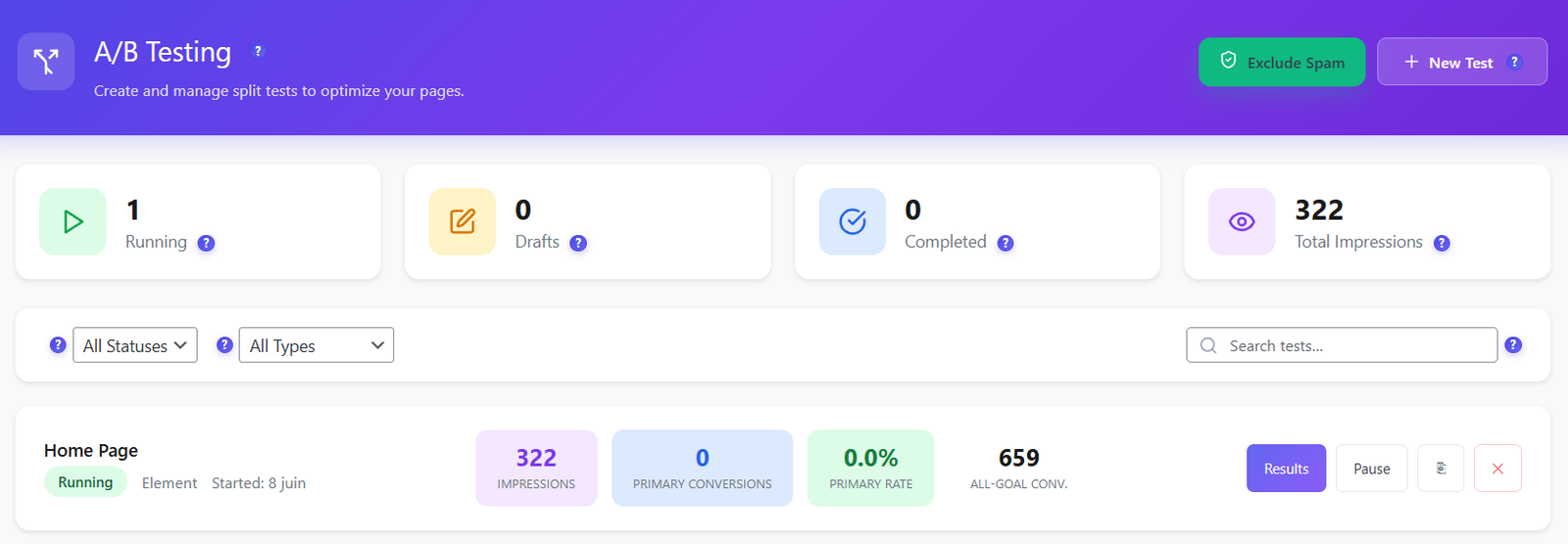
Opti-Behavior connects real visitor behavior, conversion goals and variant performance in one WordPress-native workflow.
Start with the right experiment type. Use Page Split to send visitors to different page URLs, Element tests to change page copy or blocks through the visual editor, and WooCommerce tests to optimize product-page content, pricing presentation, images and add-to-cart messaging.
Edit page elements directly in a visual builder-style interface. Select the block, change the text or structure, preview the variant, and save your changes. This turns A/B testing into a marketer-friendly workflow instead of a developer-only task.
Keep a clean control group and route traffic to one or more variants. Configure split percentages, add more variants, preview what each audience sees, and preserve a reliable baseline for conversion-rate comparison.
Track the conversion action that matters: element clicks, destination page visits, form submissions, scroll depth, time on page, revenue and bounce behavior. For WooCommerce, connect experiments to purchase and add-to-cart outcomes so winning variants are based on value, not vanity metrics.
Configure confidence level, traffic percentage, minimum sample size and minimum duration before declaring a winner. Pro controls add advanced statistical engines, audience targeting and schedules for serious conversion teams.
For stores, the strongest test is the one that increases revenue. Pro WooCommerce experiments can test product titles, descriptions, images, price presentation, galleries and add-to-cart text, then compare add-to-cart, purchase, revenue, average order value and revenue per visitor by variant.
| Capability | Free | Pro |
|---|---|---|
| Page-split experiments | ✓ | ✓ |
| Variant previews and impressions | ✓ | ✓ |
| Conversion goals and reporting | ✓ | ✓ |
| Winner indicators and safe winner application | ✓ | ✓ |
| Visual element editor | Preview / supported where available | ✓ Advanced |
| Audience targeting and scheduling | — | ✓ |
| WooCommerce product A/B tests | — | ✓ |
| Revenue, AOV and RPV attribution | — | ✓ |
Select Page Split, Element, or WooCommerce based on what you want to optimize.
Define the control and variant experiences, split traffic, and preview what each group will see.
Choose clicks, page visits, forms, scroll depth, time on page, revenue or bounce goals.
Review impressions, conversions, conversion rate and winner indicators, then safely apply the winning variant.
Replace guesswork with self-hosted WordPress experiments built for marketers, agencies and WooCommerce stores.