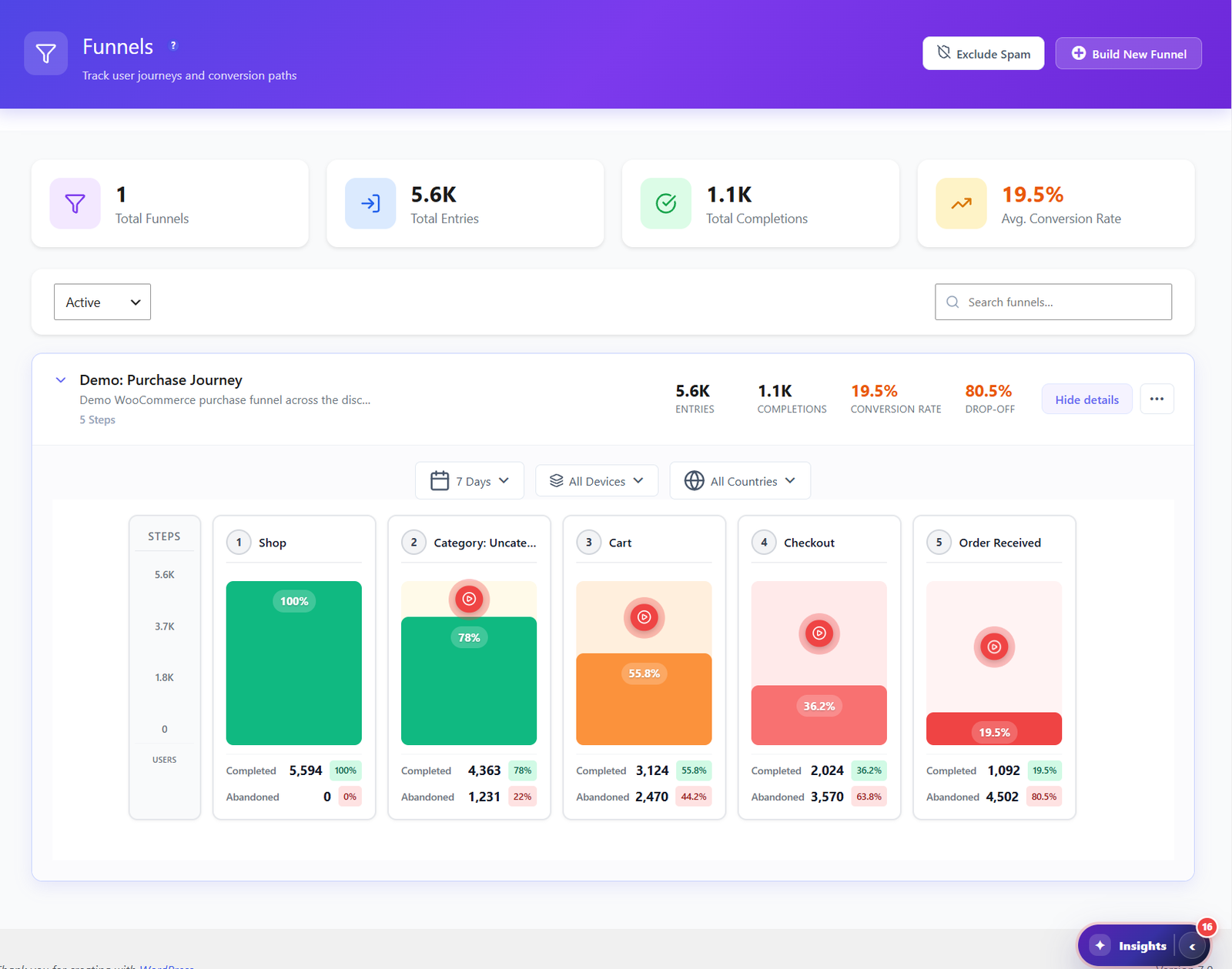
Funnels FREE PRO
The step that loses the most leads
Build a funnel from landing page to thank-you page. It shows the share of visitors lost at each step, so you fix the worst one first.

 Opti-Behavior
Solution for  Lead generation on WordPress
Landing page, form, thank-you page: Opti-Behavior shows the step where visitors stop and the field that makes them quit.
ready-made funnels, built from the plugins your site really runs. No URL to type.
Click Create funnel on a suggestion.
steps, with the match type that fits each one. Reorder any time, history stays.
Rename a step or add up to 10.
of visitors leave between the product page and the cart — your biggest leak.
Fix the step that leaks most, then read the same chart next week.
never reach the cart. Watch the sessions that stopped there.
Open the replays, see what blocked them, fix it.
01
Ads and posts bring clicks, the thank-you page stays quiet.
02
The form is long, you do not know which field scares people.
03
You cannot tell which source sends people who really convert.
Funnels FREE PRO
Build a funnel from landing page to thank-you page. It shows the share of visitors lost at each step, so you fix the worst one first.
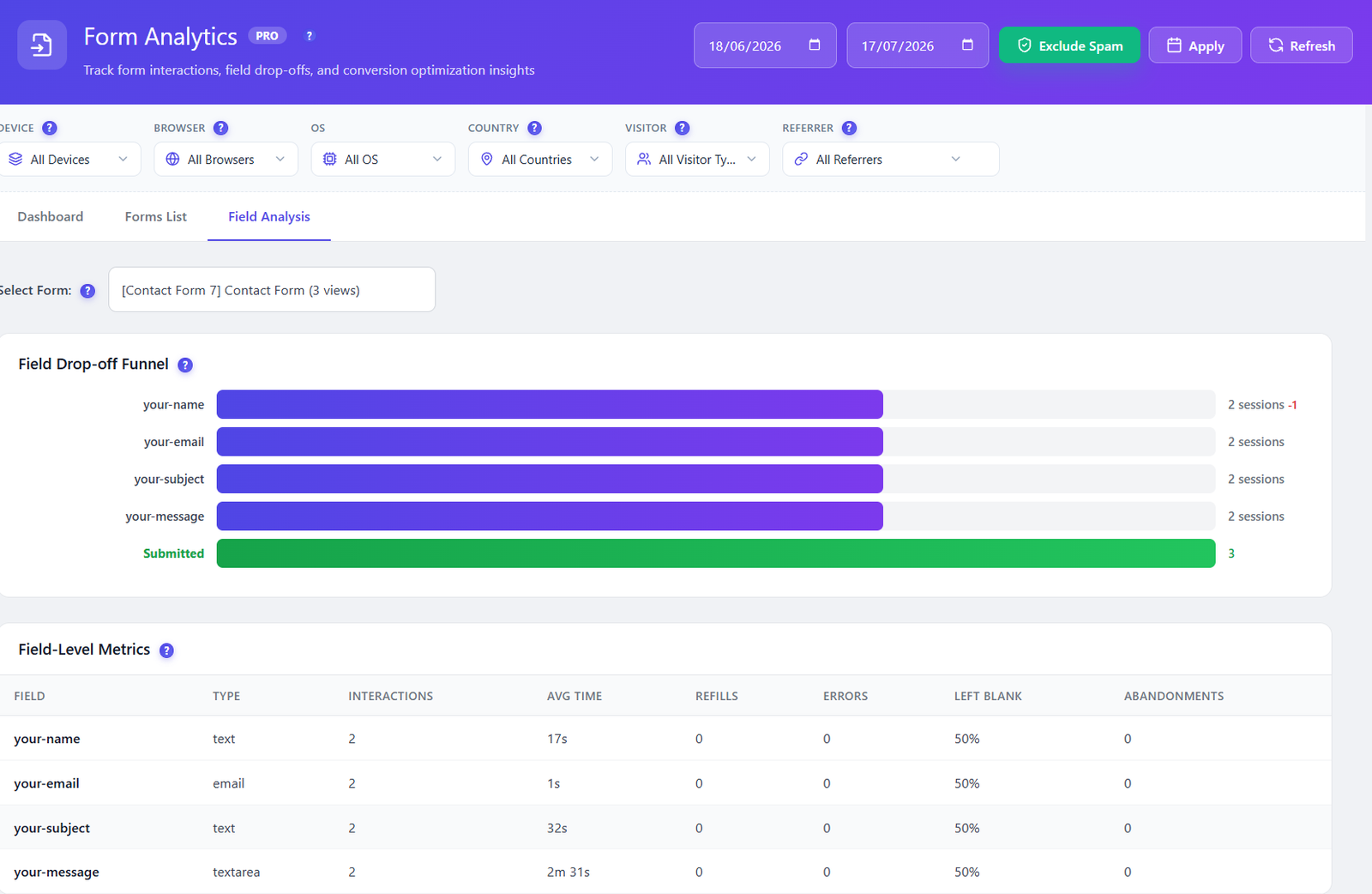 PRO
PROForm Analytics PRO
Form analytics shows drop-off per field, time spent and abandon points.
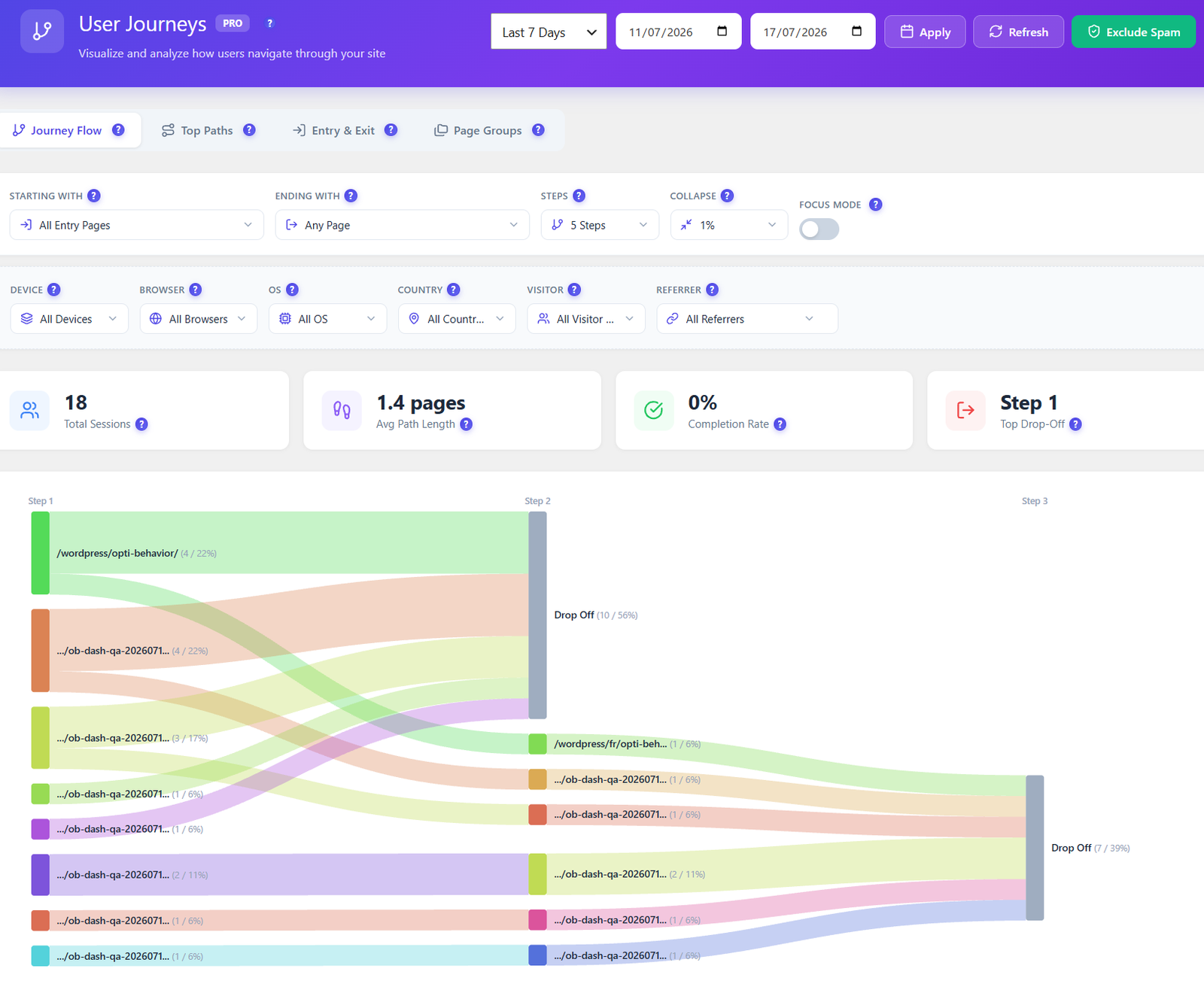 PRO
PROUser Journeys PRO
User journeys show the pages visitors see before the thank-you page, and where the others leave.
Smart Insights FREE PRO then ranks what to fix first, and the report puts it in one short document you can print or save as PDF. Funnel and form insights are Pro.
The free plugin is enough to find the step that loses your leads: funnels with the drop-off at each step, Smart Insights and the short report. Pro adds form analytics field by field, user journeys, replays of who dropped, advanced filters and the full report.
Find the step that loses your leads