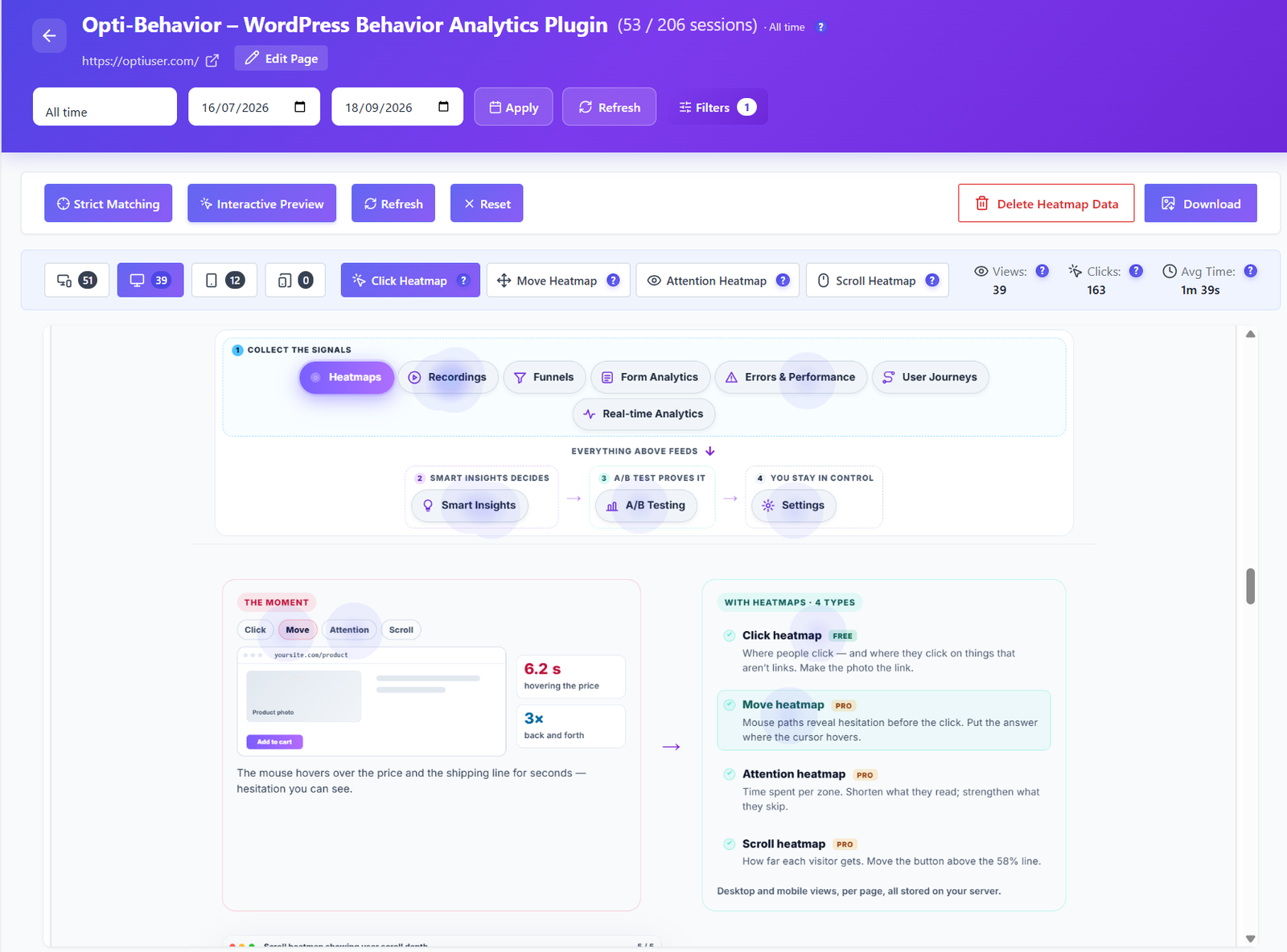
Heatmaps FREE PRO
The button nobody clicks
Click heatmaps show what visitors really click, and what they ignore. Scroll maps show how many reach your offer at all.

 Opti-Behavior
Solution for  Business sites and blogs on WordPress
Find the page people leave in seconds, the button nobody clicks and the form nobody sends, then get a short list of what to fix.
clicks on this page — 38% land on the photo, which is not a link.
Make the product photo clickable.
hovering between the price and the shipping line before leaving.
Put the shipping answer next to the price.
of reading time goes to the description — 9% to the offer.
Shorten the text. Strengthen the offer.
of visitors ever see the reviews, below the 58% line.
Move the reviews above the fold line.
01
Analytics says 300 visits, the inbox says 0 messages.
02
Your main button is there, but does anyone click it?
03
Google Analytics shows numbers, not the reason.
Heatmaps FREE PRO
Click heatmaps show what visitors really click, and what they ignore. Scroll maps show how many reach your offer at all.
 PRO
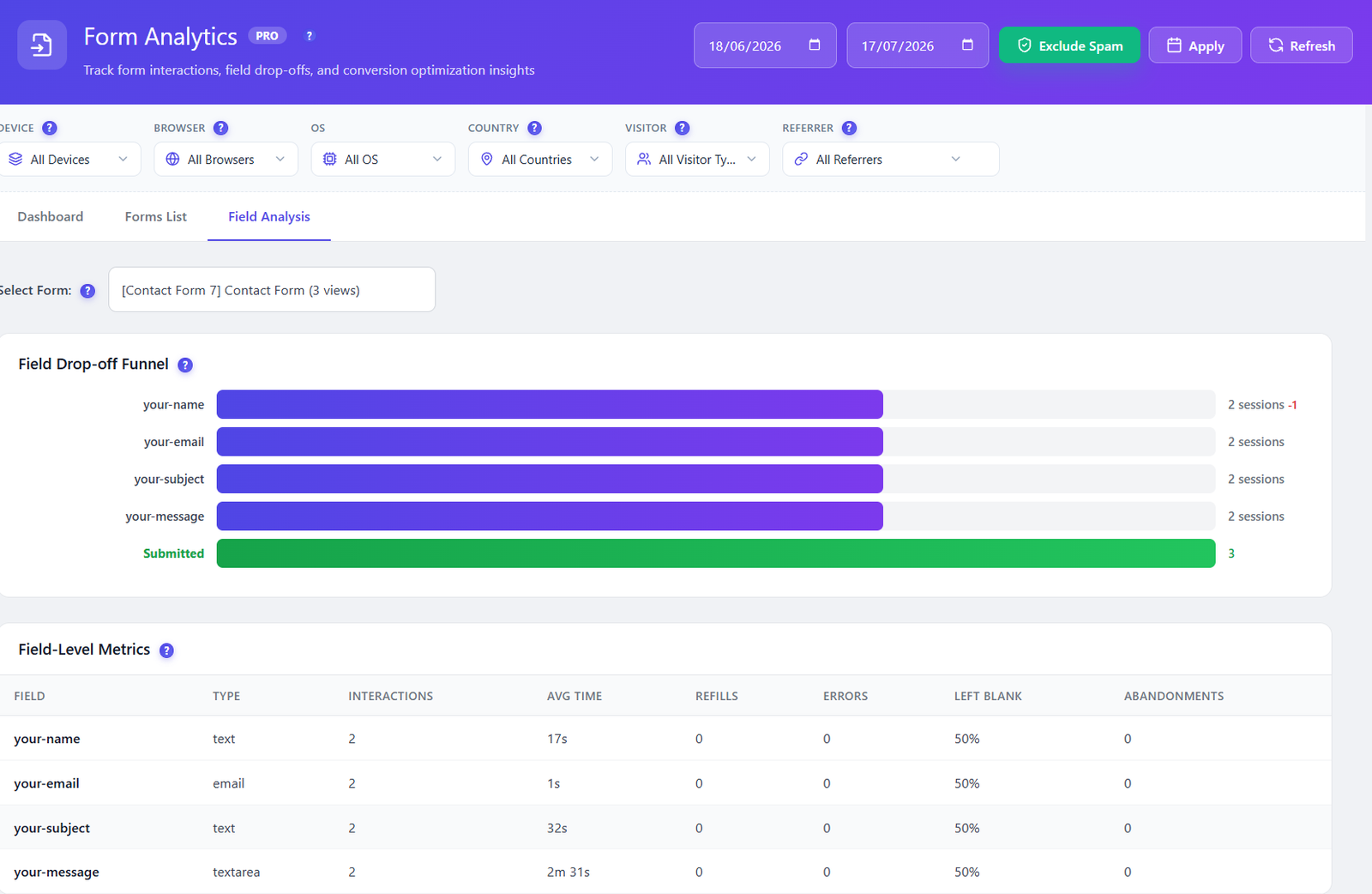
PROForm Analytics PRO
Form analytics shows the field where people stop, how long they spend, and how many start but never send.
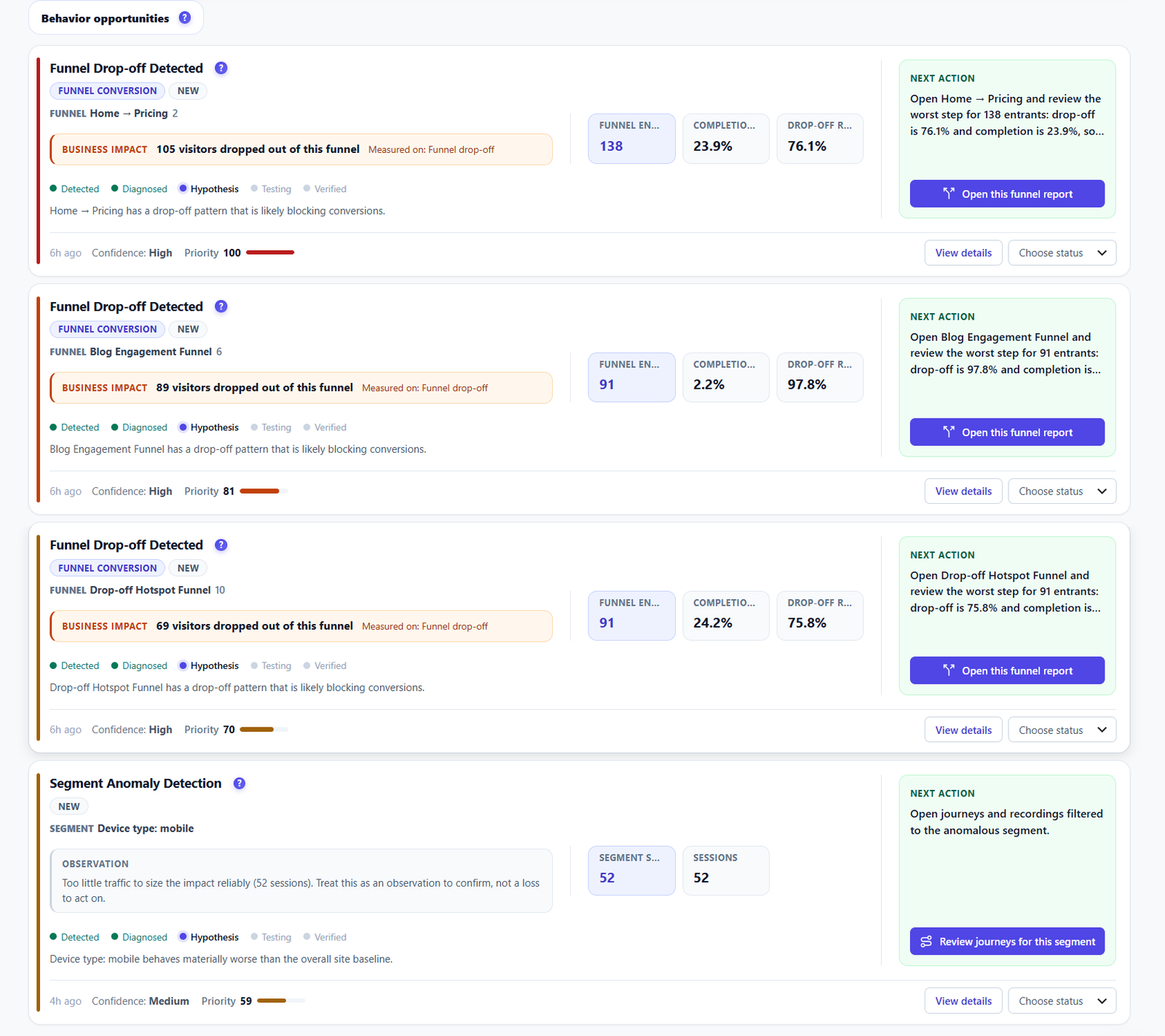
Smart Insights FREE PRO
Smart Insights ranks the pages that lose the most visitors and says what to fix first.
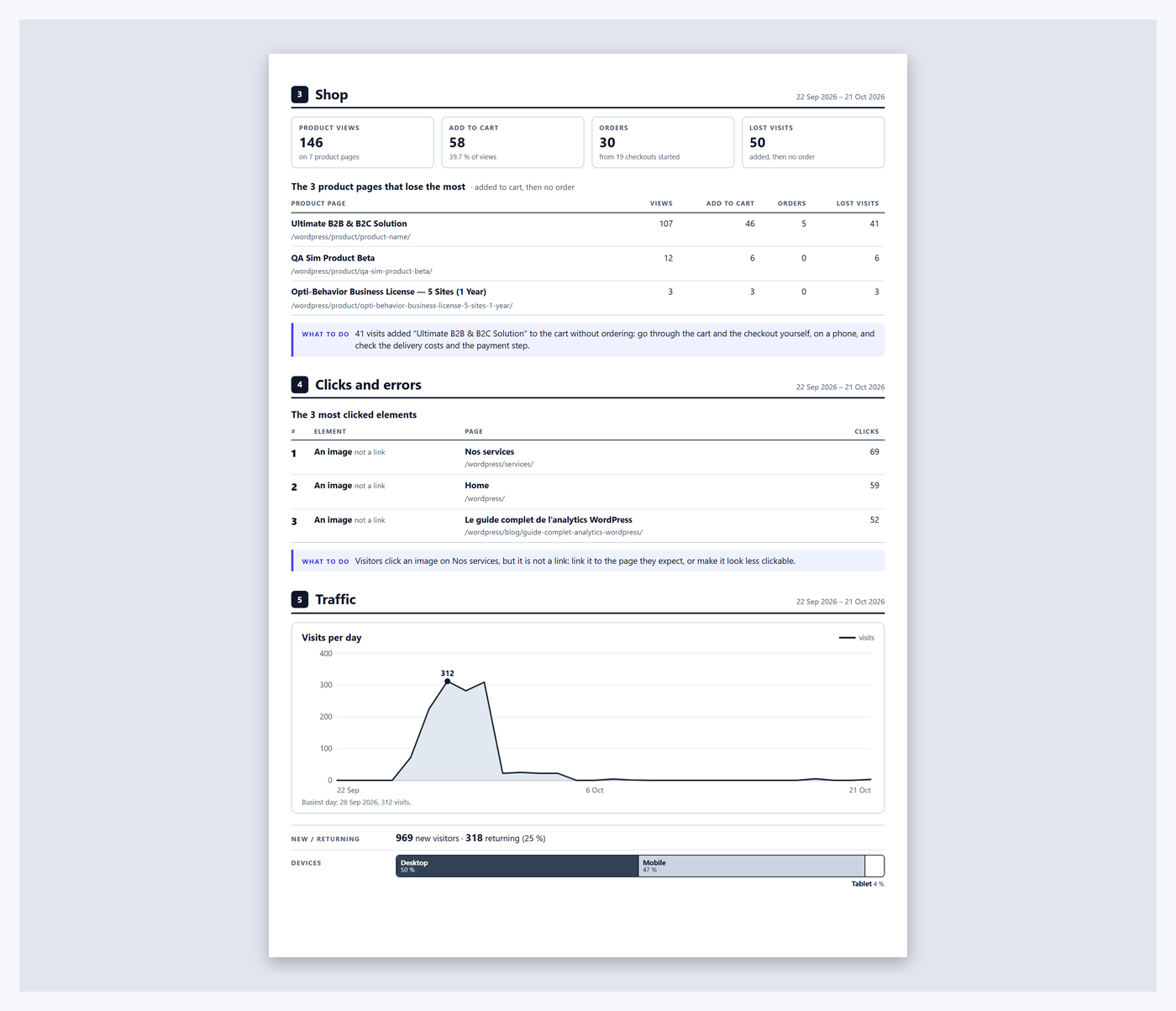
Reports FREE PRO
The report puts it in one short document you can act on tonight, ready to print or save as PDF.
The free plugin is enough to find your first problem: click heatmaps, average scroll depth per page, Smart Insights and the short report. Pro adds form analytics, session recordings, move, attention and scroll heatmaps, and the full report with Page X-Ray.
Find your first problem today