Skip links
iconOpti-Behavior
made by OptiUser

Solution for wp mark whiteWordPress agencies

A clear report for every client site

Install Opti-Behavior on each client’s WordPress site. It finds the problems, ranks them, and gives you a report prepared for that client.

105

visitors at risk on the top item. The briefing puts the biggest leak first.

Do this

Start with the top row of the briefing.

105

visitors dropped out of one funnel. Impact is counted in visitors, not percentages.

Fix

Open the report the card points to, then mark the status.

72

visitors lost versus your site average, explained by four measured causes.

Fix

Open the recordings filtered to this page and review the first failed interactions.

52.8%

exit rate for new visitors, against 30.0% for everyone else. One segment carries it.

Fix

Open journeys and recordings filtered to that segment.

Filter every insight by
  • Period
  • Status
  • Severity
  • Category
  • Entity type
  • Confidence
Example data
wp mark white
5.0 Rated on WordPress.org
wp mark white
Built for WordPressOne install on each client site
Self-hosted: recordings and analytics are stored on your own server.Native WordPress · no cookies required

Sounds familiar?

01

The client asks what you did this month.

02

Each site needs another SaaS account, another script, another bill per session.

03

You need proof before and after a redesign.

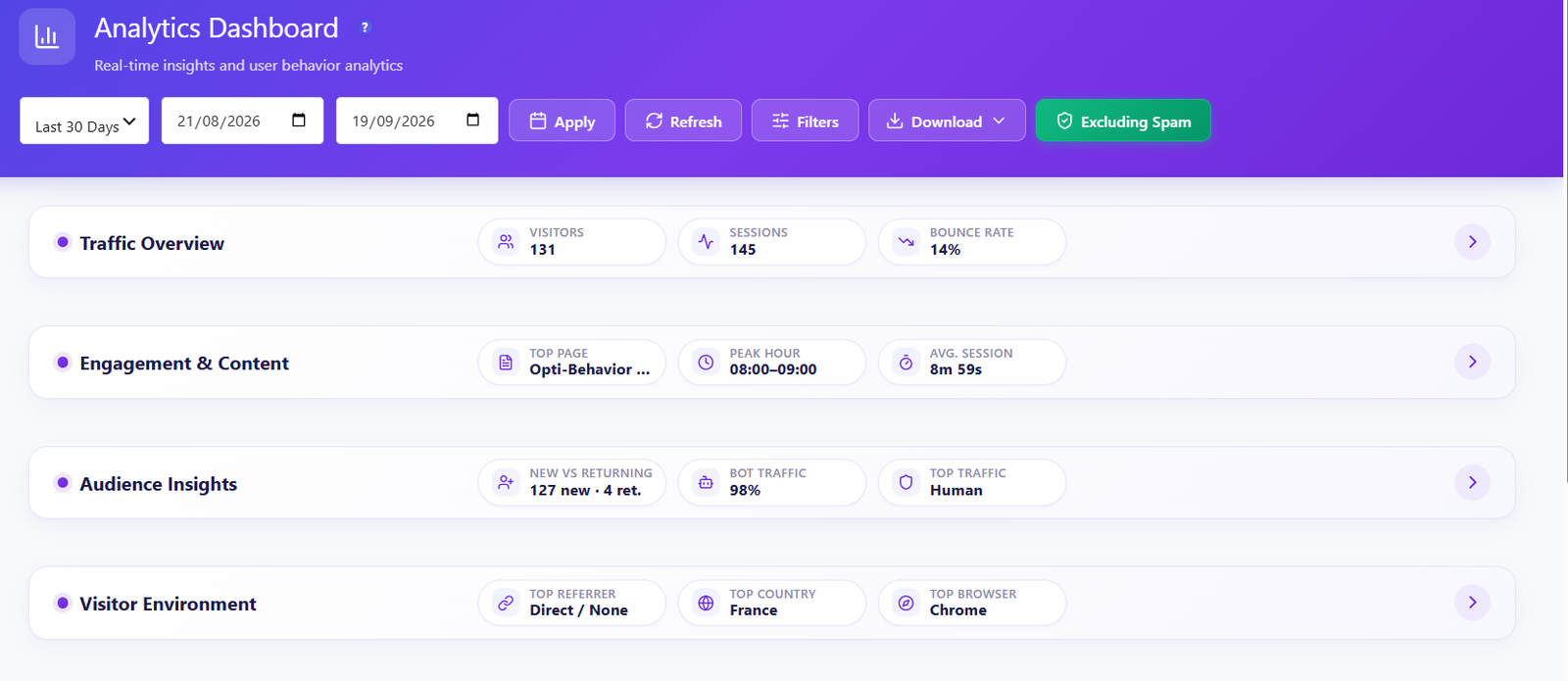
Opti-Behavior Analytics Dashboard header with a period selector, custom dates, Apply, Refresh, Filters, Download and Excluding Spam controls, and four collapsible groups: Traffic Overview, Engagement and Content, Audience Insights and Visitor Environment
Free: the dashboard of one client site, read inside that site’s WordPress.

Traffic dashboard FREE

One plugin on each client site

Each site keeps its own data on its own server. No session meter, no extra account per client.

See the Traffic dashboard →

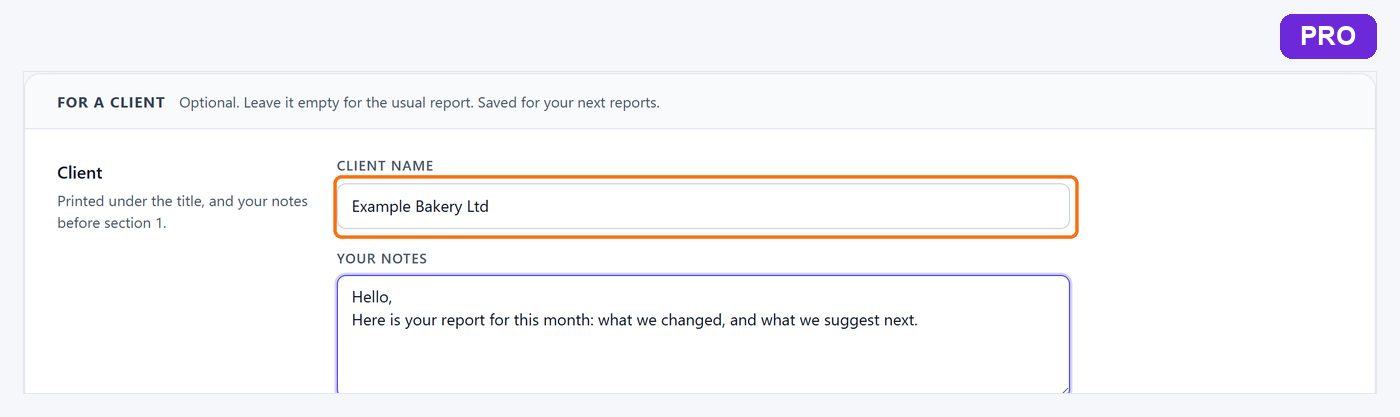
Full site report, Pro: the client name under the report title
Pro, Business and Agency plans: your client’s name under the title of the full site report. Example data.

Full site report PRO

A report prepared for the client

The full site report carries the client’s name under the title and in the footer, your notes, and only the sections you choose. Print it or save it as PDF.

Included in the Business and Agency plans.
See the Reports feature →

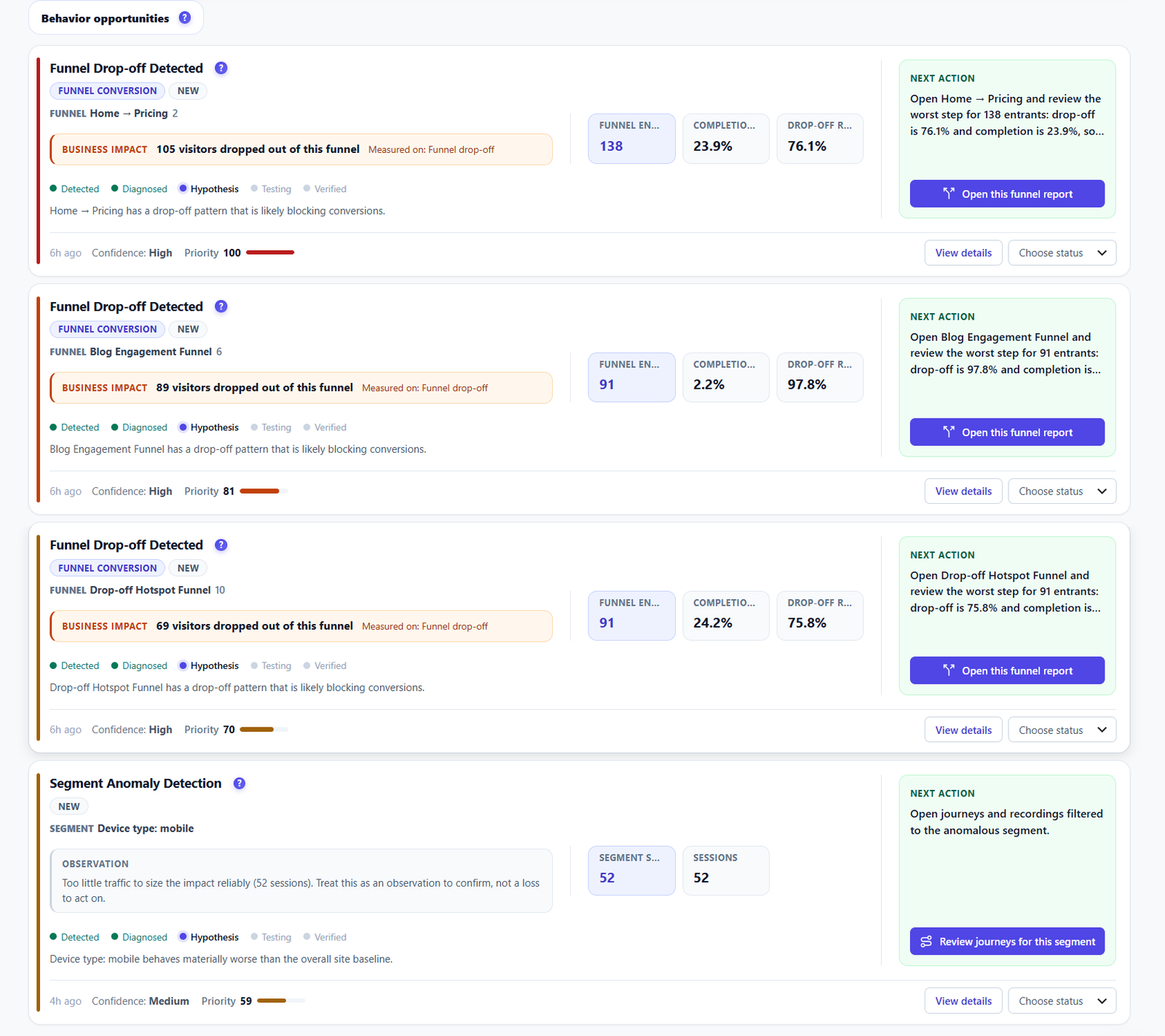
Opti-Behavior behavior opportunity cards for Funnel Drop-off Detected and Segment Anomaly Detection with business impact, a lifecycle from Detected to Verified, confidence, priority score, a next action and an Open this funnel report button
Free: page-level problems ranked by visitors lost. Funnels, checkout, forms and segments: Pro.

Smart Insights FREE PRO

Proof of the work you did

Smart Insights ranks the problems by impact. Fix one, then show the next report.

See the Smart Insights feature →

Available today

  • Full site report as a PDF, plus a one-page report (Page X-Ray). Pro
  • Add your client’s name (“Prepared for”) and your own notes. Pro
  • Hide the sections your client does not need (site report). Pro
  • Free: a short site report as a PDF, and a scheduled report e-mail (daily, weekly or monthly).

Next for agencies Coming Q4 2026

  • Multi-site dashboard: one screen with all your client sites and their combined figures (Business and Agency plans).
  • Your agency’s logo, name and colour on client reports.
  • Client options reserved to the Business and Agency plans.

The plan that fits

Business covers 5 client sites, Agency covers 10. Every client site gets the full Pro stack.

Compare the plans →

Show each client what you fixed

Explore
Drag