Self-Hosted Analytics vs Cloud Log Analysis: A WordPress Owner’s Guide to Owning Engineering Data

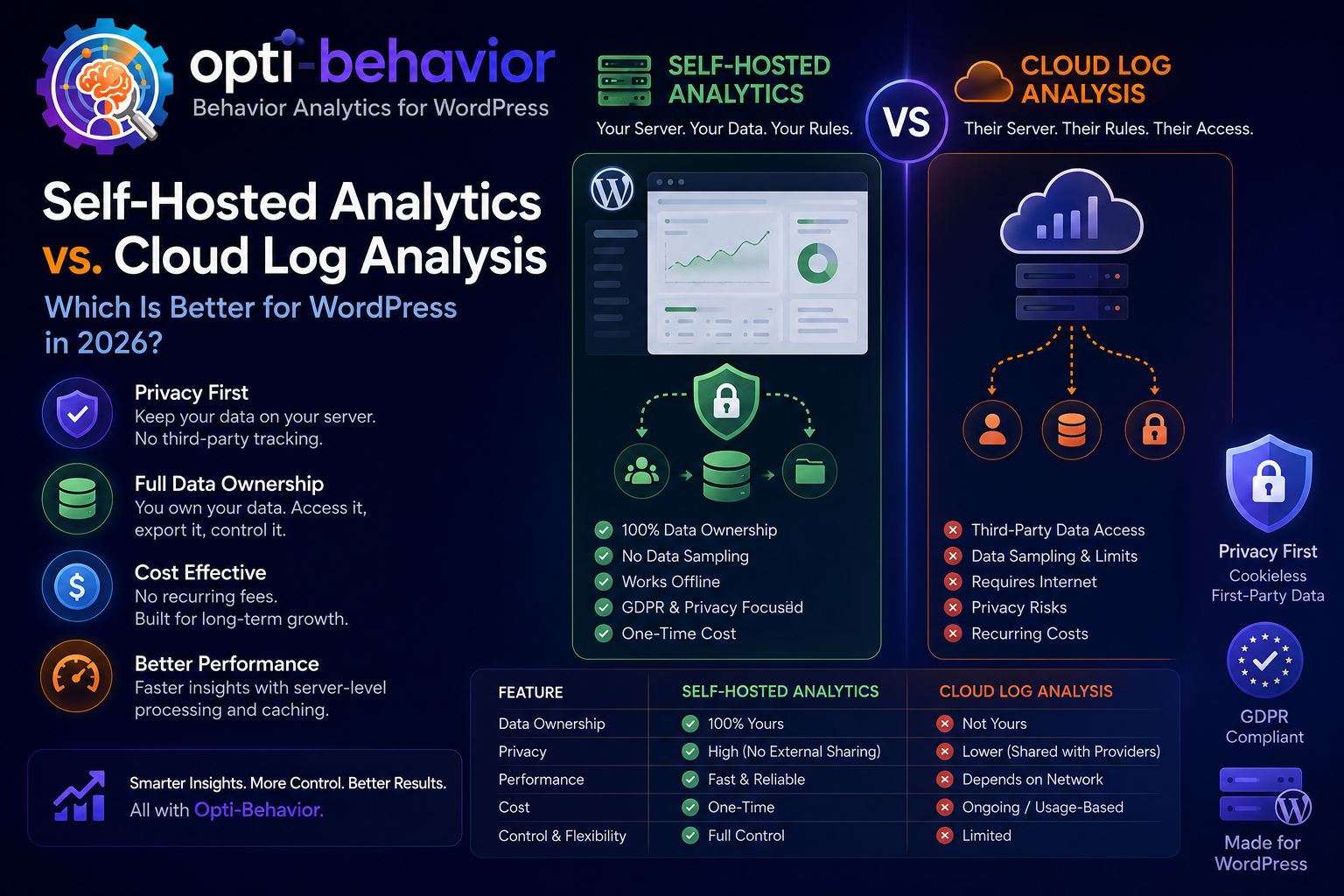
Cloud analytics and managed log platforms are convenient, but they often move visitor behavior, click paths, recordings, and technical events into infrastructure you do not control. Self-hosted analytics keeps the evidence close to your WordPress site, which can simplify ownership, debugging, retention decisions, and privacy reviews. Opti-Behavior gives WordPress teams a practical middle path: behavior analytics, heatmaps, funnels, recordings, form analytics, user journeys, and error tracking running on your own server rather than inside a general-purpose cloud warehouse.
The issue: engineering analytics has become too far away from the website
Modern WordPress teams need more than pageviews. They need to know which templates fail, which calls to action attract clicks, where users abandon a checkout, which JavaScript errors block conversions, and whether a confusing layout creates repeated rage clicks. Traditional web analytics explains traffic acquisition. Server logs explain requests. Managed data warehouses explain historical trends. But conversion work depends on behavior context: the interaction, the page state, the device, and the path that led to the problem.
The difficulty is that many teams solve this by stacking cloud tools. A cloud behavior tool records sessions. A log platform stores application events. A data warehouse receives exports. A product analytics tool tracks funnels. A consent platform gates scripts. Each layer can be useful, but together they create distance between the WordPress site and the evidence needed to improve it. The person editing the page may not have access to the warehouse. The developer fixing a JavaScript error may not see the heatmap. The marketer reviewing a funnel may not know whether bot traffic polluted the numbers.
That distance matters most when a decision is urgent. If a WooCommerce checkout suddenly converts worse, the team needs to know whether the problem is traffic, layout, a broken field, payment confusion, slow interaction, a JavaScript exception, or bot noise. A raw log can show requests, but not hesitation. A warehouse can show a trend, but not the exact element that caused repeated clicks. A cloud replay can show behavior, but it may introduce additional governance and access questions. The practical question is not whether logs, warehouses, or cloud tools are bad. The question is whether they are the right source of truth for WordPress behavior improvement.
Why it happens
The cloud approach became popular because it is easy to start. Paste a script, send events, and use a polished dashboard. Microsoft Clarity, for example, describes itself as a behavior analytics tool with session recordings, heatmaps, and machine learning insights, and its FAQ says it captures interactions such as mouse movements, clicks, and scrolls. Clarity also states that customer data is stored in Microsoft Azure cloud service and that Microsoft/Clarity has access to the data. Those facts may be acceptable for many projects, but they are still architectural decisions that WordPress owners should understand before sending interaction data off-site.
Engineering analytics also grew around managed data warehouses because they centralize information. A warehouse can combine logs, sales, CRM, and marketing data. However, a warehouse is not automatically a behavior analytics system. It may store facts, but it does not replay a session, draw a scroll heatmap, identify a field where people hesitate, or connect a dead click to the exact page element without additional instrumentation and analysis work.
Another reason is organizational habit. Developers trust logs. Marketers trust campaign dashboards. Leadership trusts business intelligence reports. UX teams trust recordings. SEO teams trust Search Console. Each tool is useful, but each answers a different part of the question. WordPress businesses often grow into tool sprawl before they notice that no one owns the complete path from search impression to page visit, scroll depth, CTA click, form interaction, error, and conversion.
Consequences for WordPress teams
The first consequence is fragmented decision making. Product, SEO, development, and marketing each look at a different slice of reality. A page may rank in search, but users may not scroll to the offer. A form may receive traffic, but one required field may create hesitation. A checkout may load quickly on average, but a JavaScript error on one browser may block a subset of buyers. If the evidence sits in five different systems, simple fixes become meetings instead of actions.
The second consequence is retention and access complexity. Microsoft Clarity documentation says recordings are retained for 30 days, favorited or labeled sessions for up to 13 months, and heatmaps for 13 months. That can be generous for a free cloud tool, but it also means the retention model is defined by the service. With self-hosted analytics, retention becomes a site-owner decision. You can keep less, purge faster, or align storage with your own internal policy.
The third consequence is privacy review overhead. CNIL explains that under the ePrivacy framework, users must be informed and give consent before the deposit or reading of certain trackers, while some trackers are exempt. Microsoft Clarity consent documentation also says that from October 31, 2025, Clarity began enforcing valid consent signal requirements for page visits from the EEA, UK, and Switzerland, and that features depending on cookies, including recordings and funnels, might be limited without consent. This is not legal advice, but it illustrates the operational burden: cloud behavior tracking often requires careful consent signaling, cookie classification, and documentation.
The fourth consequence is slower learning. Every export, integration, warehouse model, and dashboard delay adds time between a visitor problem and a page improvement. On small WordPress teams, the winning tool is often the one that lets the same person identify a problem, open the relevant page, change the layout, and check behavior again. Analytics that lives near the WordPress editor can shorten that loop.
Old and common solutions
| Approach | What it does well | Where it struggles |
|---|---|---|
| Server log analysis | Shows requests, status codes, user agents, and crawl activity. | Does not show clicks, scroll depth, form hesitation, or visual confusion. |
| Cloud behavior analytics | Fast setup, session replay, heatmaps, and polished dashboards. | Moves behavior data to a third-party cloud and may depend on consent/cookie configuration. |
| Managed data warehouse | Centralizes historical business and event data. | Requires engineering work before marketers get page-level behavioral answers. |
| Traditional web analytics | Good for acquisition, campaigns, and top-level metrics. | Often misses the why behind abandonment, rage clicks, and field friction. |
The limitations of old solutions
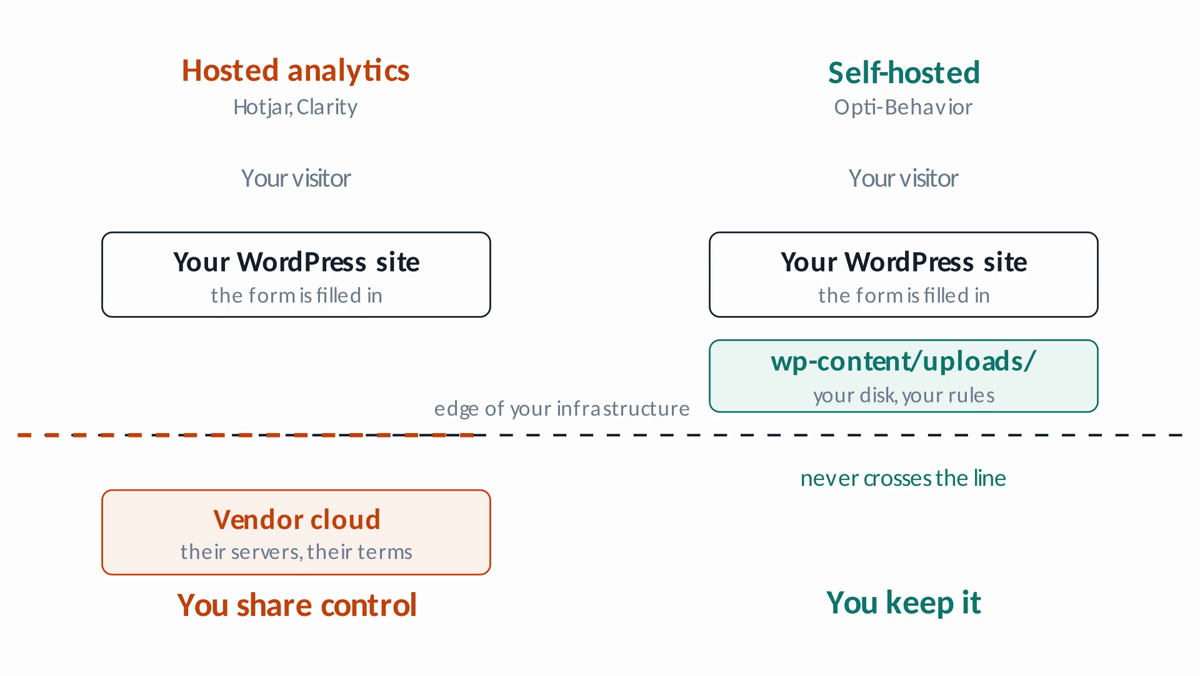
Log files are excellent forensic tools, but they are not user-experience tools. A log can tell you that a URL returned a 200 or 404. It cannot tell you that visitors repeatedly clicked a non-clickable image because it looked like a button. A warehouse can calculate a funnel, but it cannot automatically show a WordPress editor where users stopped scrolling on a specific landing page. A cloud recorder can show behavior, but the data leaves your environment, and the retention and access model belongs to the vendor.
SEO adds another layer. Google’s canonical documentation notes that canonical methods can consolidate signals for duplicate pages and simplify tracking metrics for a piece of content. Google Search Console’s Page indexing report documentation also reminds site owners not to expect every URL to be indexed and to focus on the canonical version of important pages. For WordPress sites with parameters, campaign URLs, paginated archives, and duplicate templates, behavior analytics is more useful when it understands pages the same way the site owner does: by canonical content, intent, and conversion role, not only by raw request strings.
Data warehouse projects can also create a false sense of completeness. A warehouse may contain every event and still be too slow for daily conversion work. The team must define schemas, reconcile identities, normalize URLs, create dashboards, and maintain pipelines. That is sensible for enterprises, but many WordPress owners need practical answers today: which page has broken clicks, which field blocks the lead form, which funnel step loses visitors, and which page has a performance issue.
Opti-Behavior: a self-hosted WordPress-native alternative
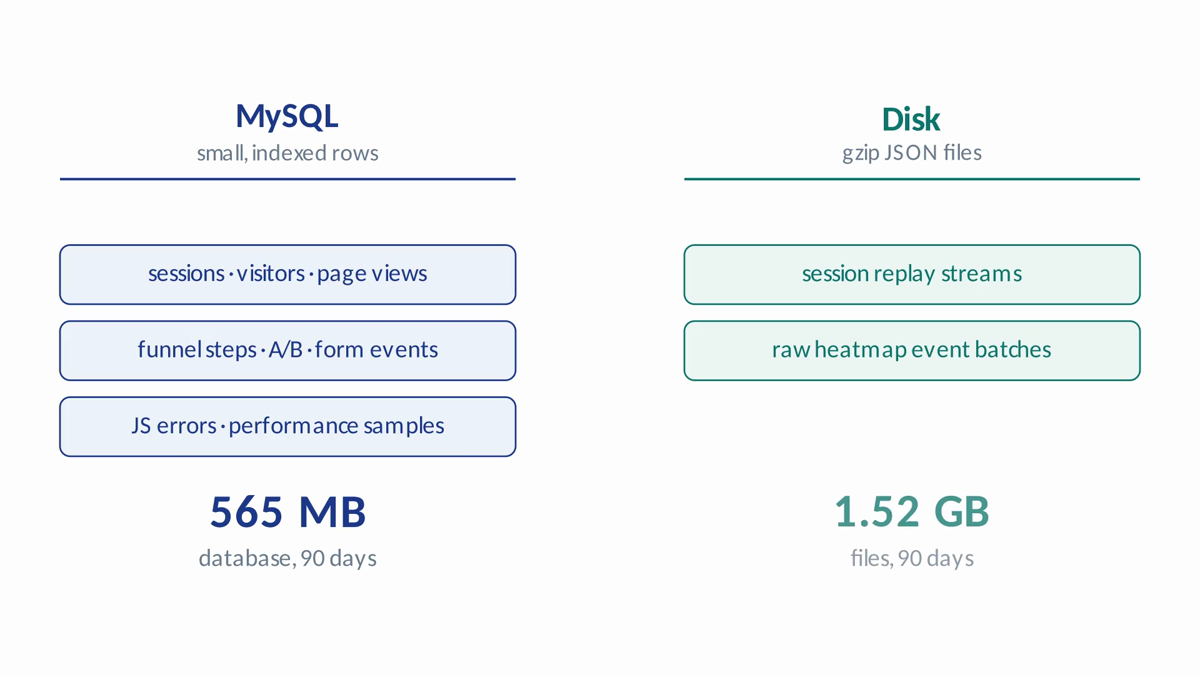
Opti-Behavior is built for the team that wants behavior evidence without turning every interaction into a remote cloud event. The OptiUser product page positions it as open source, self-hosted, privacy-first, ultra-fast, and WordPress-native, with visitor behavior data staying on your own WordPress server. It includes real-time analytics, heatmaps, funnels, A/B testing, recordings, form analytics, user journeys, and error tracking in one plugin ecosystem.
The key difference is not only where the dashboard lives. It is the data model. Opti-Behavior is designed around WordPress pages, posts, funnels, forms, and admin workflows. The heatmap feature page describes click, move, attention, and scroll heatmaps, plus a per-page analytics metabox inside the WordPress editor. The errors feature page describes JavaScript error tracking, friction events such as rage clicks and dead clicks, Core Web Vitals, performance scoring, and broken link detection. The form analytics page describes field-level tracking, drop-off funnels, time per field, error detection, and session replay for form submissions. This is behavior analytics connected directly to the site owner workflow.
Self-hosted also changes the governance conversation. Instead of asking how to export behavior data from a third-party platform, you start with data on your server. Instead of accepting a vendor retention policy by default, you can plan your own retention. Instead of sending every interaction to a general analytics cloud, you can keep conversion evidence close to the site that generated it.
How to compare self-hosted and cloud-based tools
Start with a question: what evidence do you need to make the next conversion improvement? If the answer is only aggregated acquisition reporting, a traditional analytics tool may be enough. If the answer is to watch the path before a checkout bug, identify rage clicks on a product page, or find the field where users hesitate before submitting, you need behavior analytics. Then ask where that behavior data should live, how long it should be retained, who can access it, and whether the tool fits your consent and privacy posture.
For engineering analytics, also compare time to answer. Can a developer find the affected page, browser, stack trace, and session context in one place? Can a marketer open a WordPress page and see scroll depth, clicks, exit behavior, and entry sources without exporting data? Can an SEO review whether important canonical pages are getting engagement rather than only impressions? The more handoffs required, the less likely the insight becomes an improvement.
Practical checklist
- List the decisions you need analytics to support: SEO, conversion, bug fixing, forms, checkout, or content layout.
- Separate server-log questions from behavior questions. Logs show requests; behavior tools show human interaction.
- Review whether visitor interaction data leaves your server, who can access it, and where it is stored.
- Check consent requirements for your audience and region. Do not treat this article as legal advice; involve a qualified privacy professional when needed.
- Define retention before collecting data. Keep only what you can justify and review.
- Map key WordPress pages to canonical URLs so dashboards do not fragment metrics across duplicate paths.
- Prioritize tools that connect errors, recordings, heatmaps, funnels, and forms instead of isolating them.
- Use Opti-Behavior when you want WordPress-native, self-hosted behavioral evidence that remains under your control.
FAQ
Is self-hosted analytics always better than cloud analytics?
No. Cloud tools can be fast to deploy and powerful. Self-hosted analytics is better when data ownership, local control, WordPress integration, retention flexibility, or reduced third-party exposure are priorities.
Does self-hosted mean no privacy obligations?
No. Self-hosted does not remove privacy obligations. It can reduce third-party data sharing, but you still need appropriate notices, configuration, retention rules, and consent decisions for your jurisdiction.
Can log analysis replace heatmaps and recordings?
No. Logs are valuable for technical diagnostics and crawl analysis, but they do not reveal visual attention, click confusion, scroll abandonment, or field hesitation.
Why does WordPress-native matter?
WordPress-native analytics can connect behavior to posts, pages, editors, forms, plugins, and funnels directly inside the admin workflow. That shortens the path from insight to improvement.