SEO Web Analytics: How We Measure What Google Sends Us (Real Numbers, WordPress Guide)

This story is about us.
In September 2026, we sat down with our own website, optiuser.com, and opened Google Search Console for the last three months. Here is what it said: fewer than 100 clicks from Google in three months, and most of our non-brand searches ranked on page two or further.
Page two is where almost nobody looks. And when we looked closer, about 9 out of 10 of our clicks came from people who already typed our name. In other words, Google was barely sending us new people.
We had written many long blog posts. So what was wrong? To find out, we used what people call SEO web analytics: joining what Google knows (searches, positions, clicks) with what our own analytics knows (what those visitors did next). This guide walks you through the exact steps we followed, with our real numbers.
In one sentence: Search Console tells you how people find you on Google. Your site analytics tells you what they do after they arrive. SEO web analytics is putting both halves together, so you know which pages to improve and how.
Contents
- The two halves of SEO web analytics
- Step 1: Read Search Console the right way
- Step 2: See what Google visitors do after they land
- Step 3: Check each landing page from inside the editor
- Step 4: Watch where Google visitors click
- Step 5: Connect SEO to results
- What we changed after this analysis
- A monthly SEO web analytics routine (30 minutes)
- Common mistakes in SEO web analytics
- SEO web analytics FAQ
The two halves of SEO web analytics
| Half | Tool | What it knows | What it does not know |
|---|---|---|---|
| Before the click | Google Search Console | Searches, impressions, clicks, position, click rate | Anything after the visitor lands |
| After the click | Your analytics (Opti-Behavior, GA4…) | Landing pages, engagement, scroll, paths, conversions | Most search terms (Google hides them) |
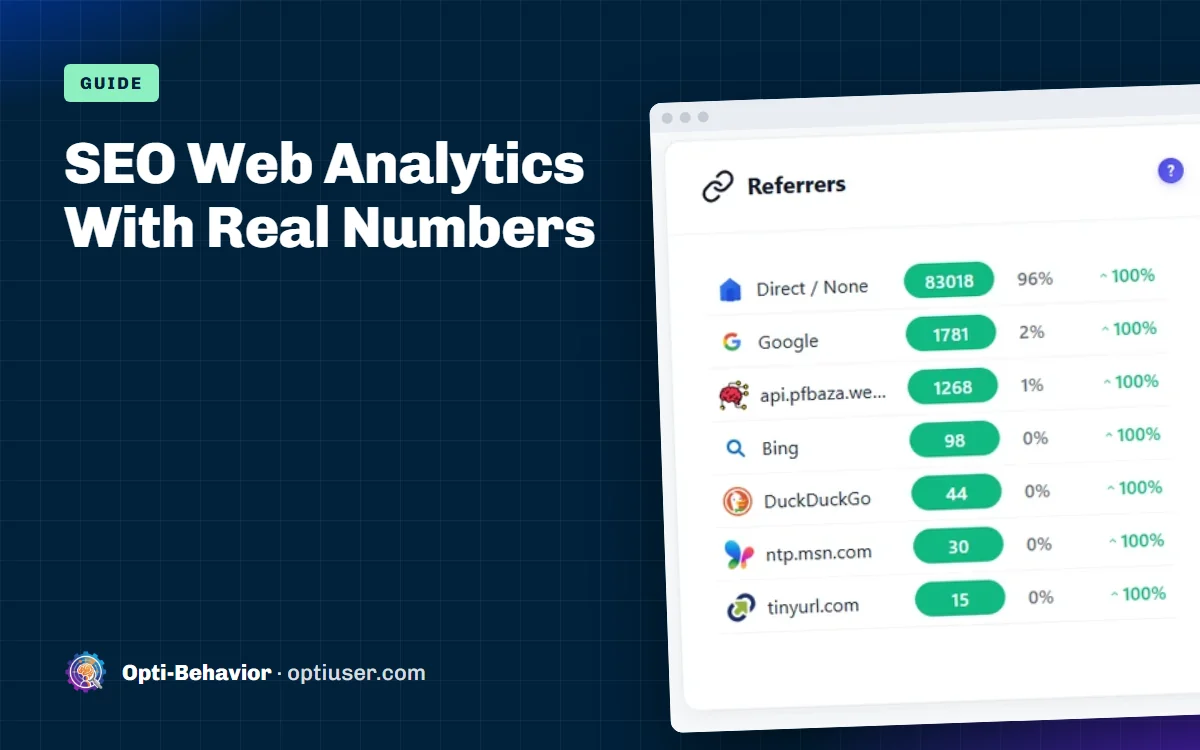
For years now, Google has not passed the search words to your website. So your analytics sees "a visitor from Google", never "a visitor who typed wordpress heatmap plugin". Search Console is the only place with the words. That is why you need both.
Step 1: Read Search Console the right way
Open Search Console > Performance > Search results. Turn on all four metrics: clicks, impressions, click rate and average position. Pick the last 3 months.
Then look at the Queries tab, sorted by impressions. Here is part of what we saw:
| Search | Clicks | Impressions | Position |
|---|---|---|---|
| cookieless tracking | 0 | 447 | 54.6 |
| tracking without cookies | 0 | 344 | 38.6 |
| wordpress heatmap plugin | 4 | 311 | 13.3 |
| wordpress heatmap | 0 | 304 | 16.5 |
| website analytics without cookies | 0 | 208 | 47.9 |
| heatmap for wordpress | 0 | 167 | 18.0 |
| hotjar alternatives | 0 | 128 | 21.2 |
| wordpress session recording | 2 | 64 | 3.2 |
This table told us three stories at once.
Story 1: Page two is the gold mine
"wordpress heatmap plugin" was at position 13. That is the top of page two. A page at position 13 gets almost no clicks. The same page at position 3 can get many. These "almost there" searches are the fastest wins in SEO, because Google already thinks your page is relevant.
How to find yours: filter queries with position between 8 and 20, sorted by impressions. That is your to-do list.
Story 2: Big impressions, far away
"cookieless tracking" had 447 impressions at position 54. Google knew our page existed, but ranked it on page six. For a far-away page, small edits are not enough. The page probably does not answer the search well, or it is not the best page on the web for it yet. That calls for a real rewrite, and usually for links from other sites.
Story 3: Top 3 but few impressions
"wordpress session recording" was at position 3.2, but with only 64 impressions. Being first on a small search is nice but brings little traffic. Good to keep, not where to spend the next week.
Also check: click rate by position
If a page is in position 3 but its click rate is much lower than your other top-3 pages, the title or description is not tempting. That is a 10-minute fix: rewrite the title so it matches the search words and promises a clear answer.
Step 2: See what Google visitors do after they land
Search Console stops at the click. Now open your site analytics and look only at visitors from search.
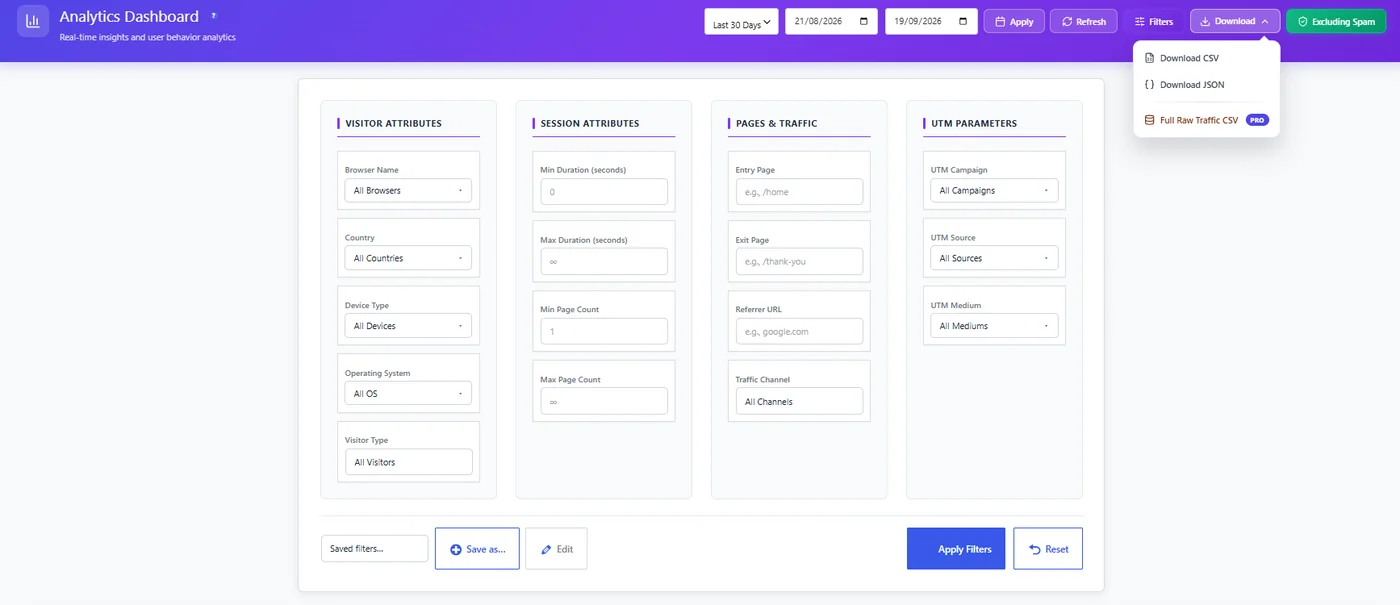
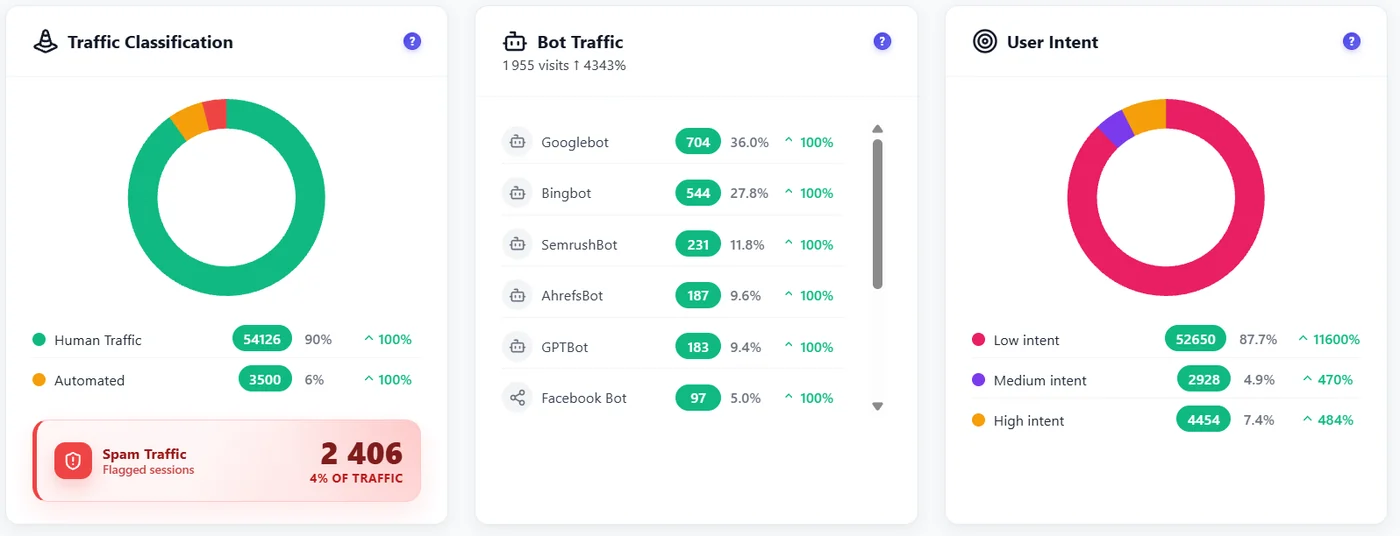
In Opti-Behavior, open Traffic, click Filters, and set the Channel to search, or the Referrer to google.com. Every widget on the page now shows only Google visitors. Save the filter with Save as so you can reuse it everywhere, including heatmaps and funnels.
Then read three things:
- Top entry pages from Google. These are your real SEO front doors, often not the pages you think.
- Scroll and bounce per entry page. High bounce with high scroll means "answered and left", which is fine for a how-to. High bounce with low scroll means the page did not match the search.
- Intent. Opti-Behavior grades each real visit low, medium or high from time, clicks and scroll. If Google visitors on a page are mostly low intent, the search that brings them may not match what you sell.
Step 3: Check each landing page from inside the editor
When you edit a post in WordPress, the Post Analytics box shows that page’s sessions, time, scroll, bounce, and entry sources. If most visitors come from Google, the title and the first paragraph must match what people searched. If they scroll only 20% of a long article, the answer is buried too low.
This is where we found our biggest mistake. Many of our old articles opened with long introductions called "Buyer context" and "Definitions" before giving any answer. Visitors from Google wanted the answer first.
Step 4: Watch where Google visitors click
Open the click heatmap of your top landing page from Google, with the same search filter. It shows what people who came from Google actually clicked: the table of contents, a product link, a screenshot, or nothing at all.
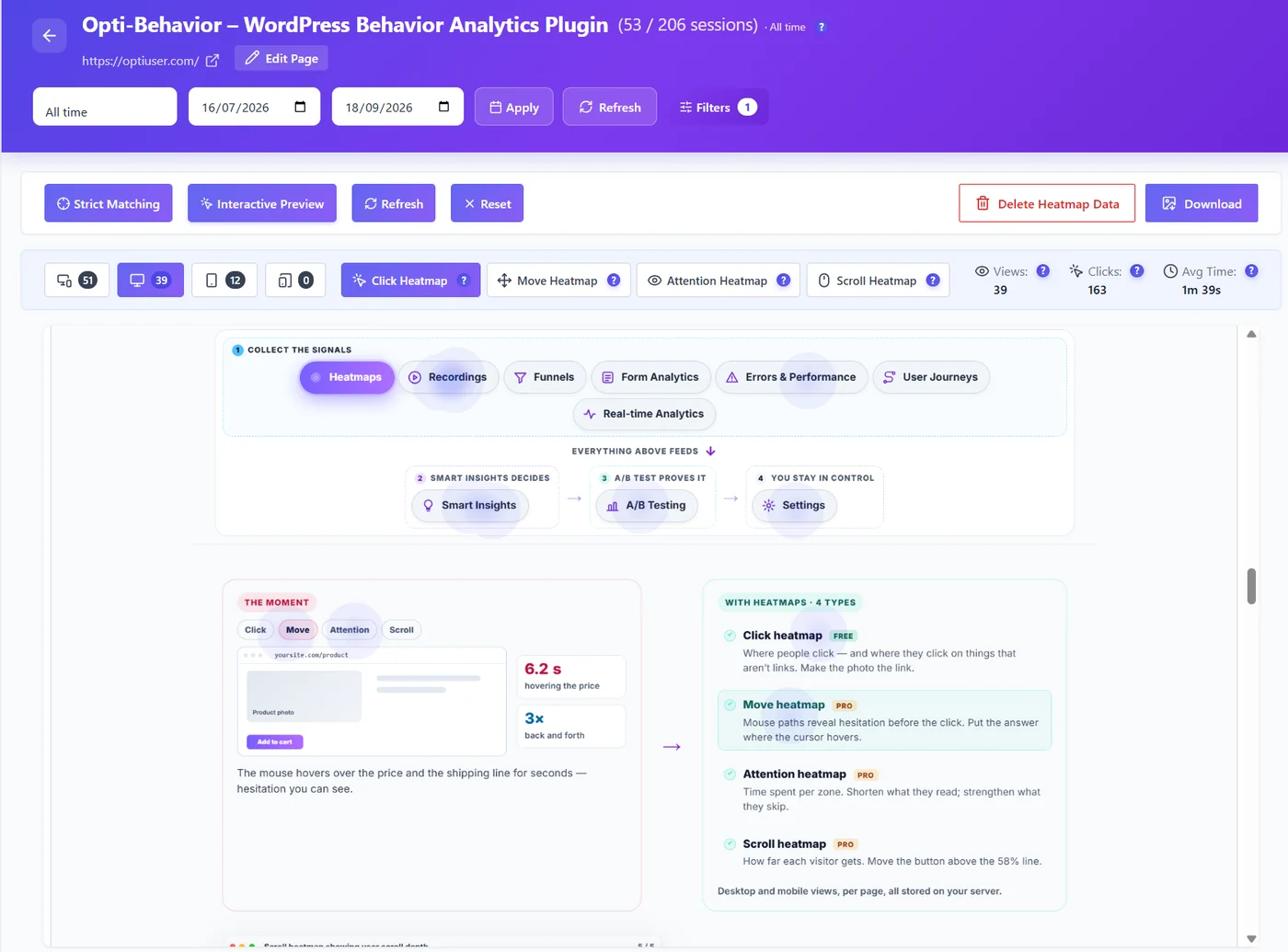
With Pro, you can also watch recordings filtered to visitors from Google. Watching five of them on a page with high bounce is often more useful than an hour of reports.
Step 5: Connect SEO to results
Traffic from Google is only worth something if some of it turns into customers. Create a funnel from your landing page to your goal (a download, a sign-up, a contact form) and filter it to search visitors. Now you know which articles bring people who act, not only people who read.
What we changed after this analysis
Here is exactly what we did, based on these numbers:
| Problem found | What we did |
|---|---|
| Pages stuck at position 11 to 20 | Rewrote them with the answer first, clearer titles, and more useful detail |
| Titles that did not match the search | Put the exact search words at the start of the SEO title |
| Long introductions before the answer | A "Quick answer" box near the top of every article |
| Big searches we had no page for | Wrote new articles, one per search intent (for example this one) |
| Two articles competing for the same search | Merged them and redirected the old address |
| No images in shared links | Added a proper cover to every article |
We also did keyword research with free tools and checked which pages bring traffic to our competitors. That is a story for another article: how to check website traffic, including a competitor’s.
We will update this article with the results after a few months. SEO is slow. The honest truth is that nobody can promise a ranking.
A monthly SEO web analytics routine (30 minutes)
- Search Console, last 3 months: export queries with position 8 to 20. Pick the top 3 by impressions.
- For each of the 3 pages: check the title against the search words. Fix it if needed.
- Your analytics, filtered to search visitors: top entry pages, scroll, bounce and intent.
- One heatmap: your top Google landing page. Is the answer visible without scrolling?
- One funnel: do Google visitors reach your goal?
- Write down what you changed and the date, so you can compare in 4 to 8 weeks.
Common mistakes in SEO web analytics
- Looking only at clicks. Impressions and position show you the opportunities.
- Trusting the average position of the whole site. It mixes your best and worst pages. Look per query and per page.
- Ignoring what happens after the click. A page that ranks well but bores people will drop over time.
- Changing a page and checking the next day. Google needs weeks. Compare 4 to 8 weeks later.
- Counting bots as visitors. Crawlers love SEO pages. Make sure your analytics removes them.
Want to go deeper on the "after the click" half? Read our guide to website traffic analysis.
See what Google visitors do on your site
Opti-Behavior is free on WordPress.org: filter every report to visitors from Google, see their landing pages, scroll, intent and clicks.
SEO web analytics FAQ
What is SEO web analytics?
It is the practice of combining search data (searches, impressions, positions and clicks from Google Search Console) with on-site analytics (what visitors from search do after they land) to decide which pages to improve.
Why doesn’t my analytics show the search keywords?
Google does not pass search terms to websites anymore. Only Google Search Console shows the searches that led to your pages.
Which Search Console queries should I work on first?
Queries where your page ranks between position 8 and 20 with many impressions. Google already finds your page relevant, so small improvements can move it to the first page.
How do I see organic traffic in WordPress?
In an analytics plugin like Opti-Behavior, filter the Traffic page by channel search or referrer google.com. Every widget then shows only visitors from search.
How long does it take to see SEO results after a change?
Usually 4 to 8 weeks, sometimes longer. Write down the date of each change and compare the same period before and after.