Hotjar Alternatives: 8 Tools Compared, Including a Self-Hosted WordPress Option (2026)

The main Hotjar alternatives are Microsoft Clarity (free, cloud), PostHog (product analytics), Mouseflow, Lucky Orange, Crazy Egg, FullStory, Matomo with its heatmap add-on (self-hosted) and, for WordPress sites, Opti-Behavior, a plugin that keeps visitor data on your own server. Hotjar itself is a good tool: it shows heatmaps, records visits and asks visitors questions. So why look elsewhere?
Most of the time it is one of two reasons. The bill grows when traffic grows. The data goes to the vendor’s cloud, so in the EU sites usually ask for consent before it loads.
This guide compares 8 Hotjar alternatives in plain words. We build one of them (Opti-Behavior, a WordPress plugin), so we are not neutral. We list the weak spots of every tool, ours too.
Quick answer: Want free and unlimited? Microsoft Clarity. Want your data on your own WordPress server with no session limits? Opti-Behavior. Want an all-in-one product analytics suite? PostHog. Want heatmaps plus live chat? Lucky Orange.
Contents
Why people leave Hotjar
The price follows your traffic
Hotjar’s plans, including the free one, are sized by monthly sessions: see Hotjar’s pricing page for current tiers and prices. Many site owners just want a flat price.
The data sits in someone else’s cloud
Hotjar is now part of Contentsquare. Visits are processed in their cloud. Under GDPR that usually means a consent banner before Hotjar can load. When people click "Reject", you see nothing.
It does not test changes
Hotjar shows you problems. It does not run A/B tests to check if your fix worked. You need a second tool for that.
The 8 Hotjar alternatives at a glance
| Tool (links to its pricing page) | Best for | Where the data lives | Free option |
|---|---|---|---|
| Opti-Behavior | WordPress and WooCommerce sites | Your own WordPress server | Free plugin; Pro per site |
| Microsoft Clarity | Free heatmaps and replays | Microsoft cloud | Free |
| PostHog | Product teams and SaaS apps | PostHog cloud or self-hosted | See pricing page |
| Mouseflow | Friction scores and form analytics | Mouseflow cloud | See pricing page |
| Lucky Orange | Heatmaps with live chat | Lucky Orange cloud | See pricing page |
| Crazy Egg | Simple heatmaps and quick tests | Crazy Egg cloud | See pricing page |
| FullStory | Large companies | FullStory cloud | See pricing page |
| Matomo + Heatmap add-on | Teams that already run Matomo | Your Matomo server | Matomo free, add-on paid |
Table updated 6 October 2026. Prices and limits change often: each tool name links to the vendor’s own pricing page, check it before you decide.
Each of the Hotjar alternatives, in plain words
1. Opti-Behavior (WordPress plugin, self-hosted)
Opti-Behavior is a WordPress plugin. It stores everything on your own server. No visit data goes to us or to anyone else.
The free version includes click heatmaps, a real-time dashboard, unlimited funnels, A/B testing and Smart Insights, which tells you what to fix first. Pro (from €89 per year for one site, see the pricing page) adds session recordings, scroll and attention heatmaps, form analytics, user journeys, error tracking and rage / dead click detection. Pricing is per site, not per session.
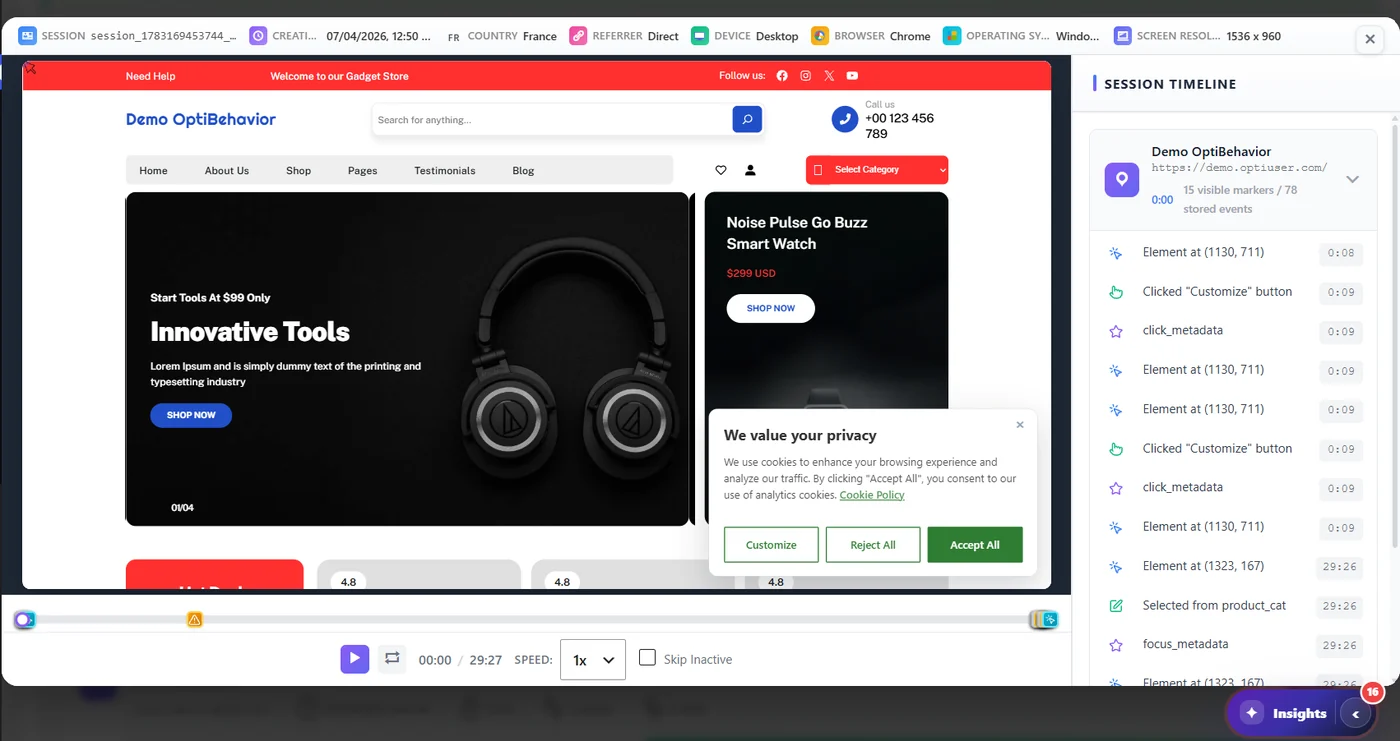
Its default Anonymous Mode sets no cookies (see Anonymous vs Full tracking).
Better than Hotjar at: built-in A/B testing, flat price, data ownership, form analytics. Worse than Hotjar at: surveys and feedback widgets (we do not have them), and it only works on WordPress.
2. Microsoft Clarity
Clarity is free, with no limit on sessions. It has heatmaps, recordings and AI summaries. For price alone, nothing beats it.
The trade-off is control: visit data is processed in Microsoft’s cloud under Microsoft Clarity’s own terms, and by default Clarity sets cookies, so EU sites usually ask for consent first. We wrote a full guide on Clarity and GDPR. If Clarity is on your list too, see our Microsoft Clarity alternatives guide.
Better than Hotjar at: price (free). Worse than Hotjar at: surveys, and control over your data.
3. PostHog
PostHog is a product analytics suite for software teams. It has session replay, feature flags, experiments and surveys. You pay for what you use after a free monthly allowance. It is powerful, but it is built for apps more than for WordPress sites.
Better than Hotjar at: experiments and product analytics. Worse than Hotjar at: it takes more setup and some technical skill.
4. Mouseflow
Mouseflow has four heatmap types, recordings, funnels, form analytics and a "friction score". There is a free plan; see Mouseflow’s pricing page for its current limits.
Better than Hotjar at: form analytics and friction detection. Worse than Hotjar at: surveys. Still priced by sessions.
5. Lucky Orange
Lucky Orange puts heatmaps, recordings, live chat and surveys in one tool. Plans are priced by monthly sessions; see Lucky Orange’s pricing page for current prices.
Better than Hotjar at: live chat in the same tool. Worse than Hotjar at: no survey-first workflow, and still priced by sessions.
6. Crazy Egg
Crazy Egg is one of the oldest heatmap tools. Its "confetti" view colors each click by traffic source. It also has simple A/B tests.
Better than Hotjar at: quick A/B tests and the confetti view. Worse than Hotjar at: fewer feedback tools.
7. FullStory
FullStory is made for big companies. It captures a lot of detail and has strong search. Pricing is on request (see FullStory’s pricing page).
Better than Hotjar at: depth of data for large teams. Worse than Hotjar at: it is built for large teams, not small sites.
8. Matomo with the Heatmap add-on
Matomo is a self-hosted analytics platform. You can buy a heatmap and session recording add-on. You run it on your own server, so the data stays with you, but you also do the updates and backups.
Better than Hotjar at: data ownership. Worse than Hotjar at: setup work, and the add-on costs extra.
How to pick in 30 seconds
- "I just want it free." Microsoft Clarity. Add a consent banner if you are in the EU.
- "My site runs on WordPress and I want my data on my server." Opti-Behavior.
- "I build a software product." PostHog.
- "I want chat and heatmaps together." Lucky Orange.
- "I need surveys most of all." Stay with Hotjar, or look at a survey tool.
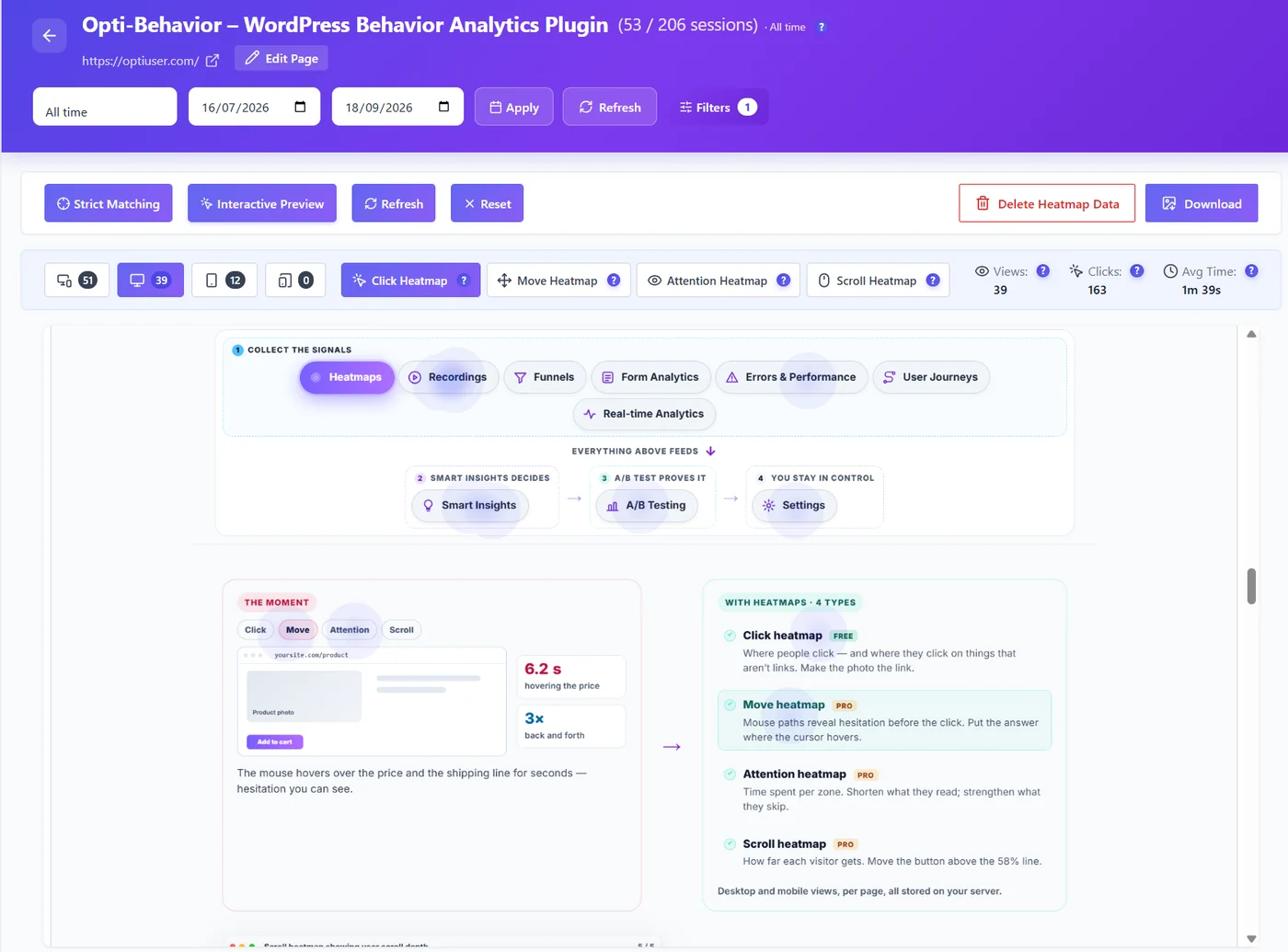
Moving from Hotjar to a WordPress plugin
You do not have to switch in one day. Run both for two weeks and compare.
- Install Opti-Behavior from the WordPress plugin directory.
- Keep Hotjar running for now.
- After a week, open the same page in both tools. Compare the heatmaps.
- When you trust the new data, remove the Hotjar code.
Your old Hotjar recordings stay in Hotjar’s cloud: they cannot be imported into Opti-Behavior. New data starts building on your server from the first day. Our migration guide has the details.
Good to know: If you want a side-by-side table with every feature, see our page Opti-Behavior vs Hotjar.
What to check before you pick one of these Hotjar alternatives
- Session limits. How many visits can it record each month, and what happens after?
- Data location. Your own server, or a cloud in another country?
- Surveys. If you rely on Hotjar surveys today, check that the new tool has them, or plan a separate survey tool.
- Testing. Can you run an A/B test to prove your fix worked?
- Platform. Some tools work on any site, others only on WordPress or only on apps.
Hotjar alternatives: the bottom line
The best Hotjar alternatives each fix one pain: price, privacy, testing or chat. Write down why you want to leave Hotjar, then pick the tool that fixes that one reason. Run it next to Hotjar for two weeks before you switch. Before you install anything, our free website heatmap generator simulates a heatmap of any page from its layout (it is not visitor data).
Try the self-hosted Hotjar alternative
Opti-Behavior is free on WordPress.org. Data on your own server, per-site pricing for Pro, and A/B testing built in.
Choosing a tool? See our WordPress heatmap plugin comparison of 8 options.
Hotjar alternatives FAQ
What is the best free Hotjar alternative?
Microsoft Clarity is the best free cloud option, with no session limit. If you use WordPress and want your data on your own server, Opti-Behavior’s free plugin includes click heatmaps, funnels and A/B tests.
Is there an open-source or self-hosted Hotjar alternative?
Yes. Matomo (with its paid heatmap add-on) and PostHog can be self-hosted. For WordPress, Opti-Behavior is a plugin that stores everything on your own server with no extra setup.
Which Hotjar alternative works without cookies?
Opti-Behavior’s default Anonymous Mode sets no cookies, and visitor data stays on your own server. Most cloud tools, including Hotjar and Clarity, set cookies by default and usually ask for consent in the EU. Check with your data protection adviser for your own site.
Does Microsoft own Hotjar?
No. Microsoft makes Clarity, a different tool. Hotjar is part of Contentsquare.
Can I keep my old Hotjar data if I switch?
Your old Hotjar recordings stay in Hotjar’s cloud and cannot be imported into Opti-Behavior. New data starts building in the new tool from day one, so it is best to run both for a short time.