
Hannah runs a small physiotherapy practice in Munich. A friend told her about Microsoft Clarity: free heatmaps and recordings of every visit. She installed the WordPress plugin in five minutes and loved it. She could watch patients look for her opening hours and book appointments.
Two weeks later, a patient who works in IT sent her a polite email: "I noticed your site records my mouse movements and sends them to Microsoft before I accept anything. Is that allowed?"
Hannah did not know. This guide is the answer she needed: what Microsoft Clarity GDPR compliance really means, what you must set up if you keep Clarity, and when a different tool is simply easier.
Not legal advice. We make a WordPress analytics plugin that competes with Clarity, so read this knowing that. We stick to facts from Clarity’s own terms and documentation, and we ask you to check the details with a data protection adviser.
Contents
What Microsoft Clarity collects
Clarity adds a script to your pages. For each visit it records:
- Clicks, scrolls, mouse movements and taps.
- The page structure, so it can rebuild the visit as a replay.
- Technical details: browser, device, screen size, country.
- A cookie ID, so it can link pages of the same visitor.
Everything is sent to Microsoft’s cloud and stored there. Clarity masks sensitive content by default, like what people type in form fields, and you can choose how strict the masking is.
The three GDPR questions about Clarity
1. Who controls the data?
Under GDPR, the controller decides why and how data is used. With most processors, you are the controller and the provider only works for you.
Clarity is different. Microsoft’s Clarity terms say Microsoft uses the data as an independent controller for some purposes, including improving its services and, per its terms, advertising purposes. In other words, you are not the only one deciding what happens to your visitors’ behavior data.
For a hobby blog, that may be acceptable. For a health practice like Hannah’s, a law firm, a bank or a public service, it is a serious question to ask your adviser.
2. Do you need consent?
Clarity sets cookies and collects data about behavior, linked to an online identifier. In the EU and UK, that usually requires consent before the script runs. Microsoft also asks sites with visitors from the European Economic Area, the UK and Switzerland to pass a consent signal to Clarity.
In practice, that means:
- A cookie banner with a clear "Reject" as easy as "Accept".
- Clarity blocked until the visitor accepts statistics.
- Visitors who refuse are not recorded normally, so your heatmaps show only part of your audience.
3. Where does the data go?
Clarity data is processed in Microsoft’s cloud, which includes servers outside the EU. Since 2023, transfers to US companies certified under the EU-US Data Privacy Framework have a legal basis again, and Microsoft participates. That solved the biggest transfer problem, but not the controller and consent questions above.
Microsoft Clarity GDPR checklist: how to use it the right way
If you keep Clarity, here is the checklist:
| Step | What to do |
|---|---|
| Consent first | Load Clarity only after the visitor accepts statistics cookies |
| Consent signal | Pass the consent status to Clarity, as Microsoft asks for EU visitors |
| Masking | Keep strict masking so form contents and personal text are never recorded |
| Sensitive pages | Exclude account, checkout and health-related pages from recording |
| Privacy policy | Name Microsoft Clarity, what it records, and Microsoft’s role |
| Test | In a private window, check that no Clarity cookie (_clck, _clsk) appears before consent |
The alternative: keep the recordings, drop the cloud
If the controller question or the consent banner is a problem for you, the alternative is a tool where you are the only controller, because the data never leaves your server.
That is what Opti-Behavior does on WordPress. It is self-hosted: heatmaps, funnels, A/B tests and (with Pro) session recordings are stored in your WordPress database and files. Visit data (recordings, heatmaps, events) stays on your server. It is not sent to us.
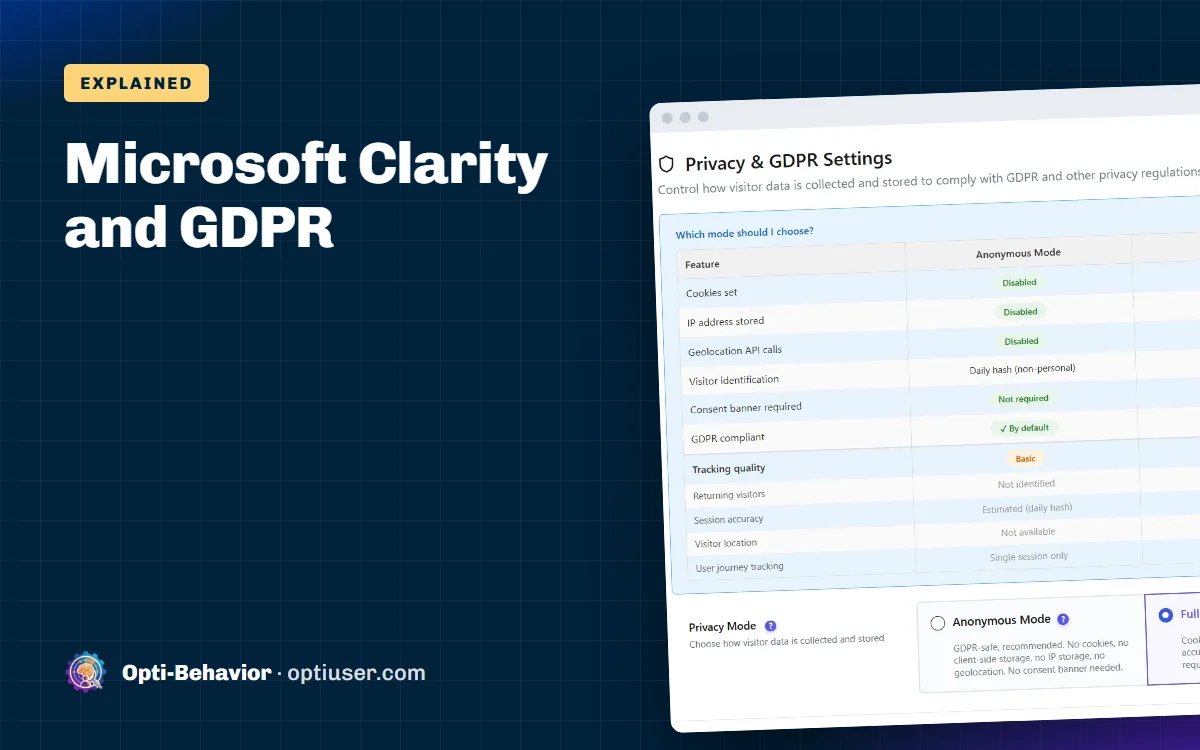
It also gives you two privacy modes:
| Anonymous Mode | Full Tracking | |
|---|---|---|
| Cookies | None | Yes, after consent |
| IP address stored | No | Yes, after consent |
| Consent banner | Ask your adviser | Required |
| Returning visitors | Not recognized across days | Recognized |
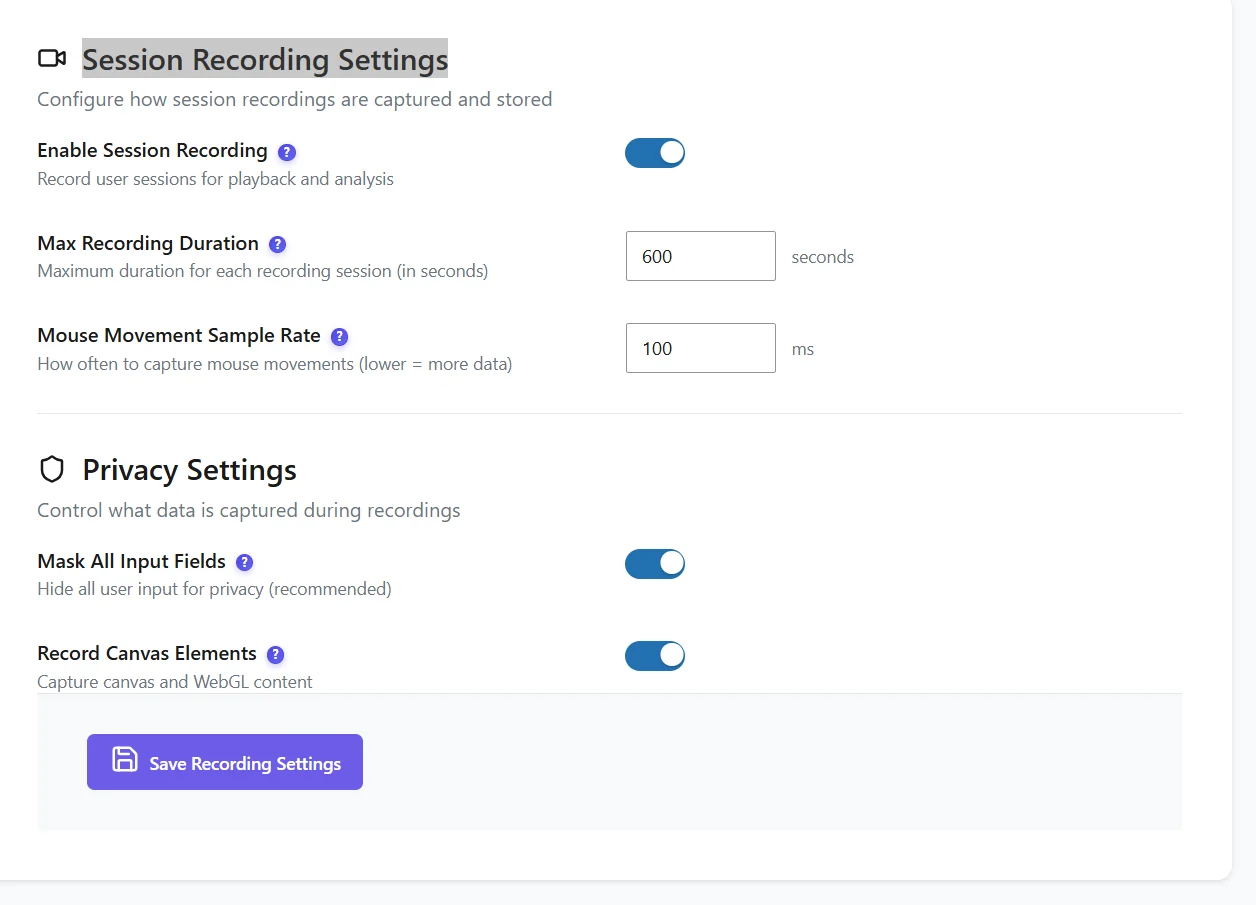
And for recordings (Pro):
- Everything typed in fields is replaced by stars by default. Password fields are always masked.
- Recordings are stored encrypted on your server.
- Files expire after 90 days by default.
- In Full Tracking, recording starts only after the visitor accepts.
If you use Full Tracking, Opti-Behavior follows your consent plugin automatically (Cookiebot, Complianz, CookieYes and five others), or shows its own banner. Until a visitor accepts, the visit is still counted cookie-free.
Clarity vs a self-hosted tool, from a GDPR point of view
| Question | Microsoft Clarity | Self-hosted (Opti-Behavior) |
|---|---|---|
| Who controls the data? | You, and Microsoft for its own purposes | Only you |
| Where is it stored? | Microsoft cloud | Your own server |
| Consent needed in the EU? | Usually yes | Ask your adviser for Anonymous Mode; yes in Full Tracking |
| Visitors who refuse | Not recorded normally | Still counted, without personal data |
| Price | Free | Free, recordings in Pro |
| Works on any website | Yes | WordPress only |
To be fair to Clarity: it is free, unlimited and easy. If your audience is outside the EU, or you already run a proper consent banner and your adviser is fine with Microsoft’s role, it can be a good choice. We compare features in Microsoft Clarity vs Opti-Behavior.
What Hannah did
Hannah talked to her data protection adviser. For a physiotherapy practice, the adviser did not like the idea of patient behavior going to a company that could use it for its own purposes. Hannah removed Clarity and switched to a self-hosted plugin in Anonymous Mode. She kept her click heatmaps and funnels, and turned off recordings on the booking pages.
She wrote back to her patient: "Thank you. Our site no longer sends your visit to anyone, and it sets no tracking cookie." The patient booked his next appointment online.
Get Clarity-style insights with your data at home
Opti-Behavior is free on WordPress.org: heatmaps, funnels and A/B tests on your own server, with a cookieless mode. Pro adds encrypted, masked recordings.
Microsoft Clarity GDPR FAQ
Is Microsoft Clarity GDPR compliant?
It can be used in a GDPR-compliant way if you collect consent before it runs, configure masking and explain it in your privacy policy. Its terms also make Microsoft an independent controller for some purposes, which some businesses and advisers find unacceptable.
Does Microsoft Clarity need a cookie banner?
In the EU and UK, usually yes, because it sets cookies and collects behavior data linked to an identifier. Microsoft also asks sites to send a consent signal for visitors from the EEA, UK and Switzerland.
Where does Microsoft Clarity store data?
In Microsoft’s cloud. Microsoft participates in the EU-US Data Privacy Framework, which gives a legal basis for transfers to the US.
Does Clarity record what people type?
Clarity masks sensitive content such as form inputs by default, and you can choose stricter masking. Always check your settings and test a recording.
What is a GDPR-friendly alternative to Microsoft Clarity for WordPress?
A self-hosted plugin keeps the data on your own server, so you are the only controller. Opti-Behavior can run without cookies in Anonymous Mode, and its Pro recordings are masked and encrypted.