Microsoft Clarity vs Opti-Behavior: Which Analytics Tool Actually Protects Your Data?

You installed Microsoft Clarity because it’s free and promises heatmaps and session recordings with zero effort. But before you rely on it to make business decisions, there is one question you need to answer honestly: do you know what Microsoft does with your visitors’ data?
This guide puts Microsoft Clarity head-to-head against Opti-Behavior, a self-hosted Microsoft Clarity alternative built for WordPress. We cover privacy, features, performance, GDPR questions, and total cost — so you can make an informed decision. For a wider list of tools, see our Microsoft Clarity alternatives guide.
What Is Microsoft Clarity?
Microsoft Clarity is a free behavioural analytics tool launched in 2020. It records user sessions, generates click heatmaps, and shows scroll maps. The pitch is simple: install a JavaScript snippet and gain instant UX insight at no cost.
It sounds like a perfect deal — until you read the fine print.
The Privacy Problem Nobody Talks About
Microsoft Clarity’s privacy policy explicitly states that Microsoft acts as an independent data controller for the data collected on your site. This means:
- Microsoft can use your visitors’ behavioural data for its own purposes, including improving Microsoft products and services.
- Your visitor data is stored on Microsoft’s servers in the United States, triggering GDPR cross-border transfer obligations for EU site owners.
- The data can be associated with Microsoft’s advertising network (Bing Ads, LinkedIn) — meaning your visitors may see ads based on behaviour captured on your website.
- You cannot request deletion of individual records from Clarity’s servers because Microsoft, not you, controls the data.
- Microsoft clarity privacy settings offer no meaningful opt-out for the data Microsoft collects for its own purposes.
To be fair, Clarity does mask sensitive fields by default and offers IP anonymisation. But the fundamental issue — microsoft clarity data sharing with Microsoft’s own business interests — cannot be configured away.
What Is Opti-Behavior?
Opti-Behavior is a self-hosted WordPress analytics plugin that stores every byte of data in your own MySQL database. No third-party servers. No data sharing. No advertising network access. Your data belongs to you — period.
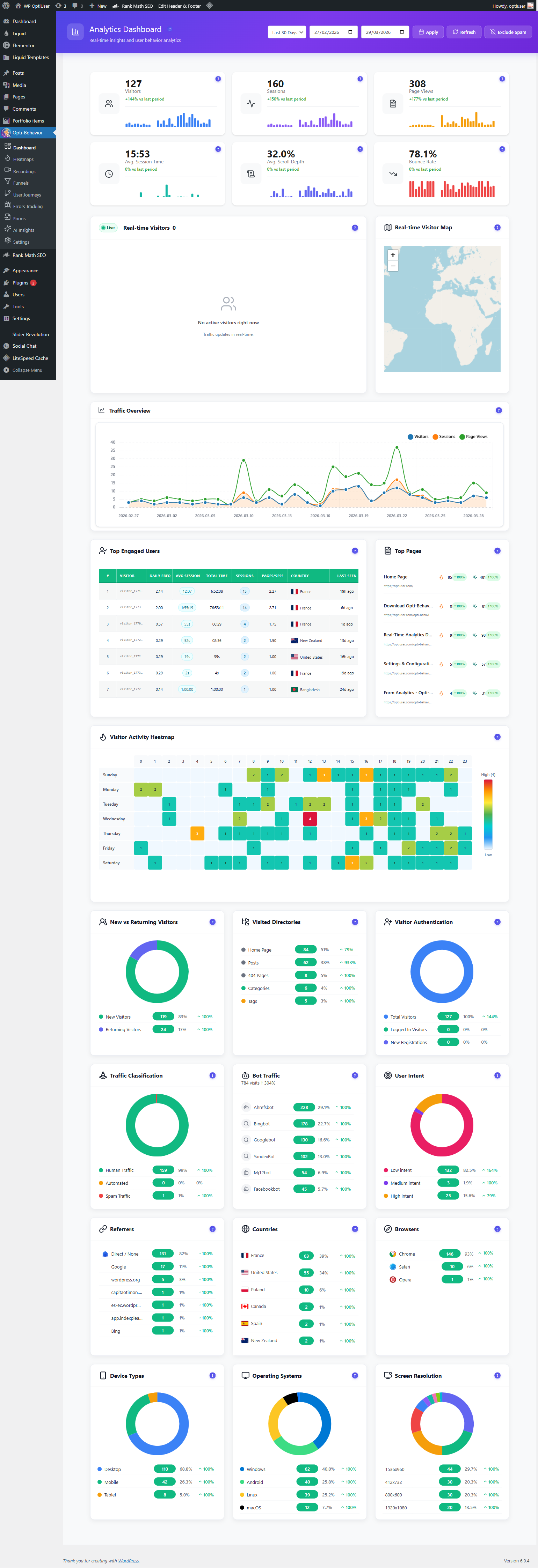
The free version covers real-time analytics, click heatmaps, conversion funnels, session tracking, scheduled email reports, CSV export, and AI-powered insights. The Pro version adds session recordings, error tracking, form analytics, user journey diagrams, rage/dead click detection, and Core Web Vitals monitoring.
Feature-by-Feature Comparison
Let’s compare both tools across the features that matter most to WordPress site owners:
| Feature | Microsoft Clarity | Opti-Behavior (Free) | Opti-Behavior Pro |
|---|---|---|---|
| Data storage location | Microsoft servers (US) | Your server | Your server |
| Data ownership | Microsoft (independent controller) | You | You |
| Session recordings | ✅ Yes | ❌ No | ✅ Unlimited, encrypted |
| Click heatmaps | ✅ Yes | ✅ Yes (desktop + mobile) | ✅ Advanced filtering |
| Scroll heatmaps | ✅ Yes | ❌ No (Pro) | ✅ Yes |
| Conversion funnels | ❌ No | ✅ Yes (multi-step) | ✅ Yes + advanced filters |
| Form analytics | ❌ No | ❌ No | ✅ Field-level (time, errors, refills) |
| Error tracking | ❌ No | ❌ No | ✅ JS, network, Core Web Vitals |
| User journey / Sankey | ❌ No | ❌ No | ✅ Yes |
| Rage & dead click detection | ✅ Yes | ❌ No | ✅ Yes + friction heatmap |
| Bot detection & filtering | Partial | ✅ Configurable | ✅ Configurable |
| Email reports | ❌ No | ✅ Daily/weekly/monthly | ✅ Yes |
| CSV export | ❌ No | ✅ Yes | ✅ Yes |
| AI-powered insights | ❌ No | ✅ Yes | ✅ Yes |
| No cookies / cookieless | ❌ Uses cookies | ✅ Cookieless | ✅ Cookieless |
| Data stays on your own server | ⚠️ No (Microsoft servers, US) | ✅ Yes | ✅ Yes |
| WordPress native | ❌ External SaaS | ✅ Yes | ✅ Yes |
| Multilingual admin | ❌ English only | ✅ EN, FR, DE, ES, PT, IT | ✅ EN, FR, DE, ES, PT, IT |
| Price | Free (you pay with data) | Free | Free trial 6 months, no card |
Privacy Deep Dive: Microsoft Clarity vs Opti-Behavior
Microsoft Clarity’s Data Practices
When you add the Clarity JavaScript snippet to your site, the following happens automatically:
- Every page view, click, scroll, and mouse movement is captured and sent to
clarity.ms— a domain outside your control. - Microsoft processes that data under its own privacy policy, not yours. You are a data processor for your visitors, but you cannot control what Microsoft does as an independent controller.
- Clarity sets first-party cookies (
_clck,_clsk) to track visitors across sessions, which requires cookie consent banners under ePrivacy Directive. - Data is retained by Microsoft for 13 months and may be used across Microsoft’s product ecosystem.
- There is no contractual mechanism to prevent Clarity data sharing with Microsoft’s advertising arm.
This creates real legal exposure: if your site serves EU visitors, you are potentially transferring personal data to a US company without adequate safeguards (Schrems II implications), and you cannot demonstrate full GDPR compliance because you do not control what Microsoft does with the data.
Opti-Behavior’s Privacy Architecture
Opti-Behavior works on a completely different architecture. The ~15KB async tracking script runs in your visitor’s browser and posts data to your own WordPress REST API — the same domain as your website. That data goes into your MySQL database and stays there.
- No cookies: Opti-Behavior uses a Hybrid Storage engine that identifies sessions without setting cookies.
- IP anonymisation: IP addresses are hashed before storage — you never see raw IPs.
- No third-party sharing: Zero data leaves your server. Microsoft, Google, and every other vendor are completely out of the loop.
- No outside processor: Visitor data is not sent to an outside analytics vendor, so there is no analytics vendor to sign a data processing agreement with.
- You own the database: Export, delete, or analyse your data however you like.
Performance Comparison
Microsoft Clarity loads a script from an external CDN (www.clarity.ms/tag/XXXXXXXXX). This means an additional DNS lookup, TCP connection, and TLS handshake for every page load. On a slow connection, Clarity adds 80–150ms to Time to First Byte perception because the browser must wait for the external script before proceeding.
Opti-Behavior’s tracking script is served directly from your WordPress installation. It loads asynchronously and does not block rendering. Because the script origin matches your site, the browser reuses the existing connection — no extra DNS lookup required. On high-traffic days, there is also no Clarity rate-limit throttling your recordings.
Features Clarity Cannot Match
Even if you were comfortable with Clarity’s privacy model, there are entire product categories that Microsoft Clarity simply does not offer:
1. Conversion Funnels
Clarity has no funnel feature. Opti-Behavior’s free plan includes multi-step conversion funnels with device/country filtering and dropout visualisation. You can see exactly which funnel step bleeds the most visitors — without a subscription.
2. Form Analytics
Clarity cannot tell you which form field causes users to abandon. Opti-Behavior Pro’s form analytics tracks time spent per field, error rates, refill rates, and field abandonment — giving you actionable data to fix the exact friction point killing your conversions.
3. Error Tracking & Core Web Vitals
Clarity does not monitor JavaScript errors or network failures. Opti-Behavior Pro captures JS errors, network errors, and all five Core Web Vitals (LCP, FID, CLS, INP, FCP) per real user visit — without sending the data to any external service.
4. User Journey Analytics
Clarity offers a basic “user flow” overview. Opti-Behavior Pro provides a full Sankey diagram of every path visitors take through your site — from entry page through every click to exit or conversion.
5. Scheduled Email Reports
Clarity has no email reporting. Opti-Behavior sends automated daily, weekly, or monthly analytics reports to your inbox — handy for agency clients or site owners who do not log in to the dashboard every day.
6. AI-Powered Insights
Opti-Behavior’s free plan includes AI-powered behavioural insights that surface anomalies and opportunities automatically — Clarity’s equivalent (Copilot) is only available in certain plans and regions.
Who Should Switch to Opti-Behavior?
You should consider making the switch if any of the following apply:
- Your site serves EU visitors and you want visitor data to stay on your own server, with no transfer to an outside analytics vendor.
- You run an e-commerce or lead-gen site and need conversion funnels to diagnose checkout or form drop-off.
- You manage client sites as an agency and cannot expose client visitor data to a third-party advertising company.
- You care about page speed and want analytics that do not add external DNS lookups.
- You need email reports to keep clients or stakeholders informed without manual dashboard exports.
- You want full data portability — CSV export, direct database access, no vendor lock-in.
- You need multilingual support — Opti-Behavior ships in English, French, German, Spanish, Portuguese, and Italian.
How to Migrate from Microsoft Clarity to Opti-Behavior
Migrating takes less than five minutes. Here are the steps:
- Remove the Clarity snippet: Delete the Clarity JavaScript tag from your
<head>(or deactivate the Clarity plugin if you used one). - Install Opti-Behavior: Go to WordPress Admin → Plugins → Add New and search for Opti-Behavior, or download it directly from WordPress.org.
- Activate and configure: The setup wizard walks you through bot filtering, IP anonymisation, and email report preferences in under two minutes.
- Verify tracking: Visit your site in a browser and check the analytics dashboard — real-time visitor counts appear within seconds.
- Enable heatmaps: Navigate to Opti-Behavior → Heatmaps and open your key pages: click heatmaps are recorded automatically (scroll, move and attention heatmaps need Pro). Heatmap data starts accumulating immediately.
- Set up funnels: Go to Opti-Behavior → Funnels and define your conversion path (e.g., product page → cart → checkout → thank-you).
Your historical Clarity data will remain in your Clarity account until Microsoft’s 13-month retention window expires. You cannot export it, but you also do not need to — you are starting fresh with data you actually own.
Verdict: Is Opti-Behavior the Best Microsoft Clarity Alternative?
For WordPress site owners, Opti-Behavior is the strongest self-hosted clarity alternative available today. The free plan beats Clarity on funnels, email reports, CSV export, and cookieless tracking. The Pro plan adds session recordings (on your server), error tracking, form analytics, and user journey diagrams — features that would cost hundreds of dollars per month on tools like Hotjar or FullStory.
Microsoft Clarity is impressive engineering, but the microsoft clarity privacy trade-off is real: you are paying for a “free” tool with your visitors’ data. For a cookieless, self-hosted, fully featured alternative, Opti-Behavior is the clear choice.
Ready to Switch?
Install Opti-Behavior for free today and start collecting behavioural data that stays on your server — no Microsoft account required, no data sharing, no cookies.