
Your contact form gets 500 views a month and 12 messages. Where did the other people go? Normal analytics cannot tell you. It only sees "page viewed" and, sometimes, "form sent".
WordPress form analytics looks inside the form. It watches each field: which ones people fill, which ones they skip, where they stop and leave. It is like a funnel, but for the boxes of your form.
This guide explains what form analytics shows, which form plugins it works with, and how to use it to get more submissions.
In one line: Form analytics tells you which field is the last one people touch before they give up. That field is usually the one to fix.
Contents
What form analytics measures
Here are the numbers that matter, in simple words.
| Metric | What it means | Why it matters |
|---|---|---|
| Views | People who saw the form | Your starting point |
| Starts | People who typed in at least one field | Shows if the form looks easy enough to begin |
| Submissions | People who sent it | Your goal |
| Drop-off per field | Where people stop | Points to the problem field |
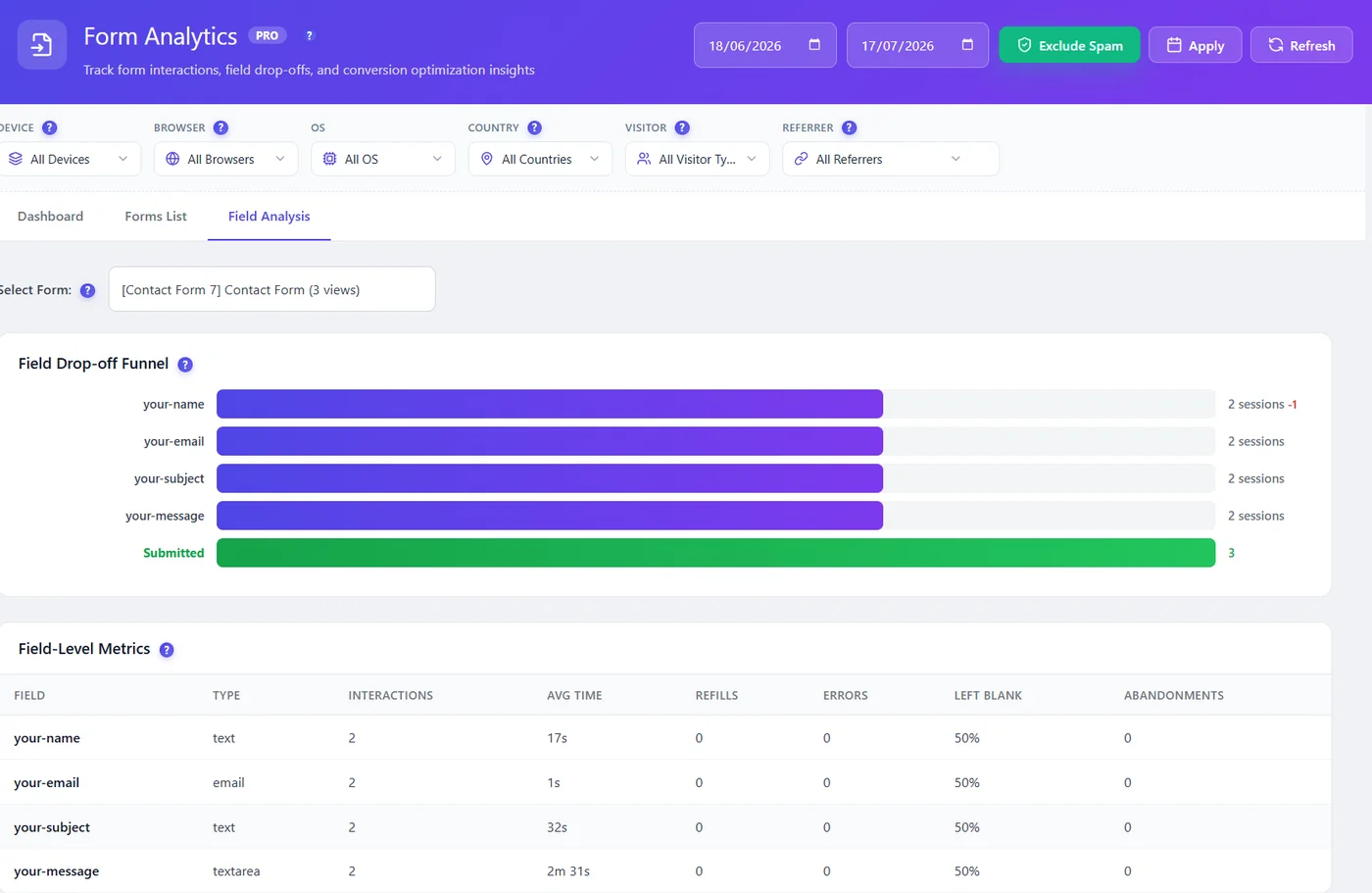
| Time per field | How long people spend on each box | Long time means confusion |
| Refills | How often people clear and re-type | The field is unclear or the format is strict |
| Errors | Validation messages shown | The rules are too strict or badly explained |
| Left blank | Optional fields people skip | Maybe the field is not needed |
Where to see it in WordPress
Opti-Behavior Pro includes form analytics. It finds the forms on your site on its own and starts measuring them. You do not tag fields by hand.
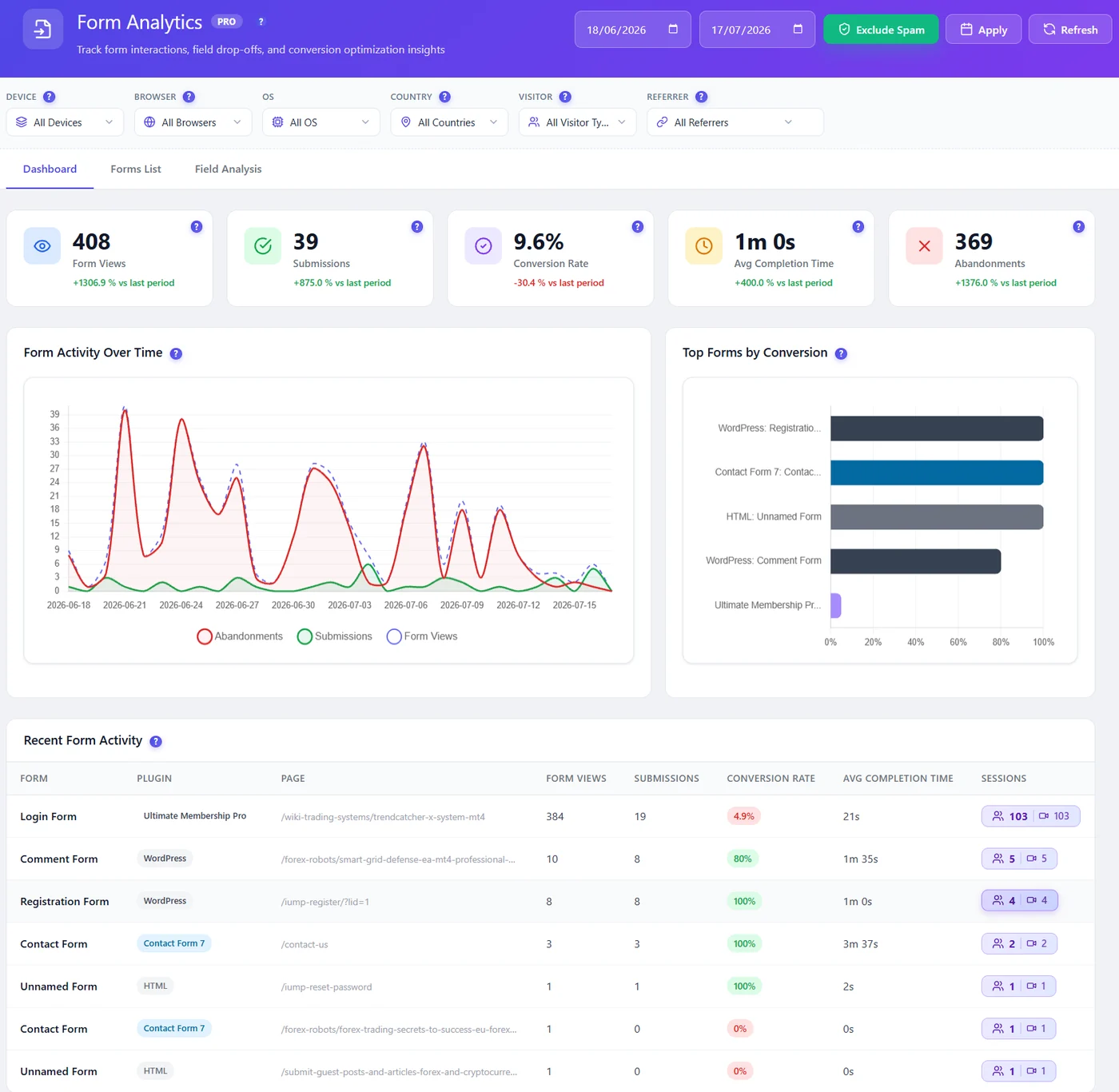
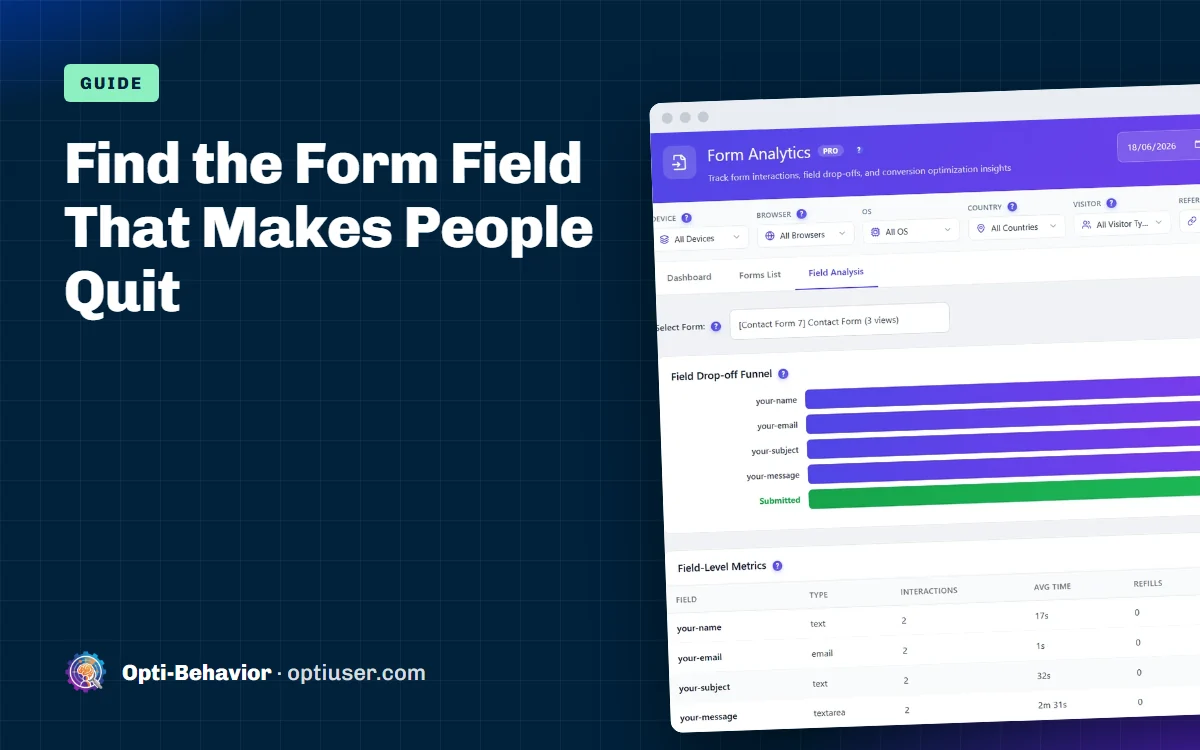
Click a form to open the Field Analysis. You see a drop-off funnel field by field, and a table with time, refills and errors.
Which form plugins are supported?
Opti-Behavior Pro has built-in support for the most used WordPress form builders, including Contact Form 7, WPForms, Gravity Forms, Ninja Forms, Fluent Forms, Formidable Forms, Forminator and Elementor Forms, plus WooCommerce checkout. Plain HTML forms are covered too. The full list is on our integrations page.
6 fixes form analytics often points to
- Phone number field. Many people stop here. Make it optional, or explain why you need it.
- A long message box at the start. Move it to the end. Easy fields first builds momentum.
- Strict formats. Date or phone rules that reject normal input cause refills and errors. Accept more formats.
- Too many fields. Every extra field costs submissions. Remove the ones you never use.
- Unclear labels. Long time on a field often means people do not understand the question.
- Hidden errors. The error message shows at the top of the page, not next to the field. People do not see it and leave.
Watch the moment people quit
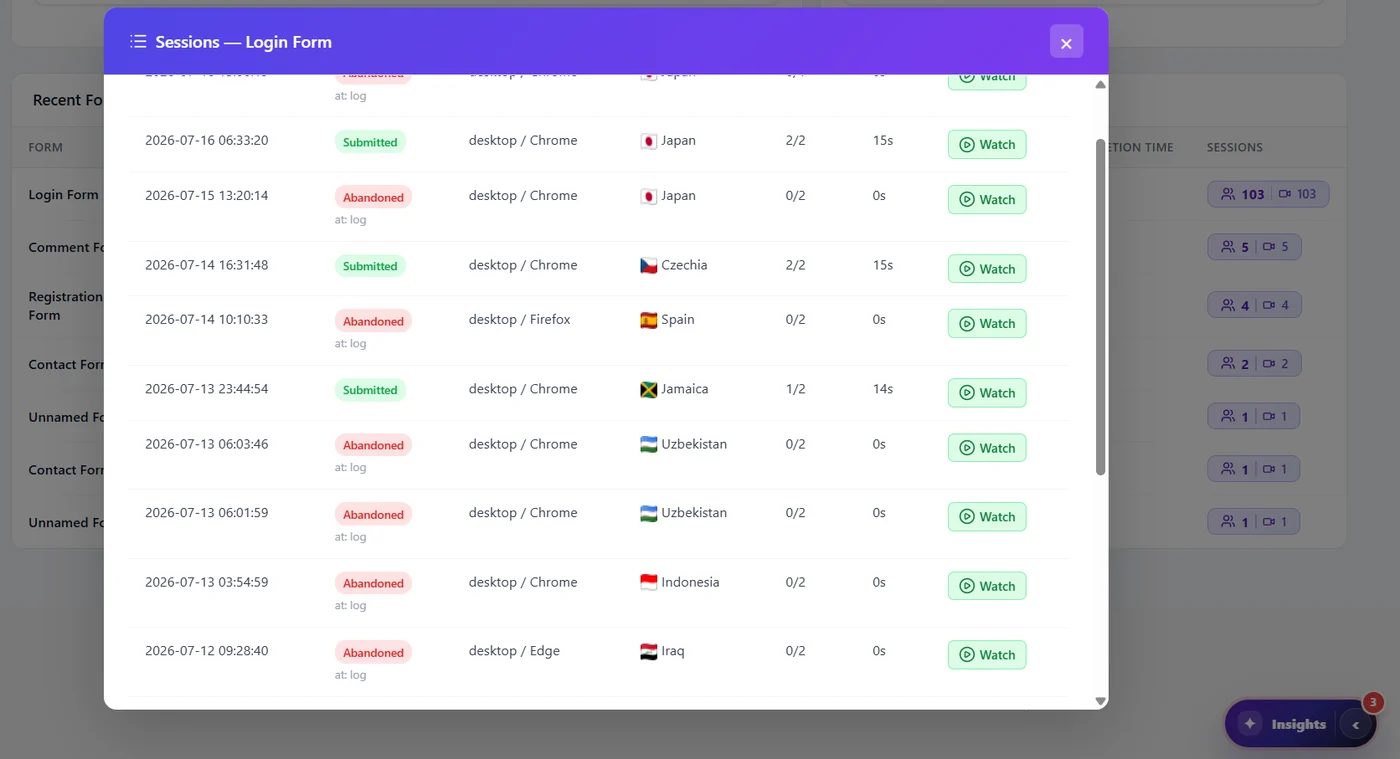
Numbers tell you where. Recordings tell you why. From the form report you can open the session recordings of people who abandoned the form. You see them hesitate, delete, scroll up to re-read, then leave.
Form contents are not stored. Opti-Behavior measures how people interact with fields, not what they type in them. Read more in form analytics and GDPR.
A simple 4-week plan
- Week 1: Let form analytics collect data. Do nothing yet.
- Week 2: Find the field with the biggest drop-off. Watch 5 to 10 recordings of people who left there.
- Week 3: Change that one field. Remove it, make it optional or rewrite the label.
- Week 4: Compare submissions before and after. If you have enough traffic, use an A/B test instead.
For a deeper look at checkout forms, read our guide on WooCommerce checkout abandonment.
Form analytics: the bottom line
Form analytics turns "people do not fill my form" into "people quit on the phone field". That is a problem you can fix in ten minutes. Start with your most important form, fix one field, and measure again.
See where your forms lose people
Start free with heatmaps, funnels and A/B tests. Add form analytics and recordings with Pro.
WordPress form analytics FAQ
What is form analytics?
Form analytics measures how people use each field of a form: which fields they fill, skip or quit on. It shows why a form gets views but few submissions.
Does form analytics work with Contact Form 7 and WPForms?
Yes. Opti-Behavior Pro supports Contact Form 7, WPForms, Gravity Forms, Ninja Forms, Fluent Forms, Formidable, Forminator, Elementor Forms, WooCommerce checkout and plain HTML forms.
Does form analytics record what people type?
No. Opti-Behavior measures interactions like focus, time and errors. It does not store the text people type into fields.
How many forms can I track?
All of them. Forms are detected on their own and there is no limit on forms or submissions.