- Features
Behavior analytics modules
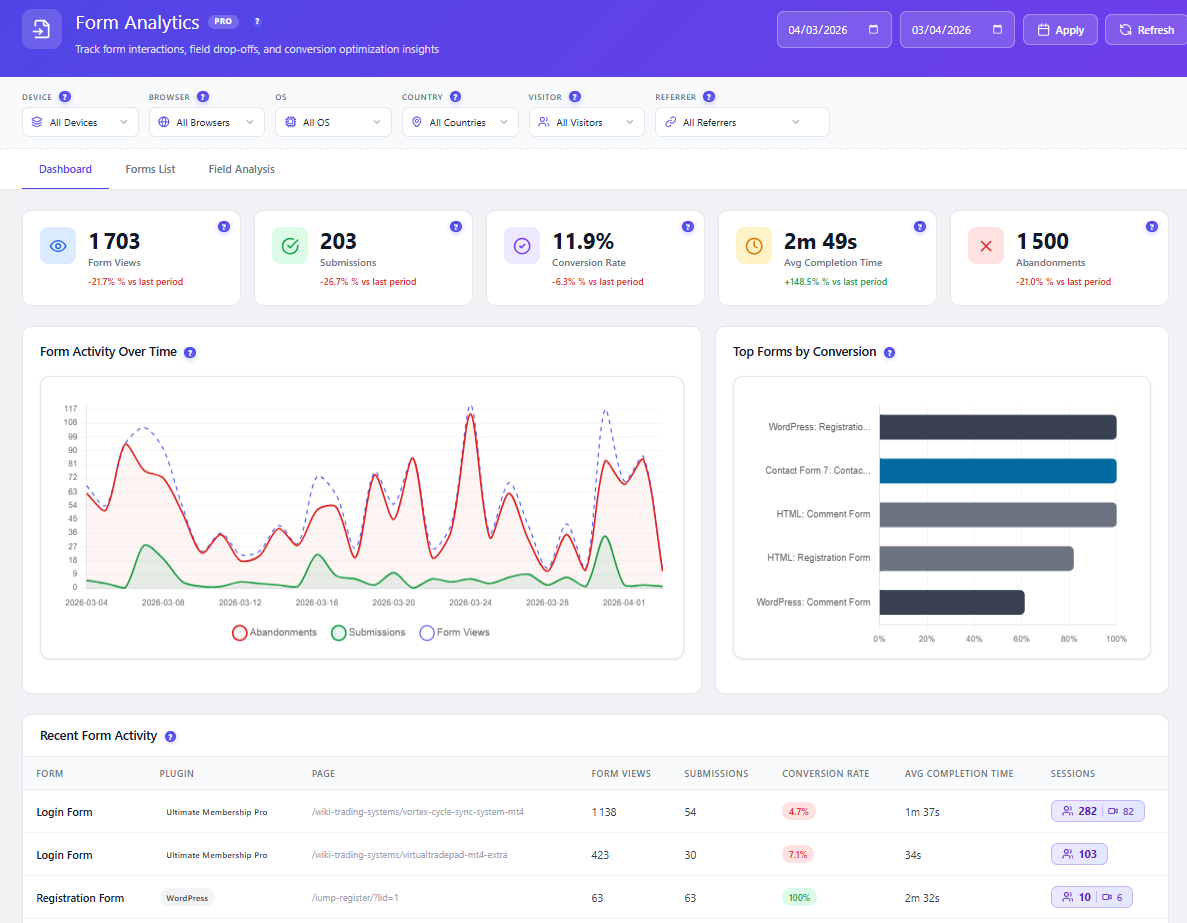
Start with the free plugin; session recordings and advanced heatmaps are in Pro. Data stays on your own WordPress server.Smart InsightsNewScores every friction signal and ranks what to fix firstReportsThe problems found and what to fix firstReal-Time AnalyticsLive visitors, pages and sessions as they happenAI TrafficWhich AIs read your site and the visitors they sendHeatmapsClicks, scroll depth, mouse moves and rage clicksSession RecordingsReplay real sessions to see exactly what breaksConversion FunnelsPinpoint the step where carts and signups drop offShopViews, carts and orders per productForm AnalyticsField-level drop-off, time spent and abandon pointsA/B TestingProve the fix works with real traffic, not guessesUser Journey AnalyticsFollow the full path from landing page to checkoutErrors & PerformanceJavaScript errors and slow pages caught automaticallySet up & compare
Everything you need before and after install.Settings & ConfigurationSampling, privacy controls and data retentionDocs & GuidesInstall, troubleshoot and read every feature guideCompare vs 15 toolsHotjar, Clarity, Matomo, MonsterInsights and moreFree & open source. Runs on your own WordPress server — recordings and heatmaps are stored on your own site.
- SolutionsBuilt for how you run WordPressYour modules collect, Smart Insights finds the problems, the report says what to fix.WooCommerce storesSee where shoppers drop between product, cart, checkout and order.Business sites and blogsFind the button nobody clicks and the page visitors leave without contacting you.Lead generationFollow each step to the thank-you page and see where leads drop off.WordPress agenciesOne plugin on every client site, and a report that shows each client what to fix first.Freelancers and CRO consultantsPages ranked from the one to fix first, so each audit starts on the right page.DevelopersGuides to install, configure and troubleshoot every module.
Self-hosted: recordings and analytics are stored on your own server.
- Pricing
- Free Heatmap Tool
- Founder
- Live DemoNew

Opti-Behavior
made by OptiUser
Mouseflow Alternative for WordPress:
Heatmaps & Recordings, Self-Hosted & Unlimited (Free & Paid Pro, 2026)
Short answer: Mouseflow is a solid cloud behavior suite — heatmaps, session recordings, funnels and form analytics. Opti-Behavior covers these jobs, but self-hosted on your own WordPress server, with no monthly session caps (Free plugin and paid Pro) and one license instead of a per-session subscription.
Mouseflow is a capable, established tool. The trade-off is where your data lives and how you pay for it: every session is stored on Mouseflow's cloud, and paid plans are gated by hard monthly-session limits. Opti-Behavior keeps every click, heatmap and recording on your server, tracks unlimited sessions (Free plugin and paid Pro), and adds built-in A/B testing and CRO Smart Insights — without a per-session bill.
Install Free on WordPress.org
Try Pro Free for 6 MonthsAll of Pro, free for 6 months. Then free up to 1,000 sessions a month.
📈 2000+ active installs
🇫🇷 Made in France
🔒 Self-hosted: behavior data stored on your own server
TL;DR — Which should you pick?
- Pick Mouseflow if you want a mature cloud SaaS with friction scoring and multi-site projects, and you're comfortable storing visitor data on their servers and paying by monthly-session tier.
- Pick Opti-Behavior if you want heatmaps, recordings, funnels and form analytics kept on your own server, with unlimited sessions (Free plugin and paid Pro), and A/B testing included — no per-session fees.
- In short: self-hosted, one license, no per-session fees. If data ownership and predictable cost matter, Opti-Behavior replaces the Mouseflow subscription rather than running beside it.
Behavior Tools, On Your Own Server
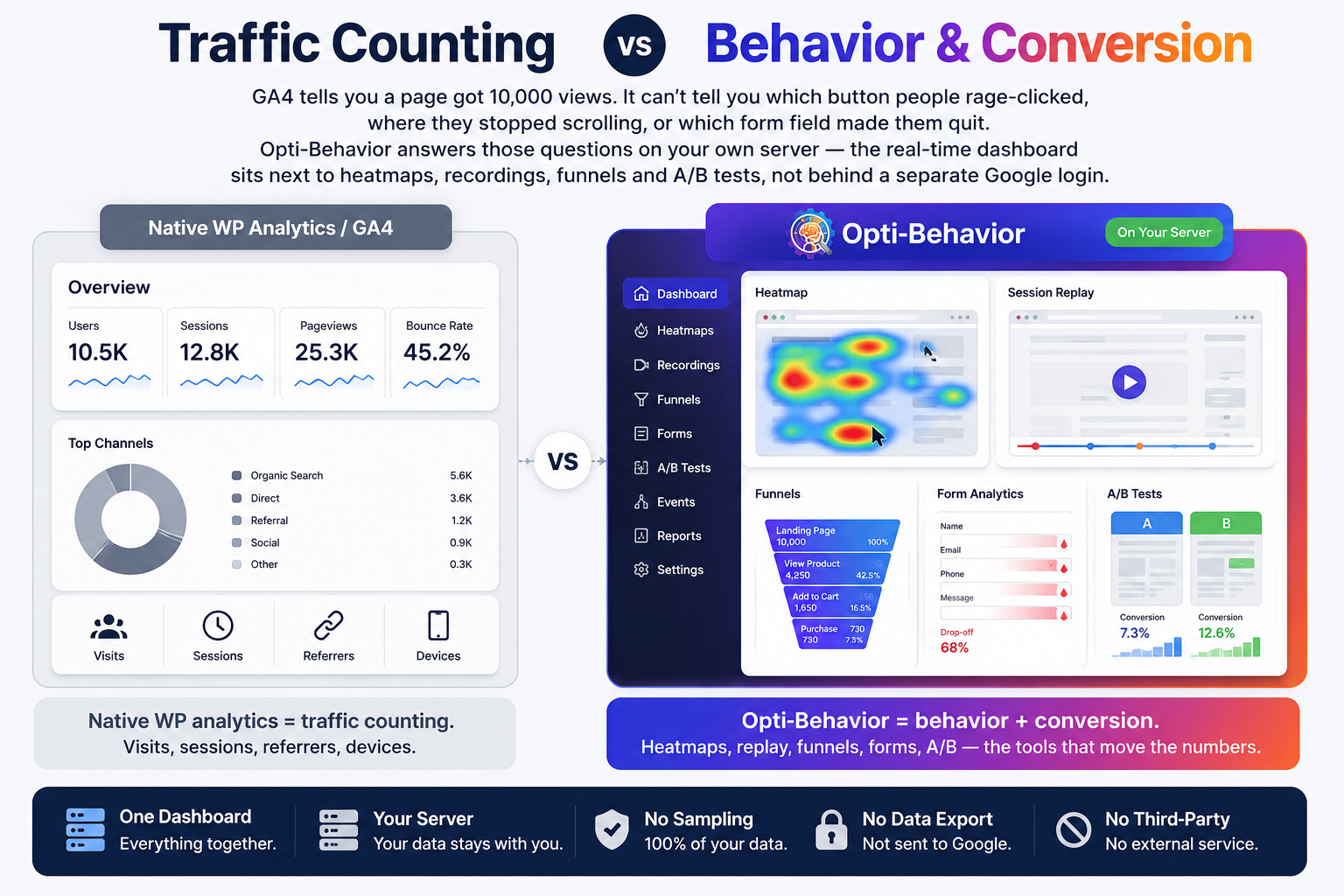
Mouseflow ships every click, scroll and recording to its cloud, then meters you by monthly sessions. Opti-Behavior captures behavior — click heatmaps, session recordings, funnels and form analytics — but stores it in your WordPress database. No third-party cloud, no session counter ticking toward an overage.
- Mouseflow = cloud SaaS. Recordings and heatmaps live on Mouseflow servers, priced by monthly-session tier.
- Opti-Behavior = self-hosted. The behavior layer, stored on your server, with unlimited sessions on the Free plugin and paid Pro.
- One dashboard, one license. No per-session metering, behavior data stored on your own server.
Feature-by-Feature Comparison
Mouseflow and Opti-Behavior cover core behavior tools. The difference is where the data lives, how sessions are limited, and how you pay.
| Feature | ||
|---|---|---|
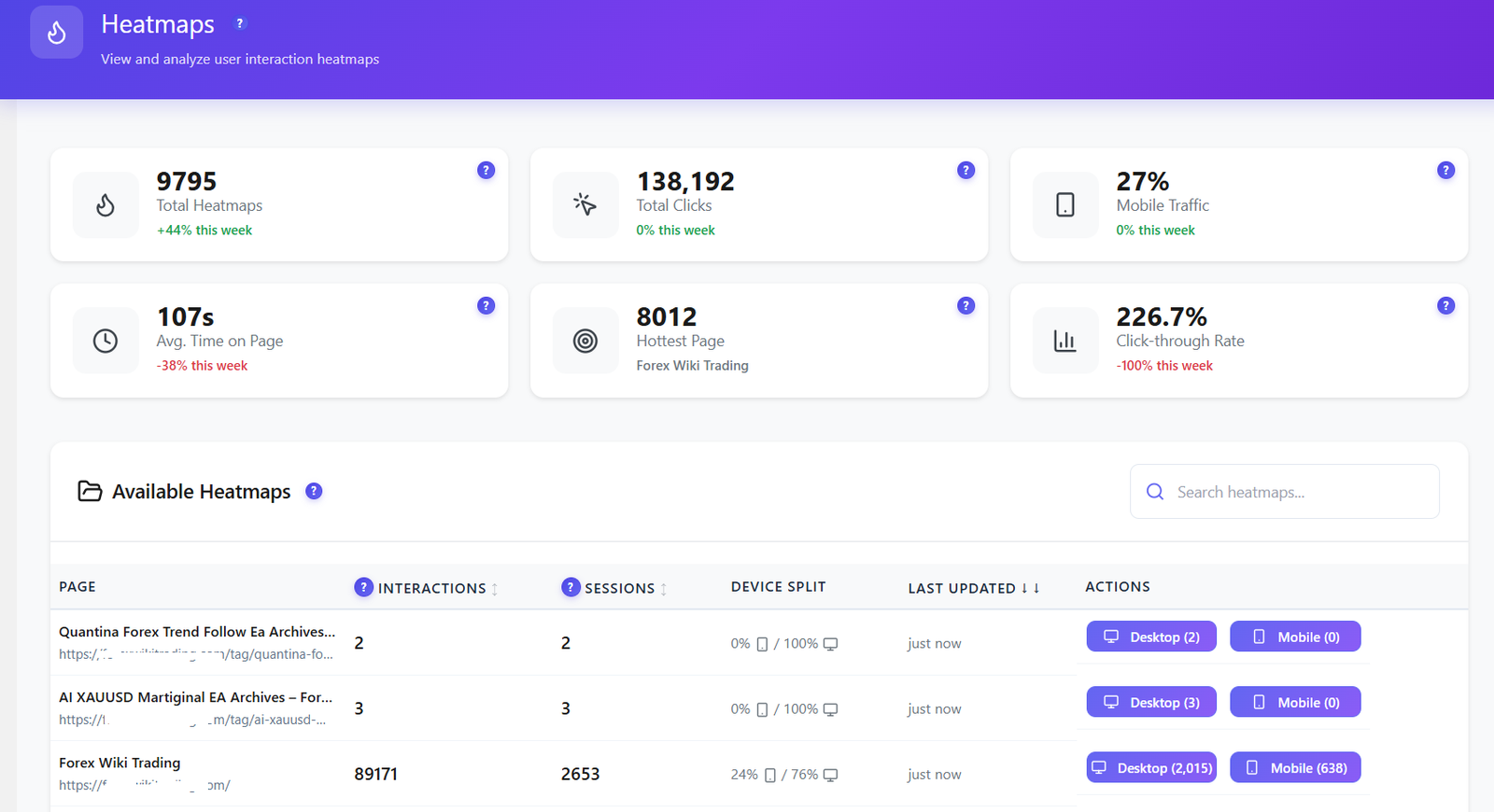
| Click Heatmaps | ✓ Free | ✓ Yes |
| Scroll / Move / Attention Heatmaps | ✓ Pro | ✓ Yes |
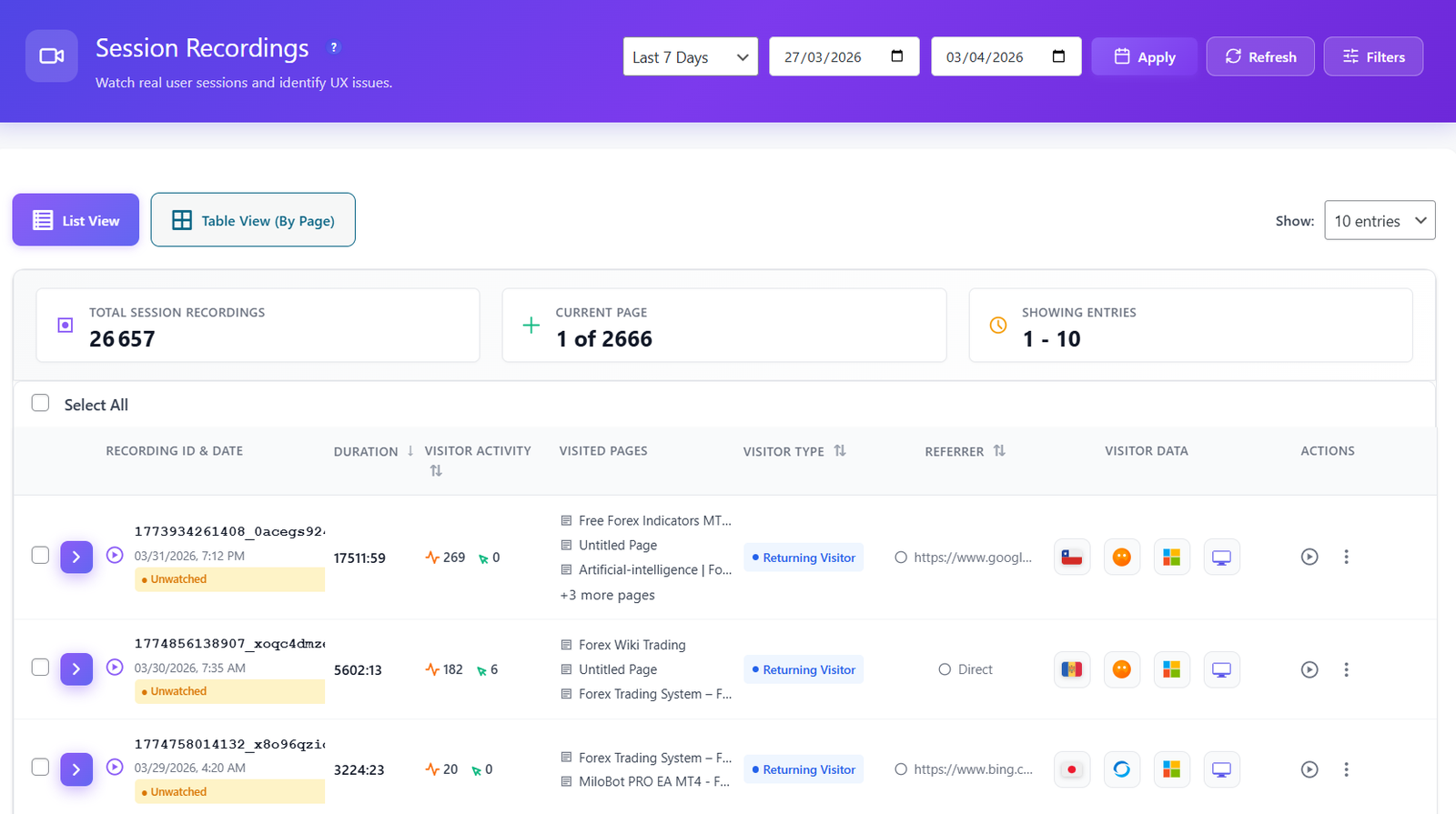
| Session Recordings & Replay | ✓ Pro | ✓ Yes |
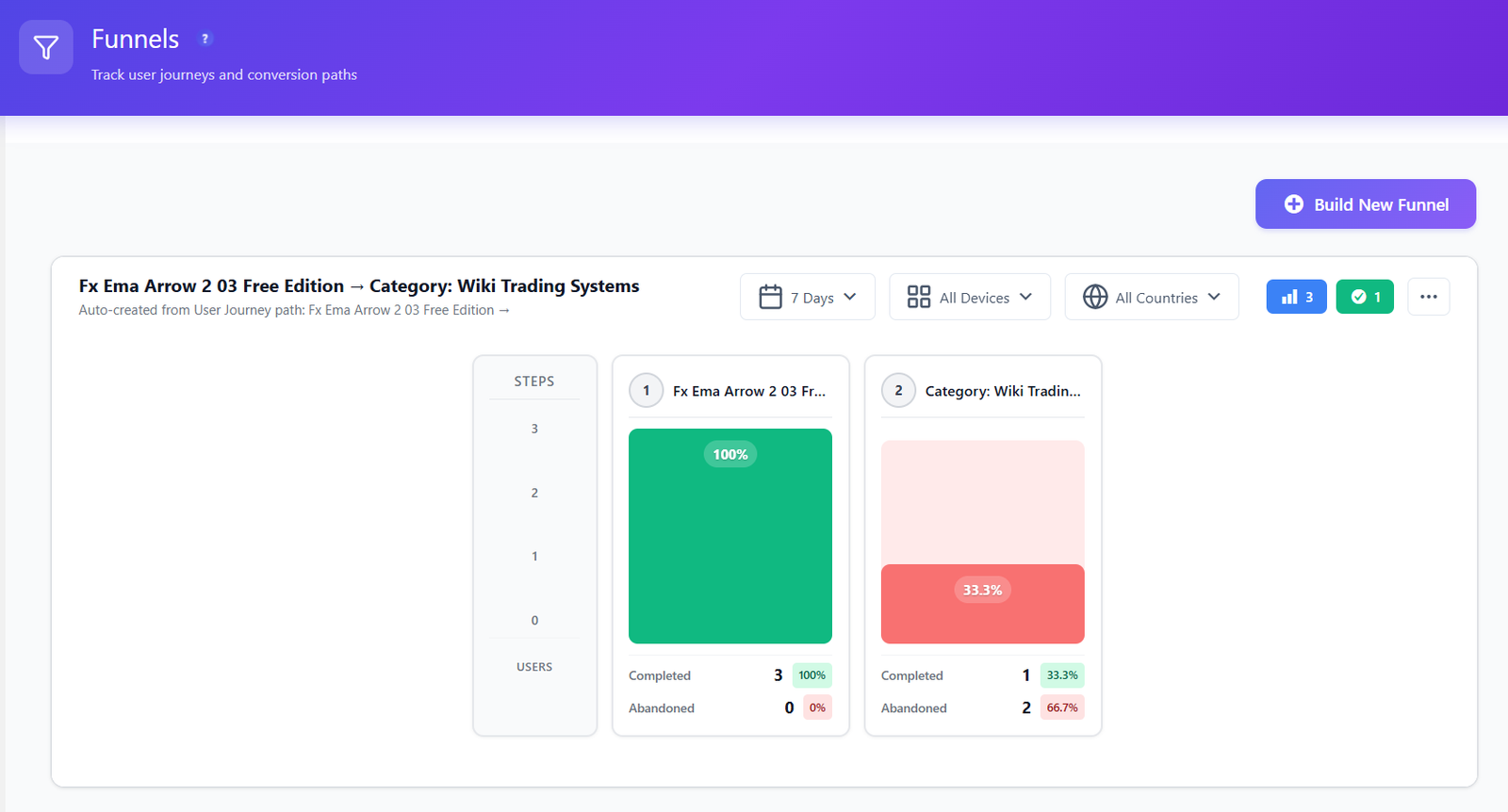
| Conversion Funnels | ✓ Free | ✓ Yes |
| Form Analytics (field drop-off) | ✓ Pro | ✓ Yes |
| User Journeys (Sankey flow) | ✓ Pro | Friction score (not full journey map) |
| A/B Testing (built in) | ✓ Free | Not advertised |
| Smart Insights (CRO recommendations) | ✓ Free | Friction scoring only |
| Self-Hosted Data (you own it) | ✓ Yes. Files in a folder you choose, tables in a separate database (optional). | Cloud-hosted |
| Works Without Cookies | ✓ Yes | See vendor site |
| AI assistants channel (ChatGPT, Gemini, Perplexity…) | ✓ Yes (Free) | Not listed on its public pages (checked 11/11/2026) |
| AI crawlers report (which AI bots read your site) | ✓ Yes (Free) | Not listed on its public pages (checked 11/11/2026) |
| Session Limits | Unlimited (Free plugin and paid Pro). Free Pro: 1,000 sessions a month after 6 months | See vendor site |
| Price | €0 – €89/yr | See vendor site |
Competitor features and pricing change often: check the vendor's own site before deciding.
Replace the per-session bill in minutes
Get heatmaps, recordings, funnels and form analytics on your own server — unlimited sessions (Free plugin and paid Pro), no analytics cloud.
Where Opti-Behavior Wins
Mouseflow captures behavior in its cloud and meters it by session. Opti-Behavior gives you tools on your own server — unlimited (Free plugin and paid Pro), and with A/B testing and CRO guidance built in.


A/B Testing Built In — Free
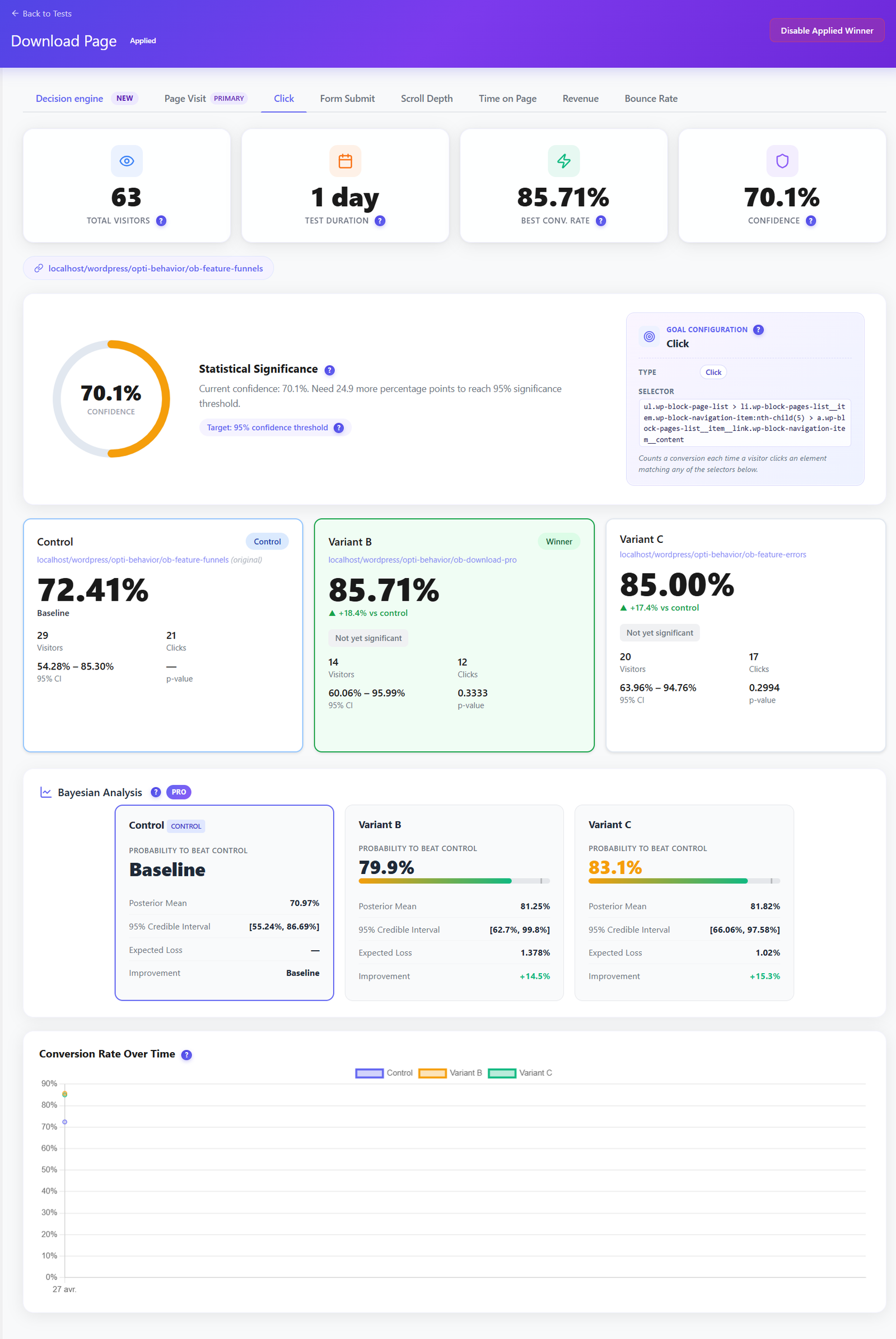
Mouseflow shows you where friction happens; it doesn't let you test a fix. Opti-Behavior does. Run split tests on headlines, buttons and layouts, track conversion goals, and let the built-in decision engine call the winner — no separate A/B tool, no extra subscription.
- Visual split tests on pages and elements, set up without code.
- Conversion-goal tracking so you optimise for signups and sales, not just clicks.
- Included in the free plugin — not a paid add-on.
Smart Insights — CRO Advice, Not Just a Score
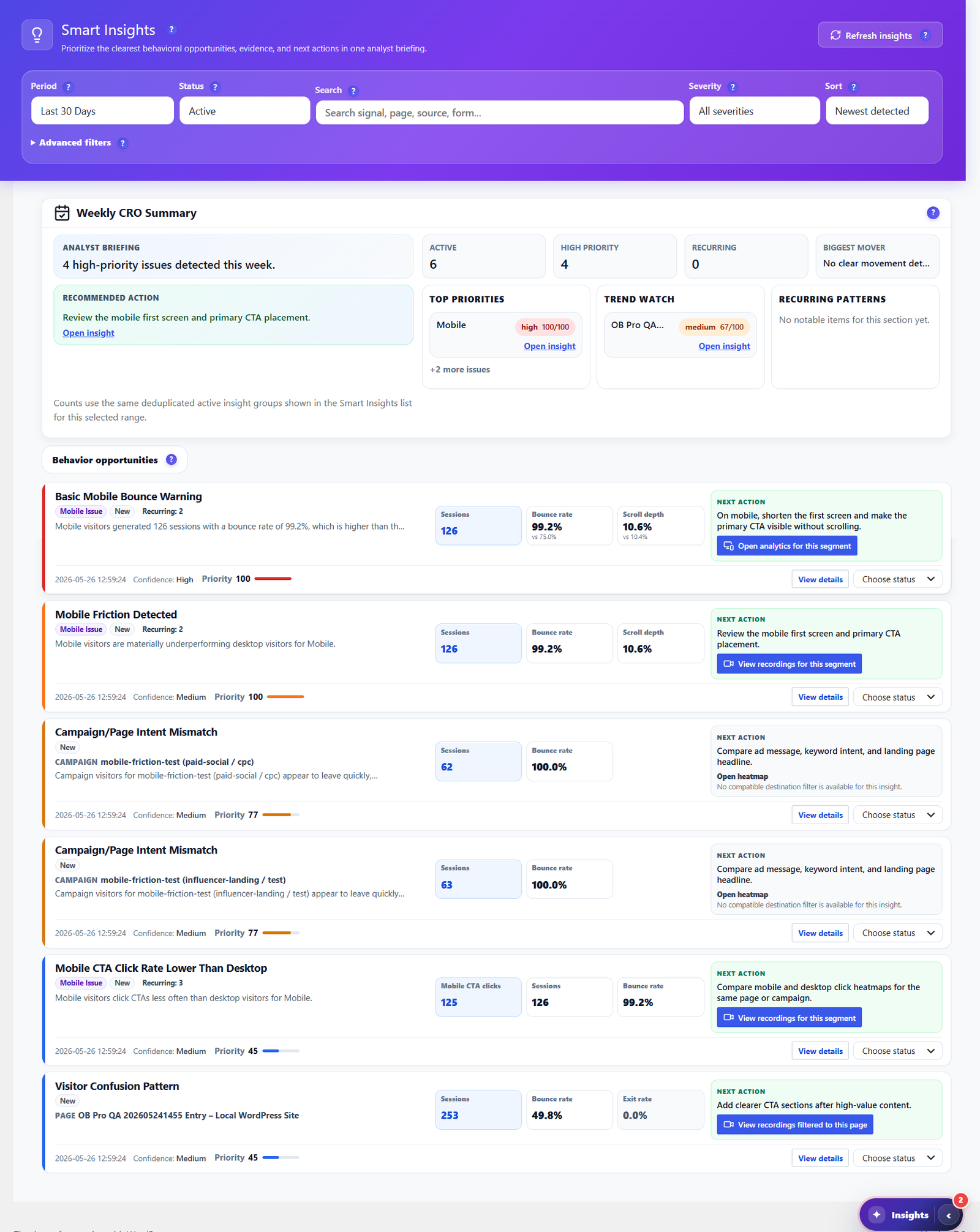
Mouseflow's friction score flags problem pages. Opti-Behavior goes further: Smart Insights reads your own heatmaps, funnels, forms and engagement signals, then lists the problems worth fixing, ranked by the visitors they cost — each item with evidence and a recommended next action. It tells you what to fix next, not just where the friction is.
- Weekly CRO summary (Pro) ranking high-priority issues by impact.
- Behavior-based recommendations for bounce, scroll, exit and mobile friction.
- One click to the evidence — jump straight to the heatmap, funnel or recording behind each insight.
- Insight cards included free. The weekly summary, the per-audience breakdown and cross-source evidence are in Pro.
Unlimited Sessions in Free and Paid Pro
Mouseflow's plans cap monthly sessions by tier (see the vendor site), and you upgrade tier (or pay more) as traffic grows. Paid Opti-Behavior Pro has no session meter: track every visit on every page with a paid license. Your license price is not tied to your traffic.
- No monthly-session caps with paid Pro — record as many sessions as your site gets.
- Predictable price — one plugin license, not a traffic-based subscription.
- Scales with you — a traffic spike never triggers an overage or forced upgrade.
Follow the Whole Journey
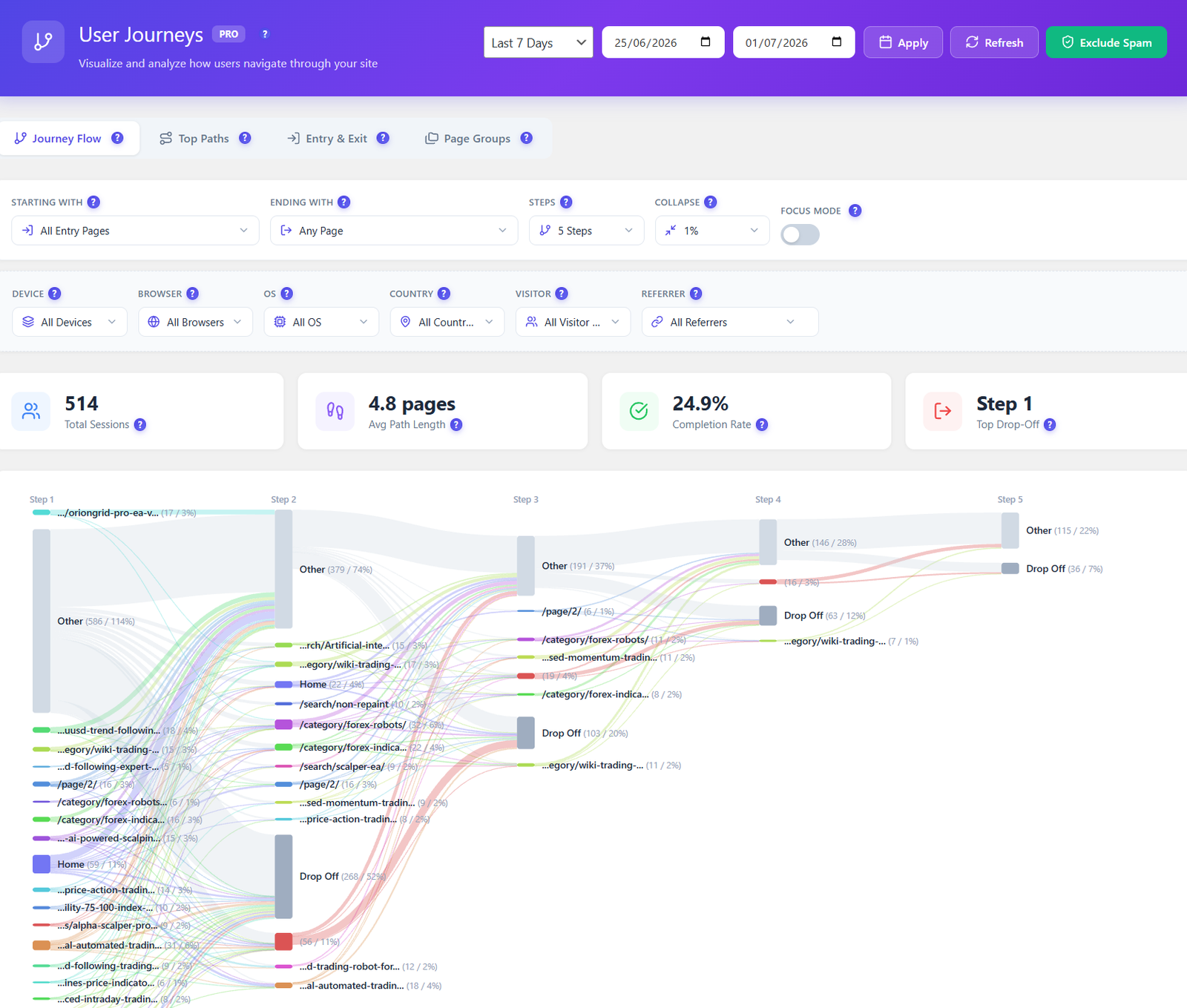
Mouseflow gives you a friction score per page. Opti-Behavior Pro maps every route across your site as a visual Sankey diagram — entry pages, top paths, and the exact steps where visitors drop off — so you fix the leaks that lose conversions, not just spot the symptom.
- Visual journey flow from entry to exit, page by page.
- Drop-off highlighted at each step, not buried in a table.
- Filter by device, country, referrer and visitor type.
Privacy & Data Ownership
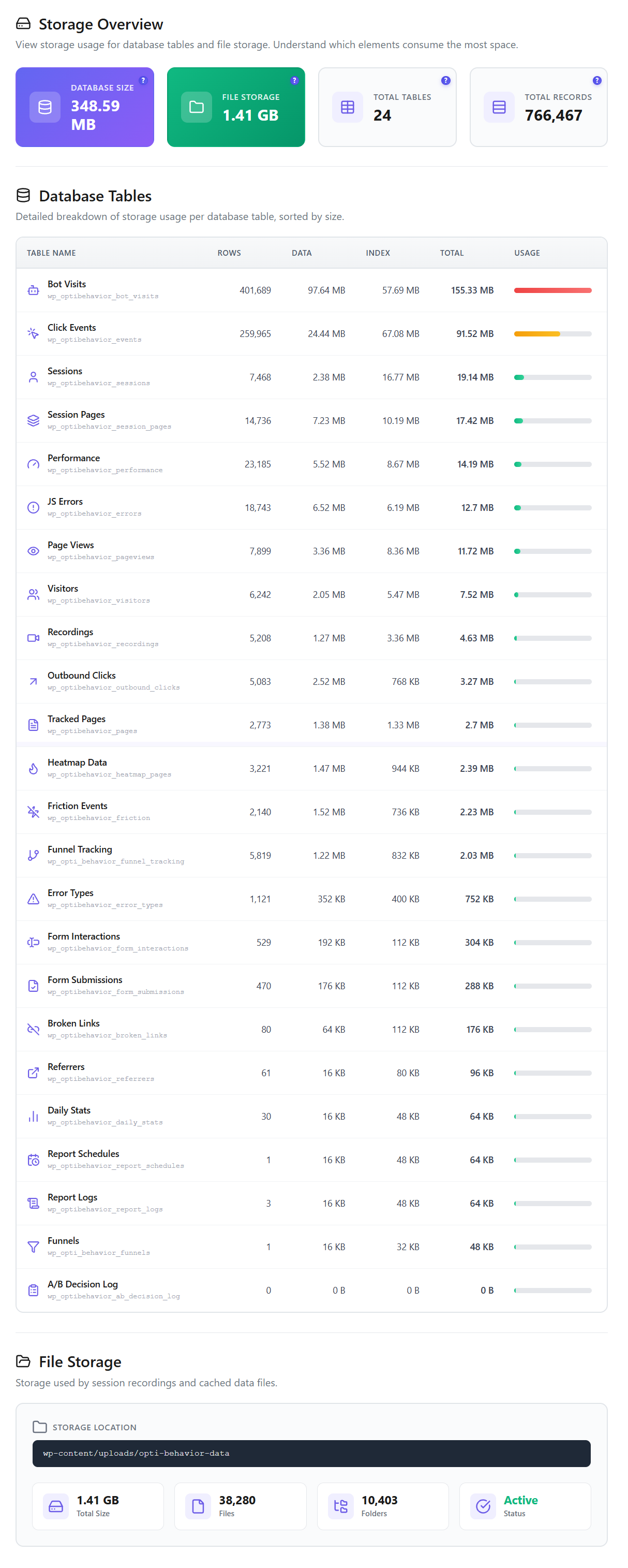
This is the main difference from a cloud tool: Opti-Behavior stores every click, heatmap and recording on your own WordPress server. Core tracking runs without cookies, with anonymous mode, consent-plugin detection and privacy settings, plus built-in bot & spam filtering to keep reports clean.
Where Mouseflow Is Strong (an honest take)
- Solid all-round behavior suite — session replay, heatmaps, funnels and form analytics in one mature cloud product.
- Friction scoring automatically flags pages losing conversions, a genuinely useful shortcut.
- Data export and segmentation tools for slicing behavior by audience.
- Multi-site website projects on higher plans.
- Established vendor with a hosted, zero-maintenance setup — nothing to run on your own server.
How to Switch to Opti-Behavior
1
Install the Free Plugin
Download Opti-Behavior from WordPress.org and activate it — no cloud account, no API keys, no external service.
2
Tracking Starts Automatically
Behavior tracking, click heatmaps, funnels and A/B testing begin immediately, storing every session on your own server with no cap.
3
Unlock Pro When Ready
Start a 6-month free Pro trial to add scroll/move/attention heatmaps, session recordings, form analytics, user journeys and real-user error tracking.
Opti-Behavior vs Mouseflow FAQ
Is Opti-Behavior a Mouseflow alternative?
Yes. Opti-Behavior is a self-hosted analytics and behavior suite for WordPress that covers the core jobs Mouseflow is used for — heatmaps, session recordings, conversion funnels and form analytics — but stores all of it on your own server with no monthly-session cap, and adds built-in A/B testing.
Does Mouseflow have heatmaps and session recordings?
Yes, it does — Mouseflow is a genuine behavior suite with heatmaps, session replay, funnels and form analytics. This isn't a feature-gap comparison; the difference is that Mouseflow runs in the cloud and meters you by monthly sessions, while Opti-Behavior runs on your server with unlimited sessions (Free plugin and paid Pro).
How is the pricing different?
Mouseflow prices by monthly-session tier (see the vendor site). Opti-Behavior is a WordPress plugin with a free version and a paid Pro license that does not meter sessions, so your cost doesn't rise as traffic grows.
Where is my visitor data stored?
With Mouseflow, recordings and heatmaps are processed and stored in Mouseflow's cloud. With Opti-Behavior, recordings and heatmaps are stored in your WordPress database on your own server.
Do I still need a cookie-consent banner?
Opti-Behavior's core tracking works without cookies and stores data locally, and it offers anonymous mode and consent-plugin detection. Whether your site needs a consent banner depends on your configuration and the law that applies to you.
Can Opti-Behavior run A/B tests like a dedicated tool?
Yes. A/B testing is built into the free Opti-Behavior plugin — visual split tests on pages and elements, conversion-goal tracking and an automatic winner decision. Mouseflow does not advertise built-in A/B testing, so this is capability Opti-Behavior adds on top of the shared behavior tools.
Will running Opti-Behavior slow down my site?
Opti-Behavior records to your own server. For a measured test (PageSpeed on one test page, plugin on vs off), see our performance test.
Own Your Behavior Data — Unlimited in Free and Paid Pro
Install Opti-Behavior free and get heatmaps, recordings, funnels and A/B tests on your own server — no per-session bill, no analytics cloud.