
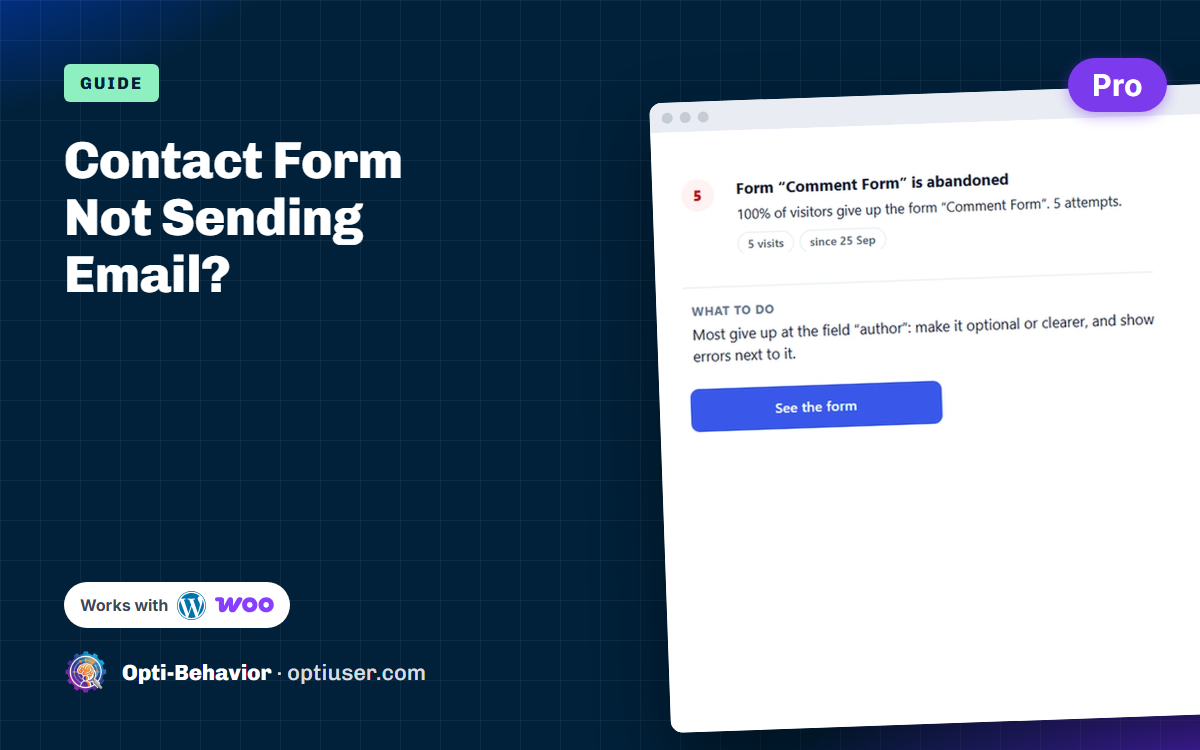

Short answer: when a WordPress contact form is not sending email, the form usually works, but the message is lost after it: WordPress hands it to the server’s basic mail function, and the receiving inbox rejects it or files it as spam. In most cases the fix is to send through a real mail account with SMTP and to use a From address on your own domain. Below are 7 checks, in the order that finds the cause fastest, for Contact Form 7, WPForms, Gravity Forms, Fluent Forms and the others.
Contents
- Why a WordPress contact form stops sending email
- Check 1: is the form really sending?
- Check 2: the "To" address and mail settings
- Check 3: a "From" address on your own domain
- Check 4: send through SMTP instead of PHP mail
- Check 5: SPF, DKIM and DMARC records
- Check 6: spam folder, filters and blocked senders
- Check 7: keep a log and a copy of every message
- Test the whole path in 5 minutes
- How to notice a broken form before you lose leads
- FAQ
Why a WordPress contact form stops sending email
A form submission goes through three steps: the form plugin saves or validates the message, WordPress passes it to its wp_mail() function, and a mail server delivers it to your inbox. By default, wp_mail() uses the PHP mail function of your hosting. That mail is often not authenticated, so Gmail, Outlook or your company server may refuse it or put it in spam. Some hosts also block or limit PHP mail.
The visitor sees “Thank you, your message was sent”, you receive nothing, and nobody notices for days. Every lost message is a lost lead or a customer who thinks you did not answer.
Check 1: is the form really sending, or only showing a message?
Send a test from the live page, in a private window, with an address you can read. Then look at what the form says:
- Contact Form 7 shows a red box such as “There was an error trying to send your message” when the mail fails. That means WordPress could not hand over the email: go to check 4 (SMTP).
- A green “thank you” with no email received means the message left WordPress and was lost on the way: go to checks 2, 5 and 6.
- No message at all, or a spinning button, points to a JavaScript problem: open the browser console (F12) and look for a red error. A cache or “delay JavaScript” setting is a frequent cause.
Check 2: the "To" address and the form’s mail settings
- Open the form’s mail or notification settings (Contact Form 7: Mail tab; WPForms: Settings > Notifications; Gravity Forms: Settings > Notifications).
- Check the “To” address for typos. If it uses
{admin_email}or[_site_admin_email], check which address is set in Settings > General. - Check that the notification is turned on and has no condition that skips it.
- Contact Form 7 shows configuration errors at the top of the form editor: fix every one of them.
Check 3: the "From" address must be on your own domain
This is the most common cause. If the form sends “From” the visitor’s address (for example someone@gmail.com), your server is pretending to be Gmail, and receiving servers reject it. Set the From address to an address of your own domain, such as contact@yourdomain.com, and put the visitor’s address in Reply-To instead. You can still answer with one click.
Check 4: send through SMTP instead of PHP mail
An SMTP plugin makes WordPress send through a real mailbox (your host’s email, Google Workspace, Microsoft 365) or a sending service. Common free options are WP Mail SMTP, FluentSMTP and Post SMTP.
- Create or pick a mailbox on your domain, for example
website@yourdomain.com. - Install one SMTP plugin (only one: two can conflict).
- Enter the SMTP host, port (587 with TLS or 465 with SSL), user and password given by your email provider. Gmail and Microsoft accounts usually need an app password or a connection through their API.
- Use the plugin’s “send a test email” button. If the test fails, the error message names the problem (wrong password, port blocked by the host).
This one change solves most “WordPress not sending email” cases, for forms and for password resets and WooCommerce emails too.
Check 5: SPF, DKIM and DMARC records of your domain
Inbox providers check that a server is allowed to send for your domain. Three DNS records prove it:
- SPF lists the servers allowed to send for your domain.
- DKIM signs each email so it cannot be changed on the way.
- DMARC tells inboxes what to do when SPF or DKIM fail.
Your email provider gives the exact values. Add them in the DNS zone of your domain (often at your registrar or host), then send a test to a tool such as mail-tester.com to see the score and the missing record.
Check 6: spam folder, filters and blocked senders
Look in the spam folder of the receiving mailbox, and in any server rule or “quarantine” of your company email. If messages are there, mark them “not spam” and add the From address to your contacts. If the form uses a captcha or anti-spam plugin, check that it does not silently drop real messages: Contact Form 7, for example, can mark a submission as spam without sending it.
Check 7: keep a log, and a copy of every message
Even after the fix, emails can fail again after a password change or a DNS edit. Two habits protect you:
- An email log: most SMTP plugins can log each email WordPress tried to send, with its status. If a form message is missing from the log, the problem is in the form; if it is in the log as failed, it is in the sending.
- A copy in the database: WPForms (paid versions), Gravity Forms and Fluent Forms keep entries; for Contact Form 7, a plugin such as Flamingo stores each message. A lead is never lost, even if the email is.
Then send yourself a test through the form once a month, and after every update of the form, SMTP or cache plugin.
Test the whole path in 5 minutes
Before you change any setting, run one test that follows the message from the form to the inbox. Each step tells you where the message stops. You need a private browser window, an address you can read on another provider than your own domain (a personal Gmail or Outlook address, for example), and the email log of your SMTP plugin if it has one.
- Minute 1: submit the form. Open the page in a private window, fill every field with a text you will recognise, such as "Test form 10:42", and send. Read the message under the button. A red error means WordPress could not hand the email over: the problem is the sending (check 4). A green message means the form did its part: go on. No message, or a button that keeps spinning, means the form itself fails, often because of a script error (check 1).
- Minute 2: read the email log. Open the email log of your SMTP plugin and find your test. No line at all: the form never asked WordPress to send, so look at the notification settings and the anti-spam (checks 2 and 6). A line marked failed: the error text names the cause, for example "authentication failed" (wrong password or missing app password) or "connection timed out" (port blocked by the host). A line marked sent: WordPress and your mail server accepted the message, so the loss happens on the receiving side.
- Minutes 3 and 4: open the email and its headers. If the test arrived, open the original message (Gmail: "Show original"; Outlook: "View message source"). Find the SPF, DKIM and DMARC lines: each should say pass. A fail or none tells you which DNS record to add or fix (check 5). Then read the From line: it must be an address on your own domain, with the visitor’s address in Reply-To (check 3).
- Minute 5: spam and quarantine. Not in the inbox? Search the spam folder for your test text, and the quarantine of your company email if you have one. In spam with SPF or DKIM failing: fix the DNS records. In spam with all three passing: the content or the sender’s reputation is the issue, so send from a mailbox that already sends normal mail and avoid a subject made of one word or a bare link.
How to read the result:
- Error under the button: WordPress cannot send. Set up SMTP (check 4).
- Success message, nothing in the log: the form did not send. Check its notification and anti-spam settings (checks 2 and 6).
- Failed in the log: the mail server refused the login or the connection. Check the SMTP host, port and password (check 4).
- Sent in the log, received nowhere: the receiving server rejected it. Fix the From address and the DNS records (checks 3 and 5).
- Received in spam: authentication or reputation. Add SPF, DKIM and DMARC (check 5), then mark the message as not spam (check 6).
Write down the result of each step. The first step that fails is the one to fix: everything after it is only a consequence. Run the same test again right after the fix.
How to notice a broken form before you lose a month of leads
A contact form that fails is easy to miss, because the failure happens after the visitor leaves. Two numbers help: how many visitors start your form, and how many finish it. If many people start the form but few submissions arrive, either the form is hard to finish or it breaks at the end.
With form analytics in Opti-Behavior Pro, each form on your WordPress site gets these numbers per field. When a visitor starts the form and leaves without a successful submission, the session appears as an abandoned form in the Forms screen, and the Session Recordings "Problem in the session" filter can list it so you can watch what happened. Page X-Ray (Pro) then lists the abandoned form among the problems of the page, with the field where most visitors stop. It does not read your mailbox: it shows that visitors try and leave, so you know when to run the checks above.
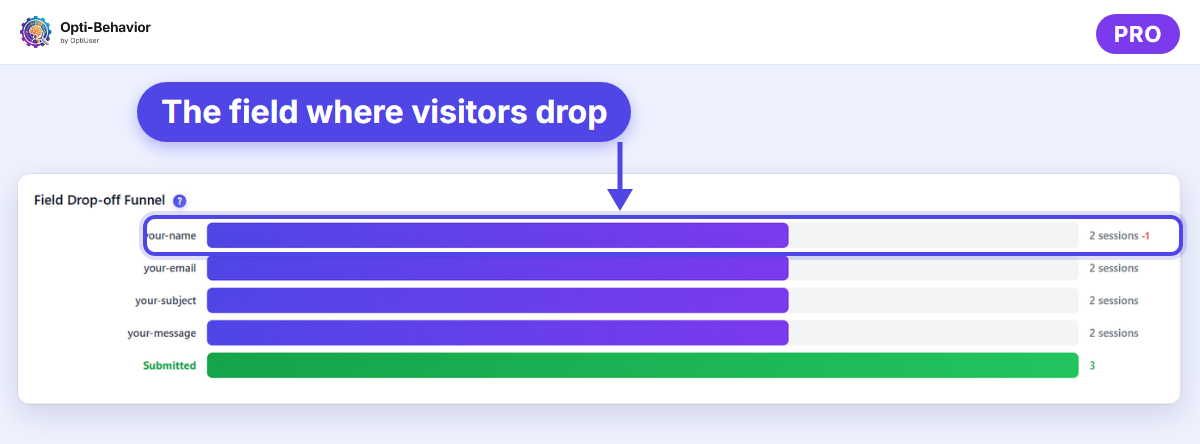
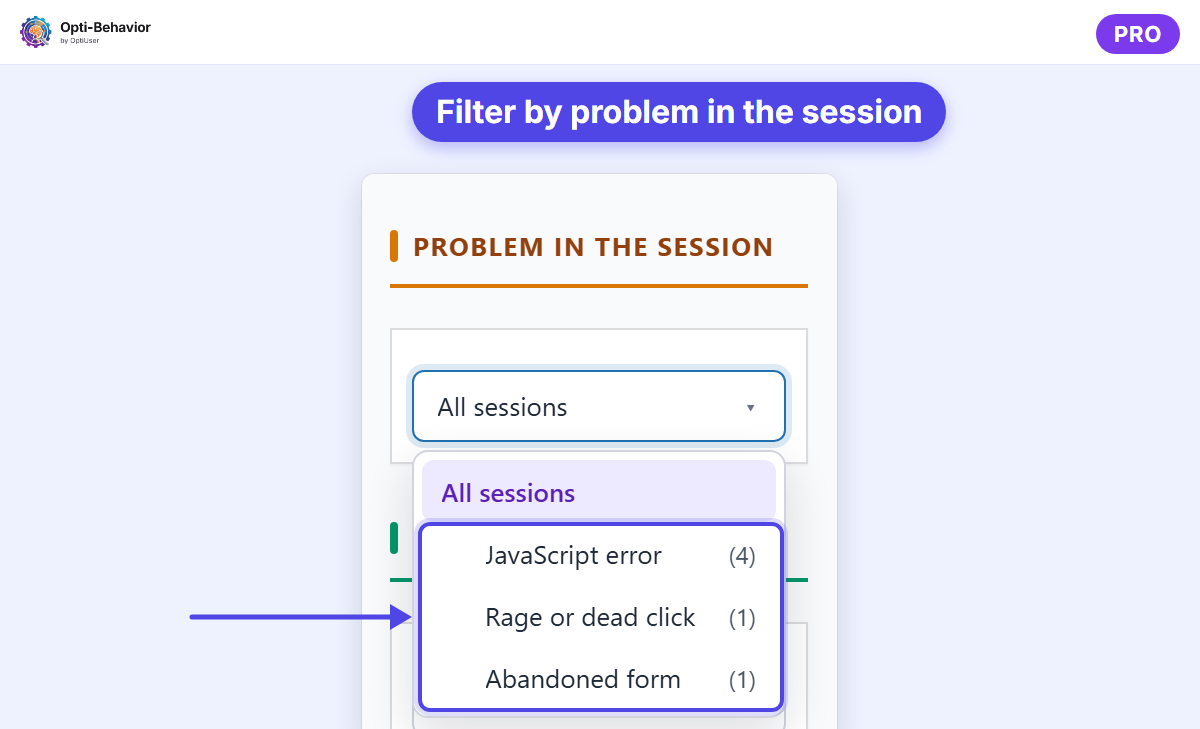
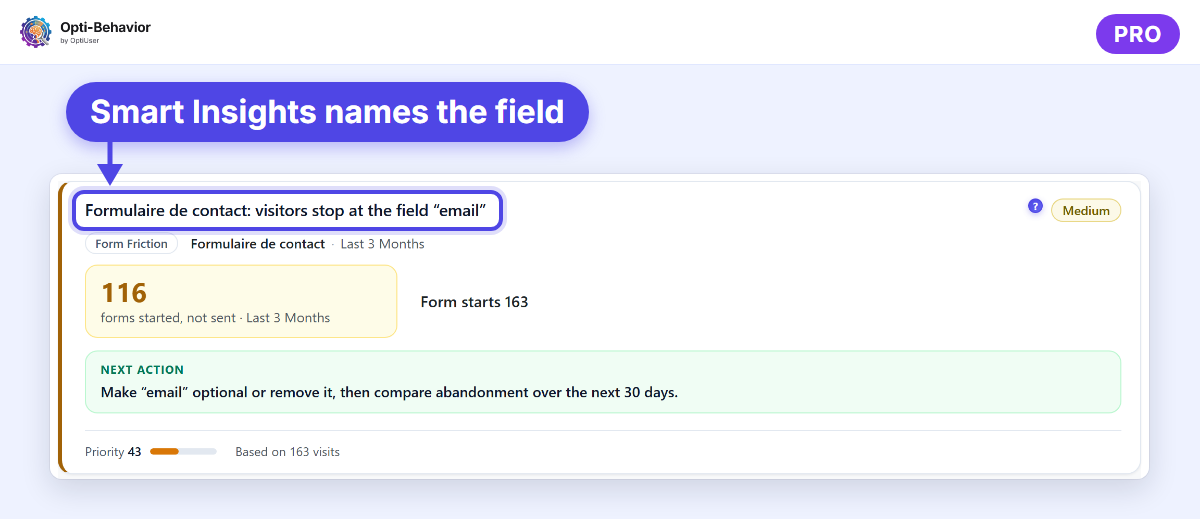
To read the field-level signals (hesitation, refills, errors), see our guide to pre-form analytics on WordPress. If the form freezes on submit, a script error is often the cause: WordPress error tracking explains how to find it.
FAQ
Why is Contact Form 7 not sending email when it says the message was sent?
The message left WordPress but was rejected or filtered by the receiving server. Use a From address on your own domain, send through SMTP, and add SPF and DKIM records.
Is WordPress not sending email a hosting problem?
Sometimes: some hosts block or limit PHP mail. An SMTP plugin that sends through a real mailbox works around it on most hosts. If port 587 and 465 are both blocked, ask your host or use a sending service with an API.
Do I need SMTP if my test email arrives?
If tests arrive in the inbox, not in spam, every time, your setup may be enough. Most sites still benefit from SMTP, because unauthenticated mail can start failing when inbox providers tighten their rules.
How do I know if my form lost messages last month?
Compare the entries stored by the form (or a plugin like Flamingo) with the emails you received. Without stored entries, those messages cannot be recovered: turn storage on now.
The Opti-Behavior Team
Know when visitors start your contact form and leave
Opti-Behavior Pro shows form abandonment field by field and lists the visits with an abandoned form, on your own WordPress site. The Pro trial lasts 6 months.