- Features
Behavior analytics modules
Start with the free plugin; session recordings and advanced heatmaps are in Pro. Data stays on your own WordPress server.Smart InsightsNewScores every friction signal and ranks what to fix firstReal-Time AnalyticsLive visitors, pages and sessions as they happenHeatmapsClicks, scroll depth, mouse moves and rage clicksSession RecordingsReplay real sessions to see exactly what breaksConversion FunnelsPinpoint the step where carts and signups drop offForm AnalyticsField-level drop-off, time spent and abandon pointsA/B TestingProve the fix works with real traffic, not guessesUser Journey AnalyticsFollow the full path from landing page to checkoutErrors & PerformanceJavaScript errors and slow pages caught automaticallySet up & compare
Everything you need before and after install.Settings & ConfigurationSampling, privacy controls and data retentionDocs & GuidesInstall, troubleshoot and read every feature guideCompare vs 15 toolsHotjar, Clarity, Matomo, MonsterInsights and moreFree & open source. Runs on your own WordPress server — no data sent to third parties.
- Pricing
- Free Heatmap Tool
- Founder
- Live DemoNew

Opti-Behavior
made by OptiUser
Opti-Behavior vs Microsoft Clarity:
Heatmaps & Recordings — On Your Server, Not Microsoft's (2026)
Short answer: Microsoft Clarity is a genuinely good, free, unlimited heatmap and session-recording tool — and it always will be free. The question isn't price. It's where your visitors' data lives and who else gets to use it. Clarity is cloud-hosted by Microsoft; Opti-Behavior keeps every click, heatmap and recording on your own WordPress server.
Clarity sends your visitor data to Microsoft's cloud to process. Per Clarity's own Terms of Service (§4.4), you and Microsoft are independent controllers of that data, and Microsoft may use the personal data it collects to “create user profiles for purposes that include advertising.” That may be a fine trade for the price — but if you'd rather your visitors' behavior never leave your server, Opti-Behavior gives you heatmaps and recordings, self-hosted.
📈 1700+ active installs
🇫🇷 Made in France
🔒 Self-hosted: visitor data stays on your own server
TL;DR — Which should you pick?
- Pick Microsoft Clarity if free and unlimited is all that matters and you're comfortable with your visitor data being processed in Microsoft's cloud, where Microsoft acts as an independent controller.
- Pick Opti-Behavior if you want heatmaps and session recordings but stored entirely on your own WordPress server — no third party, no ad-ecosystem data use.
- The honest bottom line: this isn't a price fight — Clarity wins on price and always will. It's a data-ownership choice. Opti-Behavior is the self-hosted answer for teams who can't or won't send behavior data to a third-party cloud.
Cloud-Hosted vs Self-Hosted
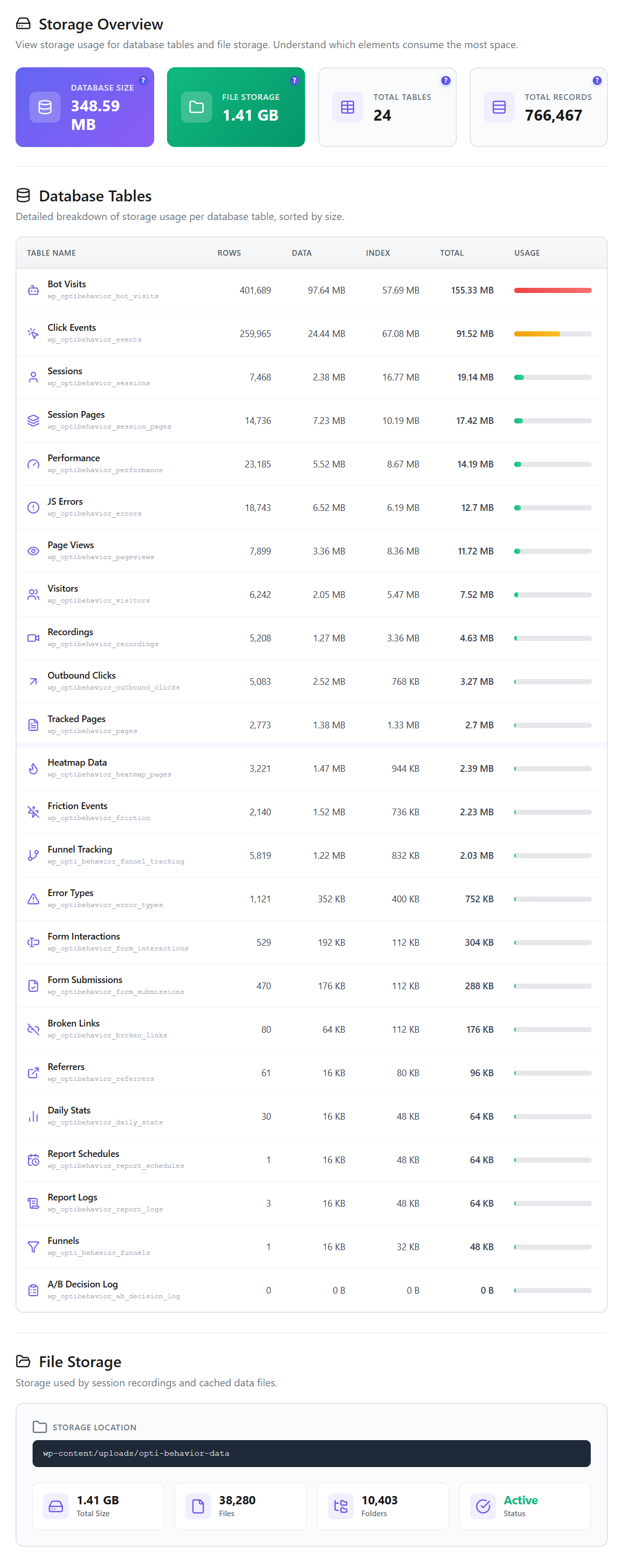
Clarity is excellent — but it's a cloud service. Your visitors' clicks, scrolls and recordings are sent to and stored on Microsoft's servers. Opti-Behavior runs heatmaps and recordings on your own WordPress install: every heatmap and every recording is written to your database, on your server. No visitor analytics data ever leaves your site.
- Clarity = Microsoft's cloud. Data processed by Microsoft, who may create advertising user profiles per its Terms.
- Opti-Behavior = your server. Heatmaps, recordings and funnels stored locally.
- No third-party service to trust, audit or disclose in your privacy policy.
Feature-by-Feature Comparison
Both tools give you heatmaps and session recordings — that's shown honestly below. The real differences are hosting, data ownership and how far the behavior toolkit goes.
| Feature | ||
|---|---|---|
| Click Heatmaps | ✓ Free | ✓ Yes |
| Scroll / Move / Attention Heatmaps | ✓ Pro | ✓ Scroll & area |
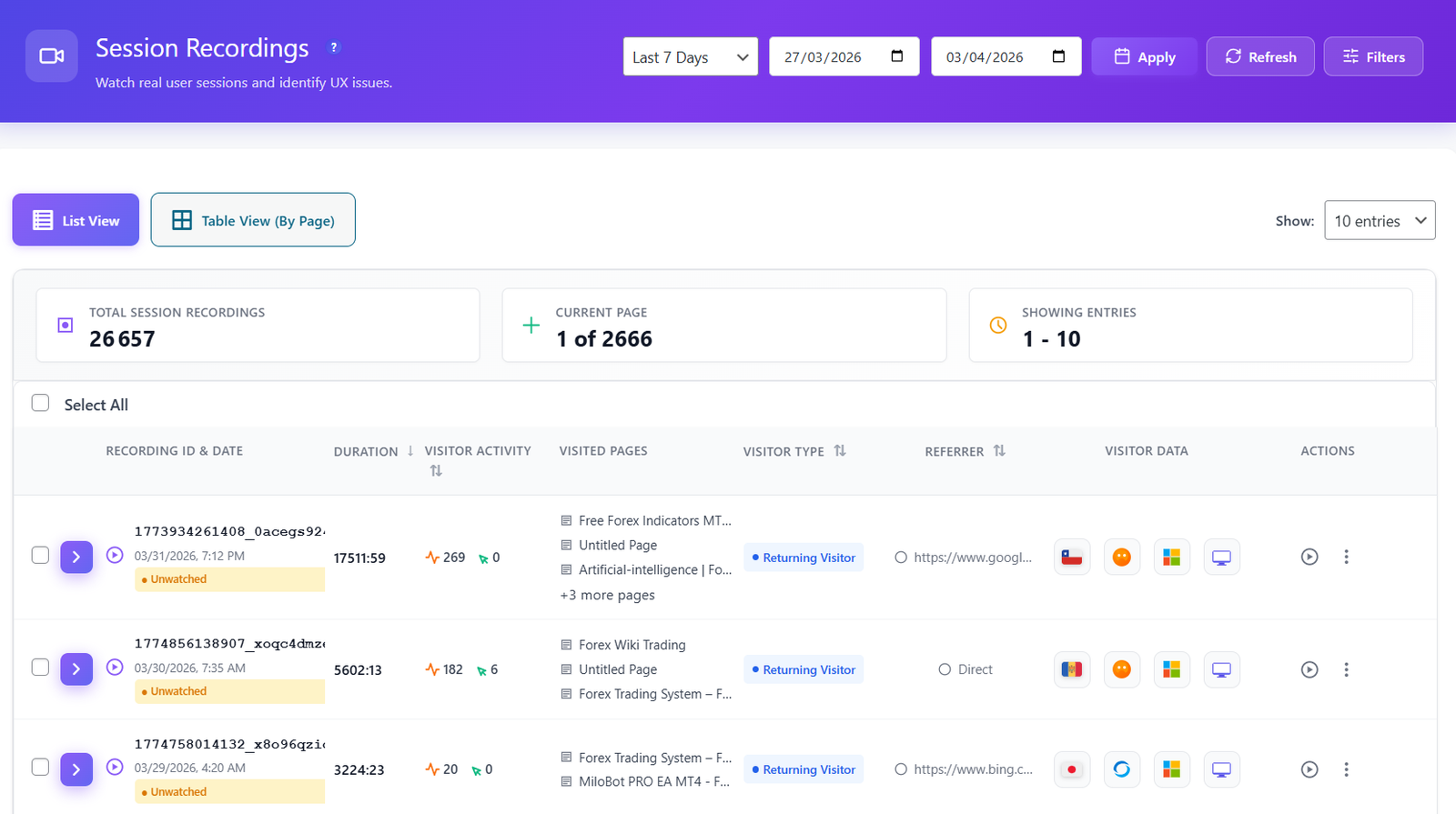
| Session Recordings & Replay | ✓ Pro | ✓ Yes |
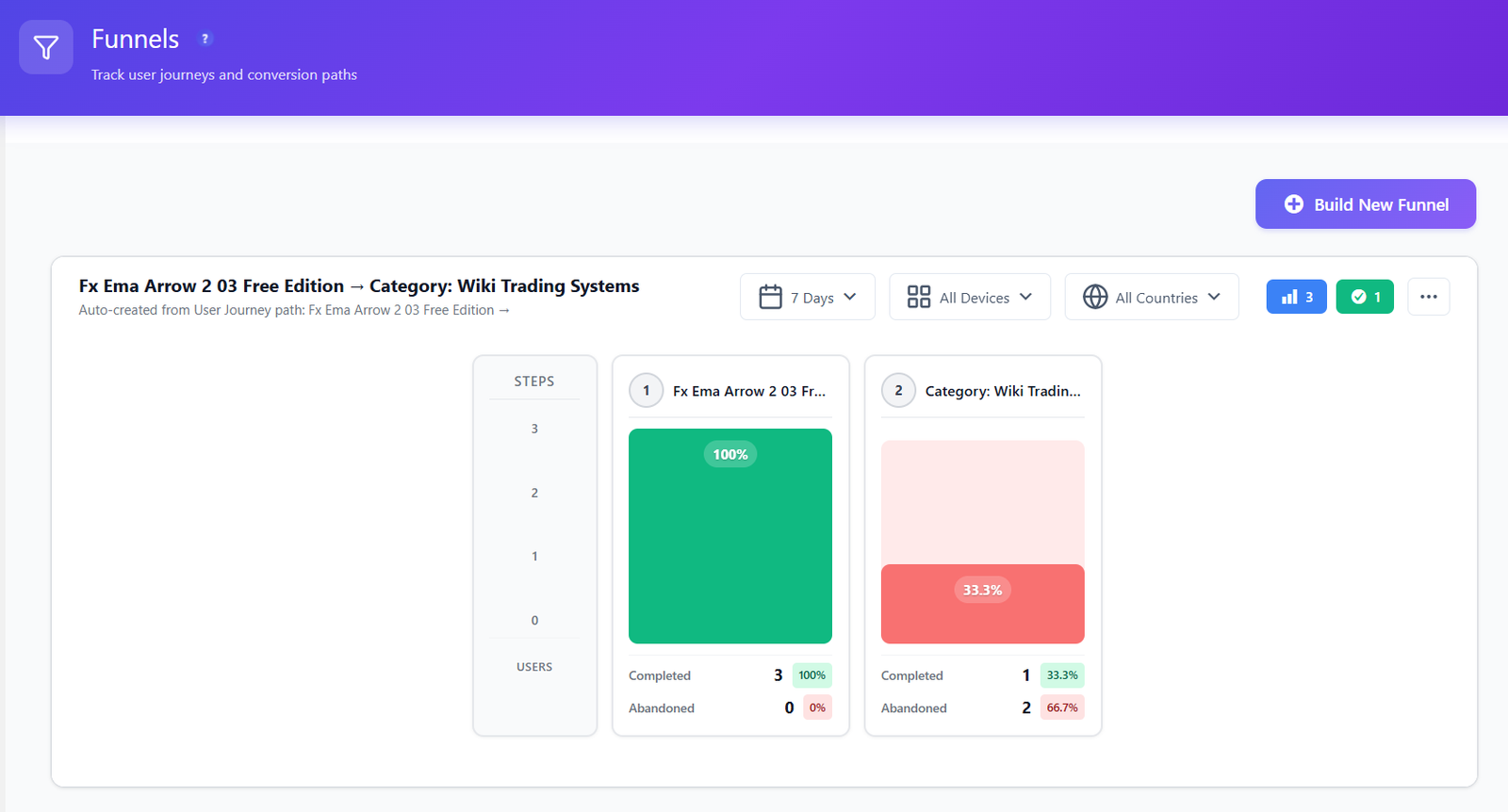
| Conversion Funnels | ✓ Free | ✗ Not a dedicated builder |
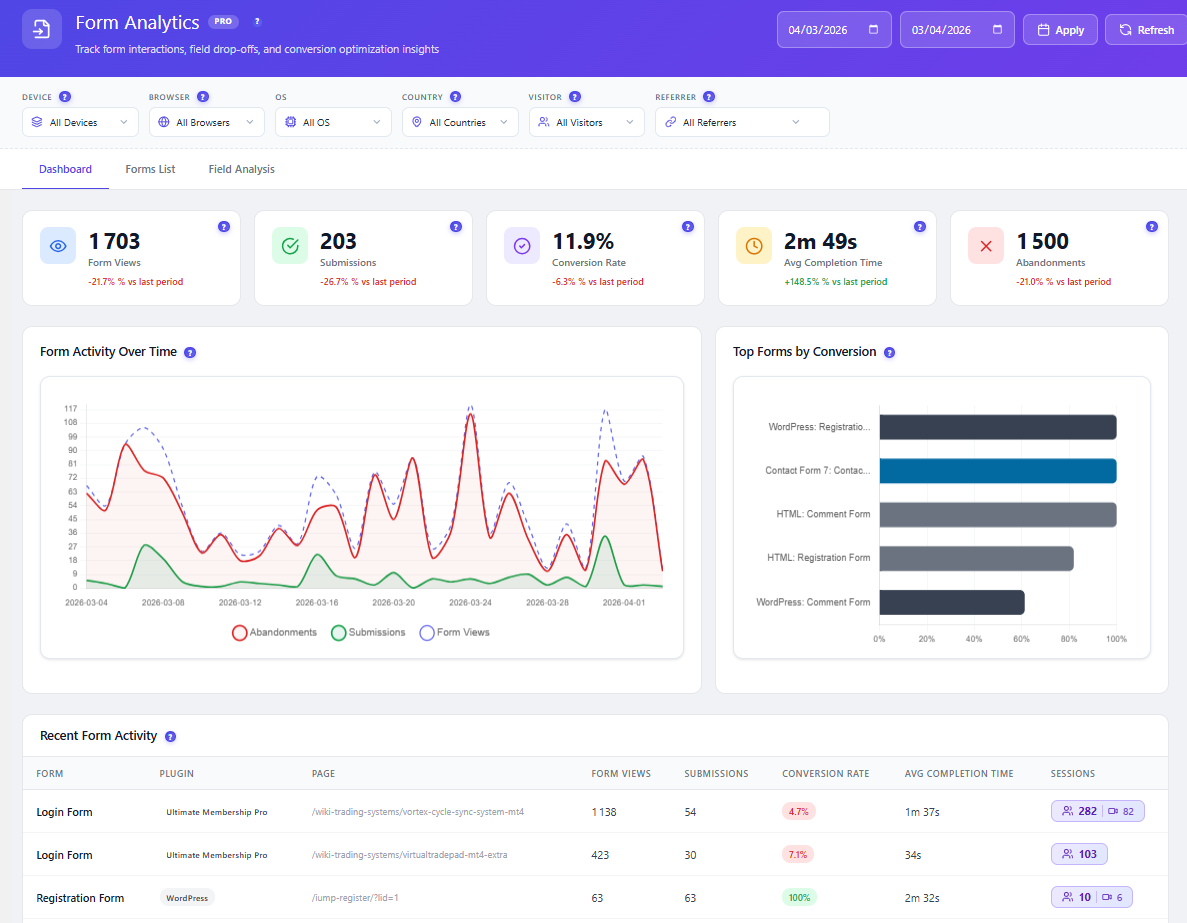
| Form Analytics (field drop-off) | ✓ Pro | ✗ Not available |
| User Journeys (Sankey flow) | ✓ Pro | ✗ Not available |
| A/B Testing (built in) | ✓ Free | ✗ Not available |
| AI Insights / Summaries | ✓ Smart Insights | ✓ Copilot summaries |
| Self-Hosted Data (you own it) | ✓ Yes, your server | ✗ Microsoft-hosted cloud |
| Visitor Data on Your Own Server | ✓ You only | ✗ Microsoft = independent controller (Terms §4.4) |
| No Third-Party Ad-Ecosystem Data Use | ✓ Data stays on your server | ✗ May “create user profiles… for advertising” (Terms §4.4) |
| Where the data is stored | ✓ Wherever your server is | Microsoft cloud infrastructure |
| Works Without Cookies | ✓ Yes | See vendor site |
| Session Limits | Unlimited | See vendor site |
| Price | €0 – €89/yr | See vendor site |
Competitor features and pricing change often: check the vendor's own site before deciding.
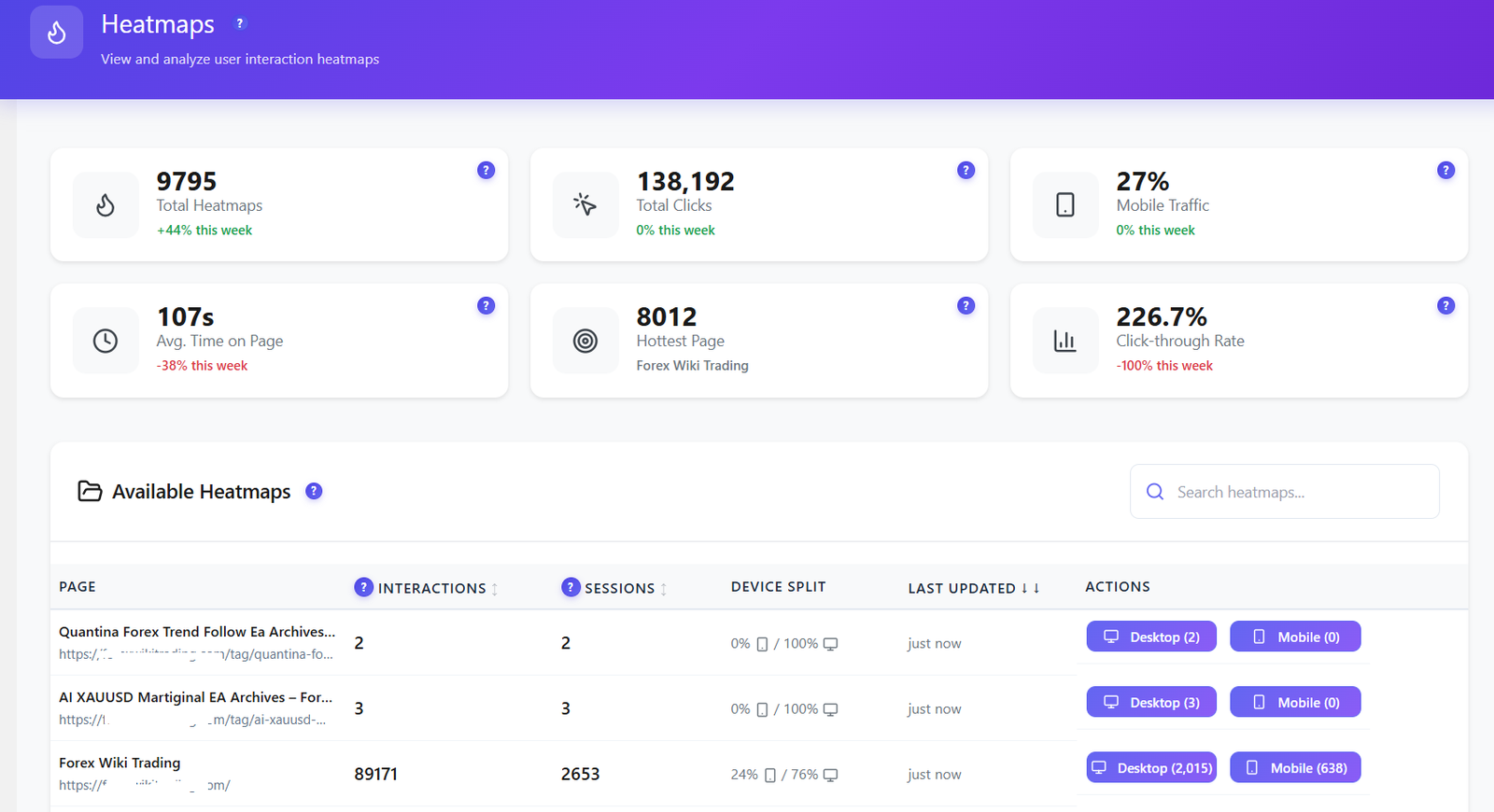
Heatmaps and recordings — on your own server
Get click and scroll heatmaps, session replay, funnels and A/B testing without sending a single click to a third-party cloud.
Heatmaps and Recordings — Self-Hosted
Clarity gives you heatmaps and recordings in Microsoft's cloud. Opti-Behavior gives you those plus funnels and form analytics — all written to your own WordPress database.


Who Owns Your Visitors' Data?
This is the whole point. With Clarity, your visitor data is processed in Microsoft's cloud. Per Clarity's Terms of Service §4.4, you and Microsoft are independent controllers of the personal data, and Microsoft may use it to “create user profiles for purposes that include advertising.” With Opti-Behavior, visitor data is written to your WordPress server and stays there.
- Visitor data stays on your own server.
- No ad-ecosystem profiling — your visitors' behavior isn't fuel for anyone's advertising.
- Self-hosted: visitor data stays on your own server — with anonymous mode and consent-plugin detection.
Beyond Heatmaps: A/B Testing Built In — Free
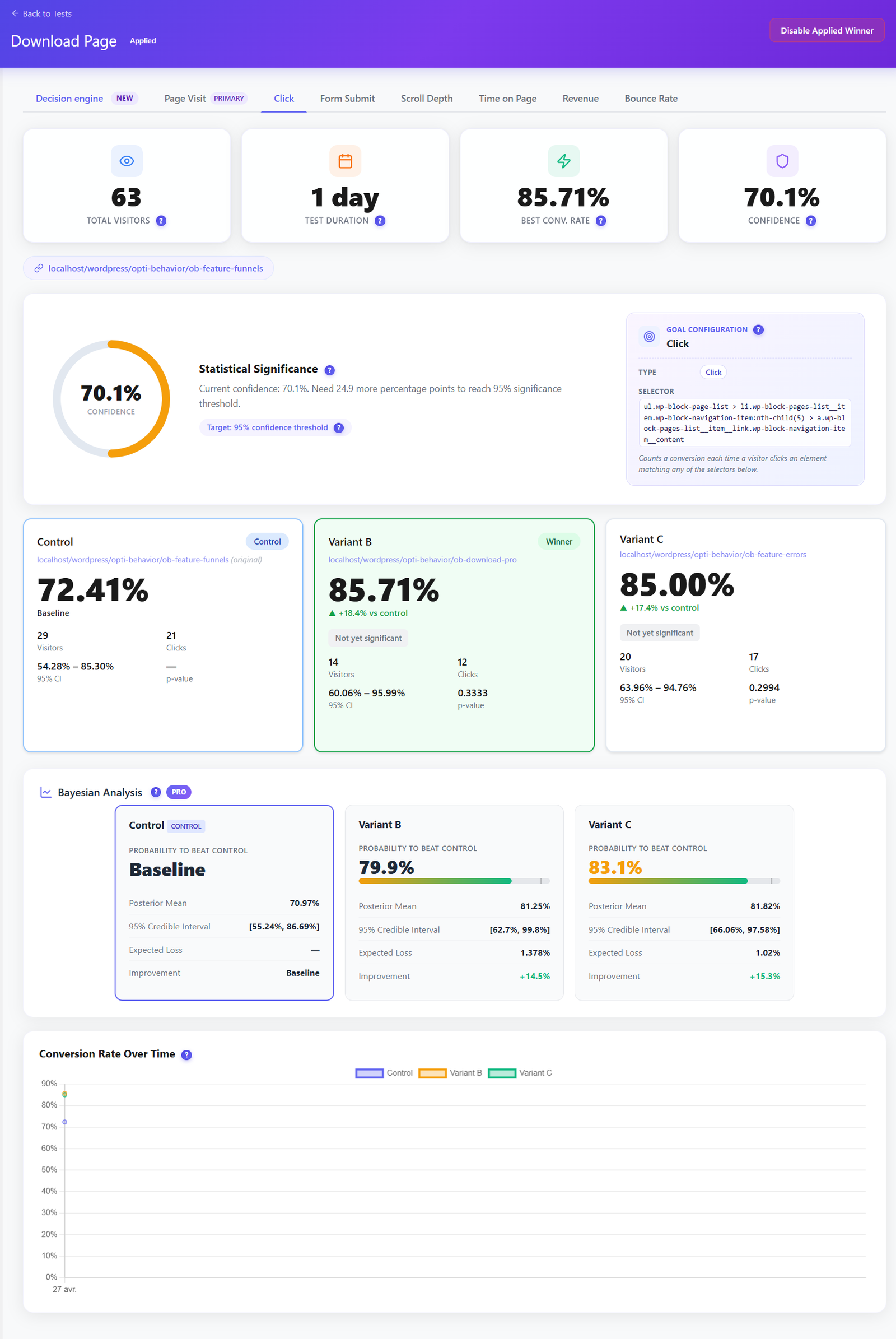
Clarity shows you what happened. Opti-Behavior lets you test a fix before you ship it. Run split tests on headlines, buttons and layouts, track conversion goals and let the built-in decision engine call the winner — no separate A/B tool, no cloud account.
- Visual split tests on pages and elements, set up without code.
- Conversion-goal tracking so you optimise for signups and sales, not just clicks.
- Included in the free plugin — not a paid upsell, not a cloud add-on.
Smart Insights — CRO Advice, Not Just Charts
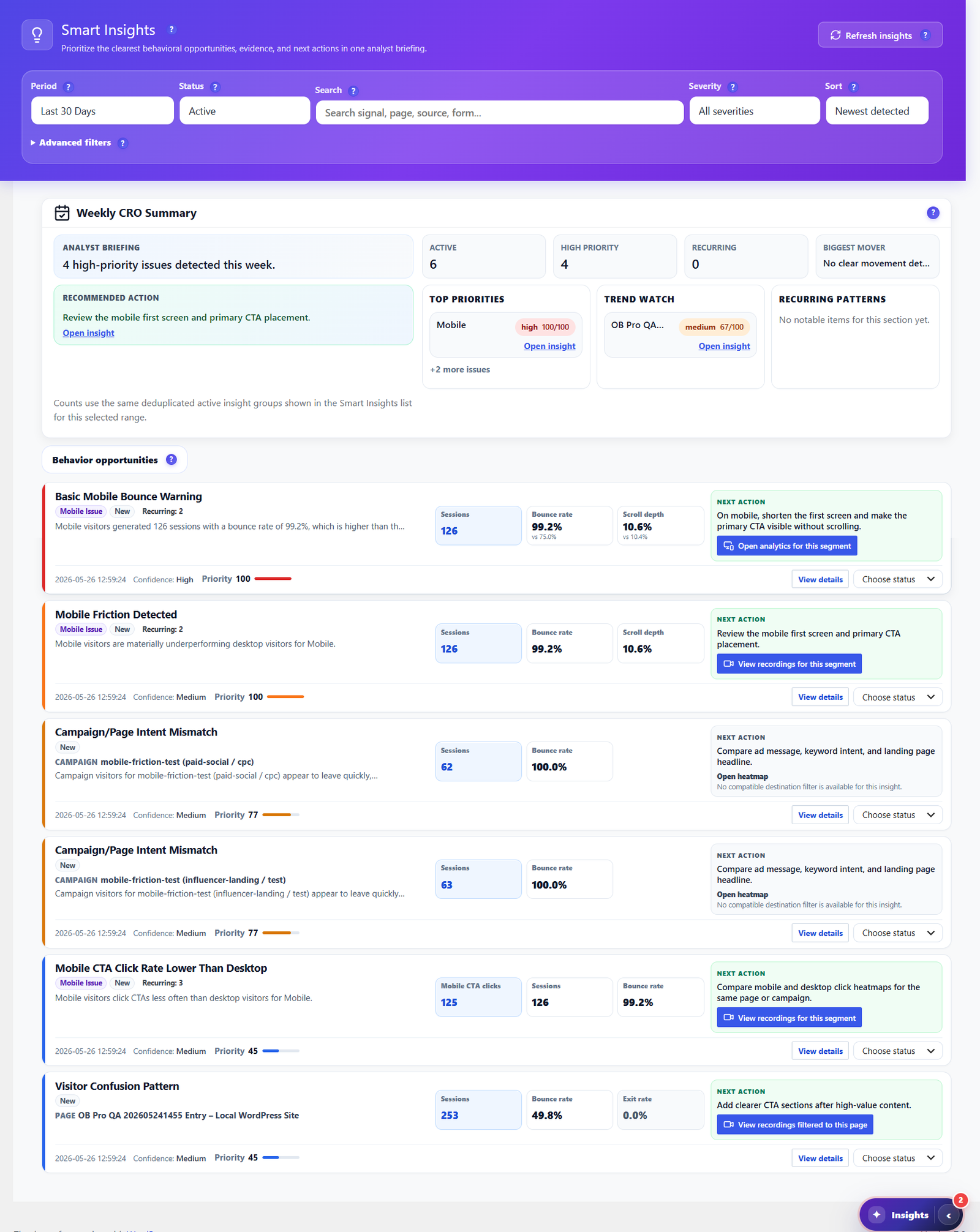
Clarity has Copilot summaries in its cloud. Opti-Behavior's Smart Insights reads your own heatmaps, funnels, forms and engagement signals, then writes a prioritized weekly CRO briefing — each item with evidence and a recommended next action — all generated from data on your own server.
- Weekly CRO summary ranking high-priority issues by impact.
- Behavior-based recommendations for bounce, scroll, exit and mobile friction.
- One click to the evidence — jump straight to the heatmap, funnel or recording behind each insight.
Follow the Whole Journey
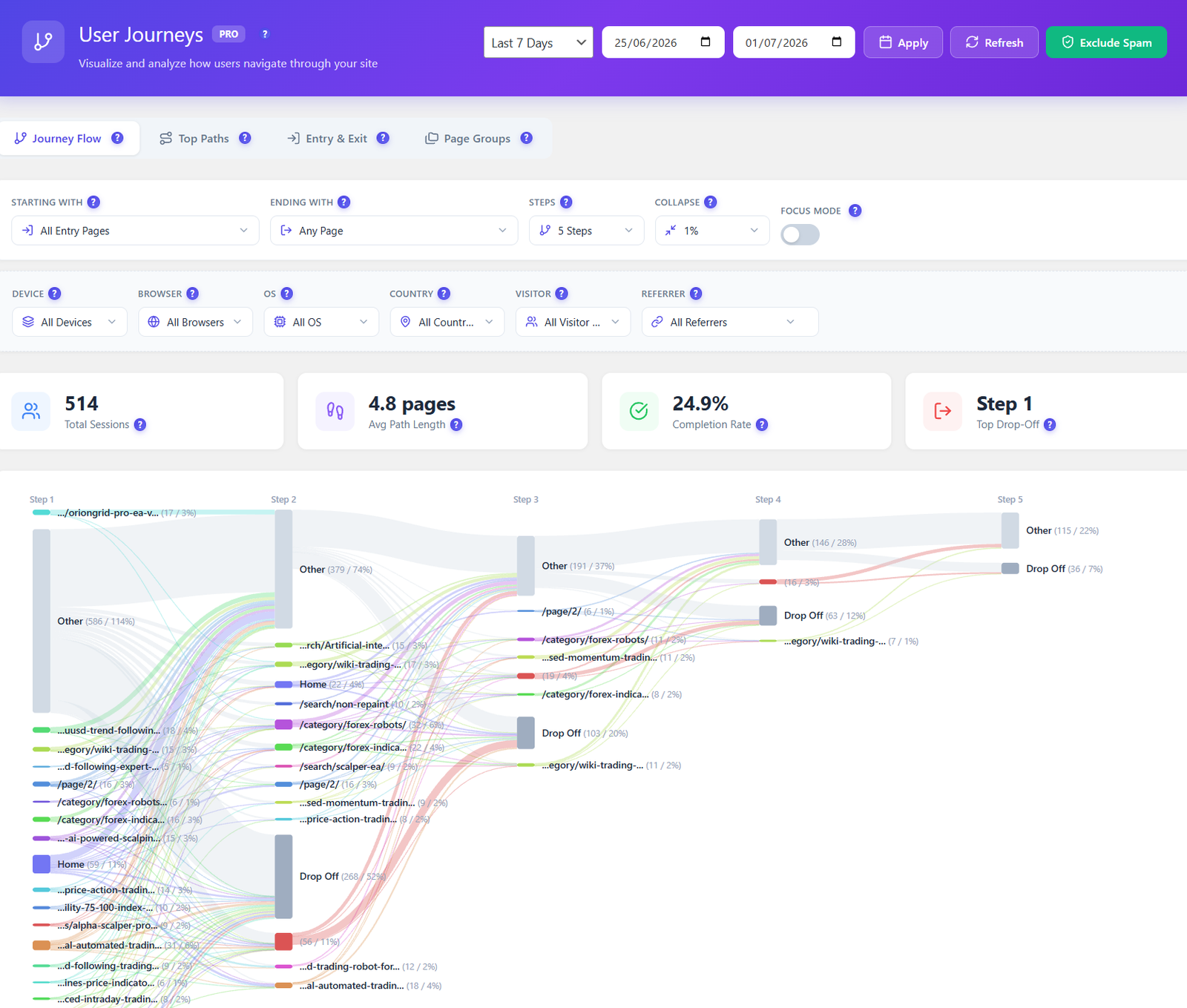
Clarity groups sessions and tags friction, but has no dedicated flow view. Opti-Behavior Pro maps every route across your site as a visual Sankey diagram — entry pages, top paths, and the exact steps where visitors drop off — so you fix the leaks that lose conversions.
- Visual journey flow from entry to exit, page by page.
- Drop-off highlighted at each step, not buried in a table.
- Filter by device, country, referrer and visitor type.
Where Microsoft Clarity Is Strong (an honest take)
- Genuinely free and unlimited. “Always free. Built to scale with your business. No traffic limits.” There are no session caps and no paid tiers — a real advantage we're not going to pretend away.
- An excellent product from Microsoft. Clean, fast heatmaps and session recordings, plus AI/Copilot summaries, backed by serious engineering.
- Effortless setup. Drop in a script or use the WordPress plugin and you're recording in minutes.
- Great for teams who don't need self-hosting. If your only goal is free heatmaps and recordings and you're fine with cloud processing, Clarity is a strong choice.
- The one thing it can't give you is data that never leaves your server. That's the single reason to choose Opti-Behavior instead — not features, not price, but ownership.
How to Switch to Self-Hosted
1
Install the Free Plugin
Download Opti-Behavior from WordPress.org and activate it. No cloud account, no external service, no data leaving your site.
2
Tracking Starts Automatically
Click heatmaps, behavior tracking, funnels and A/B testing begin immediately — all recorded to your own WordPress database.
3
Unlock Pro When Ready
Start a 6-month free Pro trial to add scroll/move/attention heatmaps, full session recordings, form analytics and user journeys — still self-hosted.
Opti-Behavior vs Microsoft Clarity FAQ
Is Opti-Behavior a Microsoft Clarity alternative?
Yes — a self-hosted one. Opti-Behavior gives you heatmaps and session recordings, plus conversion funnels, form analytics and A/B testing, all running on your own WordPress server. The difference isn't what the tools do; it's that Clarity processes your data in Microsoft's cloud while Opti-Behavior keeps it on your server.
Clarity is free and unlimited — why would I pay for Opti-Behavior?
Fair question, and we won't argue price — Clarity is free forever with no traffic limits, and Opti-Behavior also has a free version on WordPress.org. The reason to choose Opti-Behavior is data ownership: with Clarity, your visitor data is sent to Microsoft's cloud, where per its Terms (§4.4) Microsoft is an independent controller and may use the data to create user profiles for purposes that include advertising. With Opti-Behavior, that data never leaves your server.
What exactly does Microsoft do with Clarity data?
We only state what Clarity's own Terms of Service say. Section 4.4 establishes that you and Microsoft are “independent Controllers” of the personal data, and that Microsoft “may use the Personal Data it collects… to… create user profiles for purposes that include advertising.” The Terms also require you to disclose in your privacy notice that Microsoft collects this data. Read the current wording yourself at clarity.microsoft.com/terms. If data ownership matters to you, self-hosting removes the question entirely.
Does Opti-Behavior send any data to a third party?
Visitor analytics data — clicks, heatmaps, recordings, funnels — is stored on your WordPress server. There is no external analytics cloud. Core tracking works without cookies, with anonymous mode and consent-plugin detection.
Does Clarity have funnels or A/B testing like Opti-Behavior?
Clarity focuses on heatmaps, recordings and AI insights; it does not offer a dedicated conversion-funnel builder or built-in A/B testing. Opti-Behavior includes multi-step funnels and A/B testing in the free version, and adds form analytics and user journeys in Pro.
Can I run Opti-Behavior and Microsoft Clarity together?
You can — they track independently. But the point of switching is usually to stop sending behavior data to a third-party cloud, so most teams choosing Opti-Behavior do so to replace that cloud dependency, not to add to it.
Will running Opti-Behavior slow down my site?
Opti-Behavior records to your own server. For a measured test (PageSpeed on one test page, plugin on vs off), see our performance test.
Own Your Visitors' Data
Install Opti-Behavior free and get heatmaps, recordings, funnels and A/B tests on your own server — no signup, no cloud, no data sent to anyone.