Opti-Behavior uses a Hybrid Storage model: high-volume raw behavior data is written to files on your server, while compact summaries and metadata stay in the WordPress database. This keeps MySQL fast even on busy sites. This article explains where data lives and why.
Why hybrid storage #
Raw heatmap points, movement, and session events are large and repetitive. Storing every event as a database row would bloat MySQL and slow queries. Opti-Behavior instead streams that raw data to files and keeps only aggregates and lookup rows in the database.
What goes where #
- Files: raw heatmap and session event data, batched and compressed.
- Database: daily aggregates, session summaries, settings, and index rows used by the admin reports.
You can monitor both at WP Admin → Opti-Behavior → Settings → Storage Stats, which shows database and file usage per module.
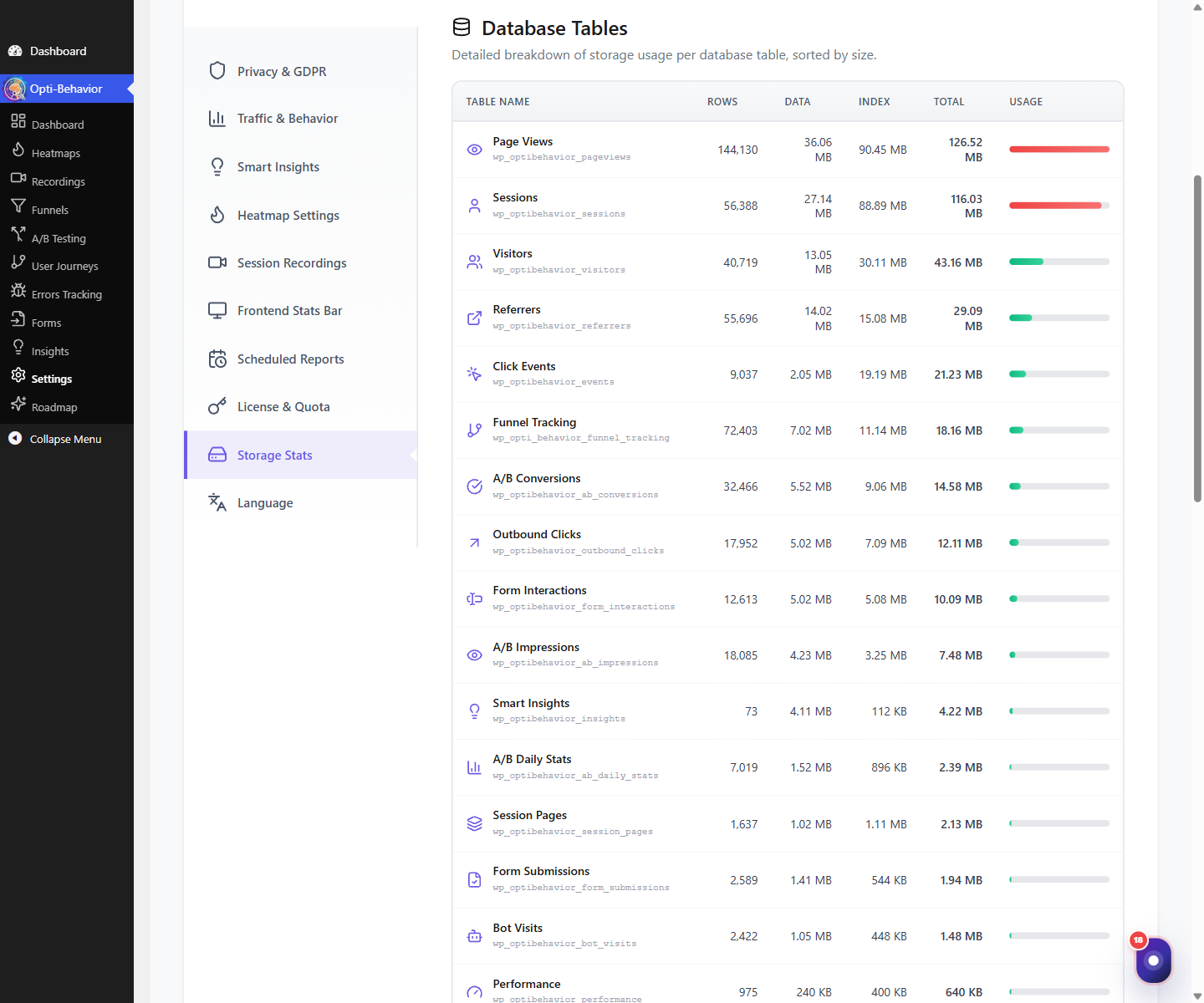
Expected result #
You understand that Opti-Behavior keeps the database lean by offloading bulk data to files, and you know where to check usage.
FAQ #
Where are the files stored? #
In the plugin’s own storage directory inside your WordPress uploads area on your server. Nothing is sent off-site.
Will this fill up my disk? #
Use Storage Stats to monitor usage, and the Danger Zone cleanup tools to remove old data.