
Table of Contents
Pro feature. User Journeys is part of Opti-Behavior Pro. Start the 6-month free trial to unlock it.
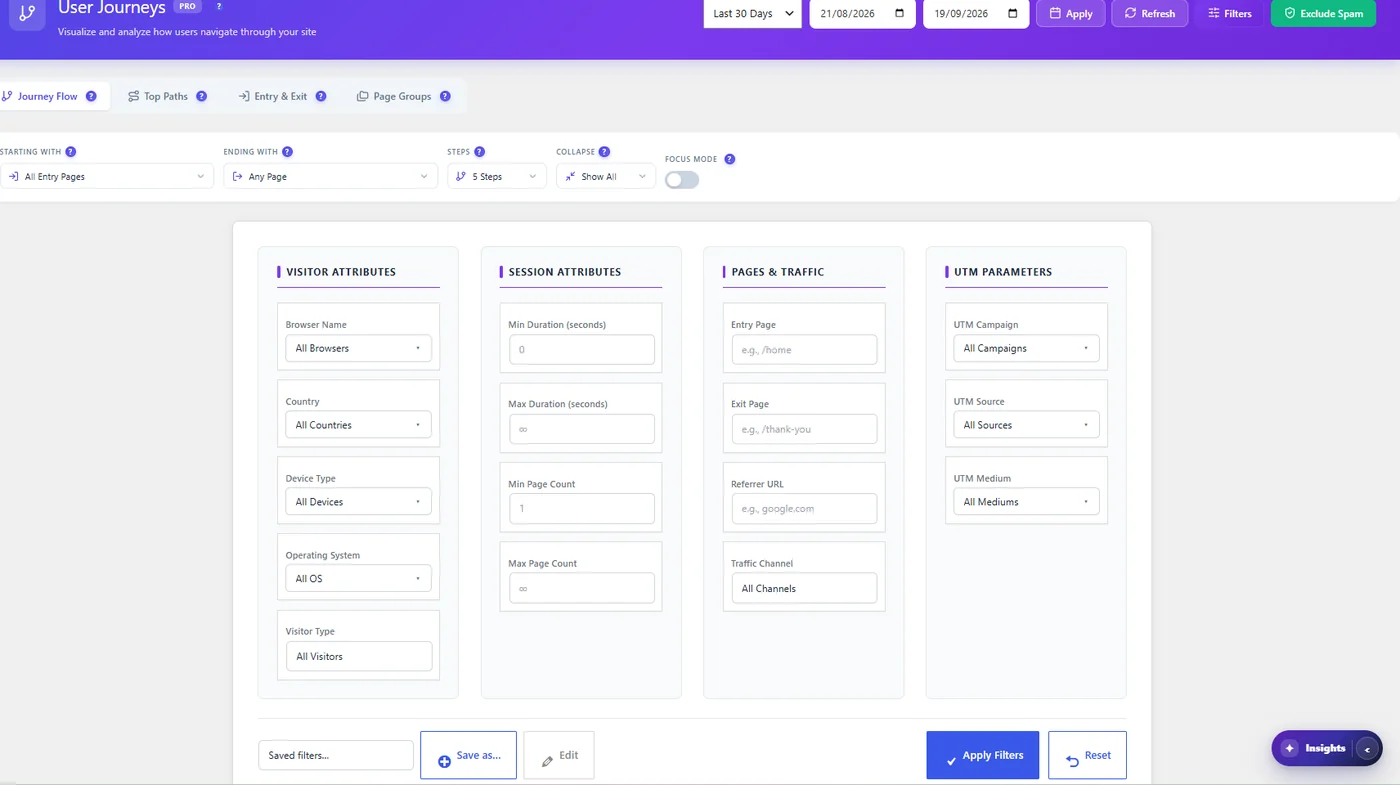
- Quick filters under the tabs: device, browser, OS, country, visitor type, referrer (multi-select with counts).
- Filters panel: duration, page count, entry and exit page, referrer URL, channel, UTM campaign, source and medium.
- Save and reuse sets with Save as…; the date range is never saved.
Useful comparisons #
- Google vs Facebook visitors: which path reaches the goal?
- Mobile vs desktop: are mobile visitors stuck at a step?
- New vs returning.
Example: judge an ad campaign #
- Filters → UTM Campaign = your campaign, Apply.
- Journey Flow: where do campaign visitors go after the landing page?
- Top Paths: does any path reach the goal?
- Entry & Exit: exit rate of the landing page for this campaign.
- Compare with Traffic Channel = Search to see whether the problem is the campaign or the page.
More questions #
Why does a referrer list show counts? #
Each option shows how many sessions came from it in the period, to help you pick.
Expected result #
Diagrams and tables show only the visitors you selected.


