
All heatmap options live in WP Admin → Opti-Behavior → Settings → Heatmap Settings. The defaults fit most sites; this page tells you when to change each one.
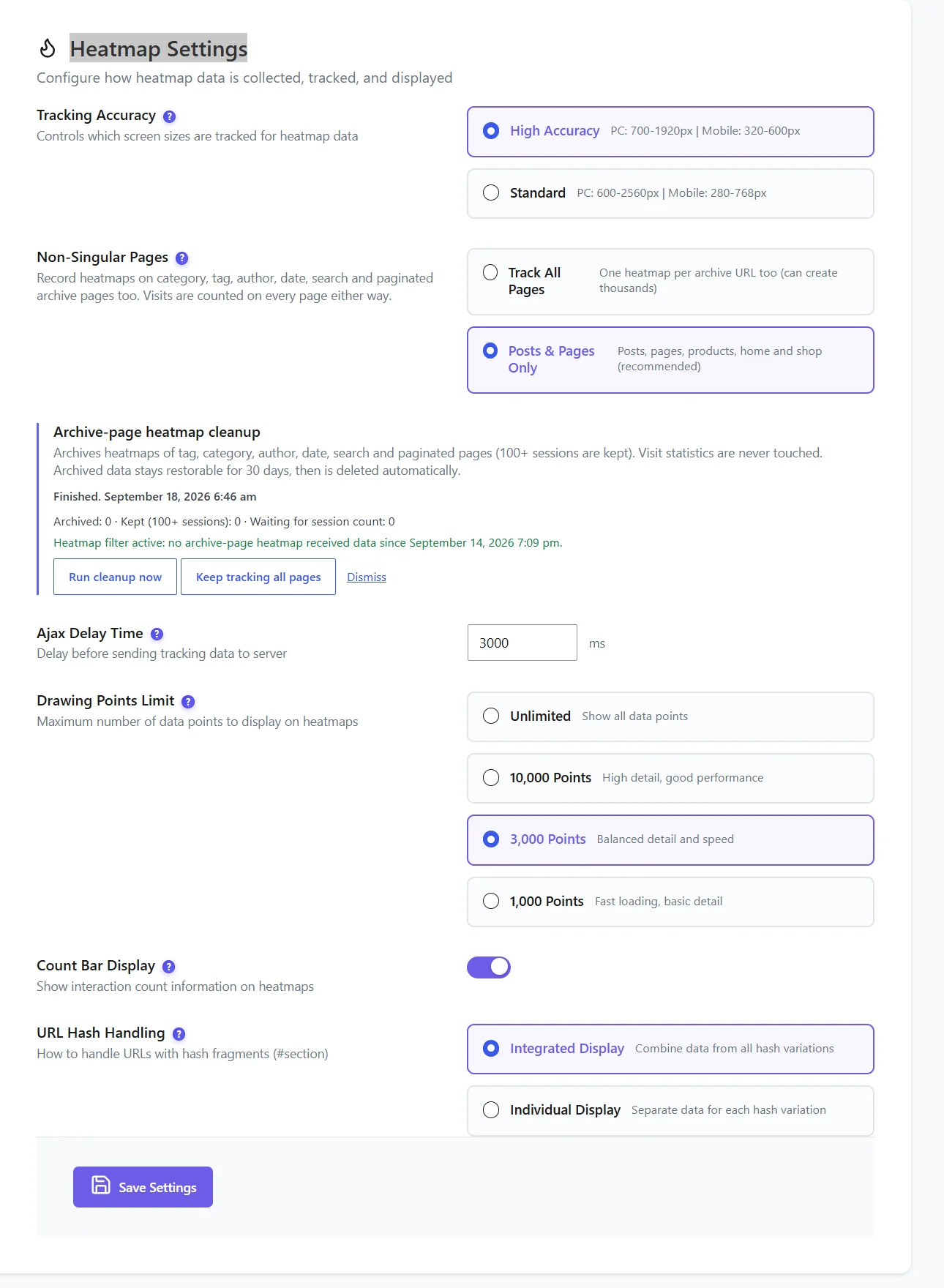
All options #
| Setting | Choices | Default | When to change it |
|---|---|---|---|
| Tracking Accuracy | High Accuracy (desktop 700–1920 px, mobile 320–600 px) or Standard (desktop 600–2560 px, mobile 280–768 px) | Standard | High Accuracy for cleaner heatmaps on typical screens; Standard for wide monitors and tablets. |
| Non-Singular Pages | Track All Pages, or Posts & Pages Only (posts, pages, products, home, shop) | Posts & Pages Only | Choose Track All Pages only if you really analyse category or search pages. It can create thousands of heatmaps. |
| Ajax Delay Time | 1,000 – 10,000 ms | 3,000 ms | Lower it on very short pages; raise it on slow servers to send fewer requests. |
| Drawing Points Limit | Unlimited, 10,000, 3,000, 1,000 | 3,000 | Lower it if big heatmaps are slow to display; raise it for more detail. |
| Count Bar Display (Pro) | On / off | On | Shows the click count when you hover a spot on the Click heatmap. |
| URL Hash Handling | Integrated Display (combine #section variations) or Individual Display | Integrated | Individual only if each #anchor is really a different page (one-page apps). |
Archive-page heatmap cleanup #
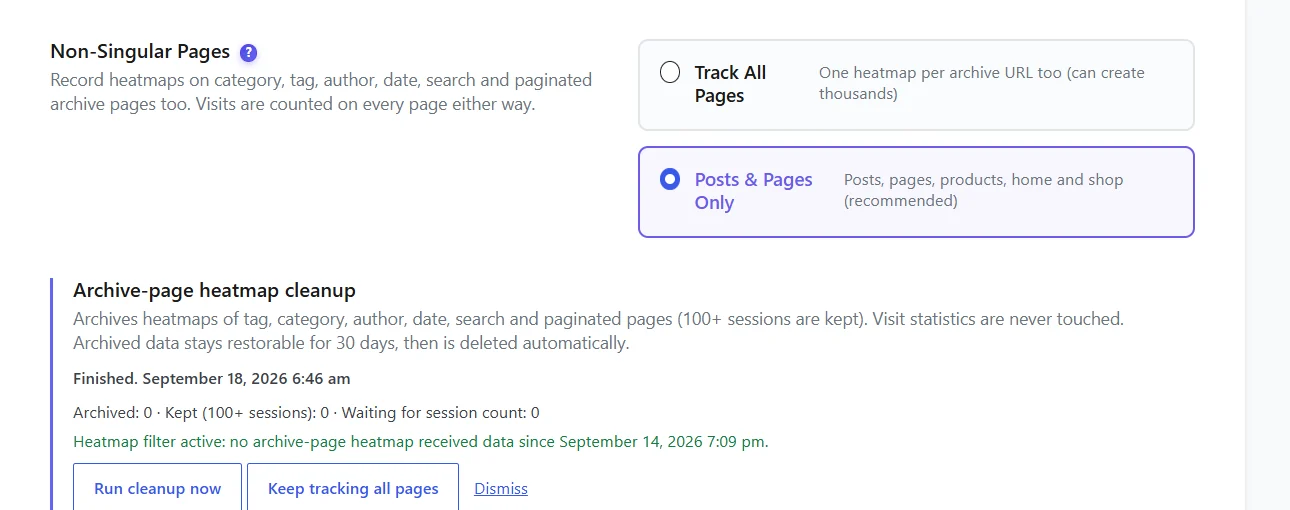
This card archives the heatmaps of tag, category, author, date, search and paginated pages (pages with 100+ sessions are kept). Visit statistics are never touched. Archived data stays restorable for 30 days, then it is deleted automatically. Buttons: Run cleanup now, Keep tracking all pages (switches back to Track All Pages) and Dismiss.
Expected result #
After Save Settings, new visits follow the new rules. Existing heatmaps are not redrawn, except by the archive cleanup.
FAQ #
Do these settings affect my visit statistics? #
No. They only change what is recorded for heatmaps. Visits are counted on every page.
I changed Tracking Accuracy and the heatmap still looks the same. #
The setting applies to new visits. Filter on a period after the change to see the difference.
Where did the “Data Collection” tab go? #
Heatmap options are in the Heatmap Settings tab of Settings.


