
Table of Contents
Scheduled reports send a summary of your site to one or more email addresses, automatically.
The report worker #
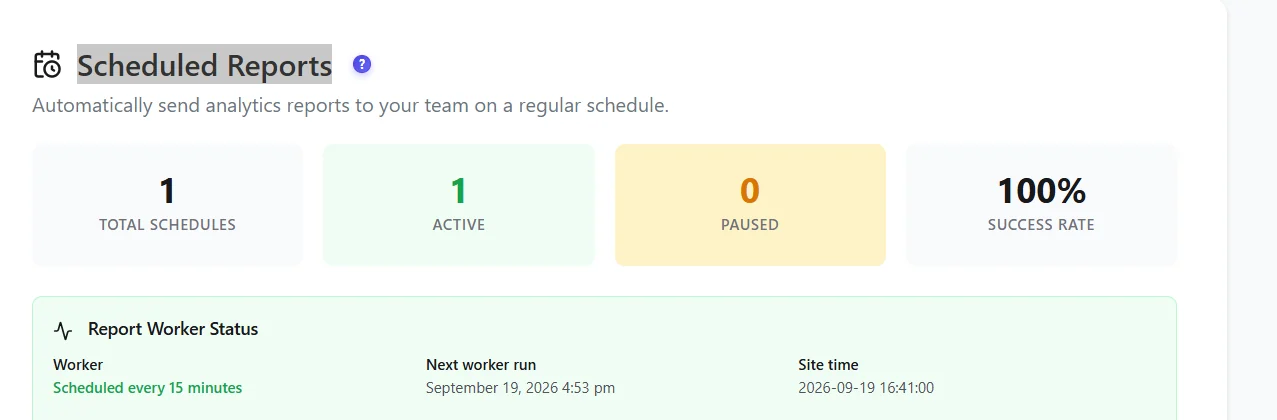
A background worker checks every 15 minutes whether a report is due. It uses WP-Cron, which only runs when someone visits your site. On quiet or cached sites, set a real server cron (and DISABLE_WP_CRON) so reports leave on time.
Email delivery #
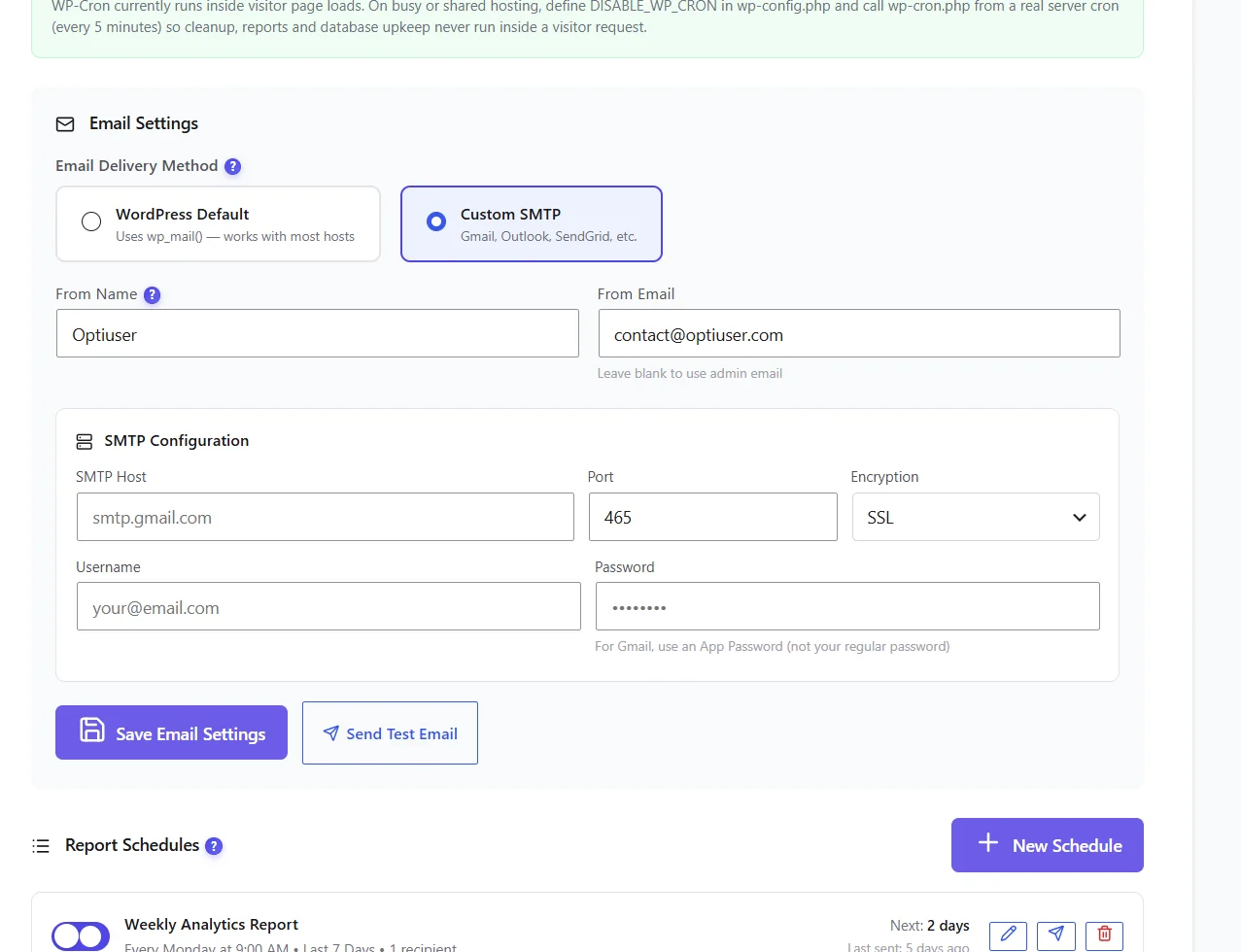
- WordPress Default uses
wp_mail()– fine if your host sends mail reliably or you use an SMTP plugin. - Custom SMTP – host, port, encryption (SSL/TLS), username and password. For Gmail, use an app password, not your normal password.
- Click Send Test Email before creating a schedule.
Create a schedule #
- Click New Schedule.
- Name it, choose daily, weekly or monthly, the day and time.
- Choose the period covered (for example the last 7 days) and the recipients.
- Save. The schedule appears in the list with its next send.
What the report contains #
| Section | Plan |
|---|---|
| Key performance indicators, traffic breakdown, top pages, top referrers, countries | Free |
| Click heatmap summary, funnel performance, Smart Insights of the period | Free |
| Session recordings, JavaScript errors, friction events, Web Vitals, broken links, form analytics, user journeys | Pro |
Expected result #
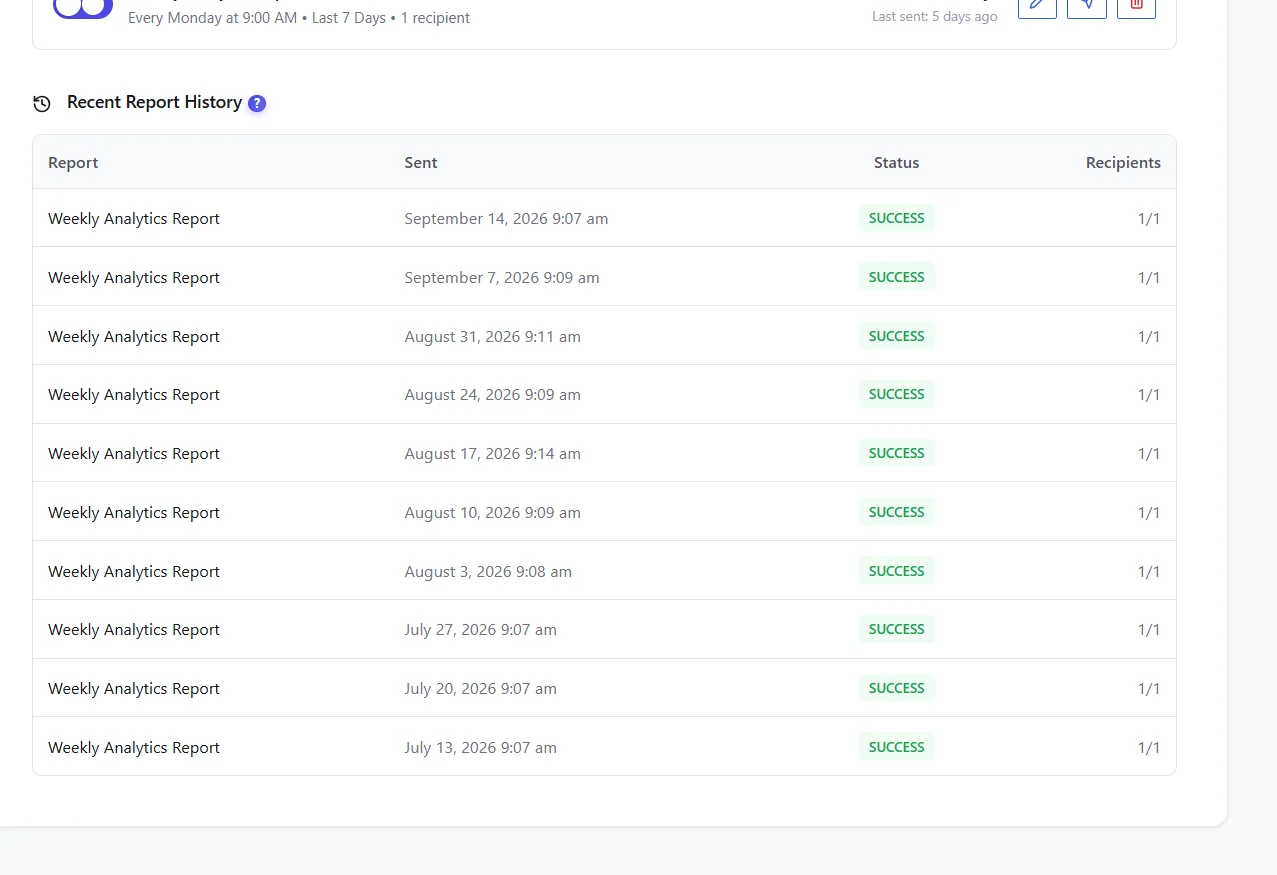
The test email arrives, and each schedule appears in Recent Report History with the status SUCCESS after sending.
FAQ #
The test email never arrives. #
Check spam, then switch to Custom SMTP; many hosts block PHP mail.
Reports leave late. #
WP-Cron depends on visits: set up a server cron.
Can I send to a client? #
Yes, add any address as recipient.


