
Table of Contents
Pro feature. Errors Tracking is part of Opti-Behavior Pro. Start the 6-month free trial to unlock it.
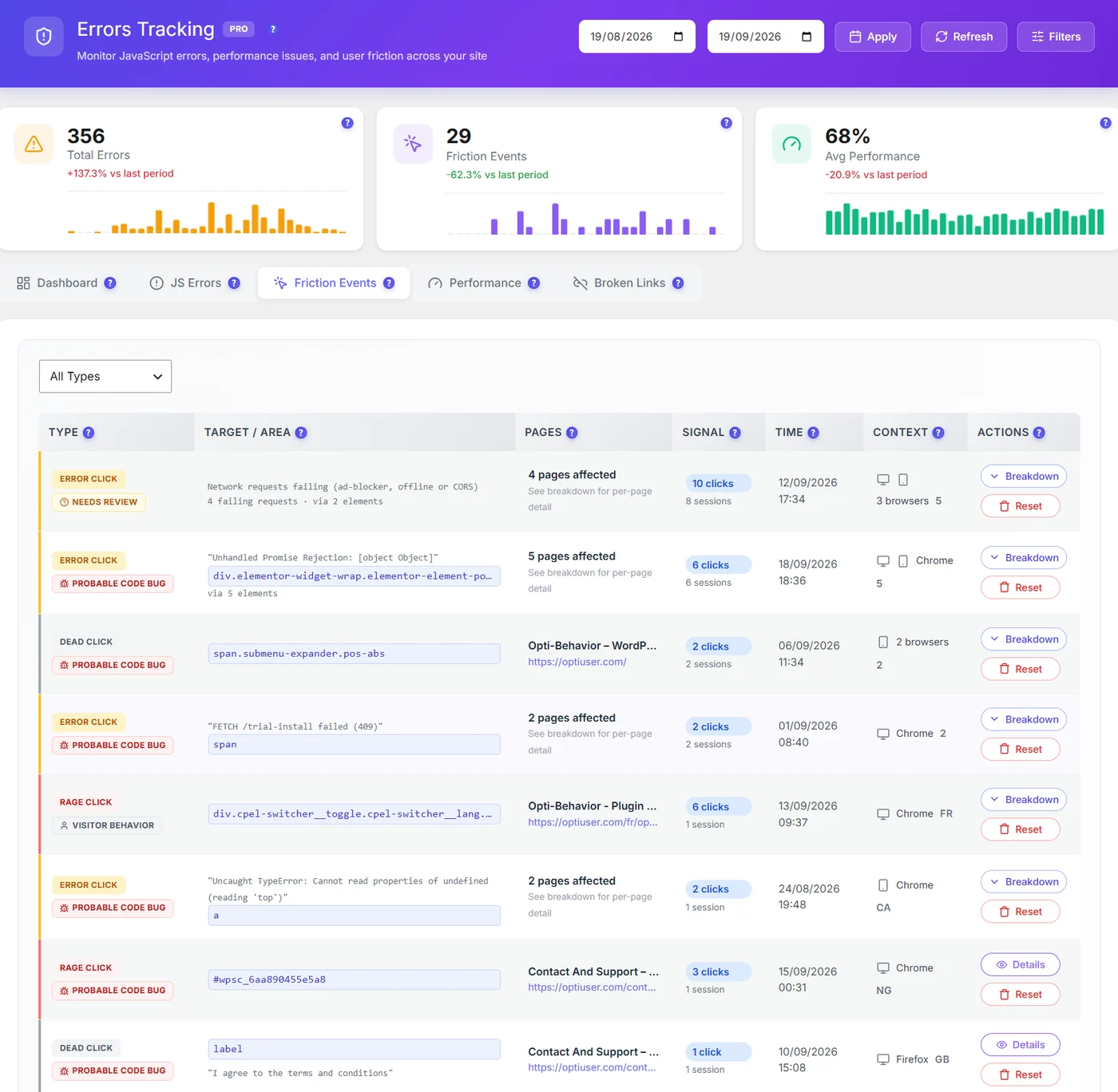
| Type | What happened |
|---|---|
| Rage click | Several fast clicks on the same spot |
| Dead click | A click on something that looks clickable and does nothing |
| Error click | A click followed by a script error |
| Verdict | Meaning |
|---|---|
| Probable code bug | Clicks on this element triggered a captured error |
| Needs review | Could be a bug or the network (ad blockers, offline) |
| Visitor behavior | Normal behaviour such as impatient clicking |
Details #
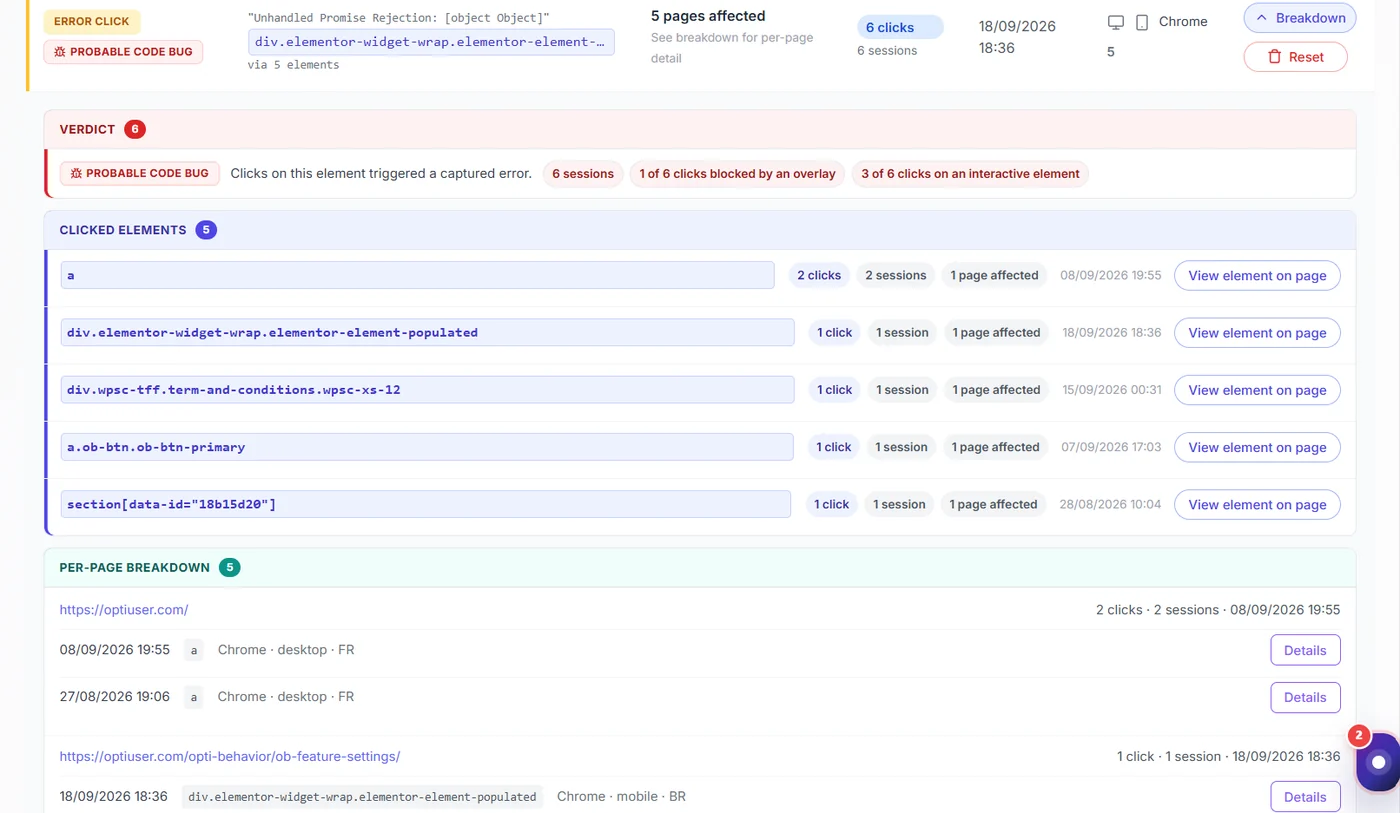
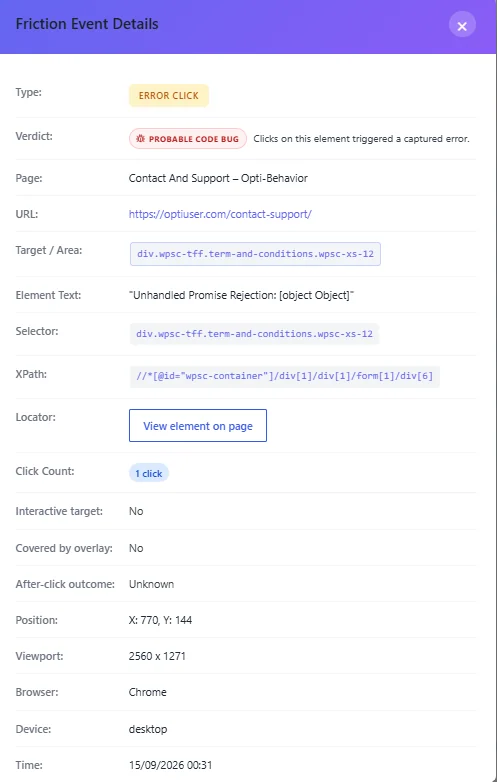
Details include the selector, whether the target was interactive, whether an overlay covered it, what happened after the click, the viewport, browser and device. View element on page highlights it on the live page.
How to act #
- Covered by overlay → a popup, cookie banner or sticky bar is on top of the button.
- Not interactive → make it a link or change its look.
- Probable code bug → open the error and fix the script.
Since 1.9.2, rage clicks are measured per 100 visits in Smart Insights, so busy sites are not flooded with cards.
Expected result #
You find the elements that frustrate visitors, with the reason.


