
Table of Contents
Pro feature. Form Analytics is part of Opti-Behavior Pro. Start the 6-month free trial to unlock it.
Forms are where visitors turn into leads, customers or members – and where many give up. Form Analytics shows which form, and which field, loses them.
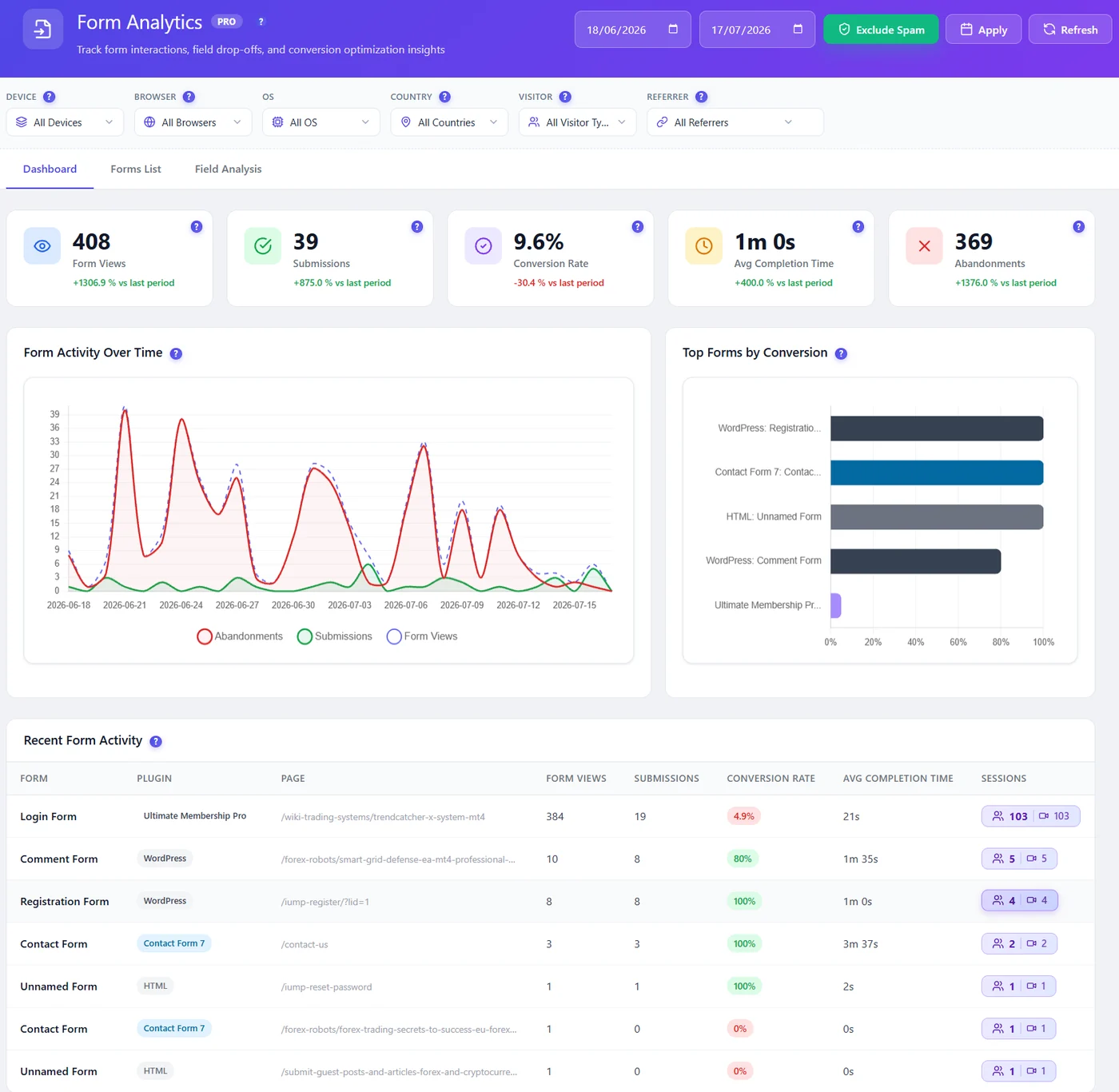
Detected automatically #
Contact Form 7, WPForms, Gravity Forms, Ninja Forms, Elementor forms, Fluent Forms, Forminator, WooCommerce, WordPress login, registration and comment forms, and plain HTML forms. No setup needed.
Three tabs #
| Tab | Shows |
|---|---|
| Dashboard | Totals against the last period, activity over time, top forms, recent activity |
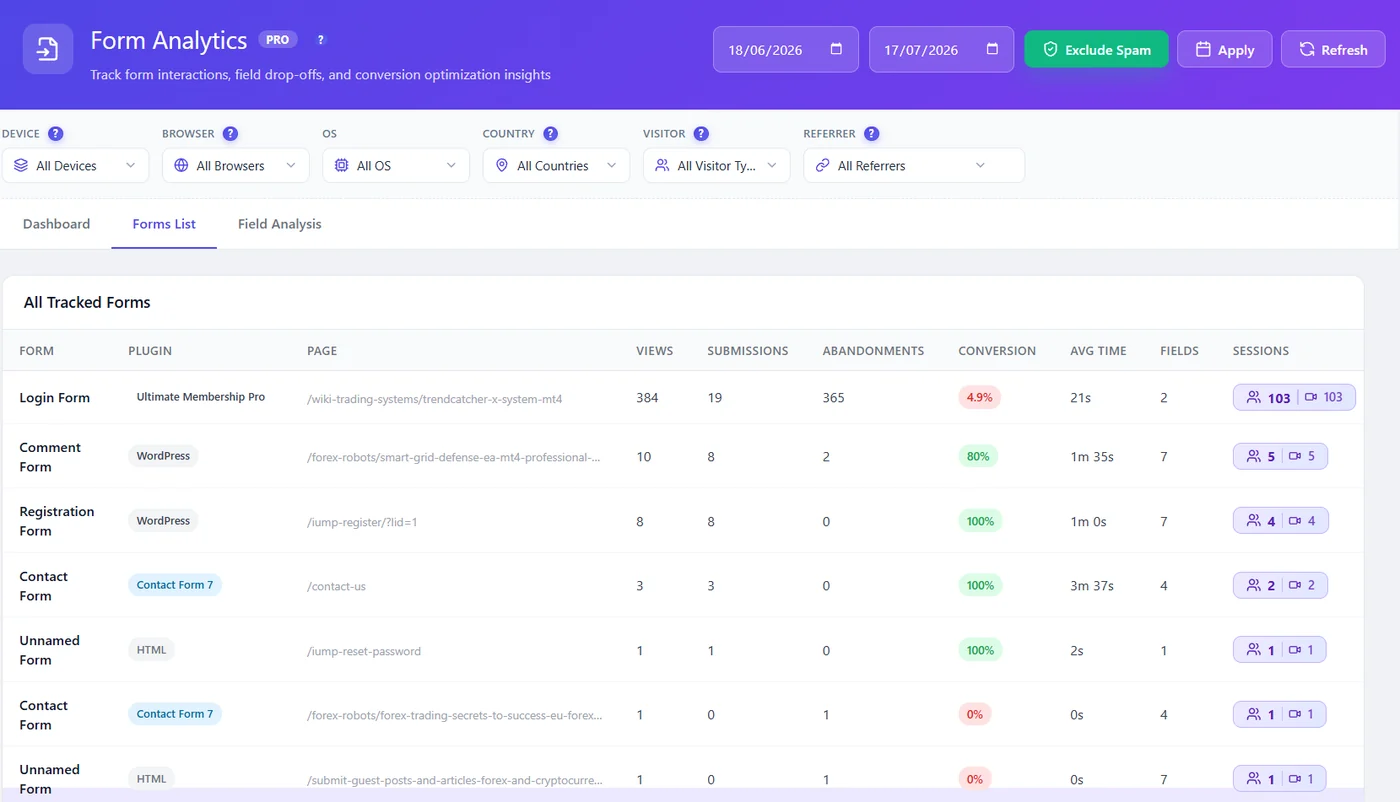
| Forms List | Every tracked form with plugin, page, views, submissions, abandonments, conversion, time, fields |
| Field Analysis | The drop-off funnel and metrics field by field |
First steps #
- Open the Forms List and sort mentally by views: your most-seen forms first.
- Open Field Analysis for the one with the most abandonments.
- Fix the field that loses visitors, then compare the next weeks.
Expected result #
Every form of your site is listed with its conversion rate.
FAQ #
Are typed values recorded? #
Never. Form Analytics measures interactions (focus, time, errors, blanks), not what visitors type.
My form is missing. #
It appears after its first view. Very custom forms may be listed as “HTML”.


