
Table of Contents
The Traffic Overview section starts with six numbers. Here is exactly what each one means.
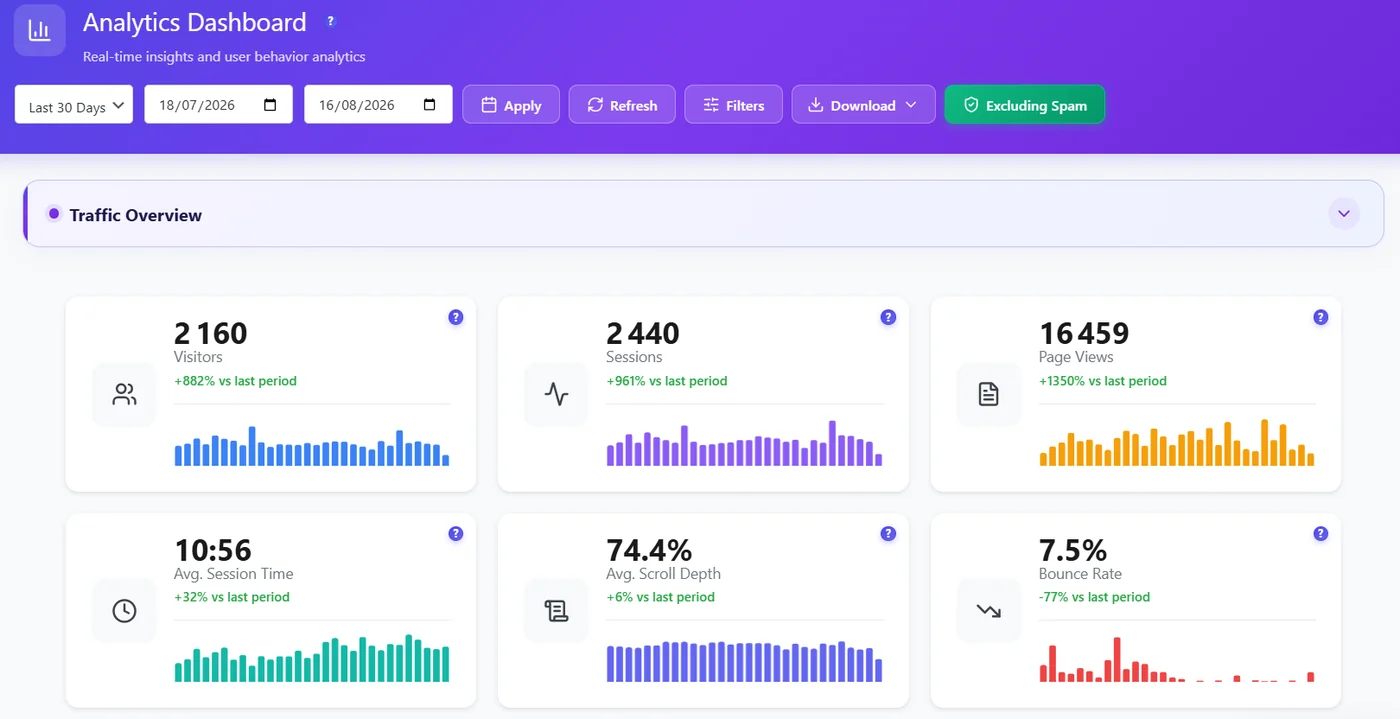
| Metric | Definition | Good to know |
|---|---|---|
| Visitors | Distinct people | Full Tracking: persistent visitor ID. Anonymous Mode: daily non-personal hash, so one person on two days counts twice. |
| Sessions | Visits. A session ends after inactivity. | One visitor can have several sessions. |
| Page views | Pages loaded | Includes every page of every session. |
| Avg session | Average duration of a session | Spam excluded, so it is not dragged down by bots. |
| Scroll | Average share of the page scrolled | Low scroll on long pages = content too long or not engaging. |
| Bounce | Share of sessions with one page and no real engagement | High bounce is normal on blog posts, worrying on landing pages. |
Reading the trend #
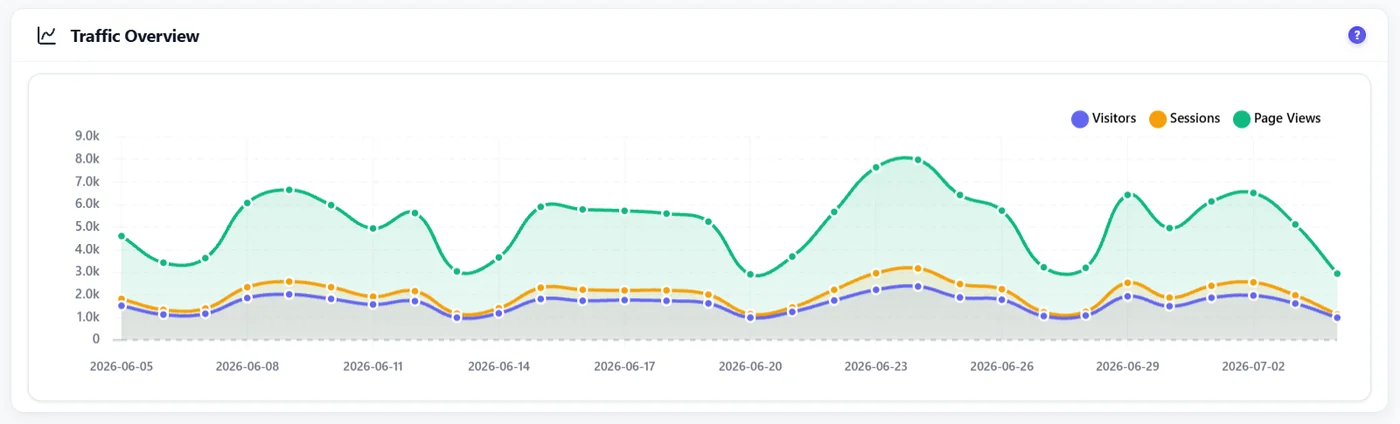
The percentage under each card compares the selected period with the previous period of the same length (for example the last 30 days against the 30 days before). The chart shows the three volumes day by day, so you can spot the day a campaign, an update or a problem started.
Ratios worth watching #
- Page views per session – below 1.5 on a content site means visitors rarely go to a second page.
- Sessions per visitor – above 1.3 shows people come back.
- Bounce vs scroll – high bounce with high scroll means people read and leave satisfied; high bounce with low scroll means they leave at once.
Expected result #
You can explain each card and compare two periods without being misled by spam or by Anonymous Mode counting.
FAQ #
Why is Visitors almost equal to Sessions? #
In Anonymous Mode a returning visitor is recognised only within the same day, so visitors and sessions are close. Full Tracking recognises returning visitors.
Do bots count? #
No, as long as Excluding Spam is on (default).


