
Table of Contents
If your site already has a consent plugin, Opti-Behavior uses it instead of showing a second banner.
Supported consent plugins #
- Cookiebot
- Complianz
- CookieYes
- Moove GDPR (GDPR Cookie Compliance)
- Cookie Notice
- Real Cookie Banner
- Borlabs Cookie
- WP DSGVO Tools
How it works #
- In Full Tracking mode, Opti-Behavior checks which consent plugin is active.
- The Consent Banner Configuration section shows “Third-party consent plugin detected: …” or “No supported plugin detected”.
- On your pages, Opti-Behavior reads the visitor’s answer from that plugin (analytics / statistics category) and applies it: accept = Full Tracking, refuse or no answer = cookie-free tracking.
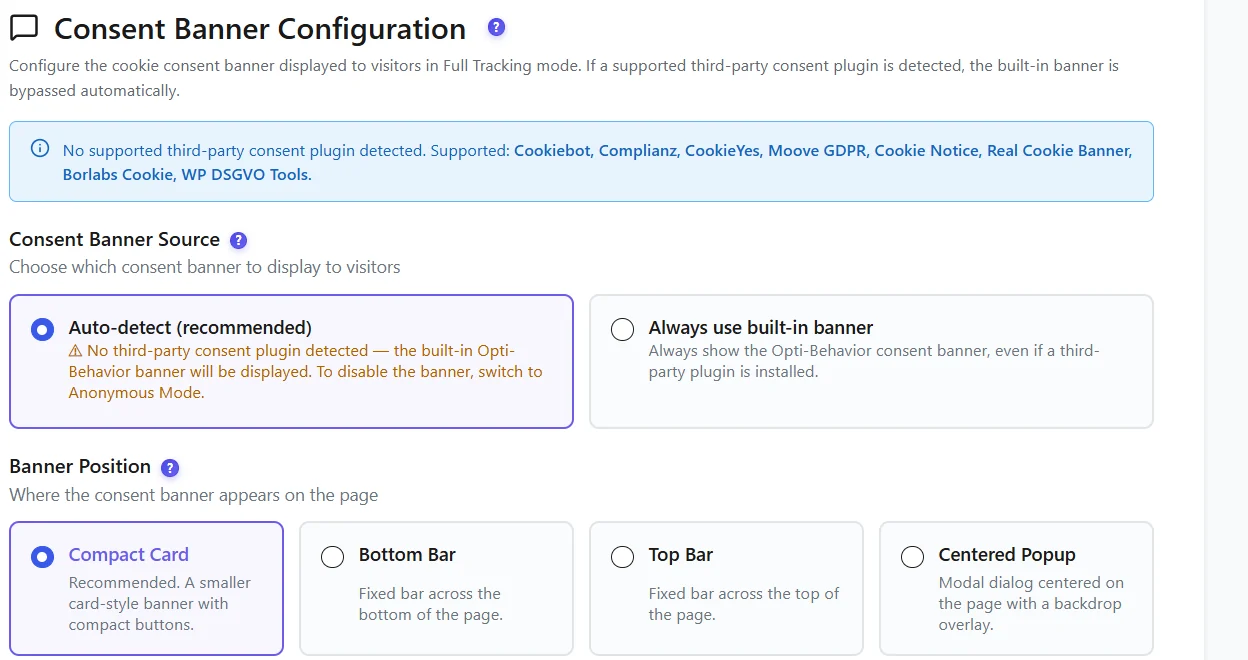
Consent Banner Source #
| Choice | Behaviour |
|---|---|
| Auto-detect (recommended) | Use the detected plugin; show the built-in banner only if none is found. |
| Always use built-in banner | Show the Opti-Behavior banner even if a plugin is installed. |
| Always use <detected plugin> | Never show the built-in banner; follow the plugin only. |
Check it #
- Open your site in a private window: only your consent plugin’s banner appears.
- Refuse statistics cookies: no
optibehaviorcookie is created. - Accept: the visit shows in Traffic with its country (Full Tracking).
Expected result #
Visitors see one banner, and Opti-Behavior follows the choice they made in it.
FAQ #
My consent plugin is not listed. #
Choose Always use built-in banner, or use Anonymous Mode, which needs no consent.
Nothing is detected but my plugin is active. #
Clear the page cache and reload the settings page; some plugins load only on the front end.
Does Anonymous Mode use the consent plugin? #
No. Anonymous Mode sets no cookie, so it does not wait for consent.


