
Table of Contents
Pro feature. Session recording is part of Opti-Behavior Pro. Start the 6-month free trial to unlock it.
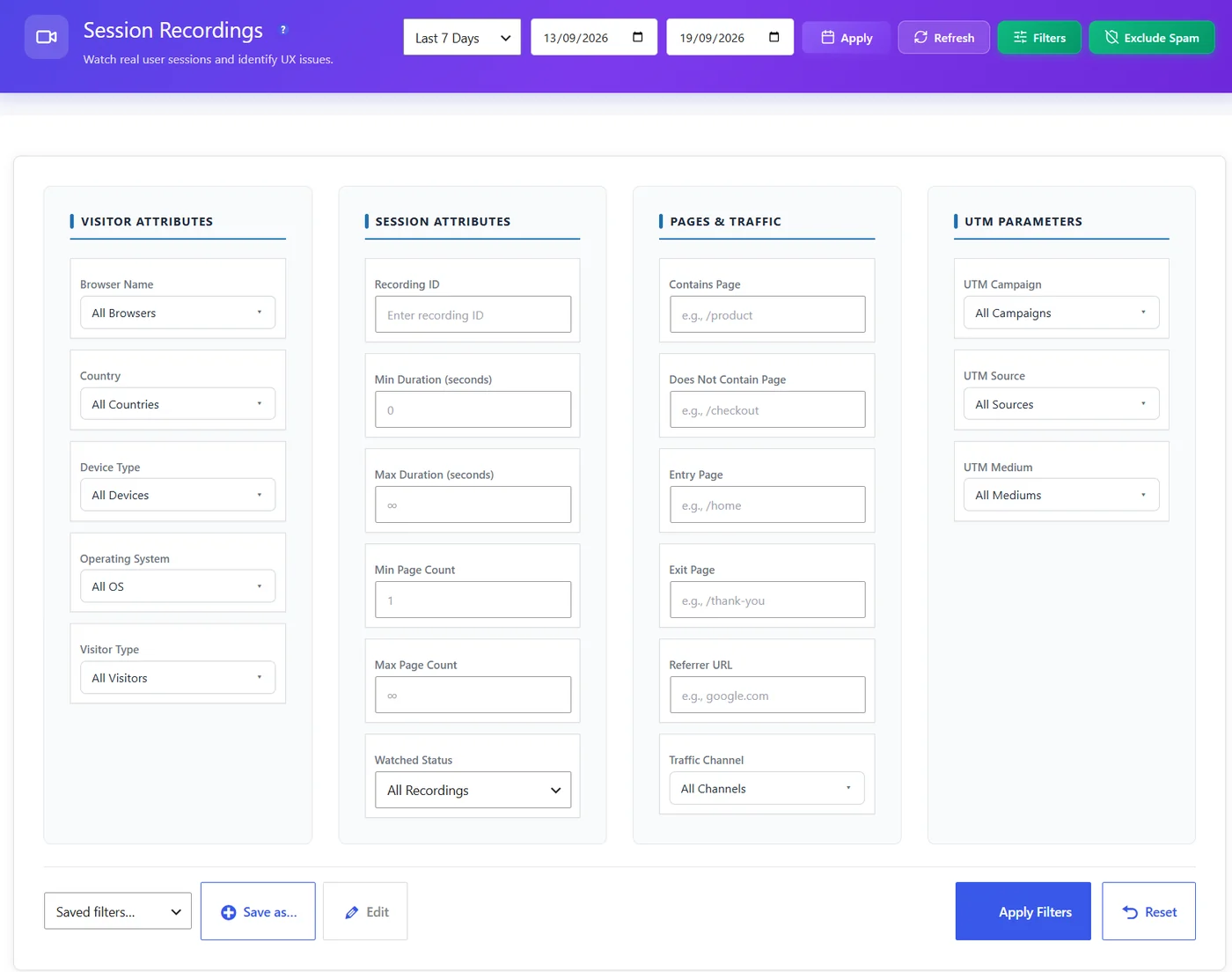
| Filter | Use it to |
|---|---|
| Recording ID | Open a recording someone shared |
| Watched status | Only recordings not watched yet |
| Contains page | Visits that went through a page (checkout, pricing) |
| Does not contain page | Visits that never reached a page (the thank-you page) |
| Visitor / session / traffic / UTM | Device, country, duration, source, campaign… |
Useful combinations #
- Contains
/cart/+ does not containorder-received= abandoned carts. - Mobile + contains your landing page + duration over 30 s = engaged mobile visitors who did not convert.
- Campaign = your ad + not watched = new ad traffic to review.
Save a combination with Save as…; Reset reloads the full list.
Tip #
Recording filters use the same saved filter sets as the dashboard, heatmaps and journeys: build a segment once (for example “Paid mobile visitors”) and reuse it everywhere.
Filter recipes #
| Goal | Filters |
|---|---|
| Abandoned carts | Contains page /cart/ + does not contain order-received |
| Bounced ad traffic | UTM medium = cpc + max page count 1 |
| Lost mobile leads | Device = mobile + contains /contact/ + does not contain thank-you |
| Returning buyers | Visitor type = returning + contains order-received |
Expected result #
The list shows only the visits you need, with a correct total.
FAQ #
The total showed “0 of 0” with page filters. #
Fixed in 1.9.2.
Filters are lost when I leave. #
Save them as a filter set.


