
Table of Contents
A funnel is the path you want visitors to follow – product, cart, checkout, thank-you page. Opti-Behavior counts how many visitors reach each step and shows where they give up.
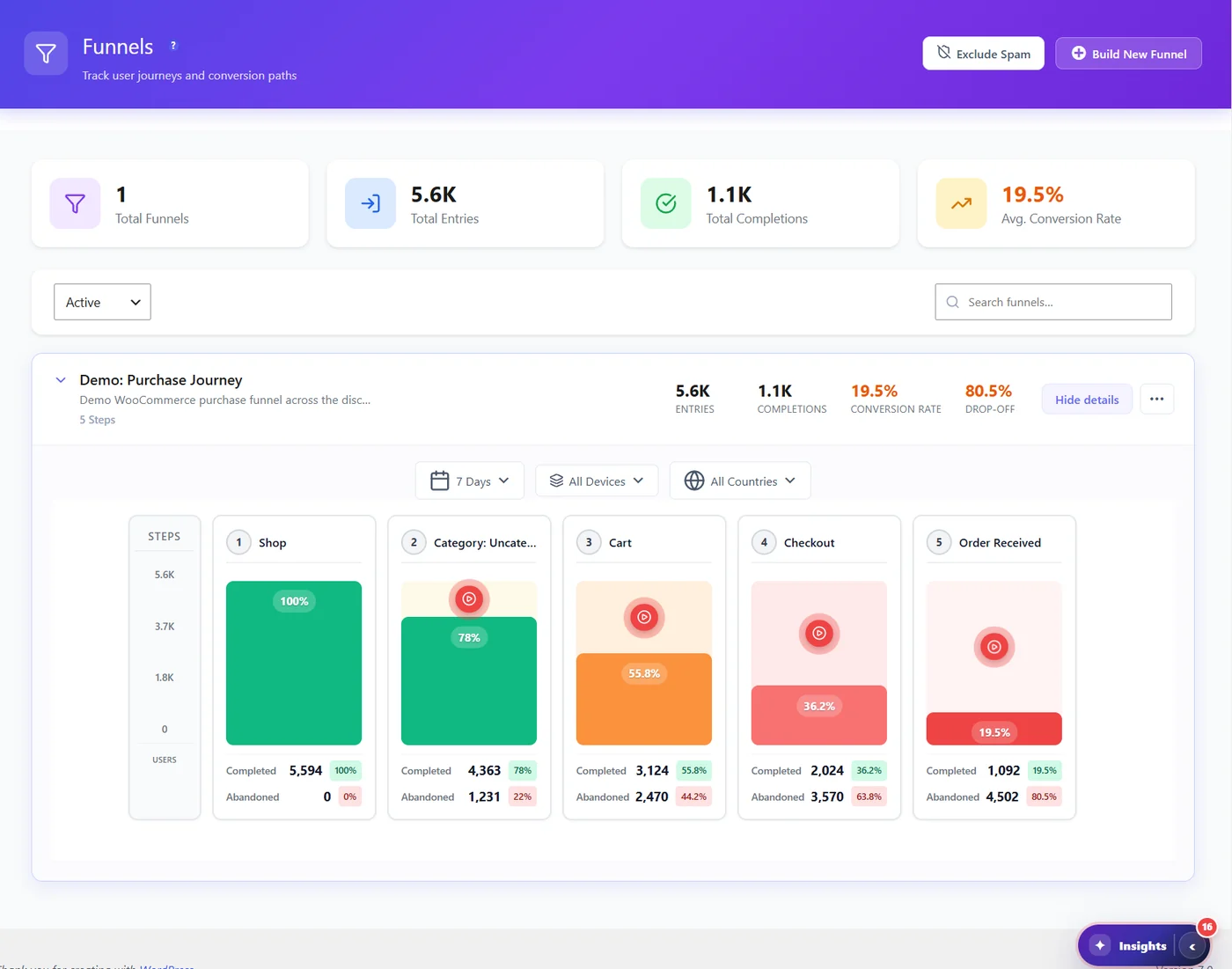
How a funnel is counted #
- Each step matches pages by a URL rule (see URL matching rules).
- The first step sets the number of entries. Each next step shows how many of them continued, in order.
- Completions reached the last step. Conversion rate = completions ÷ entries.
Reading the chart #
| Element | Meaning |
|---|---|
| Green bar | Visitors who completed the step (percentage of entries) |
| Orange / red bar | Lower completion – the darker, the bigger the loss |
| Completed / Abandoned | Visitors who reached / did not reach the step, with percentages |
| Red play button | Watch replays of visitors who did not reach the step (Pro) |
Change the period (7, 30, 90 days or custom), the devices and the countries above the chart. The biggest drop between two steps is where to start.
Where funnels help elsewhere #
- Smart Insights (Pro) raises a Funnel Drop-off Detected card naming the step visitors leave.
- Page X-Ray (Pro) shows the funnels that go through a page.
- A/B Testing can use a funnel step as a goal.
Expected result #
Each funnel shows its entries, completions, conversion rate and the step with the largest drop-off.
FAQ #
Do steps have to be visited in order? #
Yes. A visitor counts for a step only after reaching the steps before it.
Are funnels limited in the free version? #
No. Create as many as you need.
Why do two funnels show the same numbers? #
They track the same steps; the Funnels page warns you about such twins.


