
Table of Contents
Pro feature. User Journeys is part of Opti-Behavior Pro. Start the 6-month free trial to unlock it.
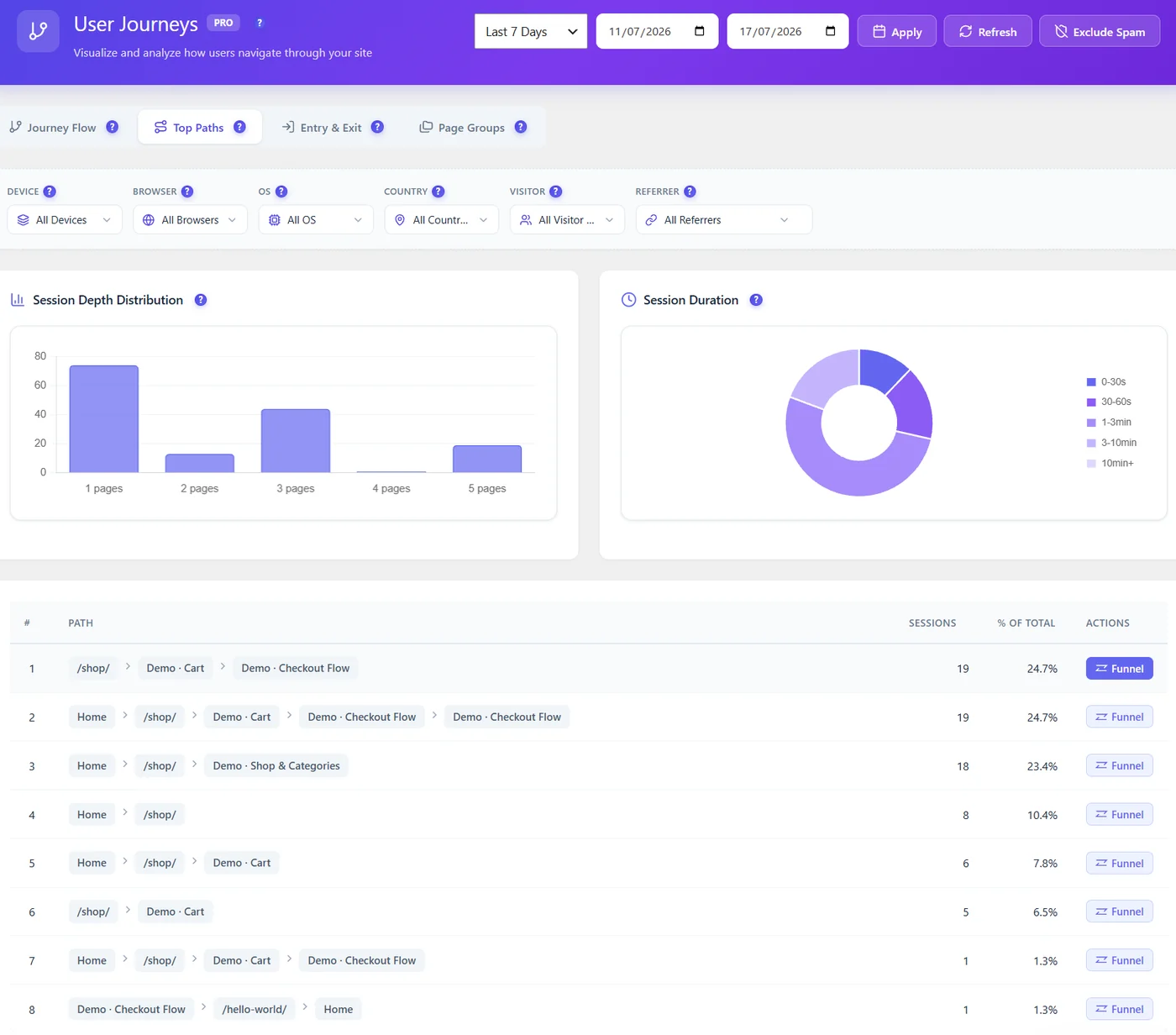
Each row is a sequence of pages (or page groups) with its sessions and share of all sessions. Click Funnel to create a funnel from the path, filled with past data.
What to look for #
- A path that reaches your goal: make it easier (fewer steps, clearer buttons).
- A popular path that ends nowhere: add a next step.
- Loops (the same page twice): visitors are lost.
Example from a shop #
| # | Path | Share | Reading |
|---|---|---|---|
| 1 | Shop → Cart → Checkout | 25% | Direct buyers: keep this path short |
| 2 | Home → Shop → Cart → Checkout → Checkout | 25% | Checkout reloads: a checkout error or a payment retry |
| 3 | Home → Shop → Shop & Categories | 23% | Browsing without adding to cart: product pages need work |
Turn path 1 into a funnel to follow its conversion, and watch recordings of path 2 to find why checkout repeats.
More questions #
Why do paths show group names? #
Pages matching a page group are shown with the group name to keep paths readable.
Expected result #
You find the route that converts and the one that loses visitors.


