
Table of Contents
Pro feature. User Journeys is part of Opti-Behavior Pro. Start the 6-month free trial to unlock it.
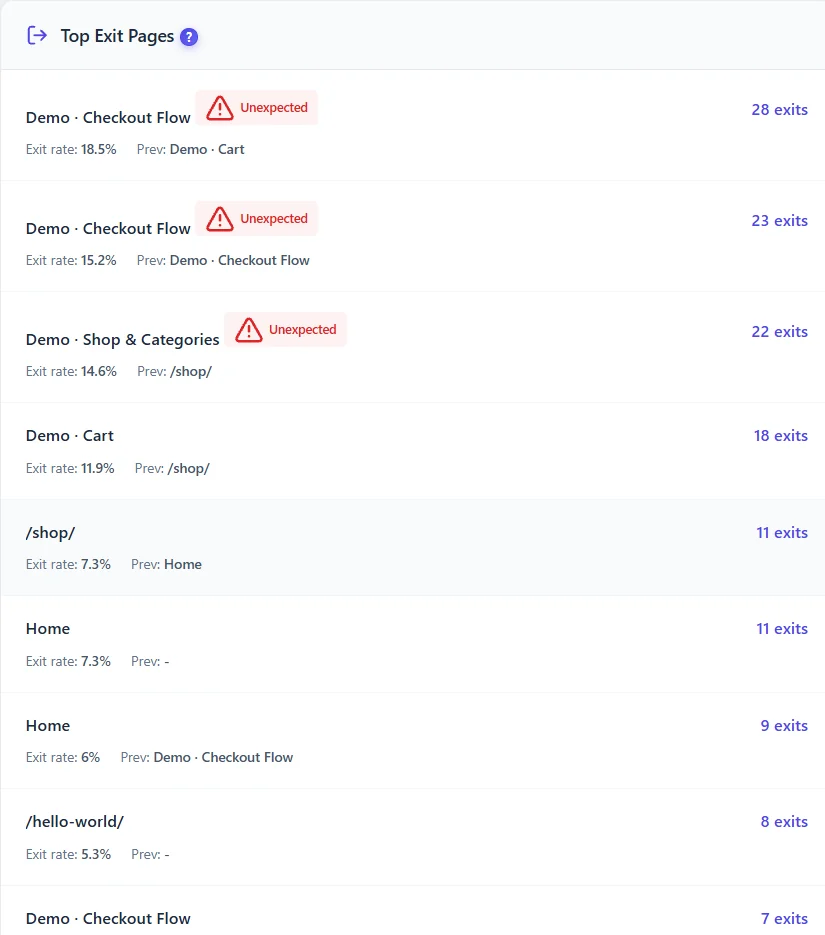
| List | Columns | Use |
|---|---|---|
| Top entry pages | Sessions, bounce, next page, average pages | Improve the pages that start most visits |
| Top exit pages | Exits, exit rate, previous page, Unexpected flag | Fix exits on pages that should lead somewhere |
An Unexpected exit is an exit from a page that should not end a visit – a cart, a checkout step, a category page.
Reading entry pages #
- High bounce on a top entry page – compare with its traffic source: an ad promising something the page does not show?
- Next page – where most visitors go next; if it is the menu or search, the page lacks a clear next step.
- Average pages – below 1.5 on a landing page means visitors rarely continue.
Reading exit pages #
- Exits on the thank-you page are good: the visit ended with the goal.
- Exits on cart or checkout steps are losses: open the funnel and recordings.
- Exits on category pages mean visitors did not find a product they liked: check filters, prices and stock.
Expected result #
You know which unexpected exits to investigate first.


