
Table of Contents
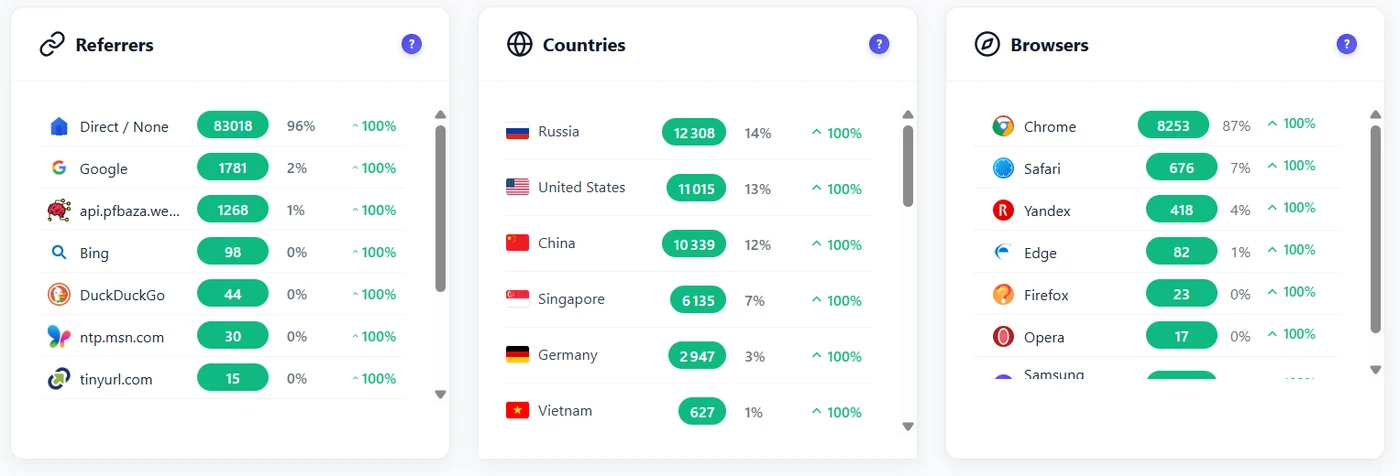
Opti-Behavior records where each session came from: the referrer (the site that sent the visitor) and the UTM parameters of your campaign links.
What is recorded #
| Field | Example | Where you use it |
|---|---|---|
| Referrer | google.com, facebook.com, a partner blog, Direct | Referrers widget, filters, user journeys |
| Traffic channel | Search, social, referral, direct, email, ads | Filters |
| utm_source utm_medium utm_campaign | newsletter spring-sale | UTM filters (Traffic, heatmaps: Free; other reports: Pro) |
Tag your links #
Add UTM parameters to every link you share, for example:
https://example.com/offer/?utm_source=newsletter&utm_medium=email&utm_campaign=spring-sale
- Use lowercase and the same spelling every time (“facebook”, not “Facebook” then “fb”).
- Keep
utm_campaignfor the campaign name andutm_sourcefor the site or list that sends it.
Judge a campaign in three steps #
- Traffic → Filters → UTM Campaign = your campaign: see its visitors, bounce and scroll.
- Open the landing page heatmap with the same filter: do campaign visitors click the offer?
- (Pro) Open the funnel and choose the same UTM filter: how many reach the goal?
Expected result #
Your campaigns appear in the UTM filter lists. The Traffic dashboard and the heatmaps (Free), and Funnels, Recordings, Forms and User Journeys (Pro), can be narrowed to one of them.
FAQ #
Why is so much traffic “Direct”? #
Apps, emails without UTM tags and private browsing often send no referrer. Tag your links.
Does Opti-Behavior keep the UTM after the first page? #
Yes, the source of a session is kept for the whole session.


