
Behaviour data is big: one visit can produce hundreds of mouse points and recording events. Storing all of it as database rows would slow your whole site. Opti-Behavior uses Hybrid Storage: compact data in the database, bulky raw data in files – both on your own server.
What goes where #
| Where | What | Kept by default |
|---|---|---|
| WordPress database | Visitors, sessions, pageviews, funnels, A/B tests, Smart Insights, settings | Detailed rows 365 days |
| Database – summaries | Daily aggregates used by the dashboard charts | Forever |
Files in wp-content/uploads/opti-behavior-data/ | Raw heatmap data per page, session recordings (Pro) | 90 days |
Since 1.9.1 the database is also lighter: the heatmap events table is up to 10 times smaller, duplicate indexes are removed automatically and all tables use InnoDB.
Watch your storage #
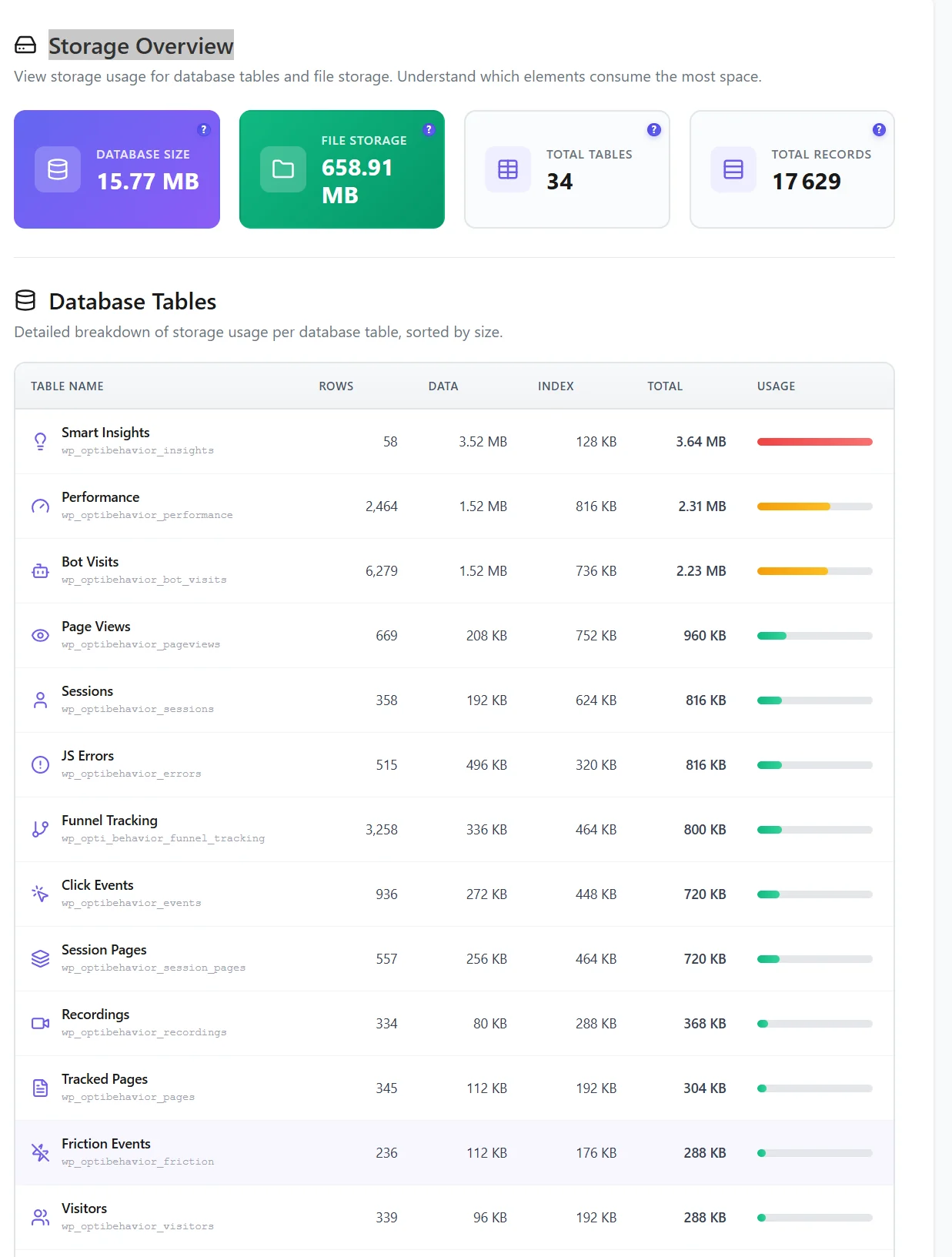
Open Settings → Storage Stats to see the database size, the file storage, and each table sorted by size.
Control growth #
- Retention – set how long heavy files and detailed data are kept (Settings → Smart Data Cleanup).
- Database size caps – optional global or per-table limits; the oldest raw rows go first, the last 7 days and summaries are always kept.
- Spam and bots – purged automatically every day.
- Cleanup Tasks – see every scheduled job and run it now. See Storage overview.
Expected result #
You know where your data is, how long it stays, and where to check its size.
FAQ #
Is anything stored outside my server? #
No. Database and files are on your hosting.
Will this fill my disk? #
Retention removes heavy files after 90 days by default, and you can cap the database size.
Are the files protected? #
They sit in their own folder of your uploads directory; recordings can be encrypted with Pro.


