
Table of Contents
The live demo is a real WordPress site with Opti-Behavior Free and Pro installed and filled with realistic sample data. You get a WordPress admin view of every module without installing anything.
Open the demo #
Go to demo.optiuser.com. You are logged in automatically with a demo account. The demo is a sandbox: some actions (installing plugins, changing users) are disabled, and sample data is synthetic – no real visitor.
What to look at first (15 minutes) #
- How it works – the loop, with the demo’s numbers.
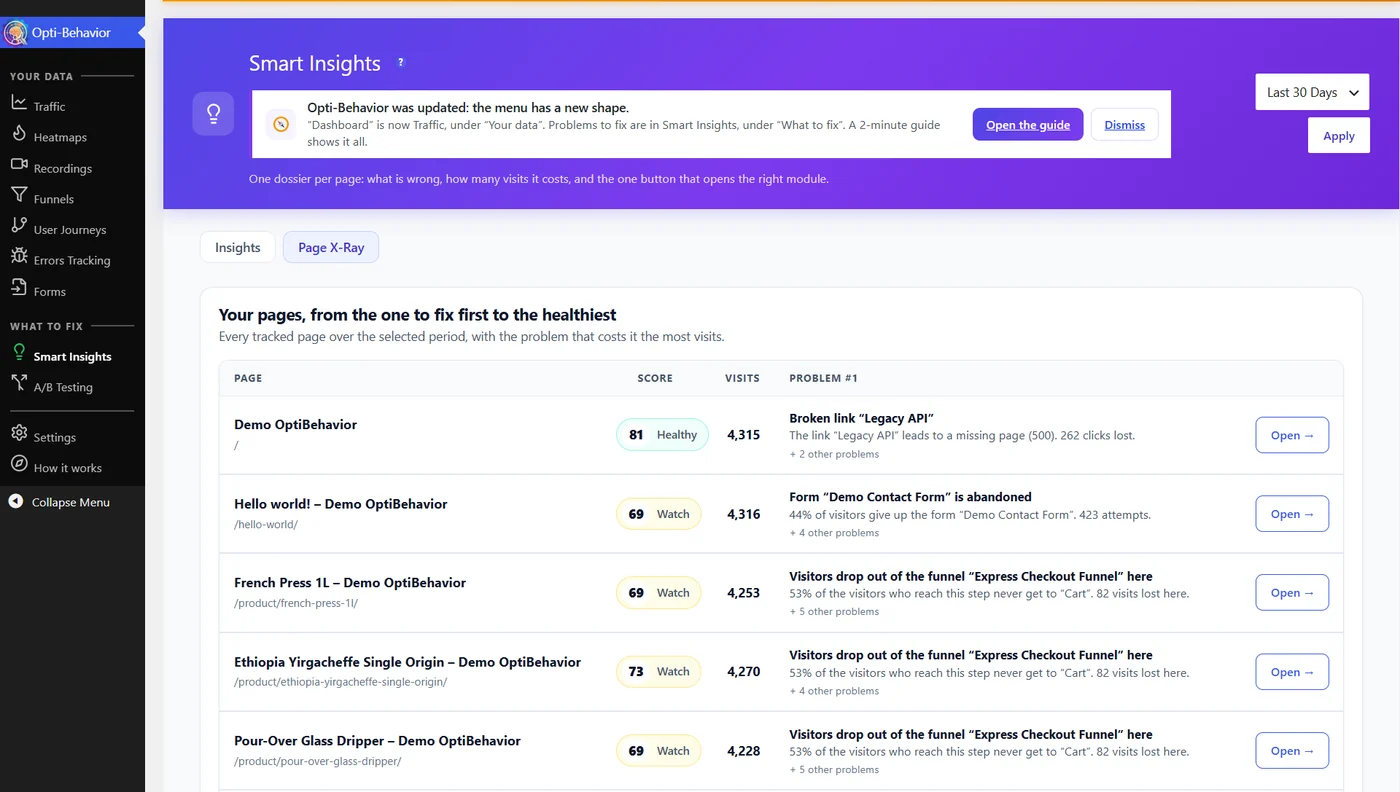
- Smart Insights – the weekly briefing and the list of problems ranked by cost. Open one card to see its evidence.
- Smart Insights → Page X-Ray – the full report of one page: health score, what to fix, audit and action plan.
- Heatmaps – open the shop or a product page and switch between the four types and devices.
- Funnels – the WooCommerce purchase funnel and the suggested funnels.
- Recordings – replay a visit, with its timeline of clicks and errors.
- A/B Testing – open a finished test and read the decision engine.
Expected result #
You have seen each module with data and know which ones matter for your site before you install.
FAQ #
Can I break the demo? #
No. It is a sandbox: actions that could damage it are disabled.
Is Pro included in the demo? #
Yes, every Pro module is active on the demo.
Can I see my own site in the demo? #
No. Install the free plugin on your site – see How to install.


