
Settings → Traffic & Behavior decides which visits count as human, which are ignored and how engaged visitors are graded. Each block has its own Save button.
Bot and automated traffic #
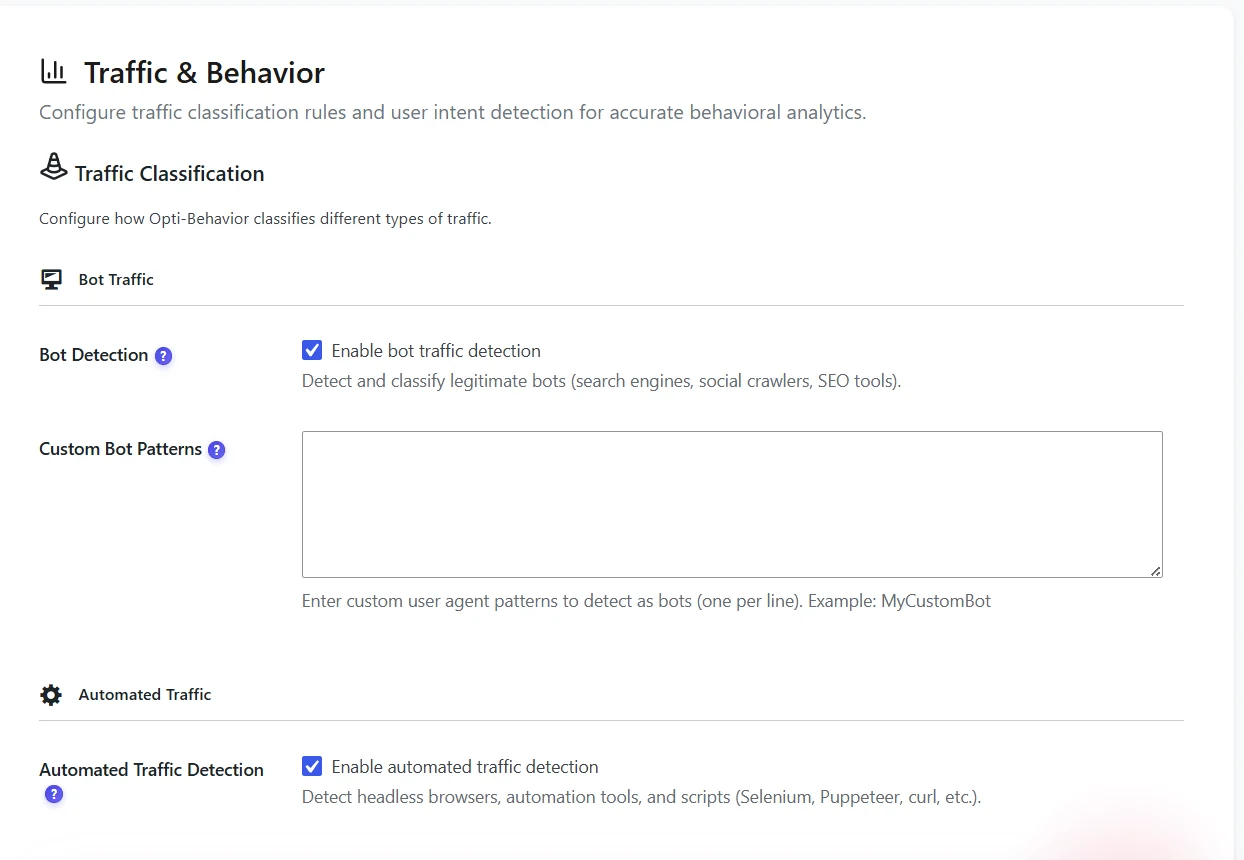
- Bot Detection – recognises search engines, social crawlers, SEO tools and AI fetchers. Keep it on.
- Custom Bot Patterns – one user-agent fragment per line for tools specific to your site (monitoring, internal scripts).
- Automated Traffic Detection – flags headless browsers and automation tools (Selenium, Puppeteer…).
Spam traffic #
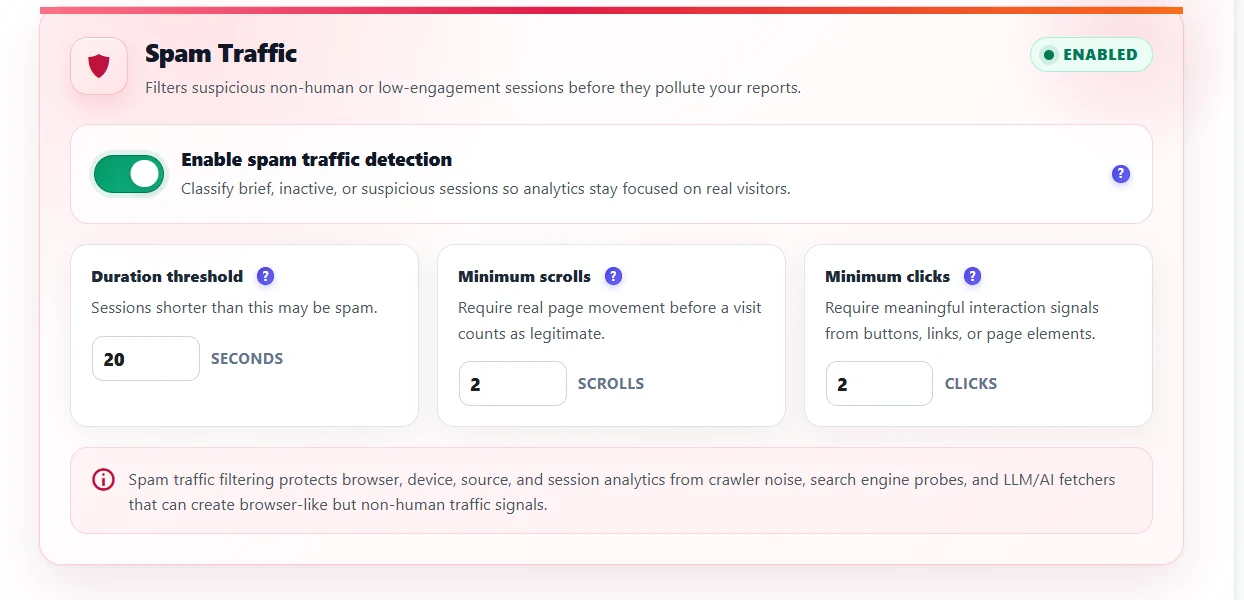
| Threshold | Default | Meaning |
|---|---|---|
| Duration | 3 seconds | Shorter sessions fail |
| Minimum scrolls | 0 | Fewer scrolls fail |
| Minimum clicks | 1 | Fewer clicks fail |
A session is human only if it meets all thresholds. A real click or a form interaction always protects a session from “few clicks”, and a consent-banner click never counts. After saving, sessions are re-classified in the background.
Tip. Raise thresholds slowly. With 20 seconds and 2 scrolls, many short real visits (a quick check of your opening hours) become spam and disappear from reports.
Excluded IPs and admin tracking #
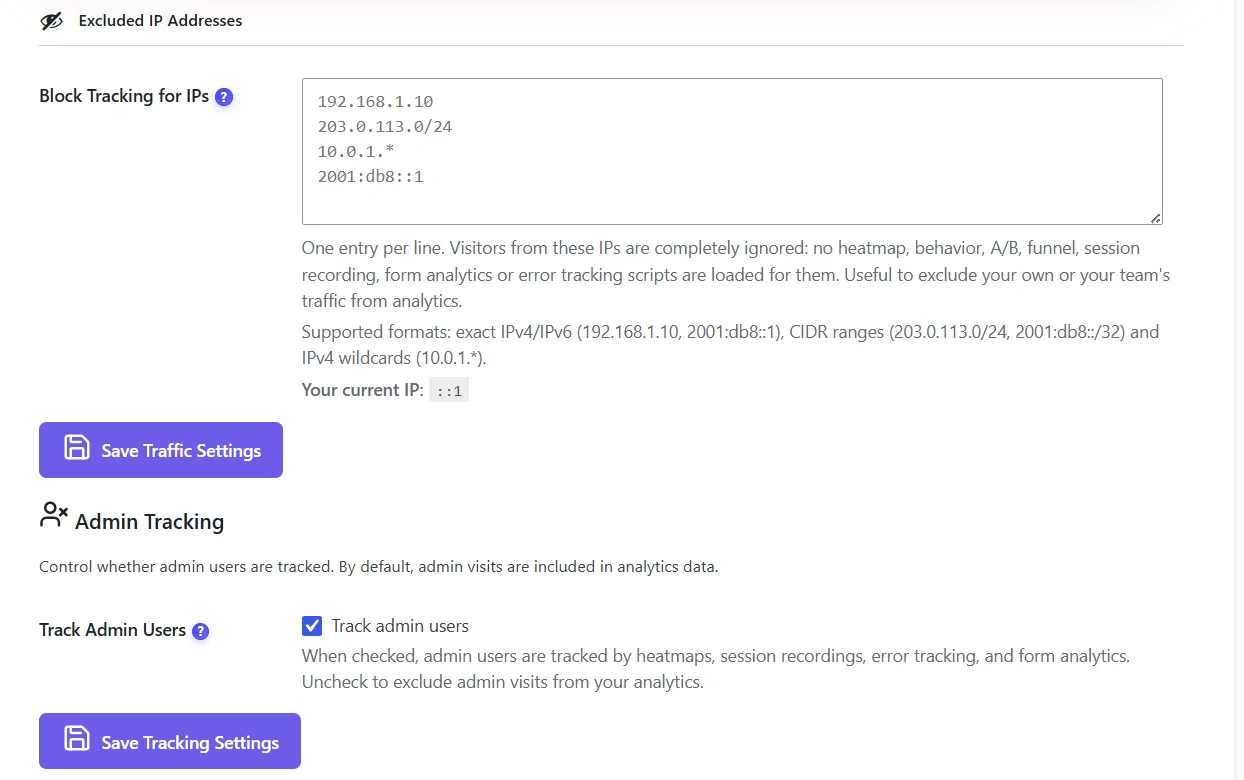
- Excluded IP Addresses – IPv4, IPv6, CIDR and wildcards; these visits are ignored everywhere.
- Track Admin Users – on by default so you can test. Two days after installation Opti-Behavior offers to turn it off.
User intent rules #
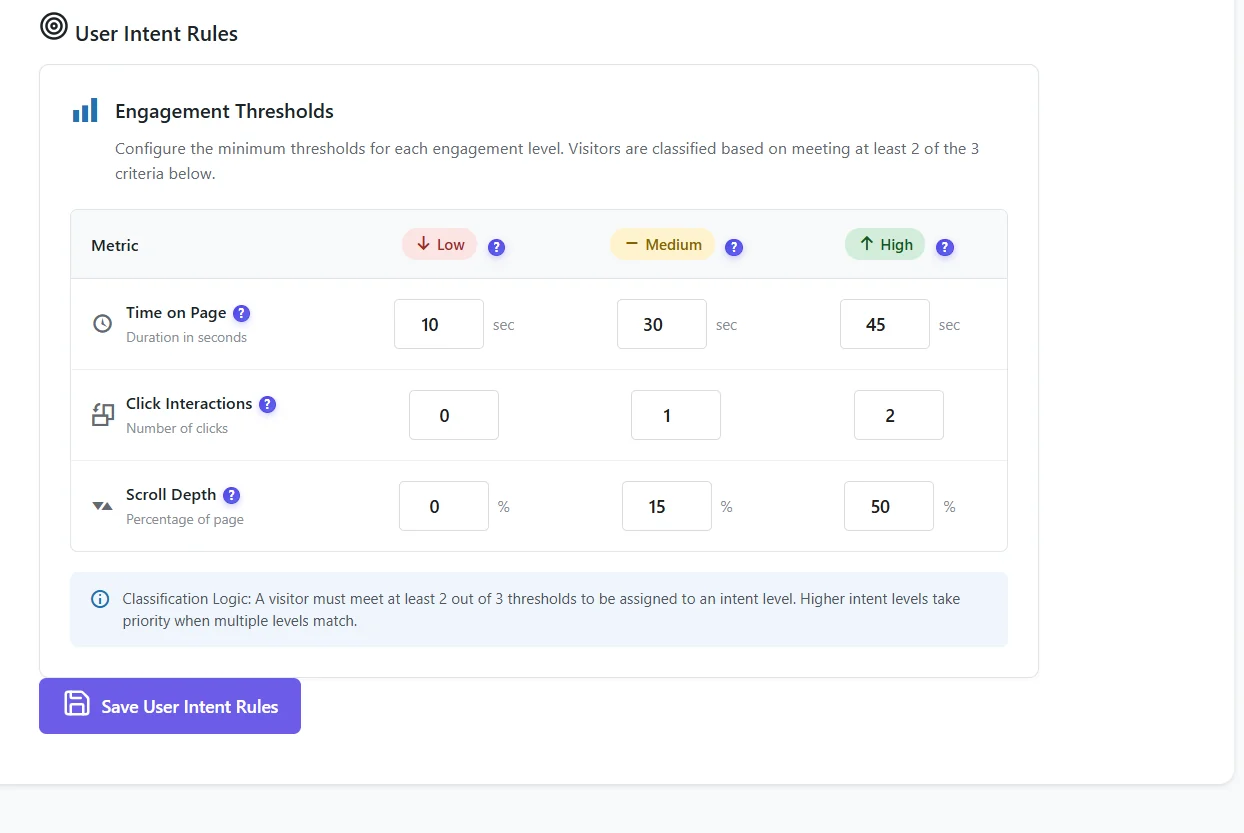
Defaults and advice are in User intent scoring.
Expected result #
The Traffic Classification widget of the dashboard reflects your rules, and excluded IPs no longer appear.
FAQ #
After saving, all my sessions became spam! #
That was a bug in 1.9.1, fixed in 1.9.2: affected sessions are re-checked automatically after the update.
Do these settings delete data? #
No. Spam and bot sessions are hidden, then purged by the daily retention.


