
Table of Contents
Pro feature. These signals need Opti-Behavior Pro. Start the 6-month free trial.
Pro signals use the data only Pro collects – recordings, errors, friction, forms, journeys, WooCommerce – so they find problems a page-level view cannot see.
Funnels and checkout #
| Signal | What it finds |
|---|---|
| Funnel Drop-off Detected | The step where most visitors leave a funnel: names the step, needs 2 steps and 50 visits, prices the loss at that step |
| Product Page to Cart Drop-off | Product views that never reach the cart |
| Cart to Checkout Drop-off | Carts that never start checkout |
| Checkout to Purchase Drop-off | Checkouts that never finish |
| Checkout Friction Detected | Errors, rage clicks or slow steps in checkout |
| Poor Conversion Rate | A page or funnel converting far below your site |
| Conversion Drop Alert | Conversion falling against the previous period (enough visits in both) |
Forms #
| Signal | What it finds |
|---|---|
| Form Abandonment Detected | Forms started but not submitted |
| Form Error Friction | Validation errors that make visitors quit |
| Field Level Friction | The field where most visitors give up |
Errors, friction and confusion #
| Signal | What it finds |
|---|---|
| Error Impact on Conversion | Script errors on pages where visitors should convert |
| Dead or Rage Click Signal | Repeated clicks on broken or non-clickable elements, measured per 100 visits |
| Visitor Confusion Pattern | Back-and-forth navigation, loops |
| Quick Exit Pattern | Visitors leaving within seconds |
| Mobile Friction Detected | Friction concentrated on mobile |
Calls to action #
| Signal | What it finds |
|---|---|
| CTA Low Performance | A button seen by many, clicked by few |
| Mobile CTA Click Rate Lower Than Desktop | The same button works on desktop, not on mobile |
| Product Page Engagement Issue | Product pages with weak interaction |
Traffic, segments and trends #
| Signal | What it finds |
|---|---|
| Low Quality Traffic Source | A source sending visitors who do not engage |
| Campaign/Page Intent Mismatch | A campaign landing on a page that does not match its promise |
| Traffic Spike Without Conversion | More visitors, no more conversions |
| Segment Anomaly Detection | A device, country, source or time slot doing much worse than the rest |
| Returning Visitor Opportunity | Returning visitors who could convert more |
| Engagement Decay | Engagement falling over time |
Next steps #
| Signal | What it finds |
|---|---|
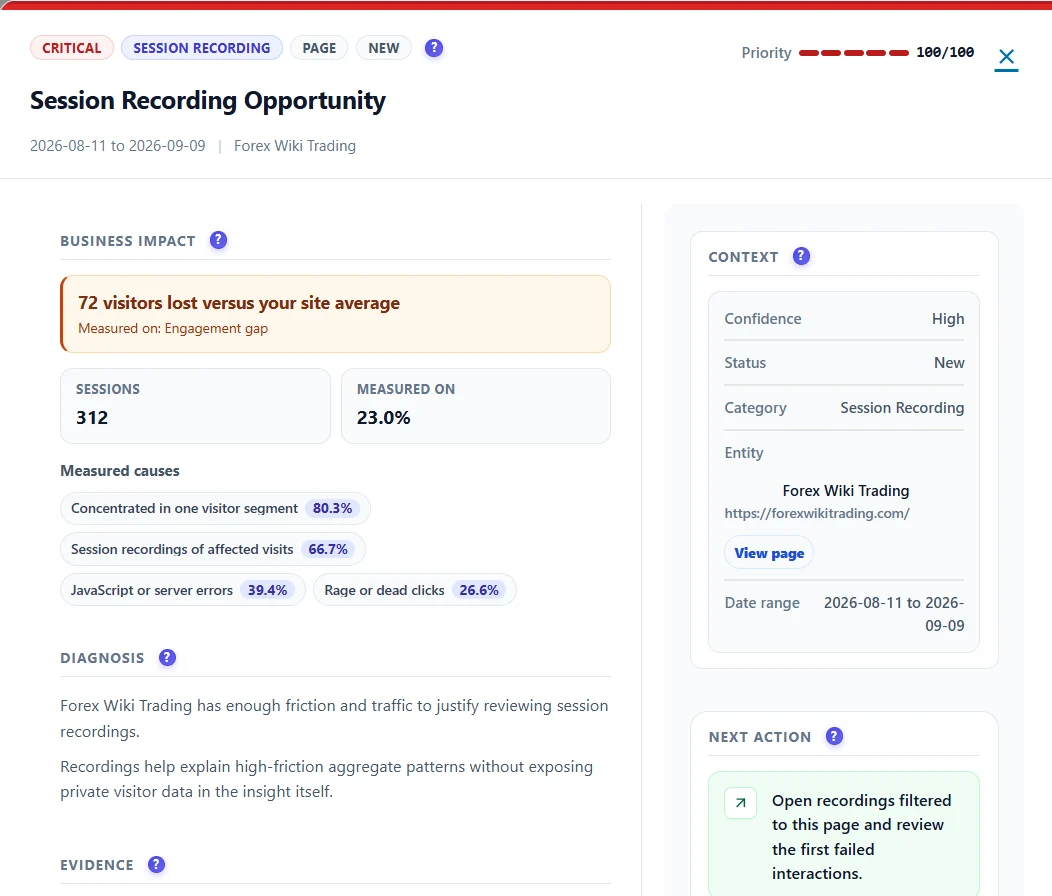
| Session Recording Opportunity | Enough friction and traffic to justify watching recordings, with the recordings to start with |
| A/B Test Opportunity | A page with the traffic to conclude an A/B test within six weeks |
Expected result #
With Pro active, Smart Insights shows cards from all these areas, each with evidence you can open.
FAQ #
Why so few Pro cards? #
Each signal needs enough visits in both periods; small sites see fewer, more reliable cards.
Are Pro cards scored differently? #
No. They use the same priority and confidence rules as the free cards.


