
Table of Contents
Deletions here are permanent. Export what you need first. Only administrators can use the Danger Zone.
Settings → Danger Zone has five tabs.
| Tab | What it does |
|---|---|
| Full Reset | Delete chosen categories of data, or everything |
| Date Range | Delete data collected between two dates; data outside the range is kept |
| Smart Cleanup | Retention periods, manual spam/bot cleanup, repair and integrity tools |
| Auto Schedule | Cleanup tasks, scheduled auto-cleanup and cleanup history |
| Uninstall | Whether data is deleted when you delete the plugin |
Full Reset #
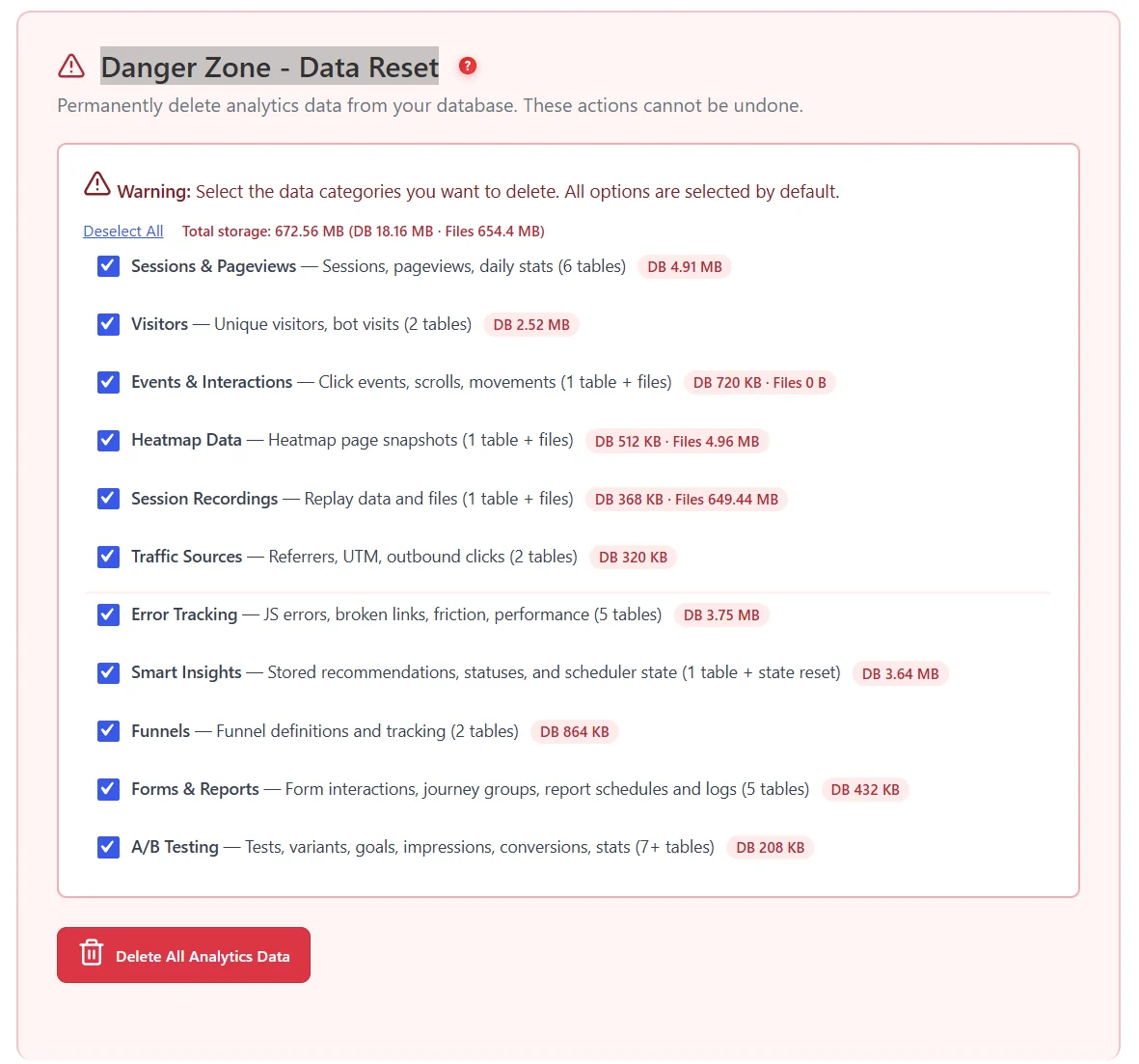
- Tick only the categories you want to delete; each shows its current size, and the total is shown.
- Heatmap Data includes archived heatmaps (since 1.9.2). Deleting Smart Insights also resets the menu colour.
- Each reset is written to Cleanup History.
Date Range #
Deletes clicks, scrolls, movements, form interactions, sessions, pageviews and heatmaps recorded between two dates, and visitors who have no session left. Useful after a test campaign or a bot attack.
Smart Cleanup and Auto Schedule #
Retention and scheduled cleanup are explained in Data retention and cleanup.
Uninstall #
See Uninstalling cleanly.
Expected result #
The chosen data is gone, the sizes drop, and the reset appears in Cleanup History.
FAQ #
Can I undo a reset? #
No. Only archived archive-page heatmaps can be restored, within 30 days.
Does a reset delete my settings? #
No. Settings stay; only the Uninstall option can delete them.


