
Table of Contents
The free version of Smart Insights watches your pages with six signals. They compare each page with your own site average, so a “high” bounce means high for your site.
| Signal | Fires when | What to do |
|---|---|---|
| Basic Bounce Alert | A page with 30+ visits has a bounce rate of 70% or more, or more than 20 points above your site | Check the first screen: does it answer the search or ad that brought visitors? |
| Basic Mobile Bounce Warning | Mobile visitors bounce much more than desktop on a page | Open the mobile heatmap and a mobile recording; check speed and layout. |
| Low Scroll Depth Page | Visitors scroll less than 35% and 20 points under your site (30+ visits) | Move key content higher; shorten the intro. |
| High Exit Rate Page | A page ends visits much more often than your average | Add a clear next step: related content, a button, a form. |
| High Traffic, Low Engagement | A page gets a lot of traffic but little time, scroll or clicks | Match the page to the intent of its traffic source. |
| Traffic Spike Observation | Traffic jumps far above normal | Check where it comes from; make sure the landing page converts it. |
Bounce and scroll use the same rules on the Insights list and in Page X-Ray, so both screens always agree.
Reading a card #
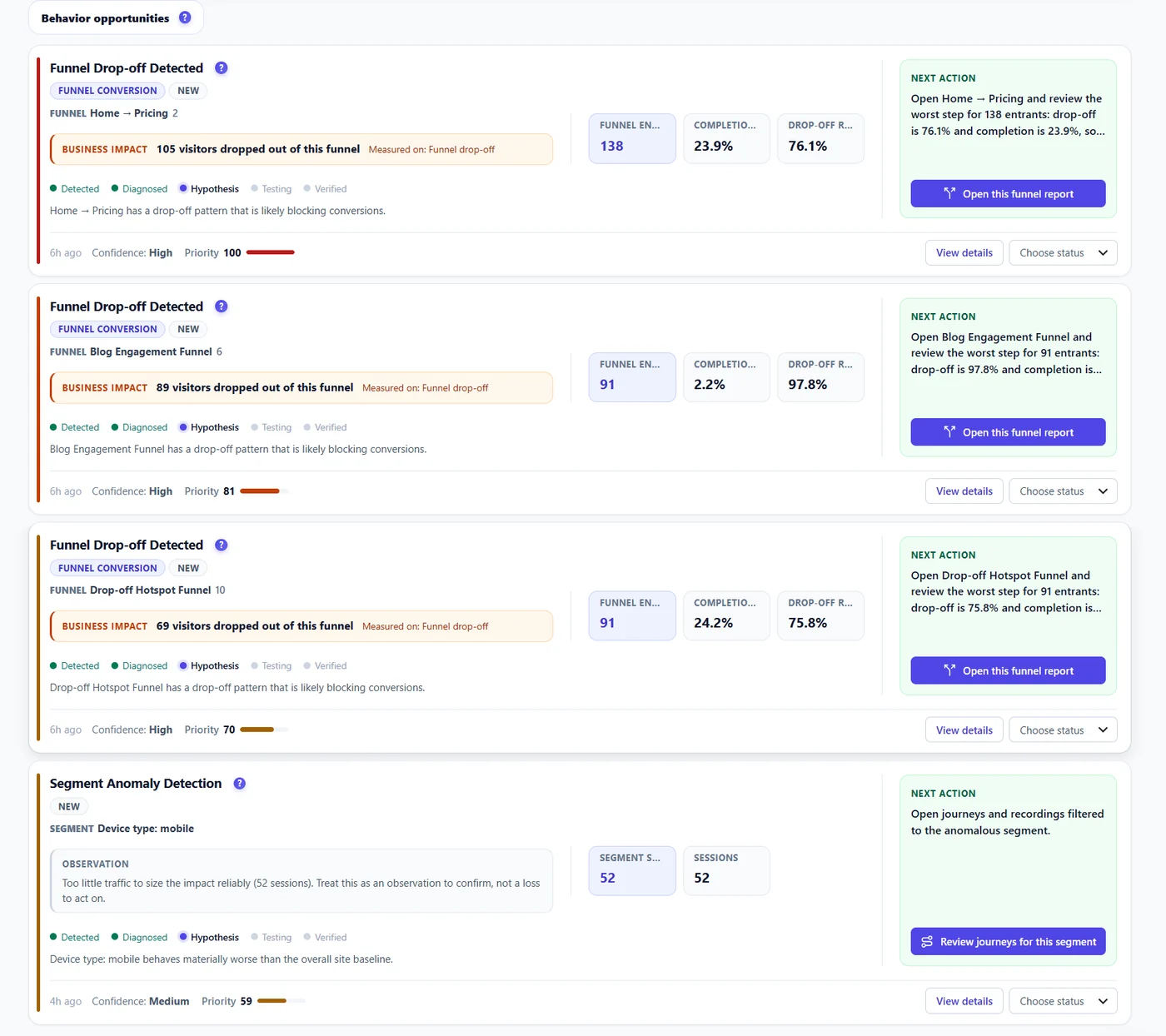
- Impact – visitors lost against your site average.
- Confidence – how many visits the verdict is built on.
- Next action – a concrete first step, with a button to the proof.
Want more? Pro adds 26 signals: funnels, checkout, forms, errors, rage clicks, CTAs, segments and A/B opportunities. Start the 6-month free trial.
Expected result #
You know why a free card fired and what the first fix is.
FAQ #
Why no card on my page? #
Signals need about 30 visits on a page before judging it.
Can I change the thresholds? #
Not per signal. They adapt to your site through the comparison with your own average.


