
Table of Contents
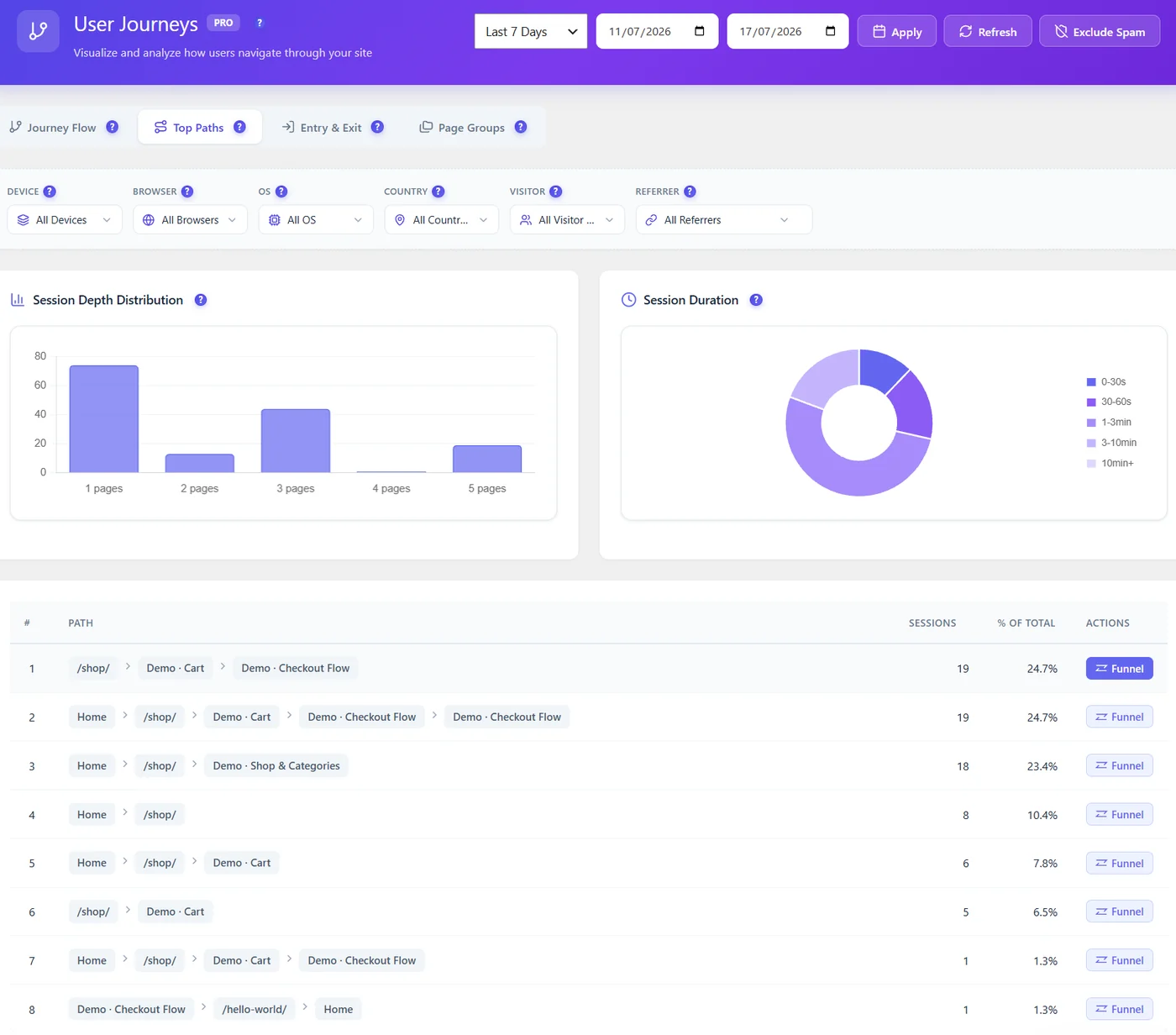
User Journeys (Pro) shows the paths visitors really take. Any of them can become a funnel in one click.
Steps #
- Open Opti-Behavior → User Journeys → Top Paths.
- Find a path that leads to a goal (for example Home → Shop → Cart → Checkout).
- Click Funnel on its row.
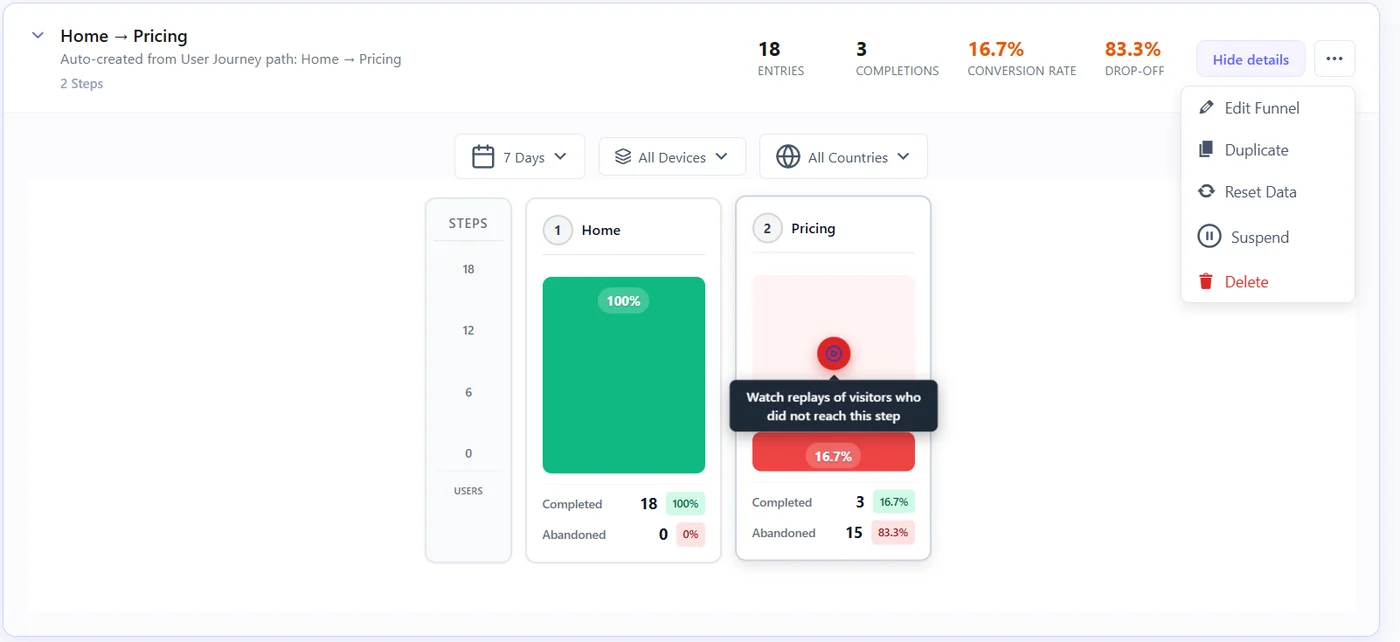
- The funnel is created with one step per page and filled from your existing sessions.
Which path to choose #
- A path that ends on your goal page (order received, thank you).
- A popular path that almost reaches the goal – the funnel will show where it breaks.
- Avoid paths with loops (the same page twice); the funnel would count the step once.
After creating it #
- Rename it clearly.
- Check each step rule; replace exact URLs with URL Contains if pages have variations.
- Open the drop-off replays (Pro) of the weakest step.
Expected result #
A new funnel named after the path (for example “Home → Pricing”) appears in Funnels with its history.
FAQ #
Is this available in the free version? #
User Journeys is Pro; the funnel it creates is a normal funnel you can edit.
Can I edit the steps afterwards? #
Yes, like any funnel.


