
Smart Insights is the part of Opti-Behavior that reads your data for you. It looks at traffic, heatmaps, funnels, forms, errors and recordings, finds the patterns that cost you visitors, and lists them from the most costly to the least, each with a next action and its proof. Everything is computed on your own server.
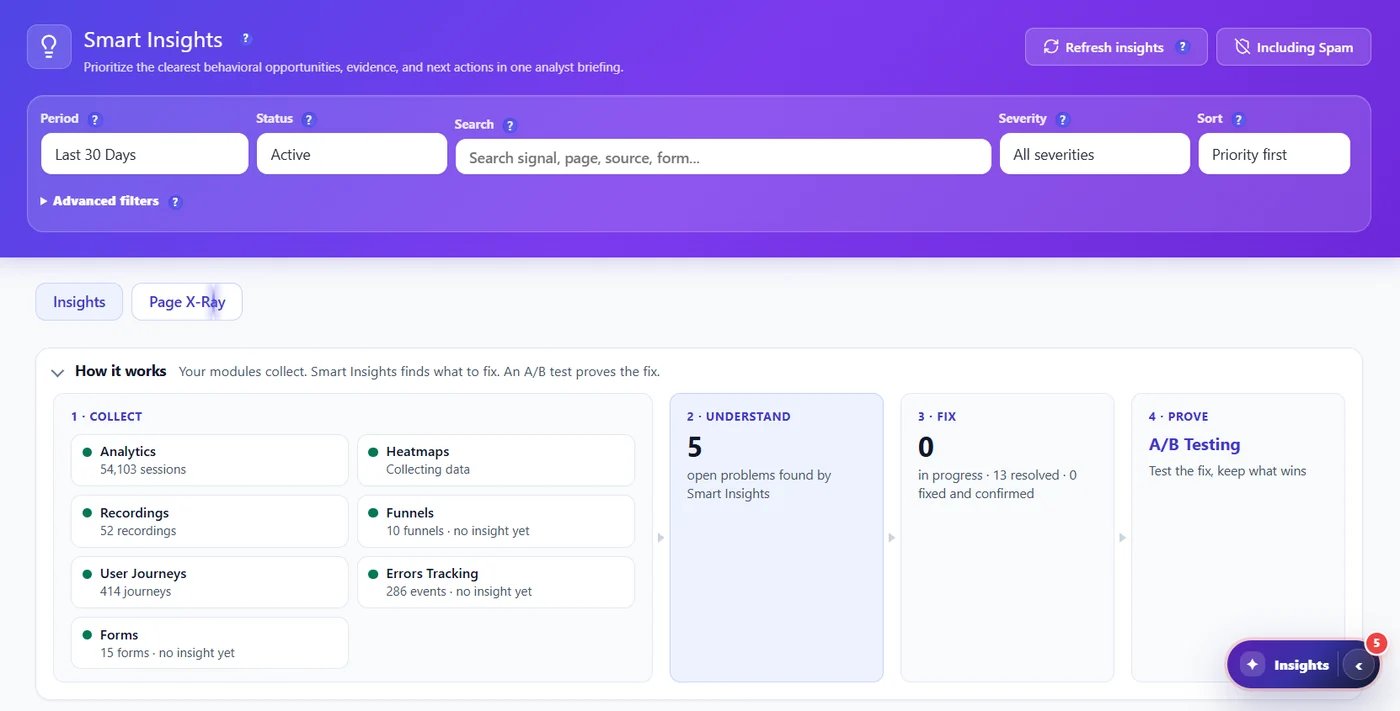
How insights are produced #
- Collect – each module sends its numbers for the period (the strip shows how much).
- Detect – signals compare pages, funnels, forms and segments with your own site average.
- Score – each finding gets a priority (visits lost, share of your traffic, confidence) and a confidence (how many visits were measured).
- Merge – cards with the same data are merged; old cards that the current rules no longer confirm are closed.
- Explain – each card gets a diagnosis, the segment that carries it, evidence and a next action.
What you see #
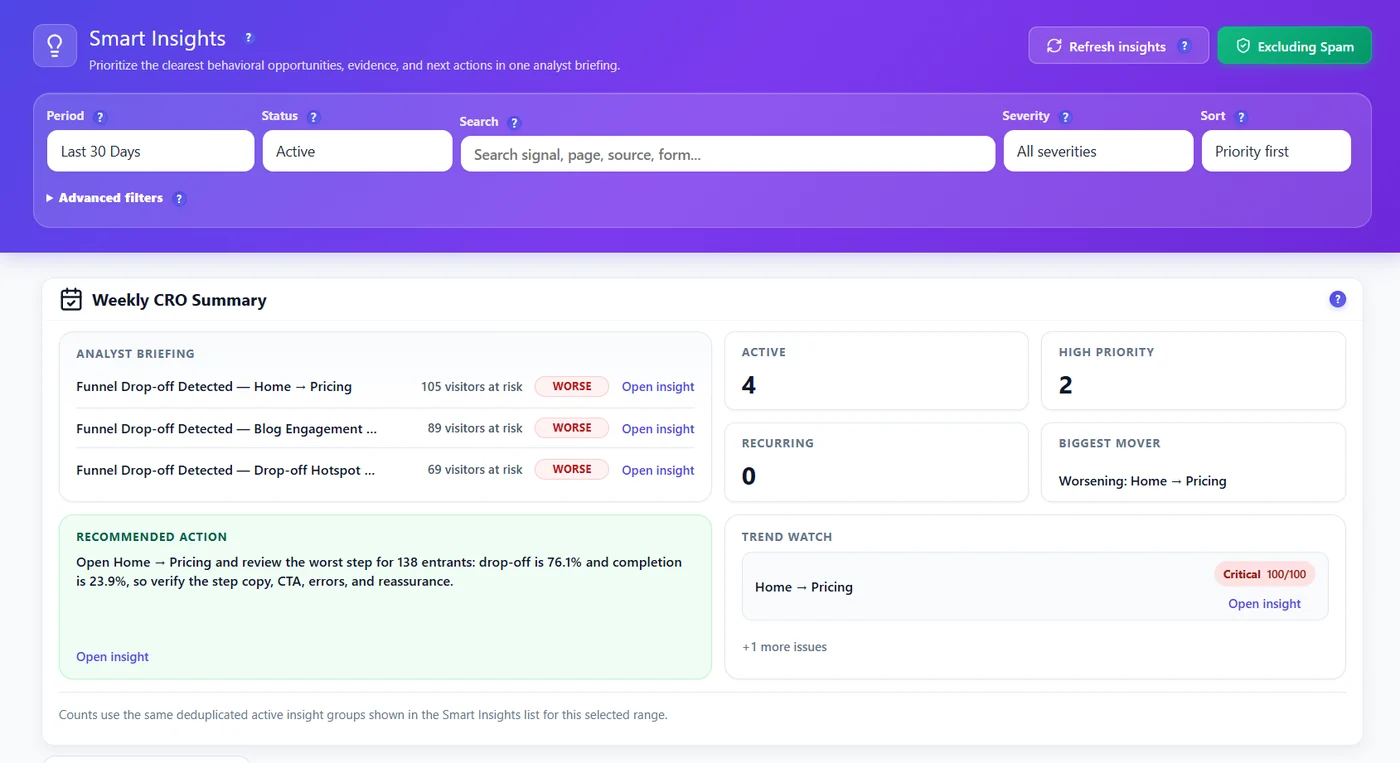
- Weekly CRO Summary – the three costliest problems, counts and the recommended action (Pro; the free version shows a locked preview). See Weekly CRO briefing.
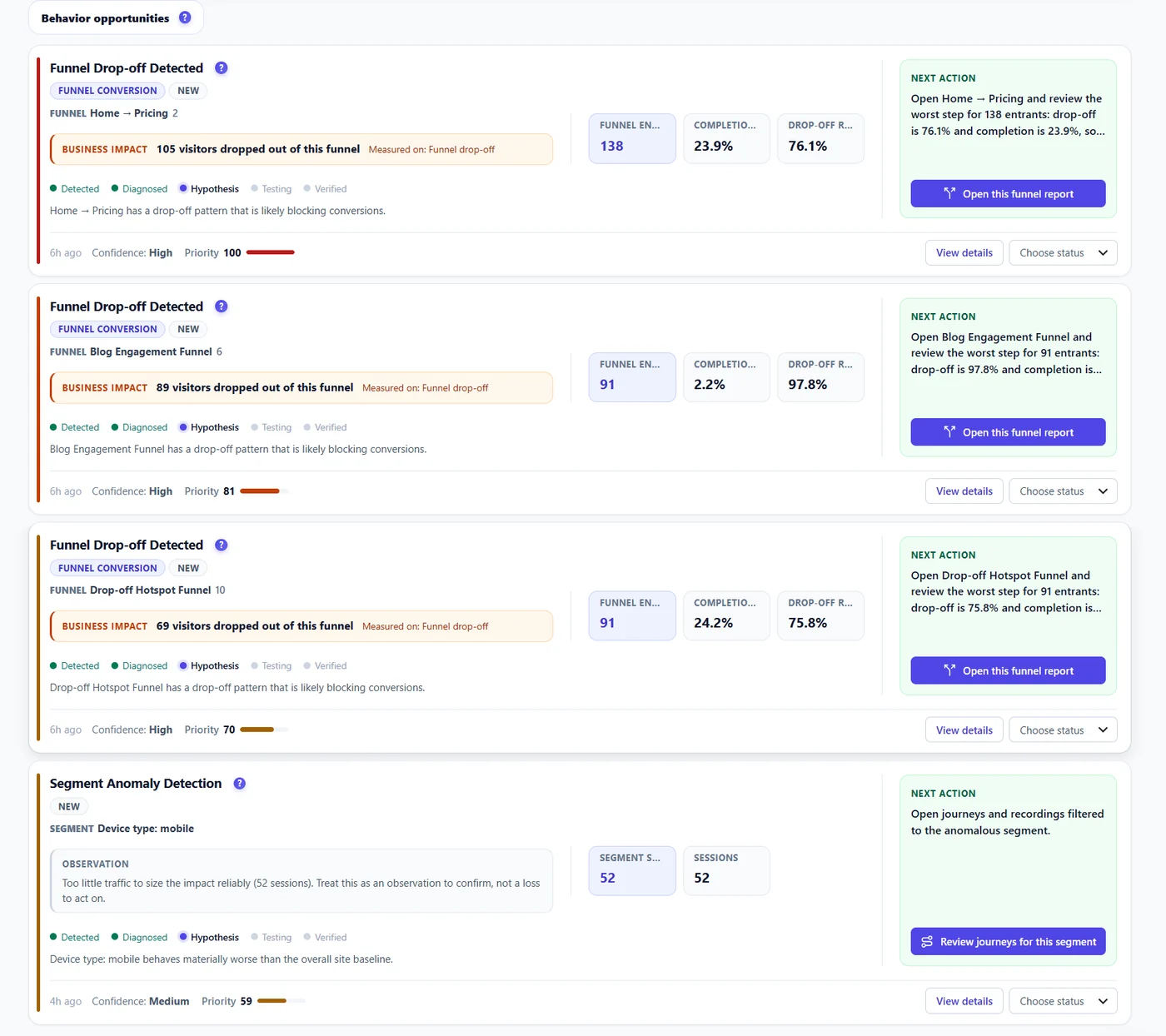
- Behavior opportunities – one card per problem, sorted by priority.
- Page X-Ray tab (Pro) – the same reading, page by page.
How honest the numbers are #
- Confidence comes from the number of visits measured: a card built on 65 visits is Medium at most, and a Provisional · N visits badge marks cards built on few visits.
- Critical must be earned: enough visits, high confidence and a loss that matters on your site.
- “Worse” or “Better” is shown only for a real change against the previous period.
- Money is shown only when it is real: a funnel that ends at the checkout with enough orders, or a form priced with your value of a conversion. Otherwise cards count the visitors lost.
Free and Pro #
| Free | Pro | |
|---|---|---|
| Signals | 6 core page signals (bounce, mobile bounce, exit rate, scroll, traffic without engagement, traffic spike) | + 26 signals: funnels, checkout, forms, errors, friction, CTAs, segments, A/B opportunities… |
| Where is the problem? | Verdict and daily chart | Full segment comparison and filtered evidence |
| Page X-Ray | Locked preview | Full |
| Revenue at risk from WooCommerce | – | Yes |
Start the 6-month free trial to see every signal.
Expected result #
After about 100 visits the first cards appear; each has a priority, a confidence, a next action and links to its proof.
FAQ #
How often is it updated? #
Daily with automatic generation on, or when you click Refresh insights. See Smart Insights settings.
Is it AI? #
It is a rule and statistics engine running on your server: no data leaves your site and no external AI is called.
Some cards disappeared after an update. #
Cards the new rules no longer confirm close as “Closed: rule updated”. They never count as resolved.


