
Table of Contents
Pro feature. The decision engine needs Opti-Behavior Pro. Start the 6-month free trial.
How it works #
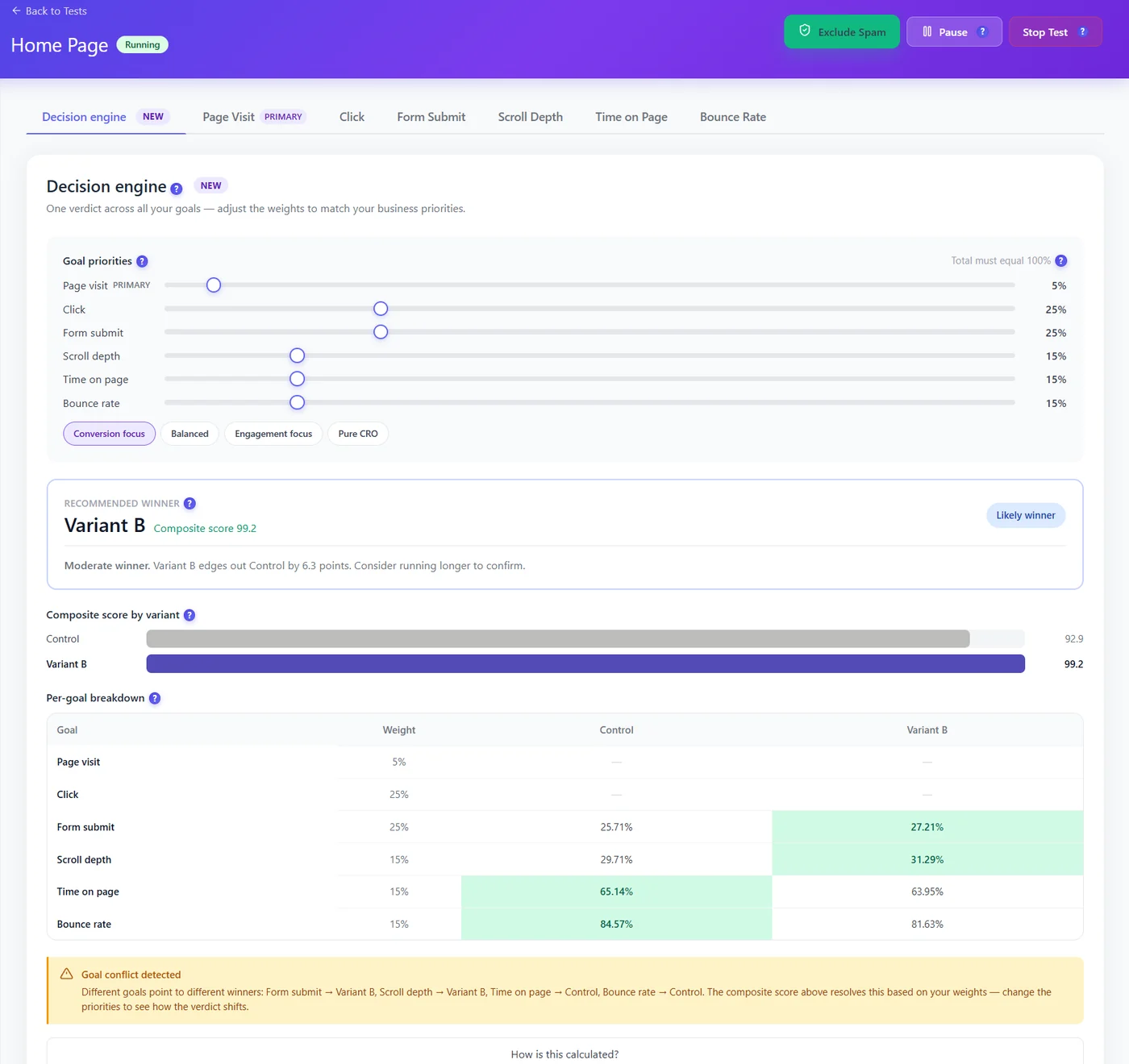
- Set goal priorities (weights totalling 100%), or pick a preset: Conversion focus, Balanced, Engagement focus, Pure CRO.
- Each variant gets a composite score from its results on every goal, weighted.
- The recommended winner is shown with its strength (for example “Moderate winner… consider running longer”).
- The per-goal breakdown highlights which variant wins each goal.
- Goal conflict detected warns when goals point to different winners – your weights decide.
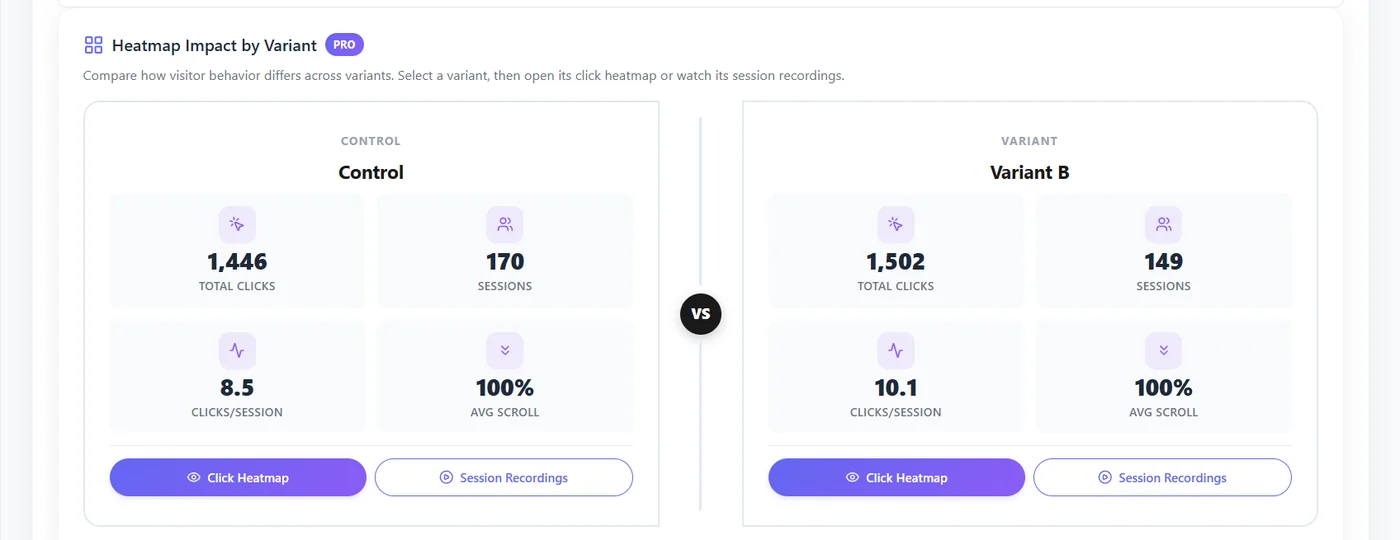
Heatmap impact by variant #
Choosing weights #
| Preset | Weights favour | For |
|---|---|---|
| Conversion focus | Clicks and form submits | Lead generation, sales pages |
| Balanced | All goals evenly | Default when unsure |
| Engagement focus | Scroll, time, bounce | Content and blogs |
| Pure CRO | The primary conversion only | When one goal matters |
Reading a conflict #
Example: Variant B wins form submits and scroll, Control wins time on page and bounce. With Conversion focus the composite score picks B; with Engagement focus it may pick Control. Choose the weights that match your business before looking at the verdict.
Expected result #
You get one recommendation that reflects your business priorities.
FAQ #
How is it calculated? #
Click How is this calculated? under the table for the formula.


