
Table of Contents
Pro feature. Form Analytics is part of Opti-Behavior Pro. Start the 6-month free trial to unlock it.
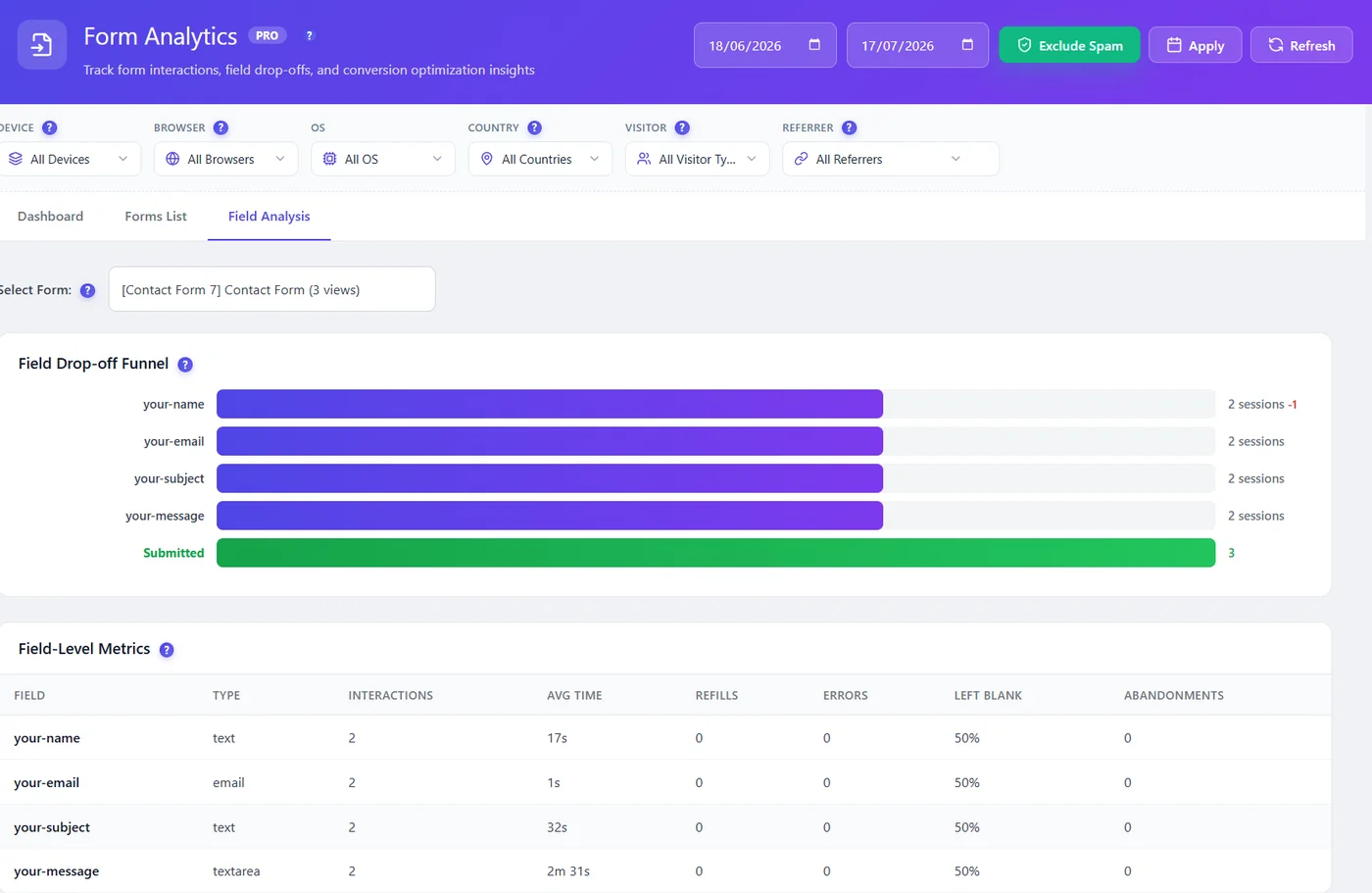
Choose a form in Select Form. The funnel lists fields in order with the sessions that reached each one; the last bar is Submitted. A red number after a field is the drop at that field.
Fix the field that loses visitors #
| Field problem | Fix |
|---|---|
| Phone number | Make it optional, or explain why you need it |
| Long message box | Replace with a short question or choices |
| Captcha | Use an invisible captcha |
| Email confirmation | Remove it |
| Many fields | Split into two steps or cut the non-essential |
Reading the example #
In a Contact Form 7 form with name, email, subject and message, two sessions reached every field but only some submitted: “2 sessions −1” after the first field means one visitor stopped there. With a few visits, wait before concluding; with hundreds, the first red number is your priority.
Expected result #
You know the one field to change first.
FAQ #
Why do hidden or technical fields appear? #
Some plugins add hidden or honeypot fields; ignore them.
Can I test the change? #
Yes, with an A/B test using form submission as the goal.


