
Table of Contents
Settings → Storage Stats shows how much space Opti-Behavior uses, in the database and on disk.
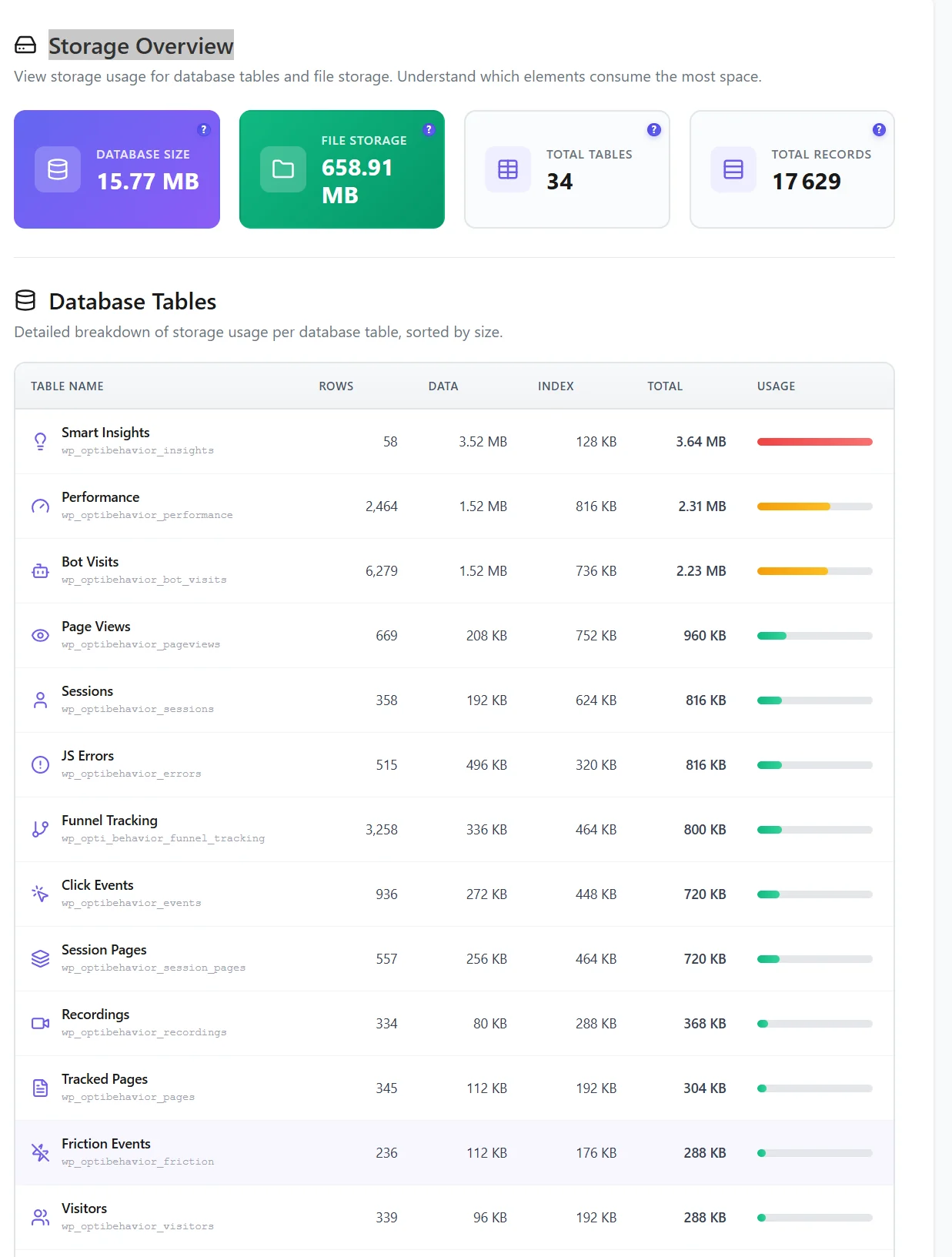
What you see #
- Database Size and File Storage – the two halves of Hybrid Storage.
- Tables and records – how many Opti-Behavior tables exist and how many rows they hold.
- Database Tables – each table with its rows, data size, index size, total and a usage bar.
The tab loads asynchronously, so it opens fast even on large sites.
What is normal #
- Files are usually larger than the database: heatmap data and recordings live on disk.
- The events and sessions tables are the biggest tables.
- After 1.9.1, the heatmap events table shrinks (up to 10 times) and tables are converted to InnoDB in the background.
When it grows too much #
- Check retention (Danger Zone → Smart Cleanup): files 90 days and detailed data 365 days by default.
- Set a database size cap if your host limits the database.
- Purge spam and bots (done daily, or now from Manual Cleanup).
- Run Cleanup Tasks → Run all now. See Data retention and cleanup.
Expected result #
You know how big the data is, which tables weigh the most, and how to reduce them.
FAQ #
Why is file storage much bigger than the database? #
That is by design: bulky raw data goes to files to keep the database fast.
Do recordings count? #
Yes, recording files (Pro) are part of File Storage.


